





Civic1201
Members
-
Joined
-
Last visited
Everything posted by Civic1201
-
@ich777 ist aber ohne Unbound richtig?
-
Mit Deinem Container habe ich absolut keine Probleme. Läuft wunderbar! Planst Du das ganze auch vielleicht mit Adguard+Unbound umzusetzen?
-
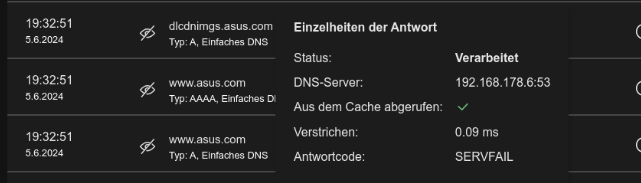
Ich habe leider ein ärgerliches Problem mit Adguard und Unbound, welches sporadisch auftritt... Dann kann ich manche Seiten nicht aufrufen und im Protokoll steht dann SERVFAIL, starte ich dann den Unbound Container neu, klappt es wieder. Eine Idee an was das liegen kann? Vielen Dank @Jabberwocky edit: zum Teil kann ich nicht mal google.de erreichen...

-
Any ideas?
-
Hi there, when copying files over the network from server#1 to server#2 (both running Unraid 6.12.10) in my home network I receive a lot of messages like this: This is on the server that receives the files via remote share. I have never seen this before. Is this a problem? Thank you.
-
I found the solution here: Backup is working now.
-
Yes. that did the trick! Had some issues with cheap stick without SN (warning in Unraid) and an unstable 64GB USB3 stick. Finally a 4GB USB2 drive is running and no issues after reboots. So this problem is solved. Still problems with Unraid Connect backup (coruppted). Maybe you have an idea: Thanks again for your help.
-
thank you, that solved the "problem"
-
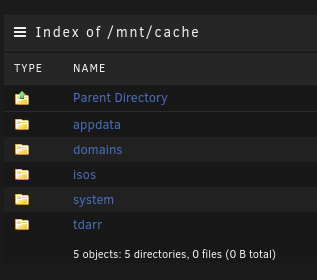
Yes, appdata, domains, and system shares are only on the cache drive. edit: but I found this: These are emty folders on the disks. Is it safe to delete them using mc?

-
I want to keep that shares on my cache drives only. I checked the disks of the server and could not find any "copies" of these folders/shares. Is there another way to check?
-
Yes, everything is now on the cache drive.
-
Here you go. tower-diagnostics-20240327-1411.zip

-
It is running now in xfs, should I stop the array and format it again or just reboot?

-
Yes to xfs. This happens after every reboot and I have to reformat the drive again.
-
okay, adapter arrived and I installed it. So Unraid drive is directly connected to the motherboard and the array drive is connected to the USB2.0 port -> IO shield. After reboot the array drive needs stil to be reformated. Any ideas?
-
Hi there, upgraded both servers to the latest version of Unraid. The second server gives me the error: Singning out and in won´t change anything. Diagnostic files attached. Thanks for help. tower-diagnostics-20240327-0842.zip

-
Thank you, I was able to sort it out.
-
OK, maybe I found the root of the problem. appdata is on Disk1 and contains old data from a previous install. Can I just delete this and start with a new config?
-
Here you go. towerdu1-diagnostics-20240326-1745.zip
-
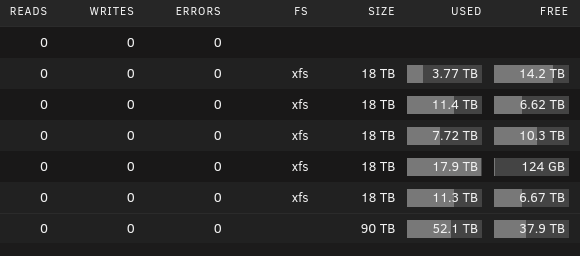
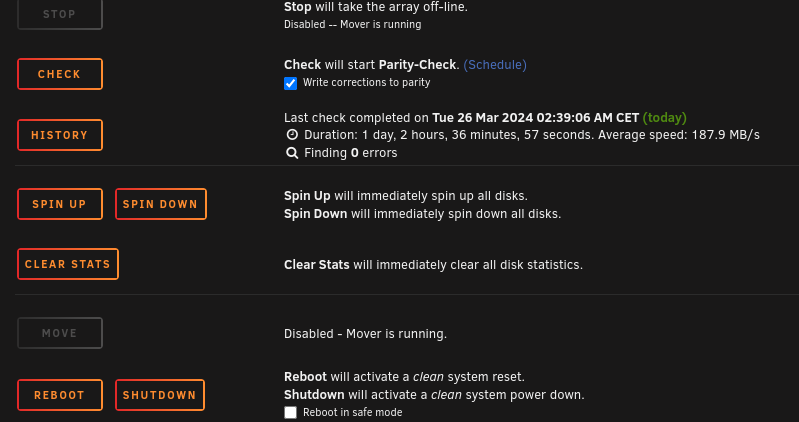
Hi there, I am trying to move data to reset my configuration for my cache pool. Started mover and it moved some data. Now there is zero activity on the drives and the mover button is greyed out. I reset the stats to see any changes but nothing happens.
-
ok, I think the best way is to start from scratch... How can I keep the data on the array on delete all other settings? i do not mind about regonfgure all the other settings.
-
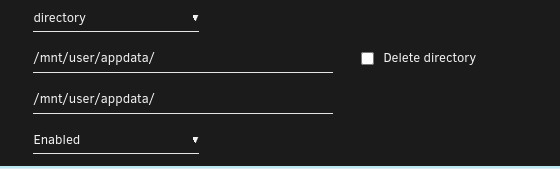
thank you, this is what I see after deleting the img file This is correct?
-
I lost (kind of) my docker.img file, when I check appdata the data for containers are still there. How can I reconnect to the img file? Even a new config for Docker is fine for me. Thank you.
-
Vielen Dank! Ich werde das so belassen wie es ist, never change a running system Nächstes Wochenende werde ich das ganze auf einem weiteren Server umsetzen, jetzt weiß ich ja um die Kniffe. Du hattest ja die Firebog Listen geposted. Ich habe jetzt mal "auf Verdacht" alle grünen Listen hinzugefügt. Hier z.B. Würdest Du teilen, welche Listen Du verwendest oder ob alle grünen Listen "overkill" sind? Danke Dir @Jabberwocky

-
@Jabberwocky vieln Dank, dann weiß ich Bescheid Ich habe mal in das Log von Unbound geschaut und da bekomme ich diese Fehlermeldungen: Kannst Du mir dabei helfen?



