





Civic1201
Members
-
Joined
-
Last visited
Everything posted by Civic1201
-
Hi, I connected 2 drives to my SATA connectors on my ASRock J5040. So 2 connectors are not in use. Because of limitations in Powertop @mgutt I want to enable the power management settings for the two connectors that are not in use: How do I know the hosts for the connected not connected drives? Thank you.
-
I may found the reason for this bahaviour, please let me know what you think about it. I am using this adapter for the unraid stick + the stick for the array -> both are connected to this adapter: I just ordered a new adapter just for the array stick, maybe this will help:
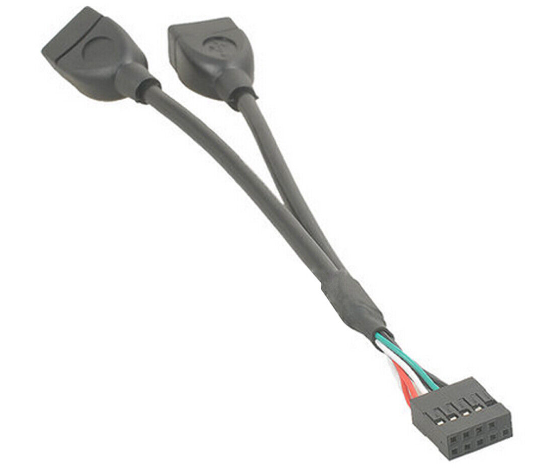
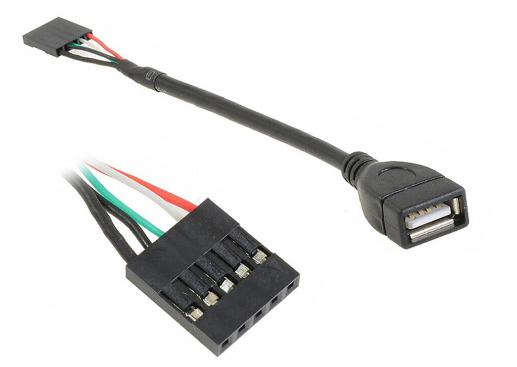
-
Yes I know, but this i sgoing to happen after every reboot. Not a big deal, just asking. One more question. Sleep time is set to the minimum -> 15 minutes. This means the stick is "sleeping":

-
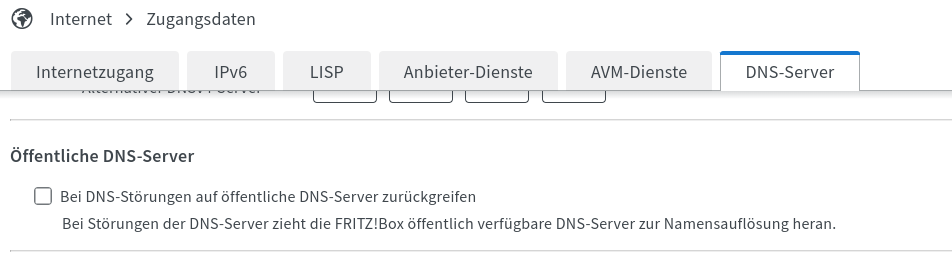
@Jabberwocky Vielen Dank für Deine super Anleitung, die ich erfolgreich umsetzen konnte. Eine Frage zur Einstellung in der Fritzbox. Sollte diese Einstellung aktiviert sein: Vielen Dank nochmal!
-
Ok I used a cheap 4GB stick for the array, but after reboot I receive the message: After clicking formating the drive is fine. This is normal? I choosed xfs format.
-
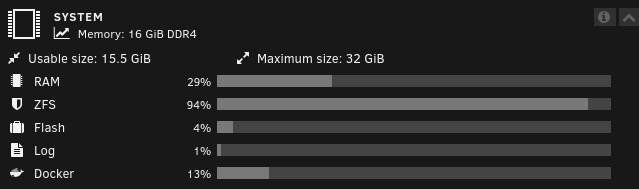
Hi there, I just finished my third server mainly for downloads and Adguard/Unbound: - ASRock J5040 - 2 x 8GB Ram - 1 x 1TB WD SSD for cache -> ZFS - 1 x 1TB WD SSD for Array drive -> XFS - no parity drive I learned that the Trim command is not working (yet) for SSDs in the Array. Should I reformat the Array disk to ZFS? Is 16GB Ram enough? Thank you.
-
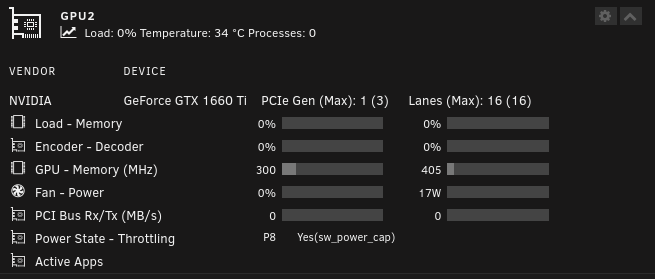
Habe jetzt vom alten Script auf das hier empfohlene gewechselt. Alte Scripts gelöscht und in die go Datei eingetragen Grafikkarte ist eine 1660TI, der idle Verbrauch ist nach dem Neustart bei 17 Watt. Ist das normal bei dieser Karte?
-
Thanks, will place the order now
-
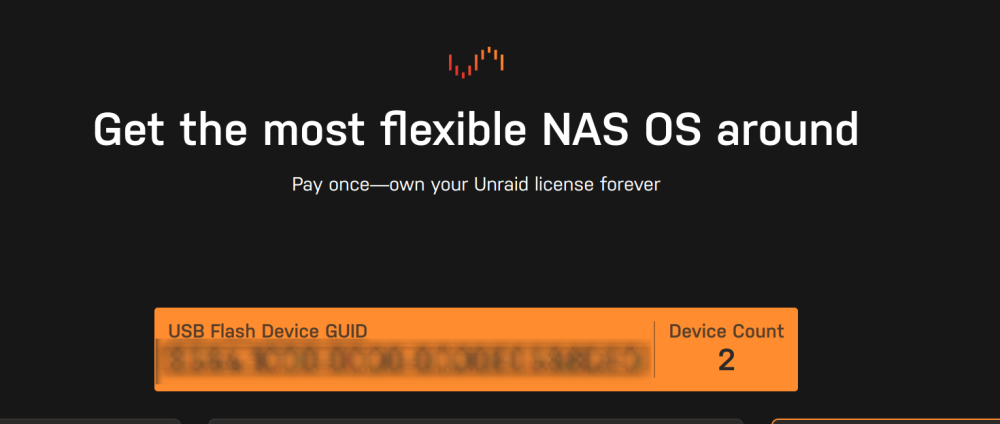
Hello, I want to order a licence for my second server after testing and using the trial option. When I go to purchase this is the screen: Is it safe to place the order?
-
Yes, vielen Dank! Es lag, wie so oft an meinen/einem, Denkfehler. Beide Container laufen nun einwandfrei durch GluetunVPN und ich kann auch das Webinterface der Container nutzen.
-
Danke @ich777, das werde ich testen und Dir Bescheid geben.
-
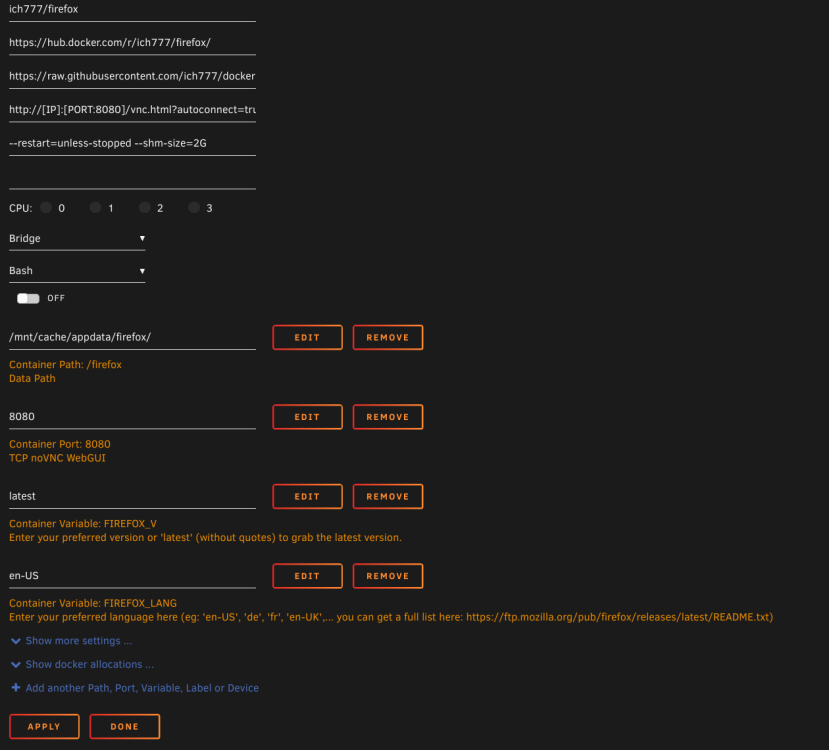
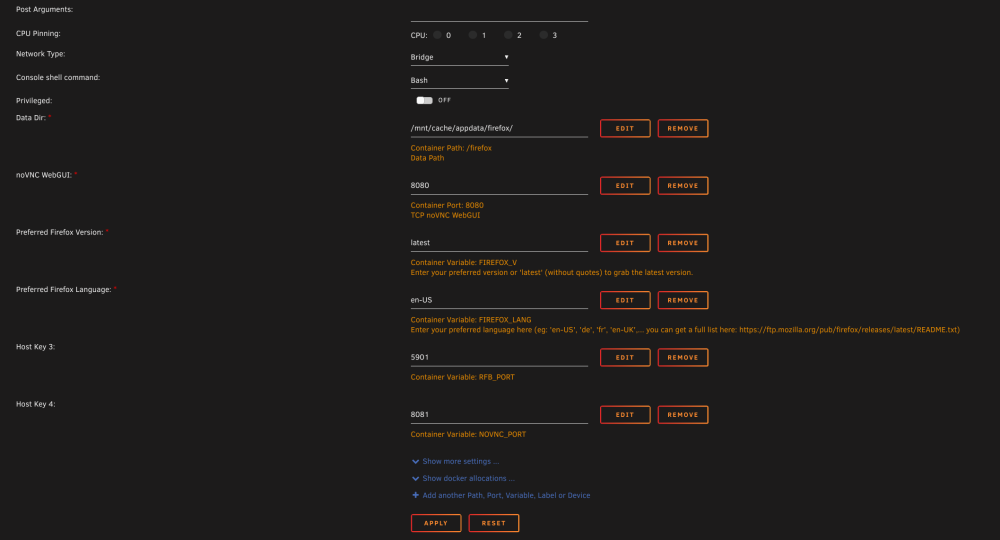
Ok, ich fange nochmal komplett neu an. Hier die Ansicht Deines Firefox Containers vor der Installation: noVNC WebGUI ist ja vorgegen und mandatory, diesen Eintrag also löschen und manuell, wie zuvor geschrieben, hinzufügen und entsprechend ändern? Quasi so:
-
Vielen Dank! Ja, ich nutze Deine Container. Ich versuche das umzusetzen und wenn ich nicht weiterkomme, poste ich die Screenshots.
-
Guten Morgen, ich versuche gerade einen neuen kleinen 24/7 Server auf Basis von einem ASRock J5040 zum Laufen zu bringen. Bis jetzt laufen (dank der Anleitung hier ) Adguard Home und Unbound. Jetzt möchte ich folgende Container hinzufügen bzw. durch einen davon routen -> GluetunVPN Dieser Container läuft erfolgreich. Hinzufügen möchte ich nun die Container Firefox und jDownloader2, jeweils von @ich777. jdownloader2 funktioniert und läuft durch GluetunVPN, allerdings kann ich auf das Webinterface nicht mehr zugreifen, Zugriff über myjdownloader funktioniert. Krusader (auch von ich777) hingegen soll ohne Gluetun laufen, das klappt bereits. Wenn ich jetzt Firefox versuche durchlaufen zu lassen, klappt das nur, wenn ich jdownloader vorher beende. Ich habe versucht die Ports anzupassen, aber scheinbar wird das nicht übernommen. Kann man die VNC Ports anpassen oder müssen diese für Unraid auf "standard" bleiben? Für Hilfe bin ich sehr dankbar.
-
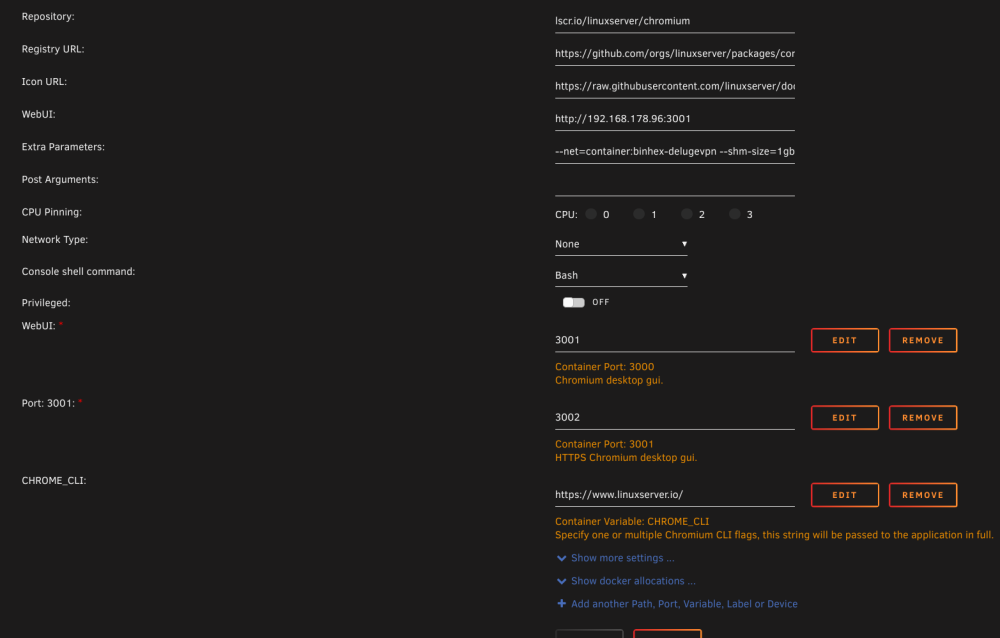
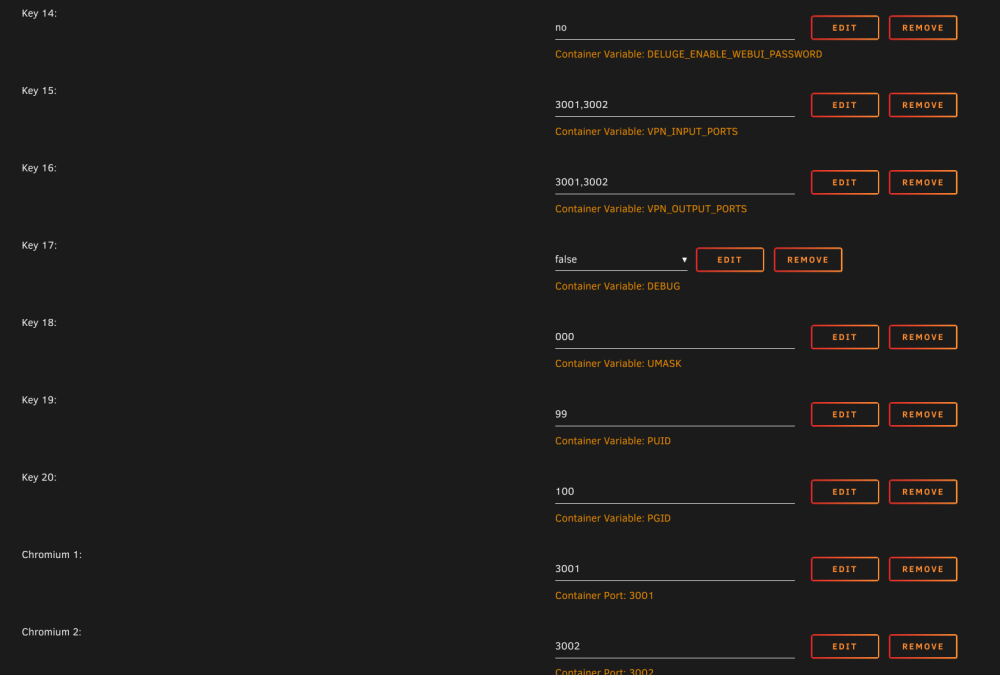
Hio there, I am running my main server (server 1) + a test server (server 2) I want to convert to a smaller 24/7 system. Currently on server 2 are running containers for Adguard and Unbound. I want to add binhex-delugevpn to route through two other containers (downloader and browser). For binhex-delugevpn I need to access the containers via localhost: When I try: http://Tower.local/ there is no result -> for both servers Can you please help me to find the right settings? Thank you.
-
I found the easy solution by clicking advanced view on docker page and deleted the old images. Was just to lazy to think about that option.
-
Hi there, I am trying to route some containers through delugevpn. This was super easy on server #1. On my new server the containers will start but I have no access to the web UI. Please have a look at my screenshots;
-
Habe ich das richtig verstanden, dass ich auch nach dem Start des neuen Modells z.B. von PLUS auf PRO upgraden kann? Oder stehe ich da auf dem Schlauch?
-
System is running again I was able to reflash my last local image to the same stick and done. Lesson(s) learned: - whenever you tweak your Autofan settings disable Flash-backup as all saved setting from Autofan will result in a Flash backup. - when changing a lot of settings this will create a loop (at least for me) and the flash drive will be not accessable anymore - after all settings saved reenable flash-backup und run a backup - never forget manual updates...
-
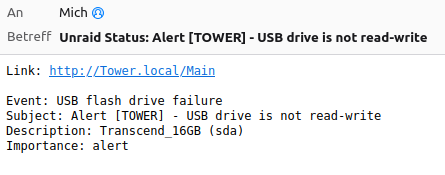
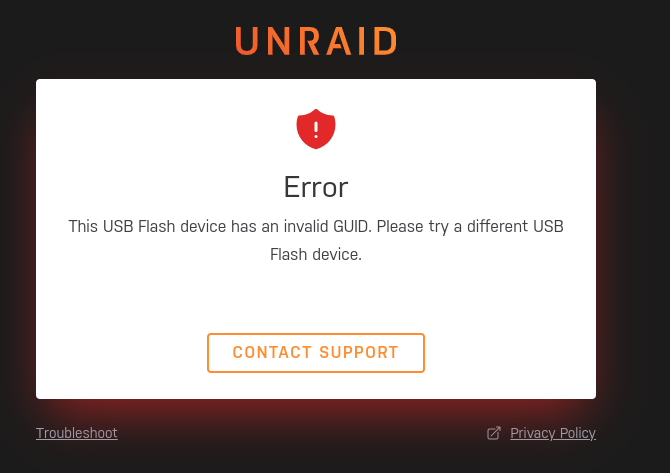
Hi there, after changing some settings (and saved them) in Autofan my system is in a loop of flash-backups. After it finished I started to reboot the server, when it came up with an error and I received this email. Before the reboot I downloaded a manual flash-backup to my laptop. What's the best way to bring the server back to life? Tank you.
-
My question was more general, is a reboot requiered after the install of the plugin?
-
I guess a restart is required after installing the plugin right?
-
Any ideas?
-
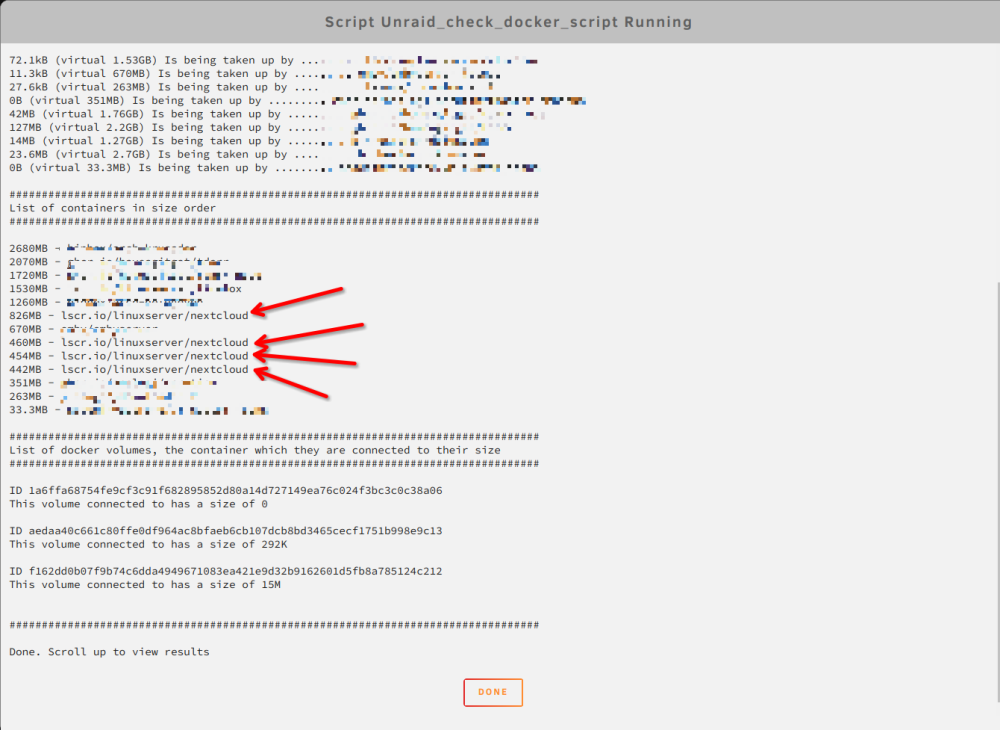
Hi there, from recents installs I found some old installs from Nextclod in my docker image and I want to remove them to save some space. How can I delete these files? Please have a look at my screenshot. Thank you!
-
Problem solved! For testing I changed the Western Digizal SSD to an ADATA 240GB and waited for 24 hours -> no errors at all. Switched to a brand new 970 Evo Plus and testet again -> 0 erros and no comments needed anymore So I am done with Western Digital, next step is to replace the 2 WD RED in my first server.








