Civic1201
Members
-
Joined
-
Last visited
Everything posted by Civic1201
-
Ok my fault... I had the idea that with a disabled cache + copying using Krusader would write data direct to the destination share => not true So basically a disabled cache for a share is "usefull" when writing data from external right? Dynmics File Manager sounds little bit dangerous for me... Background of my question was to use tdarr with cache disbled data drive but in the end I will have to transfer the data manually so I can keep the cache enabled for automatization using mover tuning plugin.
-
I used the binhex-krusader docker. I will try the Dynmics File Manager and report back.
-
I successfully rpelaced the boot drive to an new stick -> FlashTranscend_16GB - 15.7 GB (sda) It is a 16GB drive. In unraid it shows only 8GB, is this normal?

-
I have two shares with enabled cache. So when I transfer data from the download share to the media share it will first go to the cache drive of the media share and from there using the mover finally to the share. So far so good.. Now I want to disable the cache for both media containing shares but enabled for the download share. When I try to move data from the download share (cached) to the media share (cache disabled) it will stuck on the cache drive. From my understanding it should be written directly to the media share or am I wrong?
-
Tested with dualboot Manjaro and it looks fine: So it is related to Win11.

-
Please give me an advise. Turn cache for media containing shares on or off? Thank you!
-
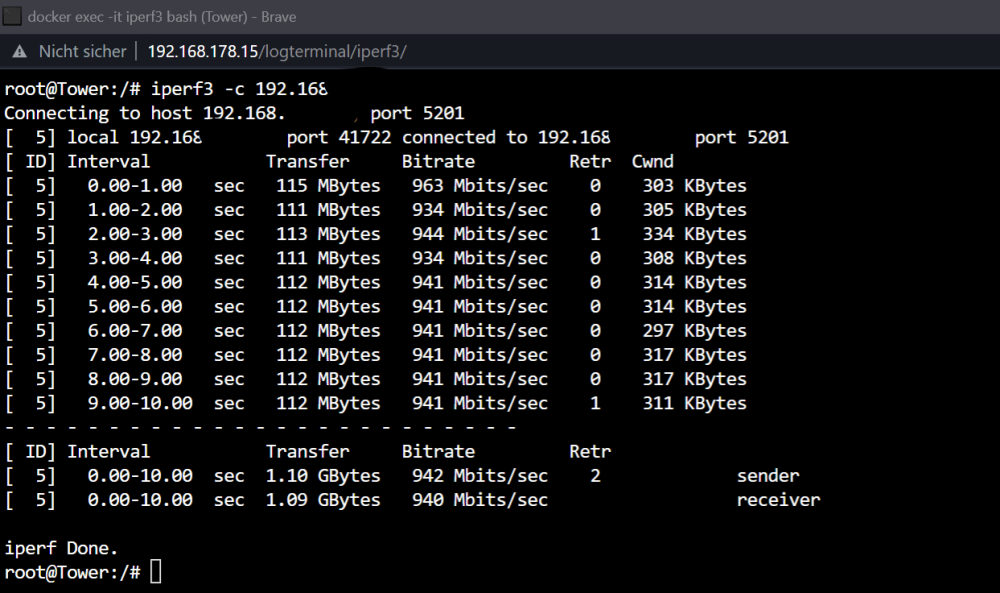
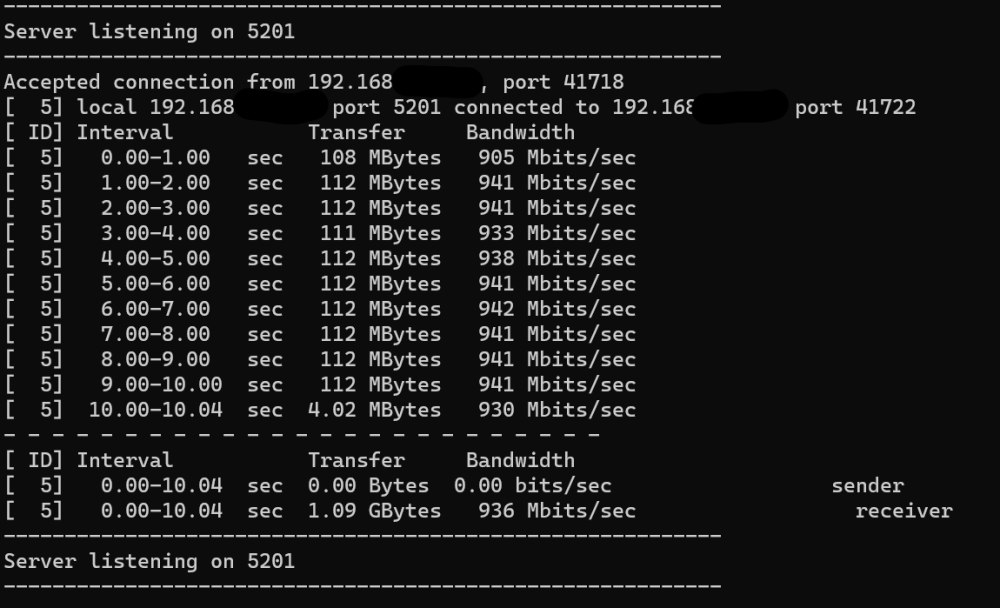
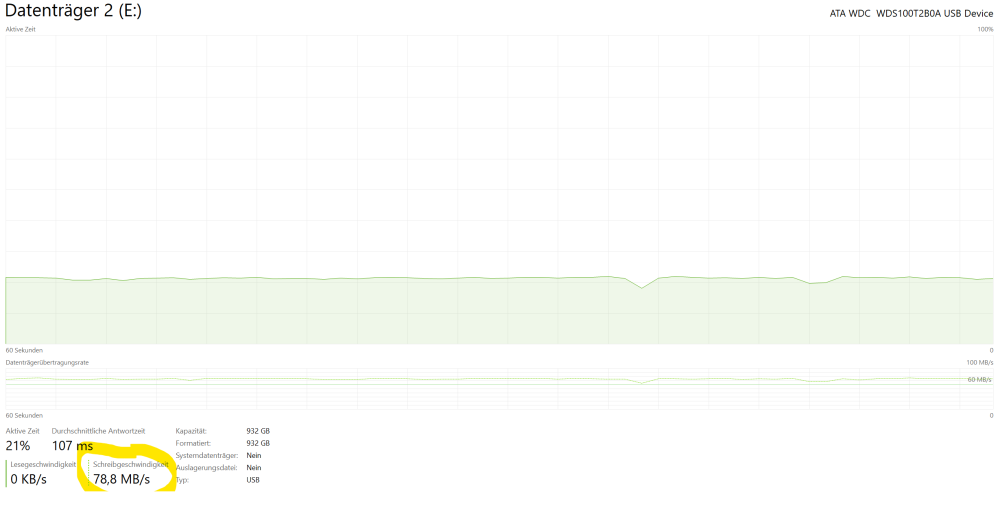
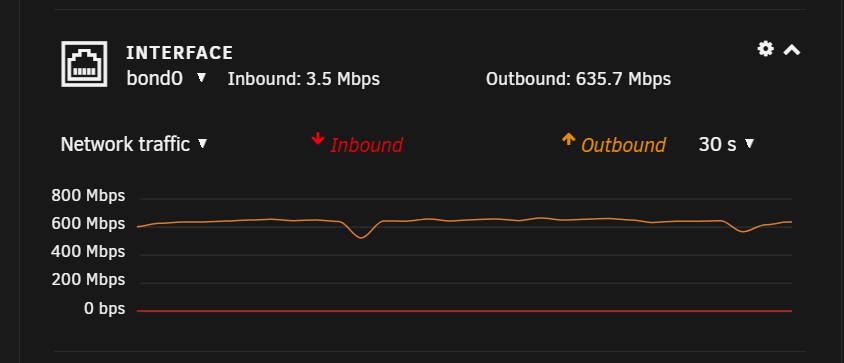
Tests seem to be fine in both directions. From server to Win11: From Win11 to server:
-
When I upload files from Win11 to my server using SMB I can only reach about 80MB/s no matter if the file is stored on the cache pool (2x WD SN700 NVMEs) or is already on the disk(s). Sometimes tranfer will drop to below 70MB/s. Uploading is fine and I can max out my 1000/1000 (Mbps) connection with about 110MB/s. How can I improve the reading performance? Thank you.
-
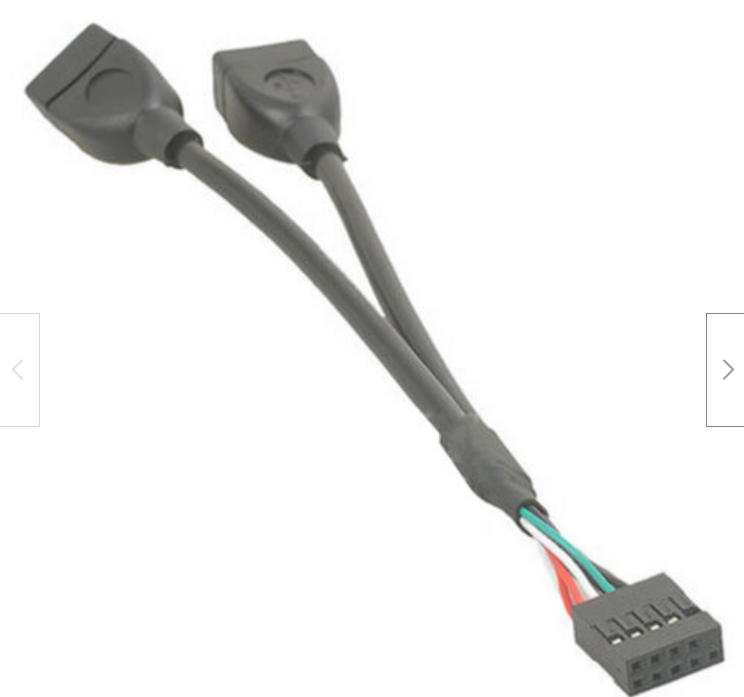
Ok I ordered one of these as it should be possible to store it inside the case: My procedure to prepare and boot from the new stick is safe? Array and services will start after the upgrade?
-
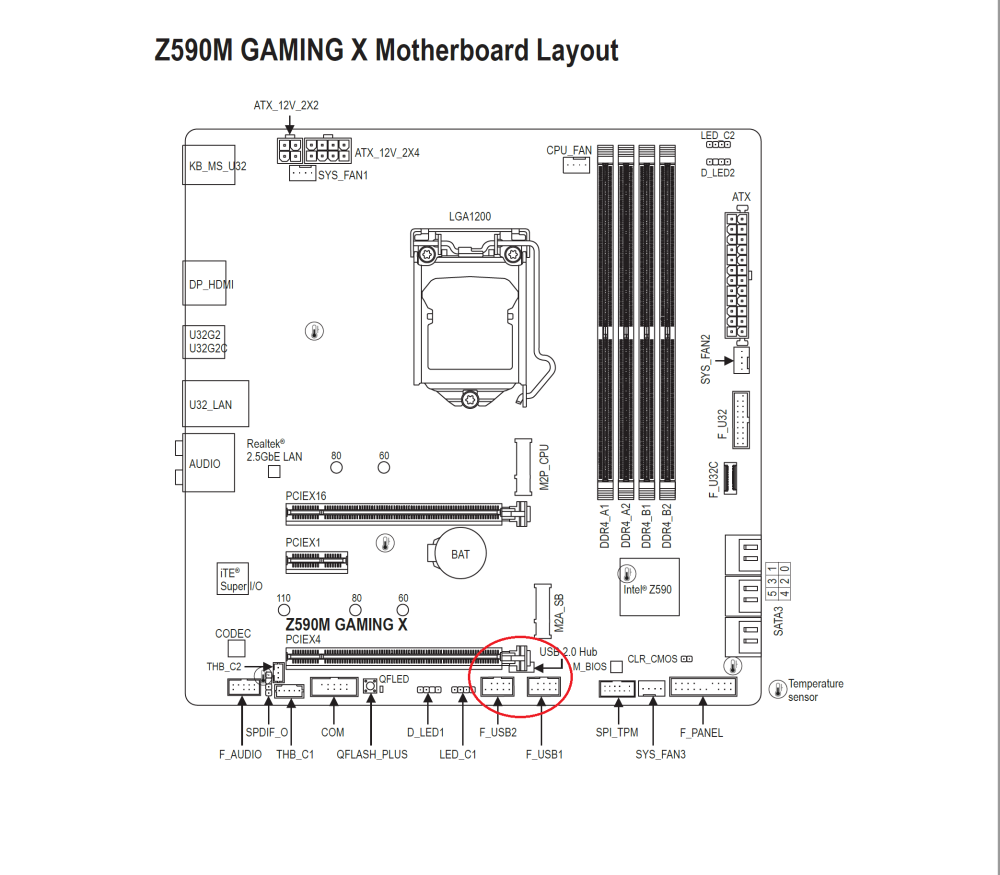
I uploaded an overview of the board and a product that might fit.
-
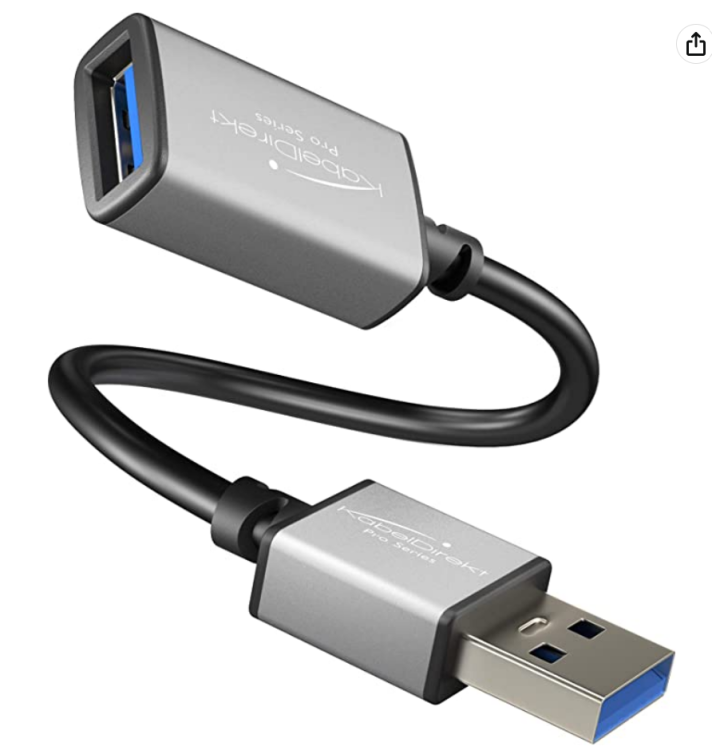
I have one of these adapters but it´s USB3.0 and I will lose the option to connect external drives to the side of the case. My bad this for the front USB 3.x I found this one: https://www.amazon.de/Cablecc-10-Pin-Motherboard-Adapter-vertikal/dp/B07YD444GC/ref=sr_1_31?__mk_de_DE=ÅMÅŽÕÑ&crid=1QVTMN7X0NVMG&keywords=2+Port+USB+Motherboard+Header+Adapter&qid=1677288164&sprefix=2+port+usb+motherboard+header+adapter%2Caps%2C68&sr=8-31 This will fit for my board right?
-
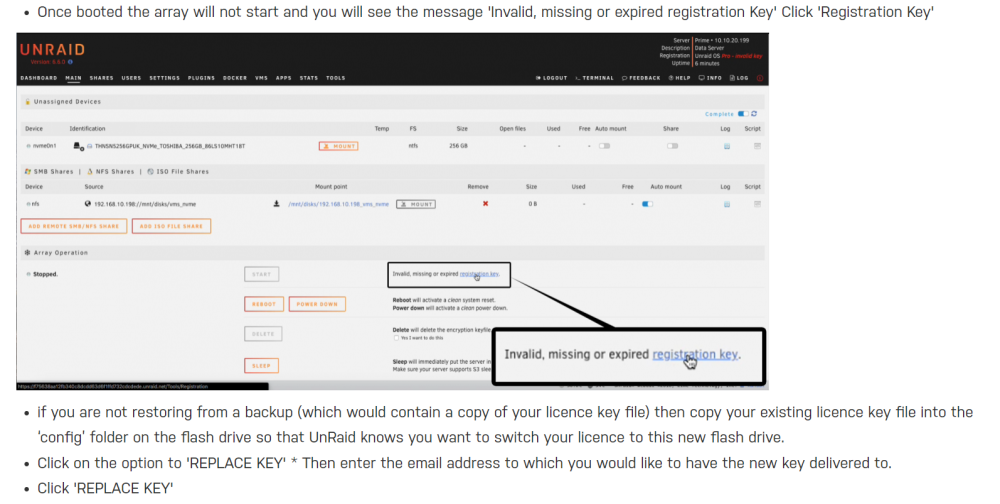
I want to replace my boot device because: - USB 3.0 - slightly bended (happened when I moved the server) - sometimes it won´t be recognized in UEFI So I bought a new one from the recommended list: I have a new backup file from the "main" tab -> FLASH BACKUP Flash this file to the new drive, shutdown the server and replace the stick. Enter new key file URL -> DONE. Doing this will avoid headaches right? Array/services will start a usual? Is there any tool to pre-check the USB drive (if necessary)? Is it safe to use an extender like this (USB3.0) to secure the stick beeing damaged when moving the server: Thank you!

-
Perfect, thank you. I did not made a deep dive into DMI sharing but I think I will not run into a bottleneck. Solved
-
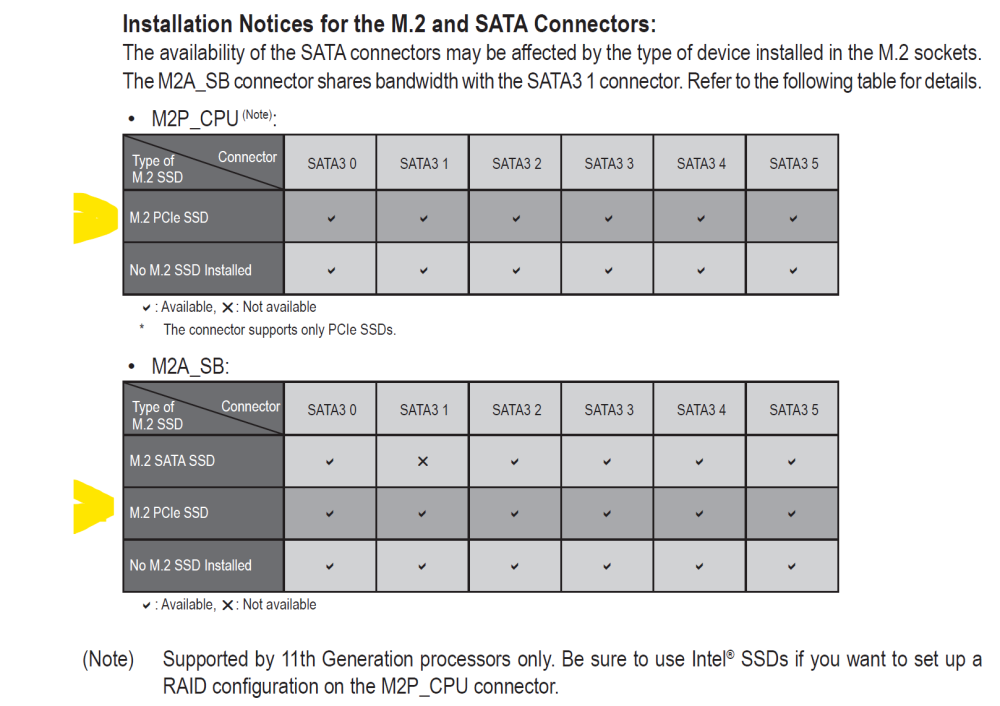
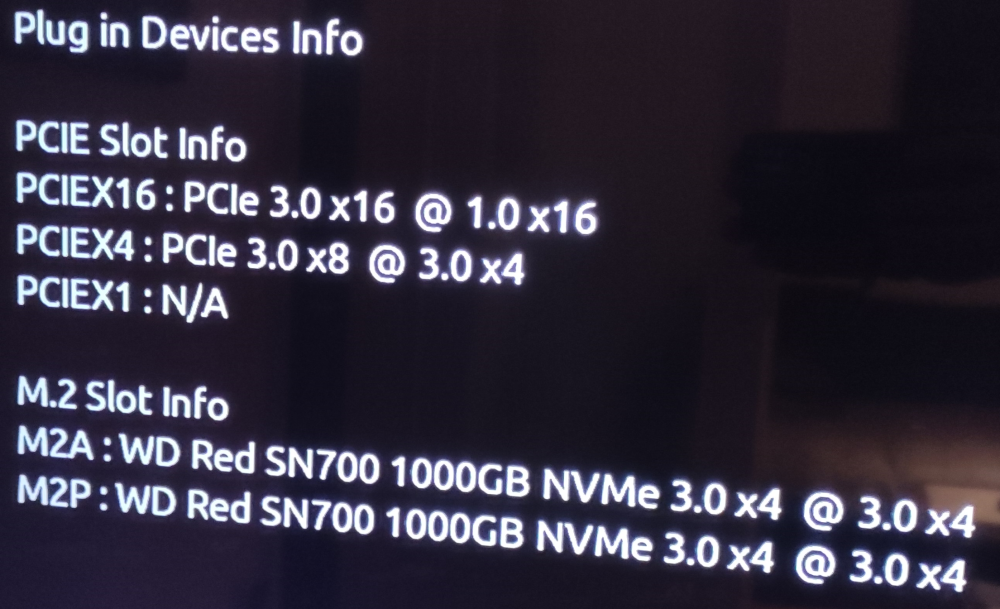
So my configuration is correct and all devices are running as shown in picture 1? And for further upgrades it will be possible to use the onboard SATA3 also?
-
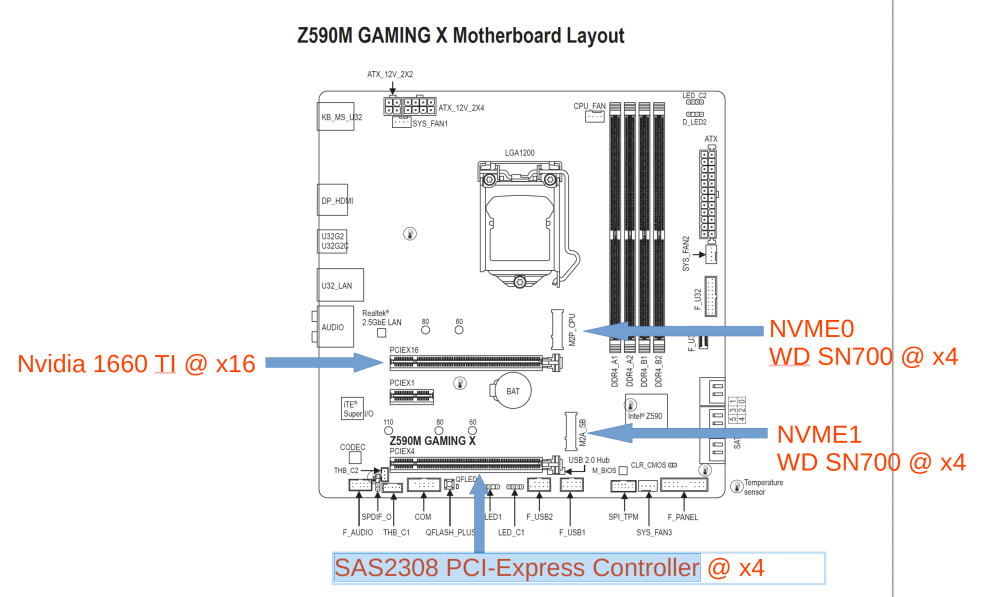
Not sure if I have chosen the right hardware or/and I did not understood the whole topic about PCIe Lanes with a 11600K and this mainboard: Gigabyte Z590M GAMING X https://www.gigabyte.com/Motherboard/Z590M-GAMING-X-rev-10/sp#sp Here are my specs: - Gigabyte Z590M GAMING X - Intel 11600K - 2 x NVME WD SN700 (PCIe 3.0) - Nvidia GTX 1660 TI (PCIe 3.0) - LSI SAS2308 PCI-Express Controller (PCIe 3.0) I made a picture for better understanding: Here is the screen from the bios: As far as I know an 11600K is able to deliver 20 PCIe Lanes: https://ark.intel.com/content/www/us/en/ark/products/212275/intel-core-i511600k-processor-12m-cache-up-to-4-90-ghz.html So the rest is coming from the Z590 chipset? Is my configuration correct? I am fine running the controller at 3.0 X4 as there are only spinnig drives connected. Thank you for your help.

-
Thank you! Works also for the mATX version of this board series
-
I am having problems with this plugin and my flashed to latest Tasmota (12.4.0) Shelly Plug S. When the script is activated the Shelly will reconnect from time to time (flashing LED for WLAN) + lose power for 0.5 seconds. The idea was to use the plug for monitoring only my Unraid server. With all the reconnects it will be a nightmare.. When disabling the script everything is fine and there are no disconnects. Any ideas?
-
Thank you! That fixed it, problem solved
-
I have a general question related to the "use cache settings". My libraries and temp for tdarr are currently set to use the cache pool. So when I start transcoding tdarr will use the cache while transcoding and I will have to use the mover to transfer the transcoded files back to the share folder. Should / can I disable cache settings for the libraries so files will be written directly to the share after transcoding?
-
When I want to restart /shutdown my server I get the message: unclean shutdown. I attached the latest log from the usb stick: tower-diagnostics-20230220-2326 and also one from the tools section. tower-diagnostics-20230220-2345 Thanks for your help. tower-diagnostics-20230220-2326.zip tower-diagnostics-20230220-2345.zip
-
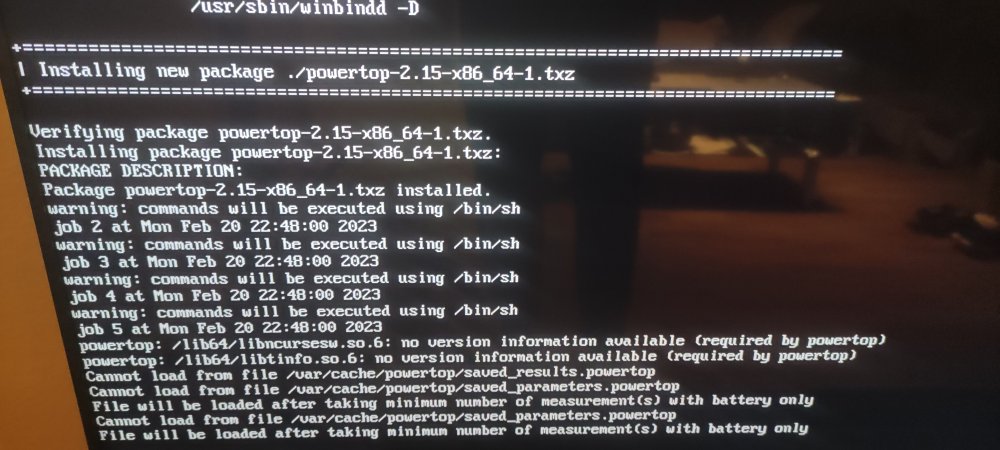
After a cache pool fail I had to build a new pool. Now I am getting these reports: Obviously some file are missing. Can I just reinstall powertop?
-
Sorry for the stupid question but how do I run such a scrub process?
-
Any ideas how this fix will work with S3 sleep mode? Will it work / might give some errors?
-
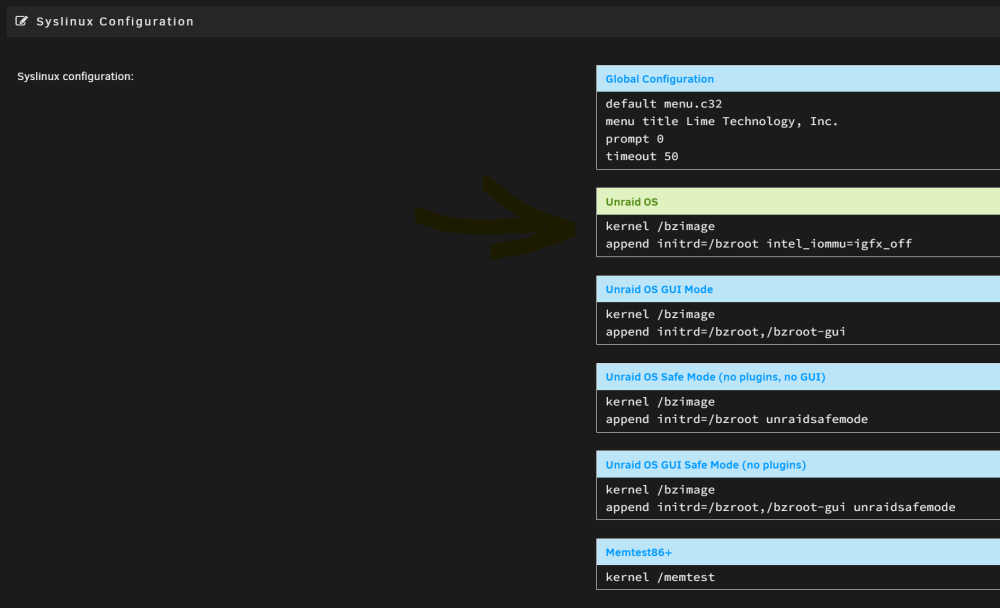
Ok I found the final fix here and it´s working: append initrd=/bzroot pci=nommconfto -> did not solve the problem for me.
-
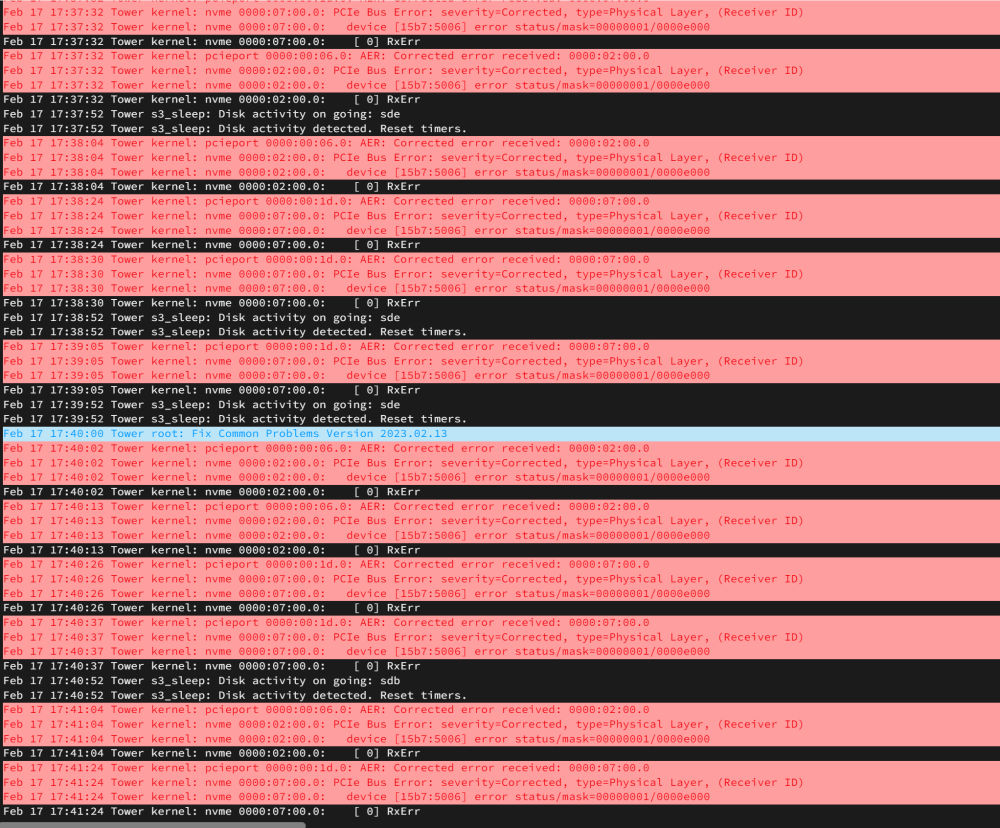
After changing my cache pool disks from SATA to NVME I checked the Syslog file and there are a bunch of errors: I found this thread: There is a fix by editing the Syslinux configuration: This is usually caused by a PCIe device, it can be fixed by moving the offending device to a different PCIe slot, updating the bios or adding pci=nommconfto your syslinux.cfg after append initrd=/bzroot, so it would look like: append initrd=/bzroot pci=nommconfto Can you please guide me to the right section where to add the fix? Thank you. Should be under Unraid OS right?