DivideBy0
Members
-
Joined
-
Last visited
Everything posted by DivideBy0
-
I do have an UDM-SE and I am telling you that it does not work as I tried it. Thanks for all the hard work.
-
This does not work with UDM-SE ?
-
Good for you LOL. And thanks much. What the heck am I doing wrong? I will boot up my cold standby and try on that one since is an exact replica. Just different hardware.
-
Correct Sir, their own IP
-
How about dockers on the same Unraid box? I have same issue
-
yes on the same br0
-
I am running few dockers and VM's and I can ping them locally. For instance my Unraid IP is 192.168.0.13 and one of my VM is .15. I can ping it from anywhere on the network but not locally from the Unraid terminal or CLI? Why is that?
-
Yes Jorge I do. So it looks like I have to play with the thresholds in the IPMI plugging fan settings as I think they're to aggressive.
-
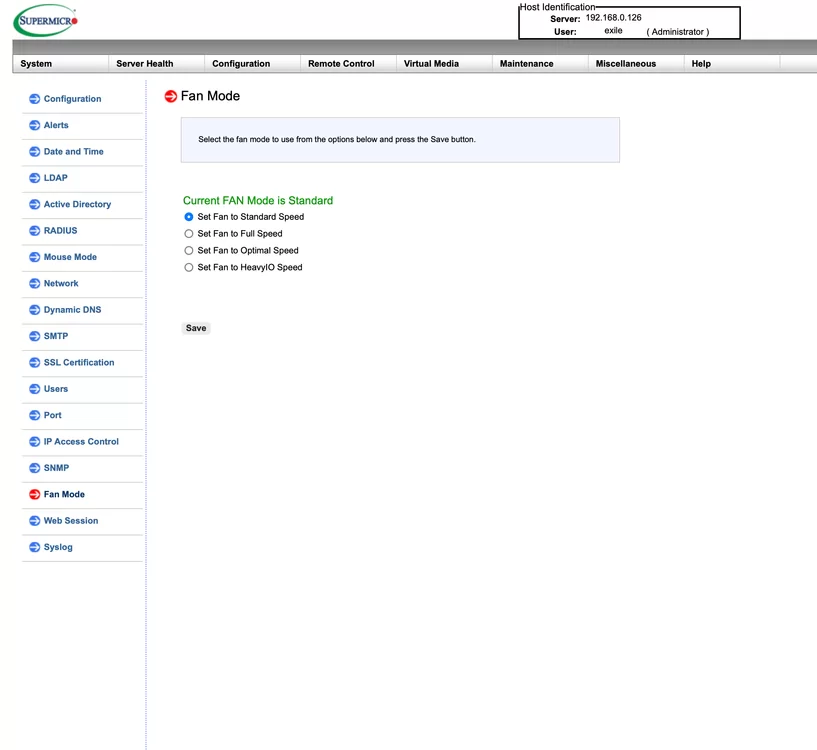
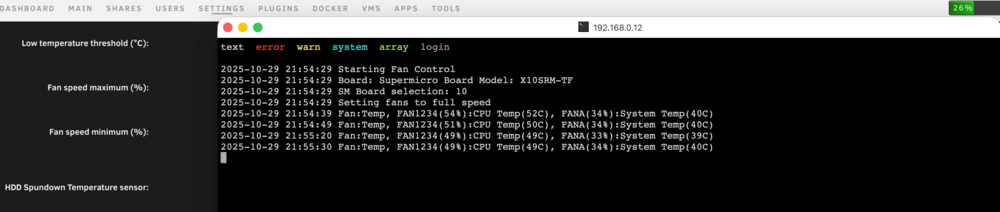
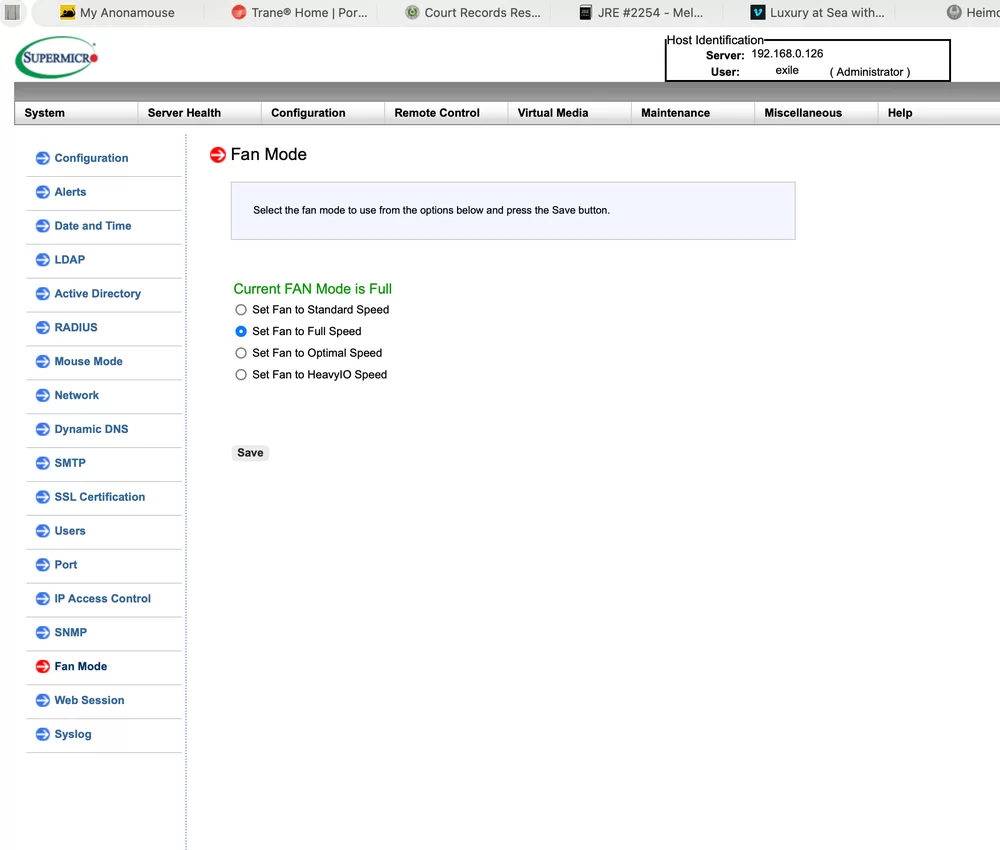
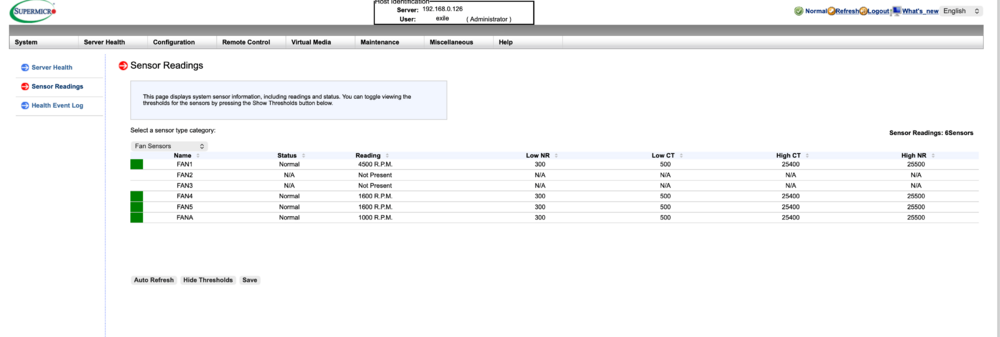
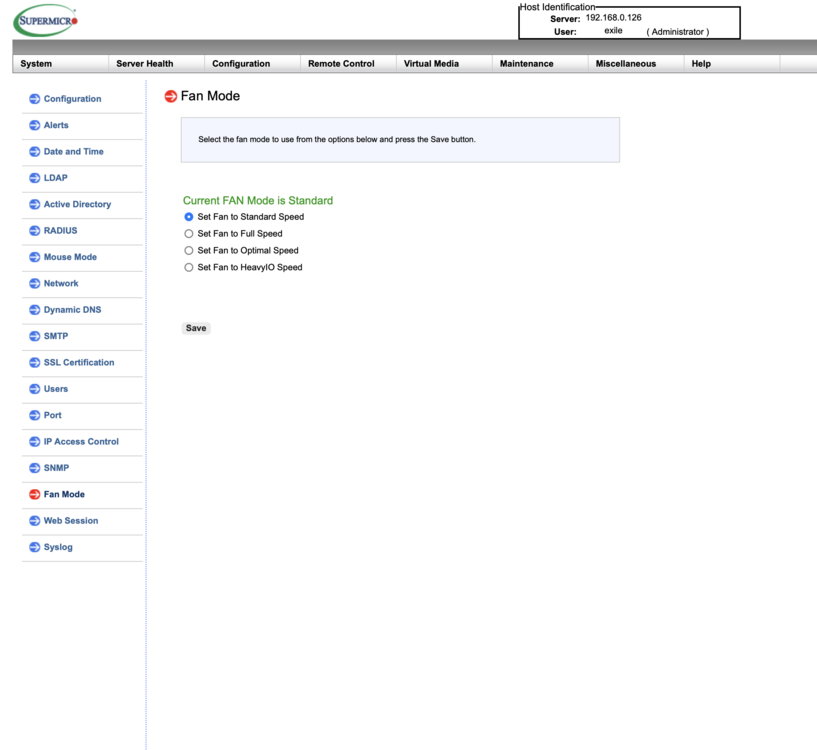
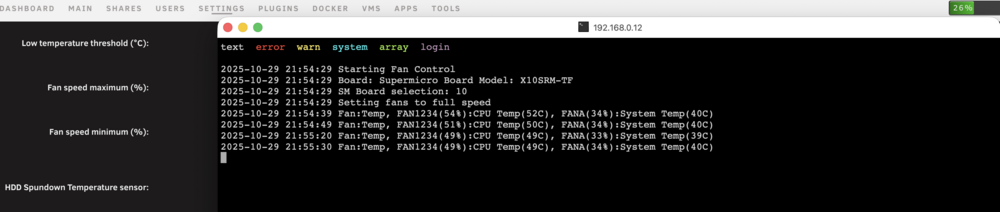
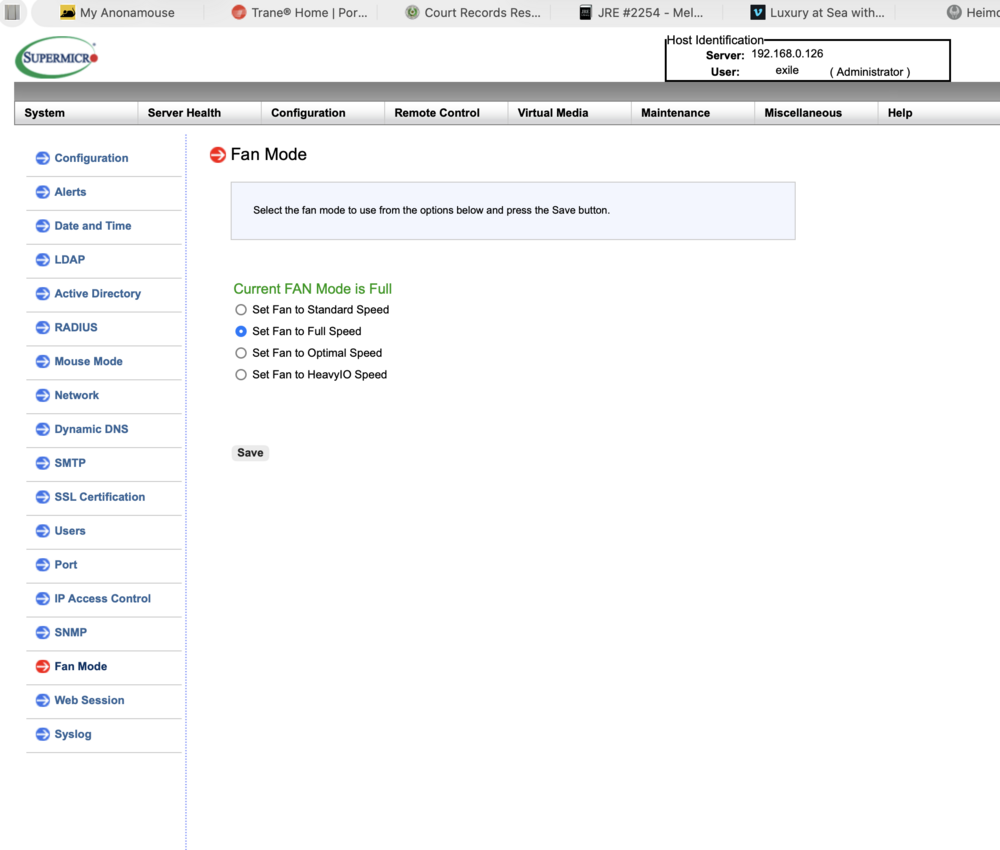
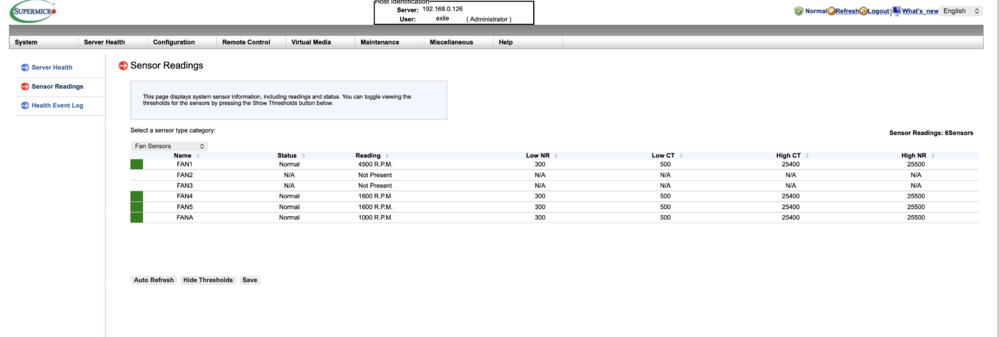
IPMI plugin forcing my Supermicro FAN Mode to Full Speed What am I doing wrong here? In my Supermicro BMC settings I have my FAN Mode setup at "Standard Speed" and as soon as the Unraid boots I think the IPMI setting overwrites the fan mode settings from standard to "Full Speed" which will crank up the fans at max speed. I see no settings in the IPMI plugin for the Fan Mode. I really need to stay at Standard Speed. Any ideas?
-
What am I doing wrong here? In my Supermicro BMC settings I have my FAN Mode setup at "Standard Speed" and as soon as the Unraid boots I think the IPMI setting overwrites the fan mode settings from standard to "Full Speed" which will crank up the fans at max speed. I see no settings in the IPMI plugin for the Fan Mode. I really need to stay at Standard Speed. Any ideas?
-
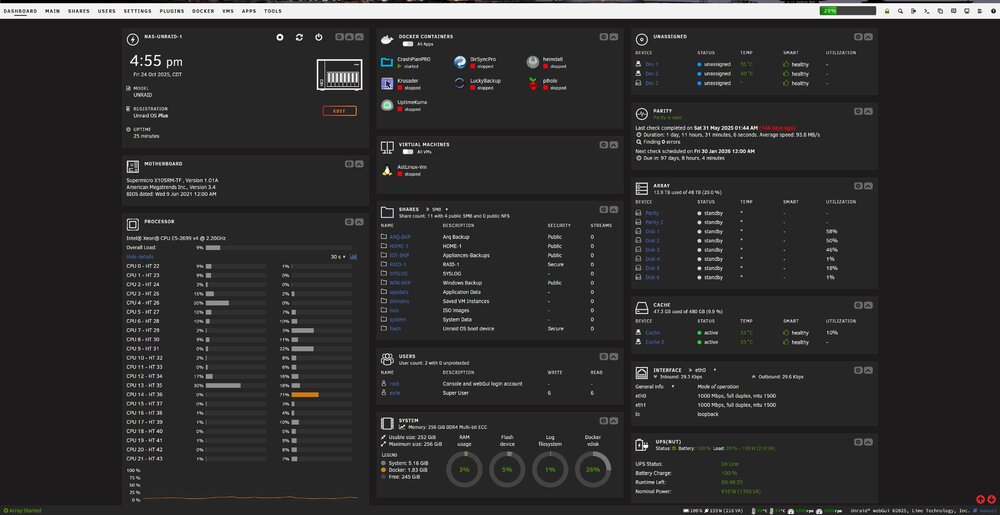
Unbelievable BEAUTIFUL. Literally plug-and-play. Is so nice to have a cold stand by NAS box. Literally, swapped the USB boot drive, the 8 SAS drives and the 2 cache drives and up in running in less than 5 minutes. SIMPLY BEAUTIFUL.
-
@JorgeB when you say RAID controller. On the new box I have a Dell HBA 330 in IT mode which is different than what I have on the original NAS. The 8 drives will connect to this Dell 330. Is this considered the RAID in your statement and is this something I need to worry about it? I could easily move the HBA with the drives from my original box to the new box as well.
-
Thanks Jorge. Nope, just the SAS/SATA HBA card which is in IT mode.
-
My current NAS, 8 drives took a dump this morning :( I have a cold stand-by NAS box with similar hardware, not the same but similar. I have two questions around the drives/arrays and the cache drives. I plan to boot the new system with the same USB drive from the original system and config. If I move my 8 drives from the failed system to the new systems, the array should come up just fine correct? as the drives ID will be recognized by the new system. I also have a Dell HBA 330 in IT mode so the drives should come up just fine, right? Same goes for the cache drives, I plan to move them to the new system and the dives ID should follow and come up just fine? I am just making sure I am not missing anything and I really appreciate the guidance.
-
Got it, thanks. Slapped my spare 8TB and re-doing the parity as we speak. Easy Peasy
-
So you say keep it? re-fromat and keep it?
-
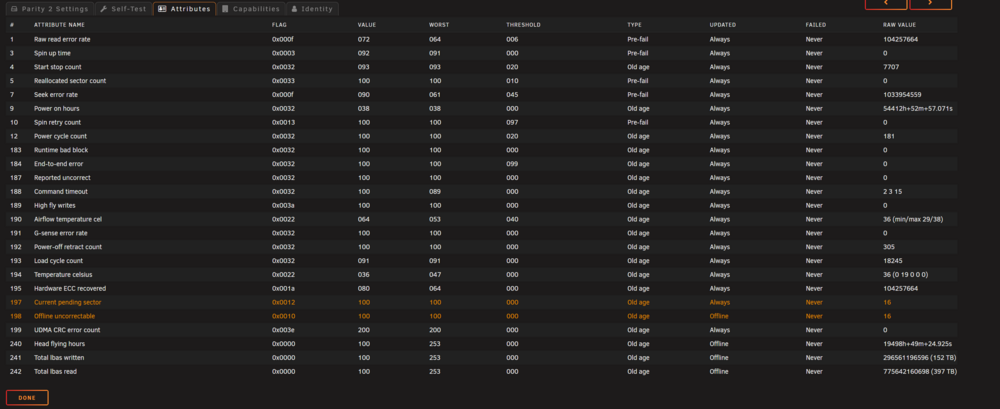
Should I just re-format and hopefully hides / overwrite the bad sectors or I am toast and need it replaced? See attached extended smart test as well. ST8000DM004-2CX188_ZCT0G118-20250529-1332.txt
-
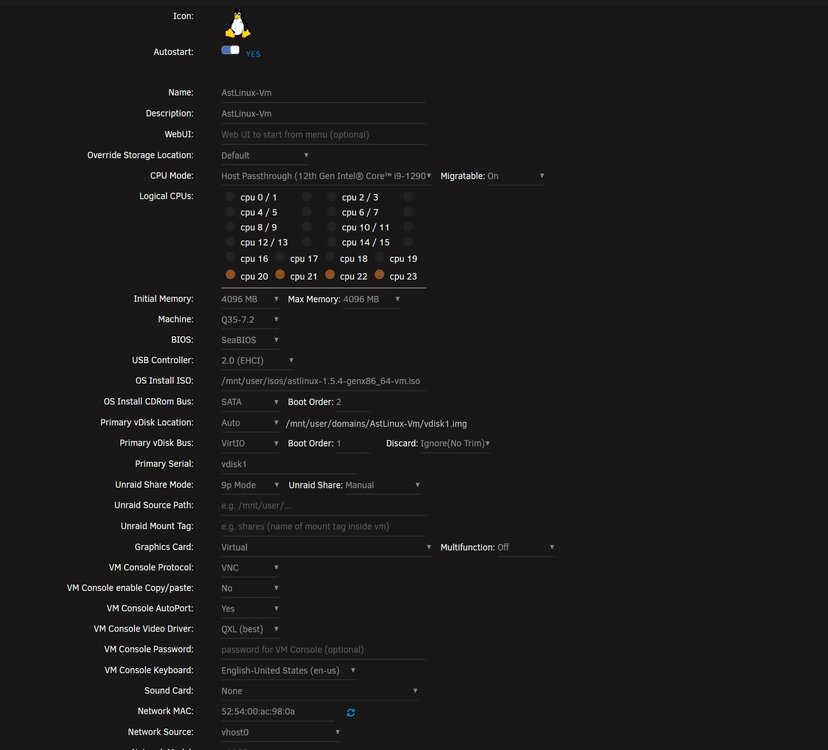
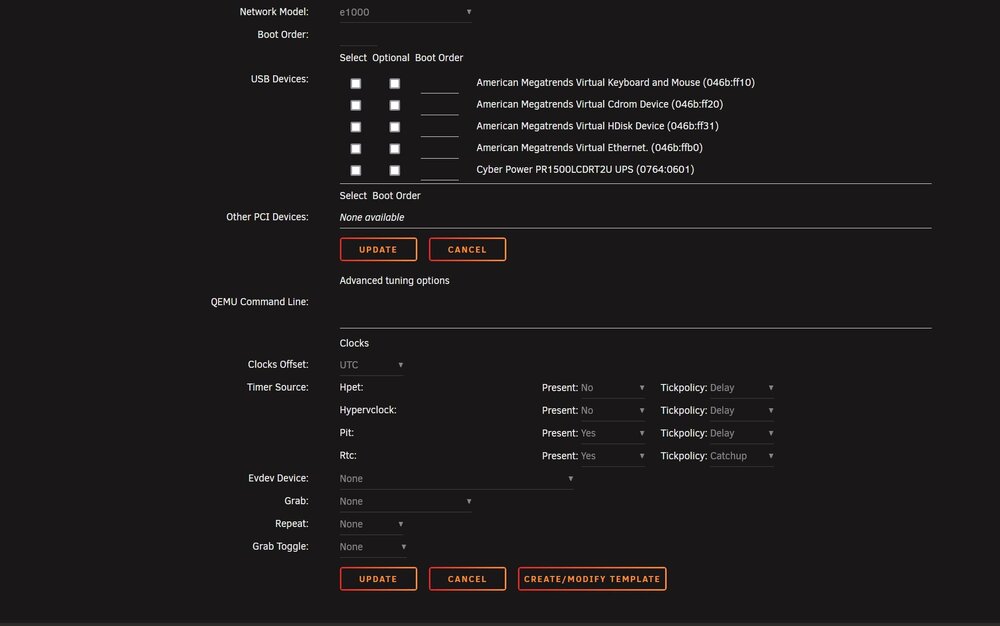
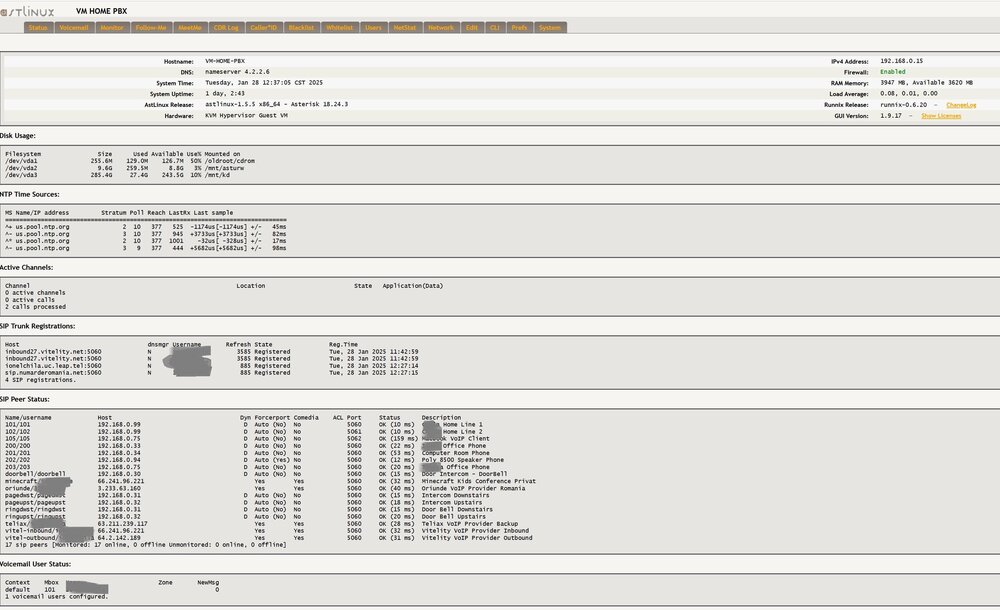
I know there is FreePBX under the app but is old and unmaintained. If you have a desire to run a custom PBX linux image under VM you can easily install Astlinux which is an awesome PBX variation and constantly updated and maintained. I run my PBX with multiple lines at home and few DID numbers all over the world as well for my internal intercom and home automation. https://www.astlinux-project.org/ HOW TO: 1. Download the latest astlinux image, make sure is the VM one --> Guest VM x86-64bit (Video Console): 2. Create VM under UnRaid, see image below for appropriate settings. 3. Follow install Astlinux instructions from --> New Install - https://doc.astlinux-project.org/userdoc:new-install 4. Log into the Astlinux console and you good to go. At this point your PBX knowledge should take over the next steps.
-
Shazad, is that you? Unocal?
-
Updated 2 machines, smooth. Fixed the iGPU kernel problem as well. NICE I guess back to sleep now
-
I found my solution and it was GPU Statistics. I read several posts on reddit pointing to this pluggin and I removed. No more GUI issues, so far. One week so far.
-
Did you fix this? I found my solution it was GPU Statistics. I read several posts on reddit pointing to this pluggin and I removed. No more GUI issues, so far.
-
Does this mean anything? Nov 30 14:26:18 NAS-UNRAID-2 unraid-api[1051]: 👋 Farewell. UNRAID API shutting down! Nov 30 14:26:23 NAS-UNRAID-2 root: {"level":"info","time":"2024-11-30T20:26:23.708Z","pid":5378,"hostname":"NAS-UNRAID-2","logger":"cli","msg":"Starting [email protected]"} Nov 30 14:26:23 NAS-UNRAID-2 root: {"level":"info","time":"2024-11-30T20:26:23.870Z","pid":5378,"hostname":"NAS-UNRAID-2","msg":"Watch Setup on Config Path: /boot/config/plugins/dynamix.my.servers/myservers.cfg"} Nov 30 14:26:25 NAS-UNRAID-2 unraid-api[5727]: ✔️ UNRAID API started successfully! Nov 30 14:26:58 NAS-UNRAID-2 webGUI: Successful login user root from 192.168.0.89 Nov 30 14:28:01 NAS-UNRAID-2 crond[1782]: exit status 255 from user root php /usr/local/emhttp/plugins/community.applications/scripts/notices.php > /dev/null 2>&1 Nov 30 14:35:55 NAS-UNRAID-2 nginx: 2024/11/30 14:35:55 [error] 5376#5376: *36 open() "/usr/local/emhttp/state/plugins/dynamix.docker.manager/images/tautulli-icon.png" failed (2: No such file or directory) while sending to client, client: 192.168.0.7, server: , request: "GET /state/plugins/dynamix.docker.manager/images/tautulli-icon.png?1732281398 HTTP/2.0", host: "192.168.0.13", referrer: "https://192.168.0.13/Dashboard"
-
I really appreciate it man but this is a bit of shotgun approach here. This server was STABLE as hell for years, nothing changed. I don't think USB UPS errors can cause this. Everything is running perfect in the background, all dockers and shares are fine. Besides the latest apps or plugin updates nothing really changed. Unless one of the updates ef-ed it up. There is gotta be a more surgical way to troubleshoot this.
-
THIS is is very very very ANNOYING problem and trying to troubleshoot it. It happened again after 4 days or so. Can anyone help here? Diagnostic attached When trying to restart I get this in the syslog Nov 30 13:54:39 NAS-UNRAID-2 nginx: 2024/11/30 13:54:39 [crit] 8285#8285: *224 connect() to unix:/var/run/php5-fpm.sock failed (2: No such file or directory) while connecting to upstream, client: 192.168.0.89, server: , request: "GET /Dashboard HTTP/2.0", subrequest: "/auth-request.php", upstream: "fastcgi://unix:/var/run/php5-fpm.sock:", host: "192.168.0.13" Nov 30 13:54:39 NAS-UNRAID-2 nginx: 2024/11/30 13:54:39 [error] 8285#8285: *224 auth request unexpected status: 502 while sending to client, client: 192.168.0.89, server: , request: "GET /Dashboard HTTP/2.0", host: "192.168.0.13" Nov 30 13:54:39 NAS-UNRAID-2 nginx: 2024/11/30 13:54:39 [crit] 8285#8285: *224 connect() to unix:/var/run/php5-fpm.sock failed (2: No such file or directory) while connecting to upstream, client: 192.168.0.89, server: , request: "GET /favicon.ico HTTP/2.0", subrequest: "/auth-request.php", upstream: "fastcgi://unix:/var/run/php5-fpm.sock:", host: "192.168.0.13", referrer: "https://192.168.0.13/Dashboard" Nov 30 13:54:39 NAS-UNRAID-2 nginx: 2024/11/30 13:54:39 [error] 8285#8285: *224 auth request unexpected status: 502 while sending to client, client: 192.168.0.89, server: , request: "GET /favicon.ico HTTP/2.0", host: "192.168.0.13", referrer: "https://192.168.0.13/Dashboard" Nov 30 13:54:55 NAS-UNRAID-2 nginx: 2024/11/30 13:54:55 [crit] 8285#8285: *224 connect() to unix:/var/run/php5-fpm.sock failed (2: No such file or directory) while connecting to upstream, client: 192.168.0.89, server: , request: "GET /Dashboard HTTP/2.0", subrequest: "/auth-request.php", upstream: "fastcgi://unix:/var/run/php5-fpm.sock:", host: "192.168.0.13" Nov 30 13:54:55 NAS-UNRAID-2 nginx: 2024/11/30 13:54:55 [error] 8285#8285: *224 auth request unexpected status: 502 while sending to client, client: 192.168.0.89, server: , request: "GET /Dashboard HTTP/2.0", host: "192.168.0.13" Nov 30 13:54:55 NAS-UNRAID-2 nginx: 2024/11/30 13:54:55 [crit] 8285#8285: *224 connect() to unix:/var/run/php5-fpm.sock failed (2: No such file or directory) while connecting to upstream, client: 192.168.0.89, server: , request: "GET /favicon.ico HTTP/2.0", subrequest: "/auth-request.php", upstream: "fastcgi://unix:/var/run/php5-fpm.sock:", host: "192.168.0.13", referrer: "https://192.168.0.13/Dashboard" Nov 30 13:54:55 NAS-UNRAID-2 nginx: 2024/11/30 13:54:55 [error] 8285#8285: *224 auth request unexpected status: 502 while sending to client, client: 192.168.0.89, server: , request: "GET /favicon.ico HTTP/2.0", host: "192.168.0.13", referrer: "https://192.168.0.13/Dashboard" Nov 30 13:56:46 NAS-UNRAID-2 usbhid-ups[4652]: nut_libusb_get_string: Pipe error nas-unraid-2-diagnostics-20241130-1337.zip