DivideBy0
Members
-
Joined
-
Last visited
Everything posted by DivideBy0
-
You have ssh access? Do these command and report back with the output: netstat -anp | grep LISTEN | grep 80 netstat -anp | grep LISTEN | grep 8008 netstat -anp | grep LISTEN | grep 443 /etc/rc.d/rc.nginx restart emhttp stop emhttp start wget 127.0.0.1:8008 wget 127.0.0.1
-
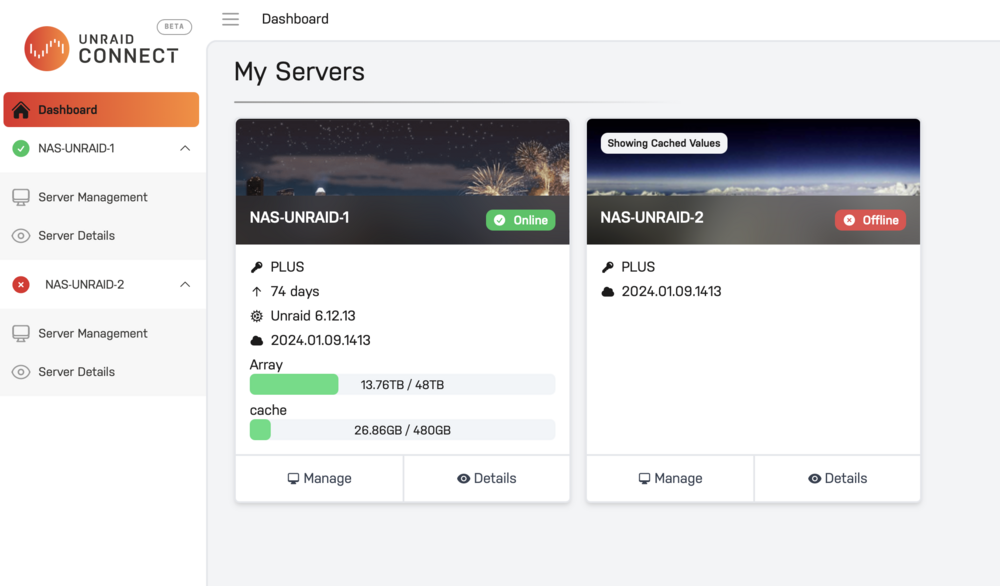
As I am looking this further even tho the server is running without a GUI I also can not see it in the Unraid Connect. Something is going on here
-
/etc/rc.d/rc.nginx restart will not restart the GUI, I get the same blank screen /etc/rc.d/emhttp restart it does not work, I don't have emhttp. All dockers and shares are working find in the background. No full logs or hardware errors. The only change I made to this was the iGPU plugin which stopped working. Other than than, nothing substantially changed
-
Well, it did it again in less than 24 hours. Luckily the parity check is done. I am flying blind now, web GUI is gone Attached see the diagnostic and syslog files. Hopefully is something simple? nas-unraid-2-diagnostics-20241121-1607.zip syslog-192.168.0.13.log
-
Out of nowhere my GUI stop working and it happened 3 times already. A reboot will fix it but I am annoyed as I don't know why on my last reboot from the CLI is doing a parity check now How do I troubleshoot this? Dockers are working fine. Nothing changed. Can I do a command line diagnostic? what's the syntax? I am on 6.12.13
-
Is this thing gonna ever get fixed? Just updated my BIOS and lost my iGPU again
-
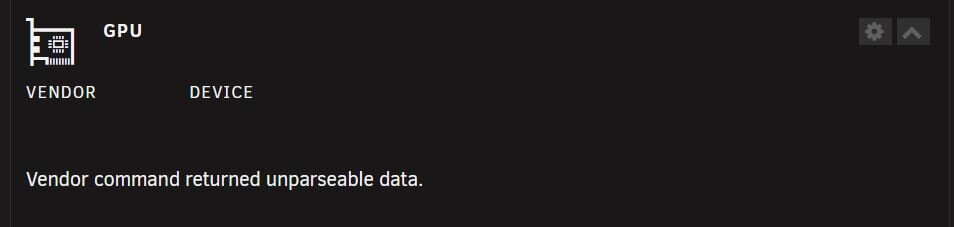
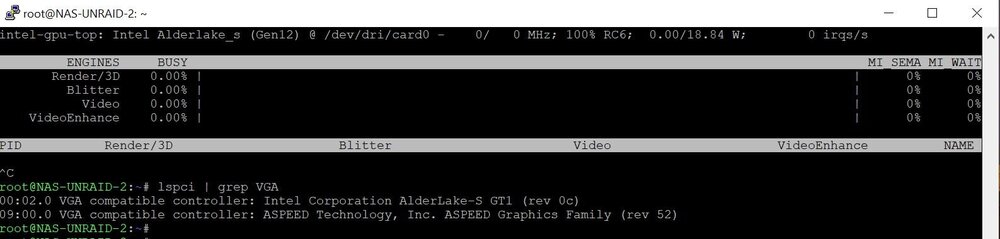
I get nothing on the dashboard, dead, kaput. The iGPU top gives me data at command line. I remember few iGPU upgrades so perhaps it broke mine? Anyone else?
-
Thanks and indeed it is in the syslog. I wish I knew exactly what was corrected but I guess as long is done right I shouldn't worry Sep 4 14:29:14 NAS-UNRAID-1 kernel: md: recovery thread: PQ corrected, sector=2565288568 Sep 4 14:29:14 NAS-UNRAID-1 kernel: md: recovery thread: PQ corrected, sector=2565288576 Sep 4 14:29:14 NAS-UNRAID-1 kernel: md: recovery thread: PQ corrected, sector=2565288584 Sep 4 14:29:14 NAS-UNRAID-1 kernel: md: recovery thread: stopped logging
-
I got the same number of errors, 699. How can I tell if they were corrected? Is there a log? Attached find my diagnostic again. I am about to reboot and do another parity check. nas-unraid-1-diagnostics-20240906-0701.zip
-
Thanks you Sir. Will do and report back.
-
No unclean shutdowns as this unraid is on UPS and it has been up for several months. Last reboot was for the 6.12.11 upgrade. What is interesting is the Notifications -- Warnings reports no errors but in the main dashboard I see 699 errors. Here is the diagnostic after the parity check was completed. Should I reboot and do another parity-check with corrections? I just need to understand what I am dealing with before making it worse nas-unraid-1-diagnostics-20240904-0823.zip

-
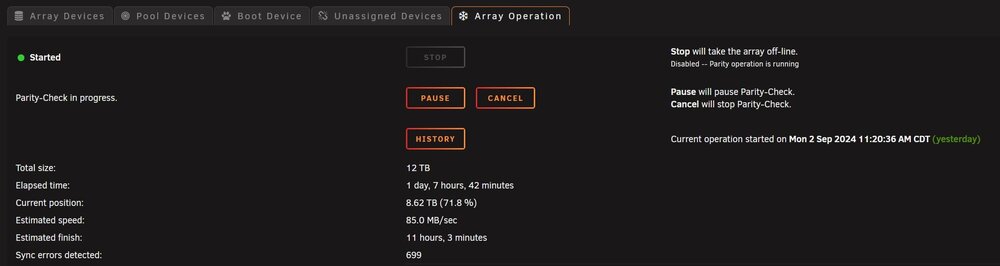
This system has been solid for 3+ years and I do my scheduled parity check every 120 days. Right now is in middle of a scheduled non-corrective parity check and I got many of those errors in the log. I am about 71% done. What should I do next? [1993536.265741] mdcmd (38): check nocorrect [1993536.265813] md: recovery thread: check P Q ... [1993767.284818] mdcmd (39): set md_write_method 1 [1993818.200655] eth0: renamed from vethc9b5ac8 [2011058.905716] md: recovery thread: PQ incorrect, sector=2565285656 [2011058.905763] md: recovery thread: PQ incorrect, sector=2565285664 [2011058.905801] md: recovery thread: PQ incorrect, sector=2565285672 [2011058.905837] md: recovery thread: PQ incorrect, sector=2565285680 [2011058.905873] md: recovery thread: PQ incorrect, sector=2565285688 [2011058.905909] md: recovery thread: PQ incorrect, sector=2565285696 THANKS in advance as always nas-unraid-1-diagnostics-20240903-1903.zip
-
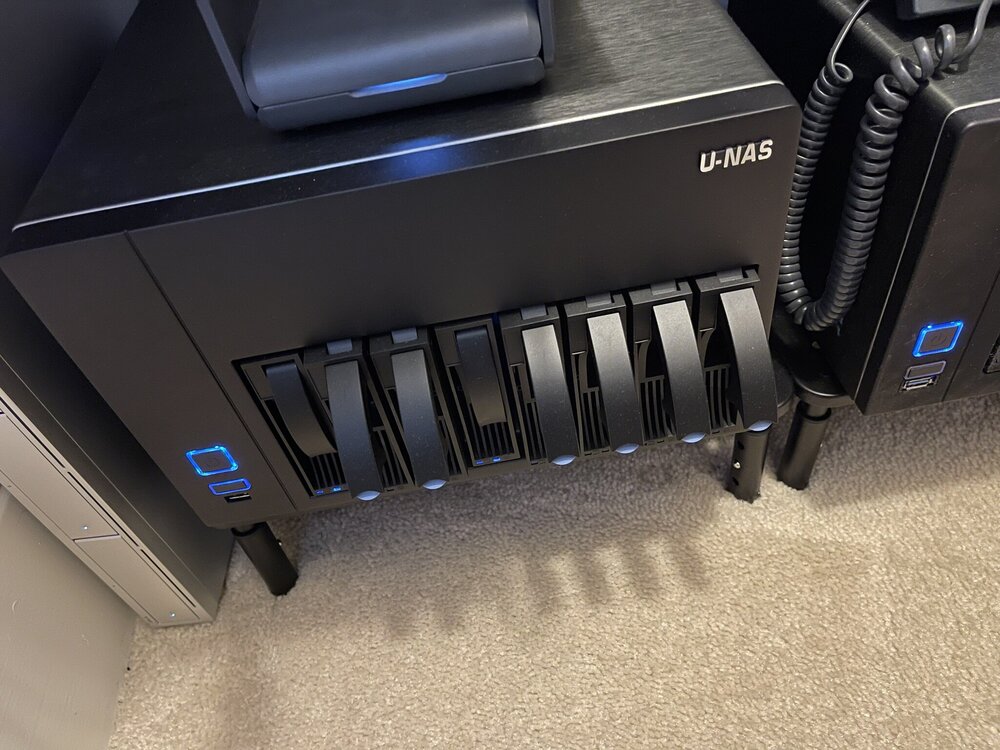
I have this VmWare 8.0 Super Server beast collecting dust and I think is just time to move it to a better home? It used to be an UnRaid box but I upgraded to something else $1250 PICTURES - https://imgur.com/a/kHmIsvC U-NAS NSC-810A Server Chassis 8 Bay - https://www.u-nas.com/xcart/cart.php?target=product&product_id=17640 Mobo - SuperMicro X10SRM-TF - https://www.supermicro.com/en/products/motherboard/X10SRM-TF CPU - Intel Xeon E5-2699 V4 2.20Ghz / 22 Cores Memory - 256Gb / 2400 MHz Dynatron R25 Cooling Fan/heatsink 2 X Noctua NF-F12 iPPC 3000 PWM Cooling Case Fan NVME - 2TB SSD - 4TB Dell HBA330 SATA 8 IT Mode Controller
-
Nope still does not work with this update and I still have the ast blacklisted and no kvm. I am a bit annoyed by this
-
Same here, still with ast blacklisted to work but lost my kvm
-
OK, so I am on the same boat as you guys, same setup. Anyone updated to 6.12.9? 00:02.0 VGA compatible controller: Intel Corporation AlderLake-S GT1 (rev 0c) (prog-if 00 [VGA controller]) DeviceName: Onboard - Video Subsystem: ASUSTeK Computer Inc. AlderLake-S GT1 Flags: bus master, fast devsel, latency 0, IRQ 180, IOMMU group 0 Memory at 6004000000 (64-bit, non-prefetchable) Memory at 4000000000 (64-bit, prefetchable) I/O ports at 7000 Expansion ROM at 000c0000 [virtual] [disabled] Capabilities: [40] Vendor Specific Information: Len=0c <?> Capabilities: [70] Express Root Complex Integrated Endpoint, MSI 00 Capabilities: [ac] MSI: Enable+ Count=1/1 Maskable+ 64bit- Capabilities: [d0] Power Management version 2 Capabilities: [100] Process Address Space ID (PASID) Capabilities: [200] Address Translation Service (ATS) Capabilities: [300] Page Request Interface (PRI) Capabilities: [320] Single Root I/O Virtualization (SR-IOV) Kernel driver in use: i915 Kernel modules: i915
-
Is the 6.12.9 new kernel fixing this issue?
-
I lost my Intel CPU's iGPU quick sync encoding capabilities with 6.12.8 due to the kernel. Will this new kernel (6.1.82) bring it back?
-
No worries, this is on me and I really appreciate the help
-
Well, I tried the i1925 not the ast on the blacklist statement, so I guess the confusion? regardless it works now minus the KVM portion. Thanks much
-
LOL, is called RTFM . Fix was right here, all back to normal now https://forums.unraid.net/topic/153787-unraid-os-version-6128-available/?do=findComment&comment=1377747 echo "blacklist ast" > /boot/config/modprobe.d/ast.conf
-
Well, I regret to inform you that this upgrade broke my CPU iGPU on my ASUS Pro WS W680M-ACE SE which is pretty disappointing as I can't transcode anymore with Plex. I guess something in the new kernel? UPDATE: And never mind the fix was right here: https://forums.unraid.net/topic/153787-unraid-os-version-6128-available/?do=findComment&comment=1377747 echo "blacklist ast" > /boot/config/modprobe.d/ast.conf But I guess my KVM remote is broken now?
-
Yes that was the issues, iGPU multi monitor was disabled after the BIOS upgrade but I am back to square ZERO, with the same issues / errors as in my initial post Snap, I tried, hoping the BIOS upgrade will do the trick.
-
OK, so I am making some progress but in the "wrong" direction. I did upgrade to the latest BIOS on this mobo and now something from my "lspci" command is missing. This is before the BIOS upgrade root@NAS-UNRAID-2:~# lspci -nn | grep VGA 00:02.0 VGA compatible controller [0300]: Intel Corporation AlderLake-S GT1 [8086:4680] (rev 0c) 09:00.0 VGA compatible controller [0300]: ASPEED Technology, Inc. ASPEED Graphics Family [1a03:2000] (rev 52) And this is after the BIOS upgrade root@NAS-UNRAID-2:~# lspci -nn | grep VGA 09:00.0 VGA compatible controller [0300]: ASPEED Technology, Inc. ASPEED Graphics Family [1a03:2000] (rev 52)
-
That's bummer, not in UnRaid control. Where could I escalate this issue?