





thecode
Community Developer
-
Joined
-
Last visited
Everything posted by thecode
-
No, the image is actually saved as base64 encoded string in the "Icon" selection field, it is not uploaded anywhere
-
I think you should take this to another thread. Having this discussion here does not help people waiting for updates about Docker Folder and on the other hand no one with a similar problem to you will look here.
-
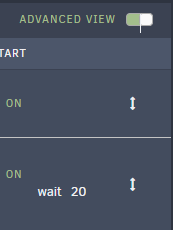
This is not related to docker folder, it does not change the docker startup or control anything. If you enable "Advanced View" you can set a delay at startup, here is an example for a container that is depended on other containers so I added 20 seconds delay:
-
Edit the folder, enable advanced settings and select the type your want (one of the Icon types):

-
VM logs should be fixed with Docker Folder 2022.06.19 The VM folder expand is still broken
-
Can you explain what doesn't work? did you remove the old one, searched and added Docker folder again?
-
I didn't notice it until you mentioned it, I can confirm it is broken and while testing it I found out that the logs icon is also broken. Trying to view logs for a VM will open a window with the following error: `Error: No such container: ....`
-
I didn't notice you wrote about something else, I can confirm the toggle behaviour.
-
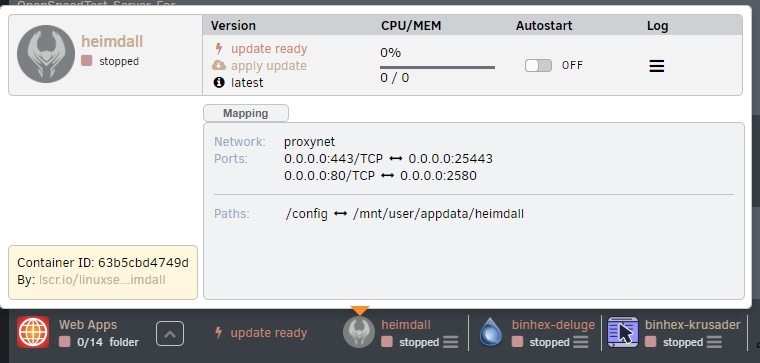
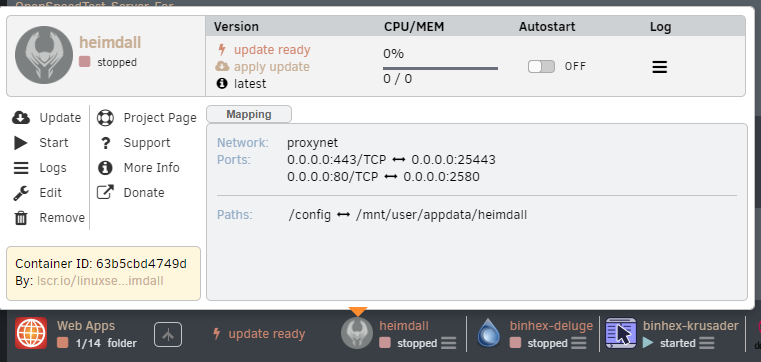
Follow This post is also pinned at the top of the pageThat was mentioned by @Squid it is currently disabled by purpose since it does not work correctly and is kind of a hack of the dashboard system (I tend to agree with that)@Groto it doesn't matter that it is a fork, community apps repo was updated to include this, will show only from unraid 6.10.0 and above.@zer0zer0 The max version for the original plugin is now 6.9.2 and the min for the forked one is 6.10.0I actually just updated without uninstalling, doing it from the sidebar workedI have described how to reproduce the problem here: I already know how to edit the files directly on a running Unraid system (made some changes and saw their effect), tried to fix it without success since I don't have much experience in frontend (and even less with Unraid frontend), I will be happy to help with the testing, no need to create a txz, just let me know when the fork is updated (or send me the file to change) and I will change the files directly on a running system, I have a test Unraid server so it is easy for me to test changes and nothing happens if things are broken. If the instructions above are not clear or any additional help info needed the best would be to discuss online, I mainly do this on Discord (thecode#6829), but will adjust to whatever fits you best. I am also willing to maintain a fork, make releases and accept pull requests, but it should be understood that it will take time until I will have the knowledge to fully maintain this plugin so most of the contribution should come from developers making PRs.I think no one actually explained how to reproduce the context menu bug: 1. Create a folder and add containers to it 2. Enable preview advanced context menu: 3. Click on a container a menu will open without the dropdown options: Workaround which works for me that might hint where is the problem: 4. Expand the folder and start/stop any container on that folder and the dropdown menu is fixed until the page is refreshed: Hope that helps, I spent few hours debugging this with no luck (I am more of a backend developer, not frontend), I think the starting point should be https://github.com/GuildDarts/unraid-plugin-docker.folder/issues/11#issuecomment-1072792061

 @KacperThanks for this great solution Did you build the "battery" and "ac" kernel modules yourself? or did you get pre-compiled versions of them? I would like to test it on Unraid 6.10 rc: Linux version 5.13.13-Unraid (gcc (GCC) 11.2.0, GNU ld version 2.36.1-slack15)@limetechthis issue is open since November 2019, I suffer it from over a year (my report here https://forums.unraid.net/bug-reports/stable-releases/683-wsdd-process-at-100-r1123 I know your saying that no response does not mean the issue is not looked at, but this a year and a half. I have also suggested something which may be related in my post, is it ever going to be looked at? Thanks. btw (-i br0 does not solve it for me, two machines suffer from the same issue)Today I had the 2nd occurrence of wsdd process using 100% CPU (1 core, every time a different one). Last time it happened after 70 days, this time after 12 hours since server restart. There are other reports about it here: I'm not sure if related, but there is a fix for a similar problem here: https://github.com/christgau/wsdd/pull/42 Thanks. tower-diagnostics-20201112-1116.zipToday after 2 month uptime I noticed 1 core is at 100%, ... wsdd I don't know which version is used in Unraid but I found an old issue which was fixed: https://github.com/christgau/wsdd/pull/42



