





4554551n
Members
-
Joined
-
Last visited
Everything posted by 4554551n
-
I'm sorry, could you please explain a little more about repo not being updated, but container not being out of date? And just in general how it works about keeping the application up to date, and knowing if it is? Does that require you to manually push the latest version, or it's somehow independent of your template?
-
Hi, I'm noticing that https://github.com/ich777/docker-rustdesk-server-aio hasn't been updated for a couple of years now. Is that a problem? Should we be running a more up to date version of rustdesk?
-
Hi, just following up on this?
-
Looks like it's Python.... +-----------------------------------------------------------------------------------------+ | Processes: | | GPU GI CI PID Type Process name GPU Memory | | ID ID Usage | |=========================================================================================| | 0 N/A N/A 781427 C /usr/bin/ollama 4758MiB | | 0 N/A N/A 1844693 C python 2794MiB | +-----------------------------------------------------------------------------------------+ 0 781427 root 4758MiB /usr/bin/ollama runner --model /root........... 0 1844693 root 2794MiB python -u webui.py ................
-
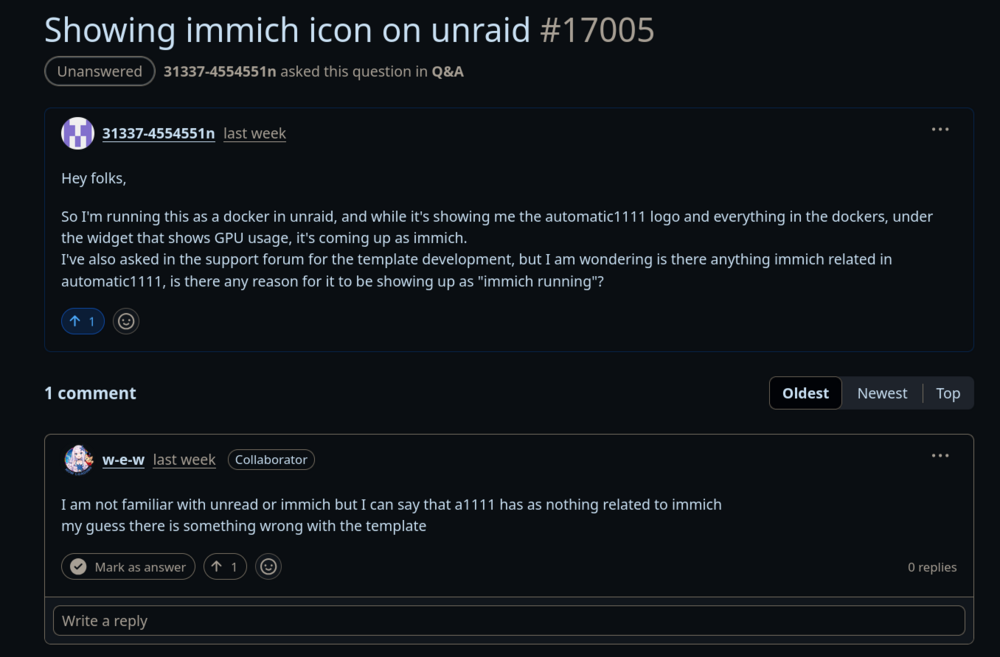
Great, thank you. I also asked on the a1111 github, and the dev there told me they don't have anything to do with immich
-
@grtgbln Sorry to ping directly, but I was hoping to get some guidance on this please?
-
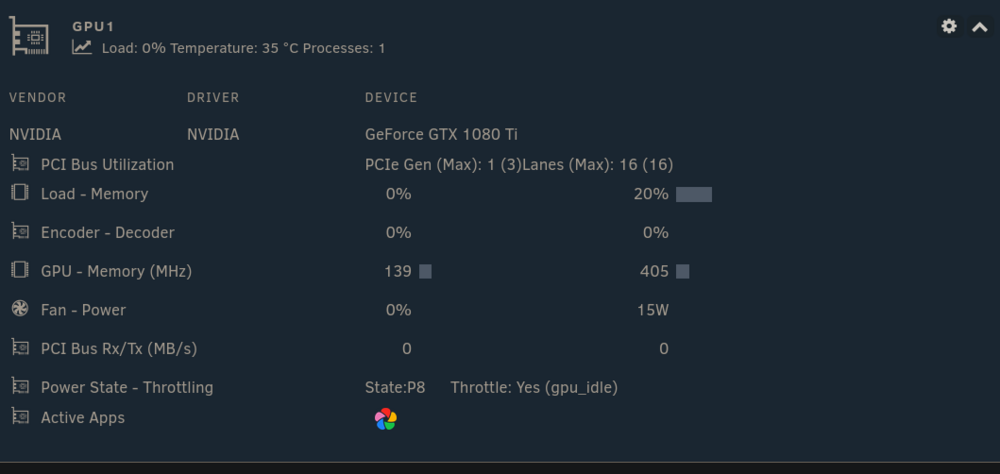
Hey folks, So I have automatic1111 running as a template in unraid, but for some reason when it runs, the dashboard for the GPU shows immich running and using the GPU (turning the docker on and off removes the icon, so it's definitely automatic1111). What does Automatic1111 have to do with immich, and why is it showing that immich is running rather than nothing, or automatic1111?
-
That's a good catch, thank you. Price I pay for 2 GPU I suppose. So then if it should be <500, why am I seeing 655?
-
This is great, thank you. I just downgraded to a pcie 3 x1 port for the controller SAS2008 PCI-Express Fusion-MPT SAS-2 [Falcon] so I could slot in a second GPU. So I expected it to be pretty bad, but not quite that bad. It's telling me my simultaneous max throughput is 655.36 MB/Sec, shouldn't it be 1GB? As per the half duplex of the v3 x1 slot?
-
Is it possible to have all disks get tested at once, instead of one after the other? I would like to use this to test a RAID card in a pci slot, to see if it's bottle necking the drives when multiple are used at once.
-
Correction, when I try to connect, the logs show a new relay request from the target, but not a matching one from the client
-
Hi all, I have a problem where I baught a new laptop and installed rustdesk on it. My environment is unraid with the container Main pc vm on the main pc raspberry pi vm on unraid They all have rustdesk, and can connect to each other no problem. New laptop can connect to the main pc, and the vm on it, but not rustdesk, or the vm on unraid. When looking at the container logs, i can see successful connections amongst the other machines,and when this machine successfully connects to main or it's vm. Doesn't seem to generate logs when connecting to other machines, final error on client is Connection error Failed to connect via relay server: Failed to connect to relay server: Please try again later But server bubble is coming up green down the bottom, and it connects to 2/4 machines just fine. Firewall are showing everything coming through green (except port 21114 always being blocked, but that seems to be something for the pro version, and container says it doesn't need it) No idea why this is behaving this way, would really appreciate some guidence, thank you
-
This is still giving me greif, has anyone else seen this?
-
Sorry for the delayed response, there have been some disasters recently. I don't know about vfio, but yes, 1 of the 2 vms I've got running has a GPU passed through to it. I don't think I have GPU stat, but I do have the nvidia driver plugin installed.
-
This doesn't indicate anything about NAT reflection. https://docs.netgate.com/pfsense/en/latest/nat/reflection.html If it's anything like opnsense you can set it per rule, or globally. Alternatively, tether to your phone, and try to get in that way to confirm. NAT reflection is probably the culptit.
-
Hi all, I have a problem with delugevpn docker in unraid, where it runs fine for a few days, then it'll 100% a CPU core or 2 constantly until it's restarted. Opening the logs, there doesn't look like anything out of the ordinary (or different to the days where it runs just fine). Has anyone else come across this?
-
Hm, fair. I'm always paranoid of major upgrades, was gonna give it a couple of months. But ok, I'll upgrade and see if it's still happening. No issues with leaving macvlan post upgrade? I still use that
-
Fair enough, how could I also store it's config in a persistent location? Honestly, at the moment I'm still weary, so my process has been to open the firewall ports when I use it, and close them as soon as I'm done. Have also been experimenting with unraid to put dockers on vlans, so I can have them on my guest network. But NAT reflection on opnsense makes things tricky because the rules that stop guest machines playing up on the network, also block access from the rest of the vlans, as the connection isn't *really* coming from the outside world and kinda loops back. But that's a whole nother thing.
-
No need to pre configure fail2ban, just leave it installed and that's it. It's not just for web, it's for anything that makes a log. The default config/primary usecase is SSH
-
I totally missed this reply, thank you. I don't suppose you could please help me figure it out? I don't think I've done either of those things, and this log thing is a growing problem
-
Unfortunately configuring it through other containers also means trying to pass through rustdesk container logs and locations into the other container. I was literally in the process of trying to use the swag reverse proxy container to passthrough stuff to rustdesk (cos it's got fail2ban installed), but I don't think that's going to work cos nginx and such definitely is more for web. Don't suppose you've ever put rustdesk behind a reverse proxy? I've never made a docker, that's why I love unraid so much, pick a distributor you trust and use a bunch of their stuff (you're on the list :P) and click install. I guess just having the fail2ban software installed, and leaving it up to the user to configure would be a lot of maintenance, as new versions come out etc.
-
You're an absolute legend and I really appreciate everything you do for the community, thank you so so much. If you ever feel the urge to look into fail2ban and include it into your remote facing dockers, that would also be most welcome
-
Thank you. I got it all set up, and I got the public key by opening the log window for the running docker, I assume that's where I'm supposed to get it, I don't see it anywhere else. Is that custom generated? It's not the same key across all servers running your docker? Can I regenerate it? Even though it doesn't run as root, the compromised container without local root elevation could still do stuff around my network,right? or am I being paranoid. Fail2ban is anything, default use is ssh. You feed it any log file, and some regex of what to look for, and it blocks IPs based on what you configured it for. I use it for pretty much all my services. Would be nice if you could build it into the docker if it's not asking too much Also, I'm running it all locally just for testing to start, baby steps. And I have a question: I have a primary machine running pop os, a linux mint vm, and a windows vm. The mint and windows can connect to and control each other and my main machine, however, my main machine can connect to the other two, but cannot control their desktops. Main machine can however restart the remote machines, just not control their desktops. All default settings, and they can connect and control each other. Would really appreciate some guidence, and thank you so much for your quick responses
-
That really does, thank you. Still, are there perhaps other measures I can take? Fail2ban perhaps, or geoblocking? Also, where do I get this public key from to set it up on clients? I'm not really seeing instructions for this container, I assume I just forward the ports in the router to the server, and then follow the bouncing ball in the rustdesk clients? I'm just always weary of exposing things to the internet like that
-
Hi, I have a question about your rustdesk aio docker. I'm looking at setting up a local rustdesk server, for external connections. On unraid it seems to be yours and linuxserver.io On their page https://docs.linuxserver.io/images/docker-rustdesk/#security It warns very specifically not to expose this to the internet, but gives few details. And I don't really see a guide for your implementation. Is this best not exposed to the internet? Or do you have suggestions on how to secure it? (server side, something like setting up wireguard on the client isn't really practical for what this is meant to be in my use cases) The only clarification I managed to get was "Rustdesk has authentication, the container interface does not These are not the same thing" And I'm not really sure what this means Edit: Apologies, comparing apples and oranges, the rustdesk from linuxserver.io appears to be the client. But my question still stands in terms of what security should I be layering on top of this AIO container?


