





cmarshall85
Members
-
Joined
-
Last visited
-
Can't you just assign a different/open port for pihole/adguard to run on that doesn't conflict with anything else?
-
Thank you. Should I preclear the new drive first?
-
Honestly I think this disk is probably cooked, it's really old, so at this point I would probably just move forward with replacing it. Is that possible to move forward with from here, and what steps should I take? Thanks!

-
Thank you for your response. Replaced the SATA cable and started the array. New diagnostics are attached. tower-diagnostics-20240911-1340.zip
-
Ok so I have my first disk failure and want to make sure I do everything correctly, so would appreciate some help to confirm the steps I need to take moving forward. Diagnostics are attached My setup is: 12TB Parity 12TB Drive (used for media) 2TB Drive (older drive that I was using to sync files to from my seedbox, organize them, and move them to the media drive) The 2TB started throwing errors so I took the array offline. It says this drive is being emulated on the Main page. I have a 12TB to swap it out with. What's the process moving forward? Should I swap out the bad drive with the new, larger size drive? Should I preclear the new drive before doing anything to rebuild the array? If somebody could show me what I need to do from here, I would really appreciate it. Thanks! tower-diagnostics-20240905-0127.zip
-
Thank you! All working now.
-
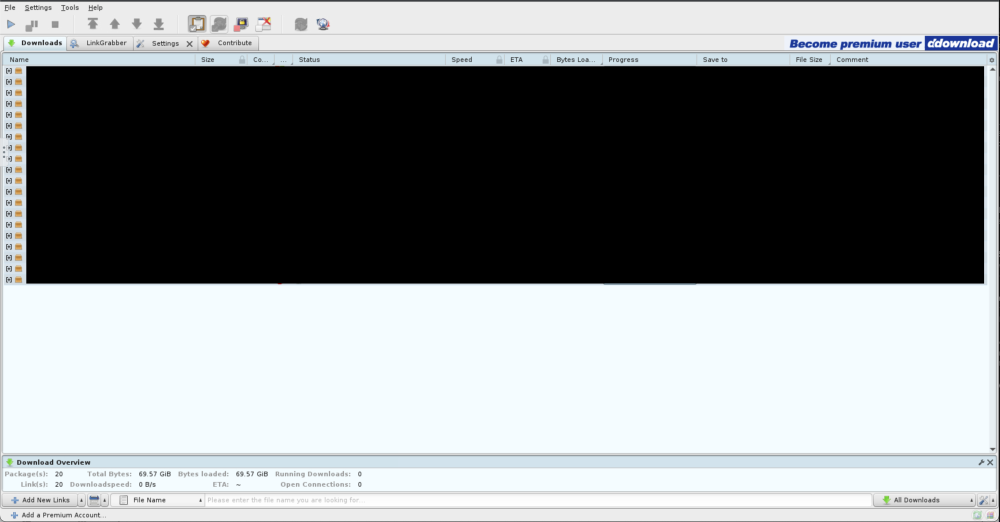
There used to be a clipboard feature in the upper right corner where I could add links to copy and paste into the WebGUI. Did the feature move somewhere else in an update? I see the option to toggle the clipboard obeserver in the toolbar, but that doesn't get the links from my OS into the app in the browser.
-
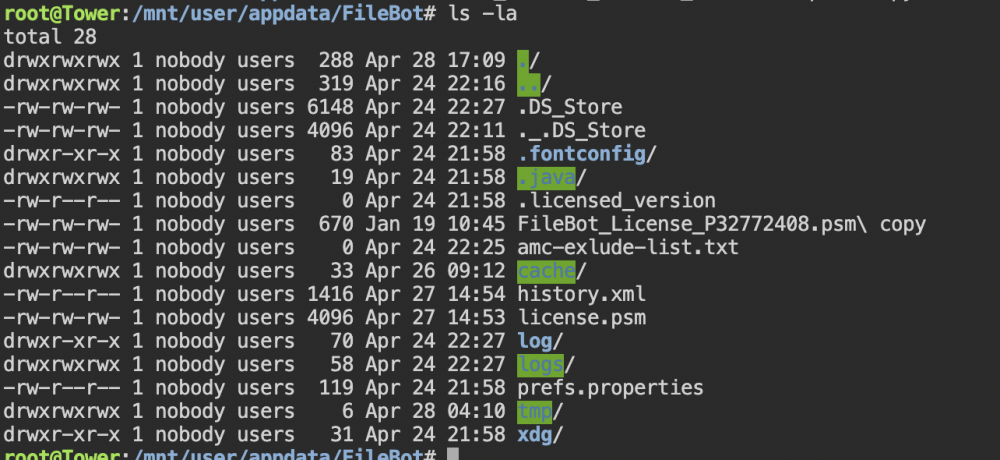
Something very strange started happening with my license file. My license is good until Jan of '23 and I had it working fine since I renewed this past January. All of a sudden a couple days ago I started getting errors that the license was invalid. I checked and the license file is still there, but it's now a 4kb file (instead of the normal 670 bytes) that I can't open in a text editor. If I replace the file it will work for like a day or less before magically getting converted into the 4kb file again. As you can see in the attached screenshot, license.psm is 4096 bytes. The FileBot_License.... file is a copy I just started keeping in there so I didn't have to keep re-downloading the license. You can see it's the normal 670 bytes. I've tried restarting the docker container, restarting the UNRAID server and doing a parity check, and deleted and reinstalled the docker container to no avail. Anybody have any idea what might be causing my license file to become corrupted? Thanks!
-
+1 for this! As a web developer, I would love to be able to help with this to move it forward if the unRAID ppl are interested in implementing this.
-
There's this sale going on right now as well. https://www.tigerdirect.com/applications/SearchTools/item-details.asp?EdpNo=6335460&CatId=234
-
I'm curious about this as well. Also, I've read a handful of people say that they prefer APC over CyberPower UPS's. A couple people said their CyberPower UPS caught fire or started smoking, but some of them sounded like negligence on their end (waiting too long to change battery, dust accumulation in the unit, etc.)
-
@Derek_ did you ever figure this out? I am having the same issue. When I run lftp, any folders/files it creates are root:root and i need it to be nobody:users. Thanks!
-
Thanks for the plugin! I have a question about permissions. I am in the process of migrating my Plex/NAS server from a Mac. On my Mac I have a script that syncs new files every 5 minutes from a remote seedbox. I have altered this script for UnRAID to download to my "Downloads" share. It appears to work fine as far as the syncing goes, but the files on the share are read-only and I can't do anything about that. What should I do to make it so I can have read/write permissions from my other devices when I access the share? Thanks! Here's the script: #!/bin/bash #### Seedbox Sync # # Sync various directories between home and seedbox, do some other things also. SCRIPT_NAME="$(basename "$0")" LOG_DIR="/mnt/user/Downloads/Seedbox/Scripts/Logs" SYNC_LOG="$SCRIPT_NAME.log" LOG_FILE="$LOG_DIR/$SYNC_LOG" USERNAME='***' PASS='***' HOST='***' PORT='***' # Number of files to download simultaneouslyvupv # Number of segments/parts to split the downloads into # Minimum size each chunk (part) should be nfile='2' nsegment='10' minchunk='1' # Location of remote files ready for pickup, no trailing slash REMOTE_MEDIA="***/downloads/Sync/" # Destination for remote media to be stored for further processing LOCAL_MEDIA="/mnt/user/Downloads/Seedbox/Sync" # Local processing directory files get moved to after sync PROC_MEDIA="/mnt/user/Downloads/Seedbox/Processing" # Test for local lockfile, exit if it exists BASE_NAME="$(basename "$0")" LOCK_FILE="/mnt/user/Downloads/Seedbox/Scripts/$BASE_NAME.lock" # Test for remote lockfile, exit if exists REMOTE_LOCK_FILE="***/scripts/post_process.sh.lock" # Fix permissions issue umask 002 # If a log file exists, rename it if [ -f $LOG_FILE ]; then mv $LOG_FILE $LOG_FILE.last fi echo "${0} Starting at $(date)" trap "rm -f ${LOCK_FILE}" SIGINT SIGTERM if [ -e "${LOCK_FILE}" ] then echo "${base_name} is running already." exit else ssh $USERNAME@$HOST "test -e $REMOTE_LOCK_FILE" if [ "$?" -eq "0" ]; then echo "Post Process is running on remote server, exiting..." exit fi touch "$LOCK_FILE" lftp -p "${PORT}" -u "${USERNAME},${PASS}" sftp://"${HOST}" << EOF set ftp:list-options -a set sftp:auto-confirm yes set pget:min-chunk-size ${minchunk} set pget:default-n ${nsegment} set mirror:use-pget-n ${nsegment} set mirror:parallel-transfer-count ${nfile} set mirror:parallel-directories yes set xfer:use-temp-file yes set xfer:temp-file-name *.lftp mirror -c -v --loop --Remove-source-dirs "${REMOTE_MEDIA}" "${LOCAL_MEDIA}" quit EOF echo "${0} Remote sync finished at $(date)" # Move sync'd files to processing directory rsync -av --progress --ignore-existing --remove-source-files --prune-empty-dirs -O \ --log-file=$LOG_FILE \ --log-file-format="%f - %n" \ ${LOCAL_MEDIA}/ \ ${PROC_MEDIA}/ # Clear Sync directory of empty folders and .DS_Store files find $LOCAL_MEDIA -name '.DS_Store' -type f -delete find $LOCAL_MEDIA -depth -type d -empty -exec rmdir "{}" \; mkdir -p $LOCAL_MEDIA rm -f "$LOCK_FILE" trap - SIGINT SIGTERM exit fi
-
First off, thank you for this great plugin! I'd like to suggest a feature. Not sure if this would be possible to do, but figure it would be worth throwing it out there. On Carbon Copy Cloner (CCC) for Mac, it has a feature called Safety Net. Basically, the backups that program does are differential and then it throws all the deleted/removed files into a SafetyNet folder, similar to this Recycle Bin plugin. On CCC you can set the max size of the SafetyNet. Once it reaches the max size, it will automatically delete the oldest files that were copied to the SafetyNet until it has enough room for the new files. It would be great if Recycle Bin could delete old files like that. Clearing the Recycle Bin on a schedule is nice, but from my understanding that would just get rid of everything. It would be nice to have the option to always keep files in the Recycle Bin while only deleting what's necessary to make space for newly deleted files.


