






Herbiewalker
Members
-
Joined
-
Last visited
Everything posted by Herbiewalker
-
What are you using to download? I assume some dockers on your unraid server? Also go to Tools->Diagnostics and download the logs into a .zip file and post it so the community can take a look at it. Make sure you check "Anonymize diagnostics" box before you download. This will help everyone find issues.
-
Not sure what the issue would be for this issue, but if you post your diagnostics/logs that will help to solve the issues Go to Tools->Diagnostics and download the logs into a .zip file and post it so the community can take a look at it. Make sure you check "Anonymize diagnostics" box before you download.
-
I am using pfSense in my stack. My pfSense has its own hardware though, a Dell R210II. So I have 10GB NICs (Intel X520-DA2) in both servers for communication.
-
Thanks! I deleted all the contents of the codecs folder and so far its good. I have three streams going 1x 4K and 2x 1080p with one transcoding audio.....
-
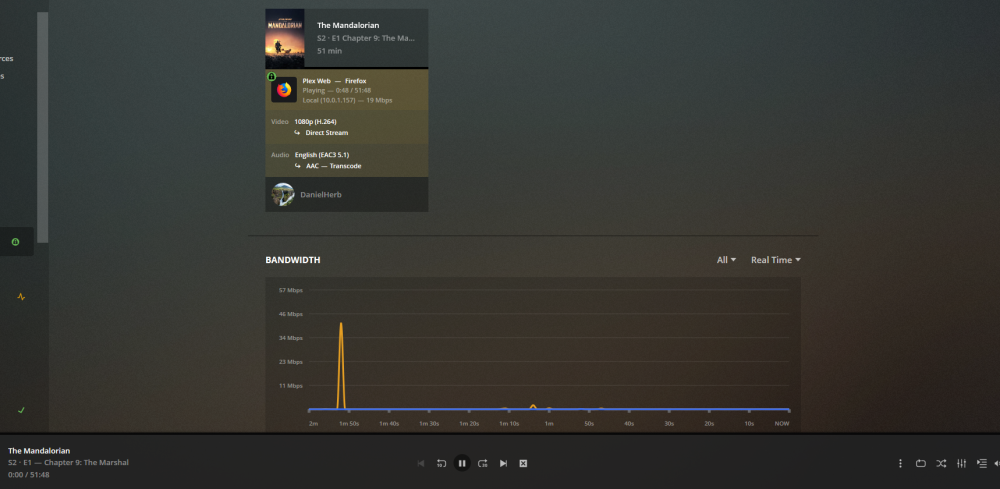
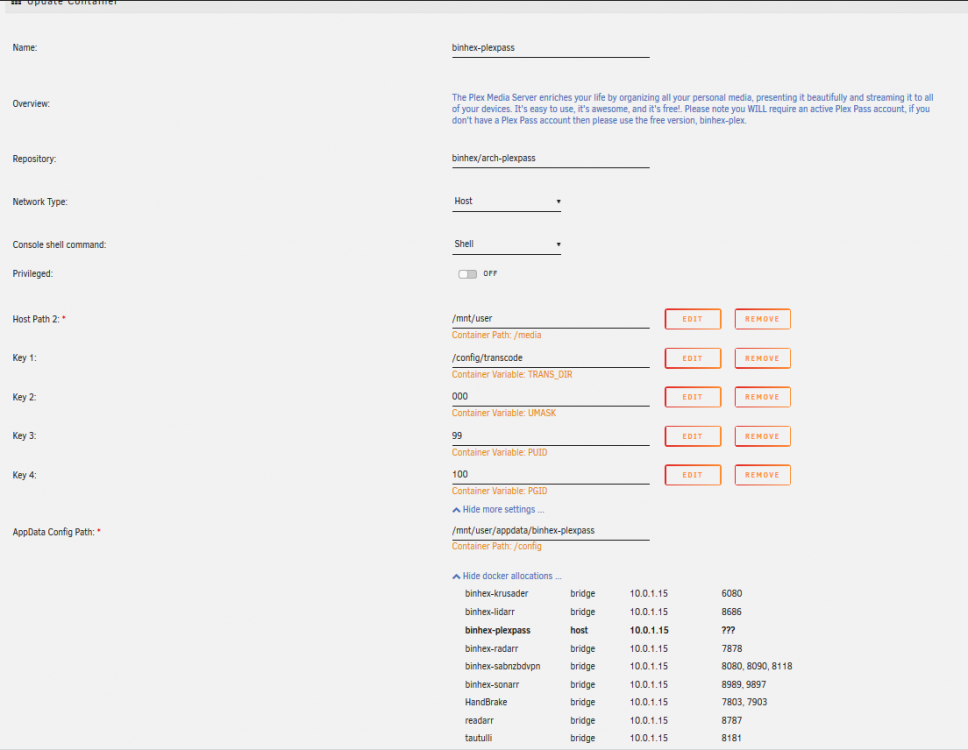
I just finished setup of my container, transferred my Plex library and metadata; but I am having some problems. I can play some of my media but not anything that seems to be in 4K. I first tried to play the Madalorian in 4K on my FireTV and it would only play for about 90 sec before stopping and then never startup again. If I restarted it would play for another 90 sec. I went to the browser (Firefox, Brave) and tried again but no luck at all with playback. Even the 1080p version was not playing as a test in the browser but it would play on the FireTV... I have been looking at the logs for awhile but nothing stands out to me other than EAE errors but I cant find a fix… Attached are the logs if you need to see them. Did I miss something during setup?? Please let me know if you need any more info. Plex Media Server Logs_2020-11-17_21-40-58.zip Plex Media Server Logs_2020-11-18_12-27-28.zip
.thumb.png.bc8fe0e6de31373c4bd7bb11361c0df1.png)
-
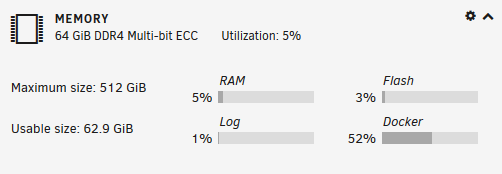
64 GiB DDR4 ECC
-
I am using the Intel X520-DA2 10Gb 10Gbe Adapter E10G42BTDA with 2x DAC's to connect to another server and a switch. I have had no problem so far. I transferred my Plex Library (6TB) from my old server to my new unraid server overnight. Got it off Ebay for about $100. Edit: Our M/B's are close....
-
Oh man! I am going to test this out soon.
-
Yeah I dropped from around 40-50MB to 6-10MB...... I am on Spectrum as well. Pointed to PIA Texas servers tho.....
-
Ok, thanks for the clarification.
-
I went in and edited my wiregaurd/wg0.conf to add more endpoints like you described doing for the openvpn config. ex: question 20 from your FAQ https://github.com/binhex/documentation/blob/master/docker/faq/vpn.md A20 Yes, all the Docker Images i produce do support multiple endpoints, this is achieved by editing the OpenVPN configuration file located in /config/openvpn/ and adding in additional 'remote' lines, an example is shown below:- remote al.privacy.network 1198 remote ad.privacy.network 1198 remote austria.privacy.network 1198 So for the wg0.conf file the Endpoint = nl-amsterdam.privacy.network:1337 would I add it like this Endpoint = nl-amsterdam.privacy.network:1337,us-texas.privacy.network:1337,us-denver.privacy.network:1337 My container connected because the first one on the list (amsterdam) works but if it was not working would it move on to the next Endpoint?? Or would the code be different?

.png.80a570737d316976fba9ae697d69bf35.png)


