





betaman
Members
-
Joined
-
Last visited
Everything posted by betaman
-
I've been out of the hardware game for quite a while. I'm using the Intel S2600CP with Intel® Xeon® CPU E5-2670 0 @ 2.60GHz with 128 GB DDR3 Multi-bit ECC in a 102TB array (mainly WD Red Drives from 10-18TB with 22TB Parity). I'm just curious if it's worth upgrading this setup with newer tech? I use hardware front ends (Nvidia Shield TV Pro) with a wired connection so don't have any real issues streaming (occasional hiccup now and again) and my other uses for my server are limited to a couple of VM's (WIndows 7 and Windows 10). One of the reasons I'm asking is because Windows is telling me I can't upgrade the WIndows 10 VM due to hardware limitations? Perhaps there is another workaround for this? Anyway, back in 2015 or so there was a bunch of us buying up these server MB's for our UnRAID server so I was curious if anyone has upgraded since then and if so to what? Thanks.
-
7.2.2 fixed for me. Thanks!
-
Ok, I rolled back as well and it's working.
-
Thanks…I knew it was simple. 🤦🏼♂️
-
Thanks. How do I install this version?
-
Also using S2600CP and same issue. I think it might be an issue with the onboard NIC? How do we roll back versions again?
-
After getting the server and client side settings in sync again (i.e. local connection vs internet) and rebooting the server, it's working again. Thanks!
-
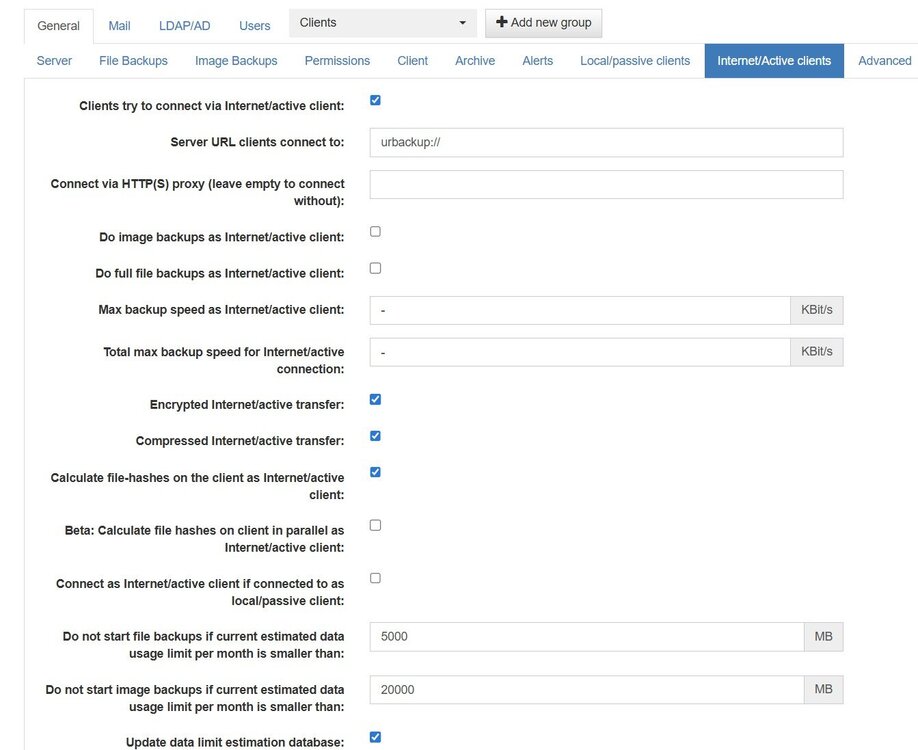
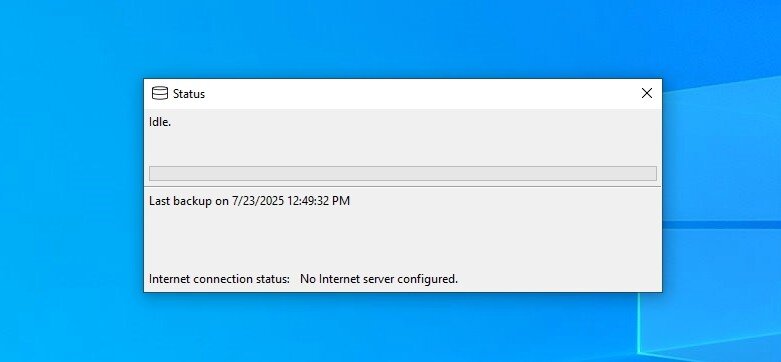
So I agree this endless loop seems to be the issue. I checked the server settings and the internet option was checked so I unchecked it. Went back to client settings and did same thing. A little later I check both server and client settings and client is back to internet checked even though server isn’t checked. I say F it and uninstall and reinstall client. Now I get this (server still showing internet unchecked) after an initial message saying URBackup was waiting for local server. EDIT: So now I see this message. I also just had to enable permissions on the client because the client name was the same as the prior one.
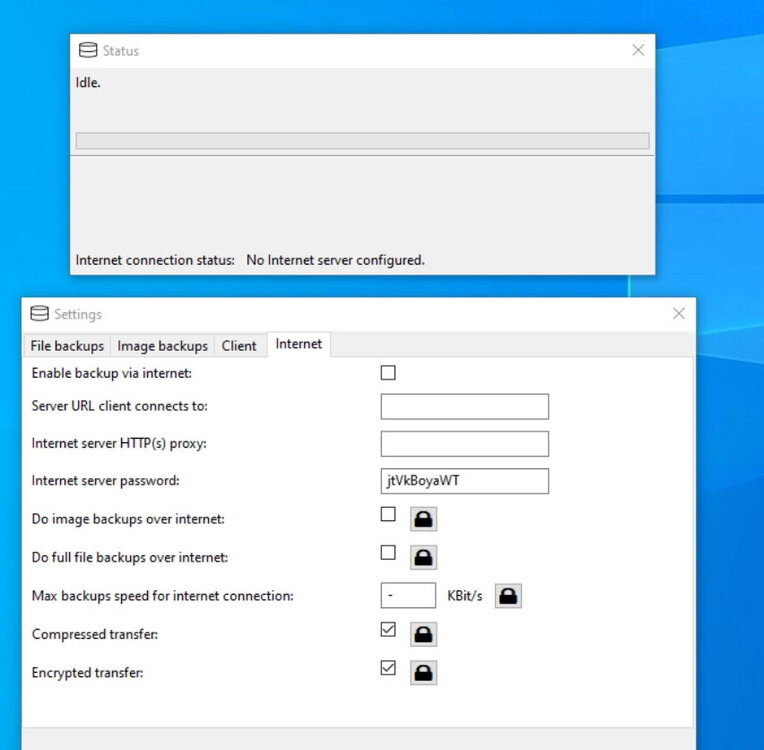
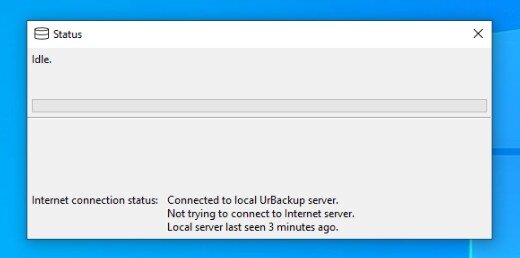
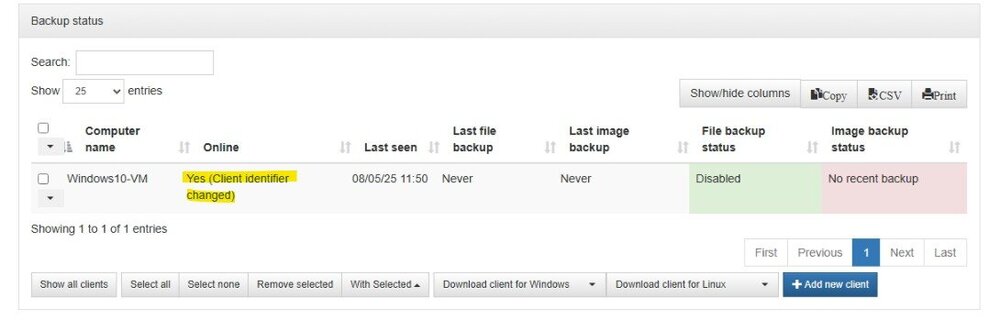
-
I’ve already tried that as well as restarting the client machine to no avail.
-
Ok, I will reboot the server once a parity check completes.
-
That's what I did and received again the original error of No Internet Server configured.
-
No not really since they're on the same LAN. However, I was addressing this message as root cause:
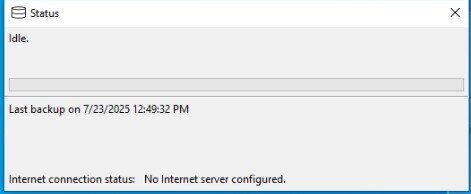
-
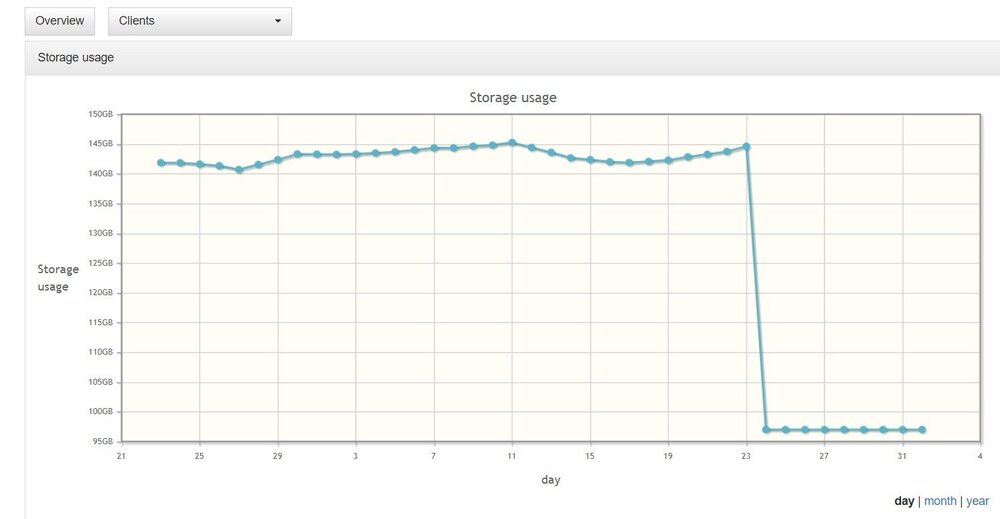
So "all of the sudden" (I know, but I really think it's true!), my URBackup stopped working because it's not connecting to the internet. I tried installing a new client (on same Windows VM) but no luck. I do a full image backup every day and this is what I'm seeing:
-
I know this is an old topic but wondering if there's a better way to restore templates? I'm using appdata backup but wondering if I need to do a full restore for the templates or if there's a simpler solution? EDIT: I should've just tried to restore via Appdata Backup first. I see you can restore templates separate from the config files for each docker. Worked great.
-
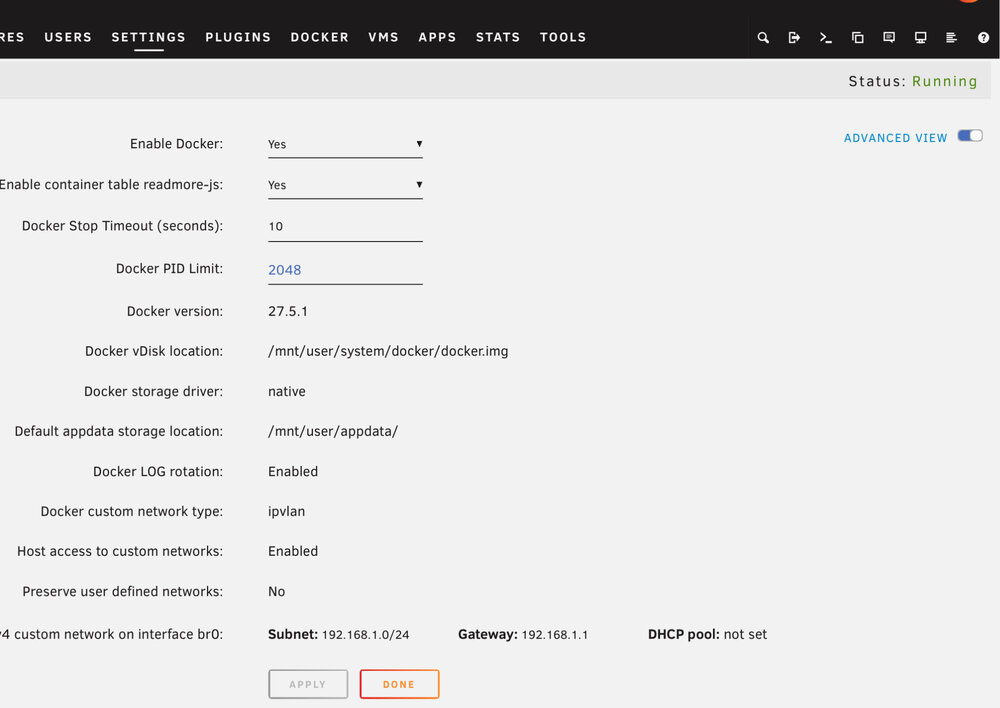
Confirmed
-
I can report it's working for me now after upgrading to 7.1.0-beta.1. Appreciate the update!
-
Can we merge these threads? Also, I can confirm Unraid 6.12.14 is working fine with Windows 10 Pro 22H2 (OS Build 19045.5371) and Windows 11 Pro 24H2 (OS Build 26100.2894) on my network and the upgrade to 7.0.0 is when the issue presented itself. As JorgeB mentions, if I stop the array, the Tower and subsequent flash drive are visible in Windows Explorer but once the array is started they both disappear.
-
Yeah I just did. See this thread. Thanks
-
Ok, I was able to upgrade manually. Only issue I notice is I lost the ability to browse my Tower in Windows network?
-
Ok, so just the bz files need updated? I wasn’t sure if anything had changed from the days of OS 4 and 5! Thanks
-
Is there still a manual way to upgrade from 6.12.14? What files do I replace on my current 2GB Flash drive to upgrade manually?
-
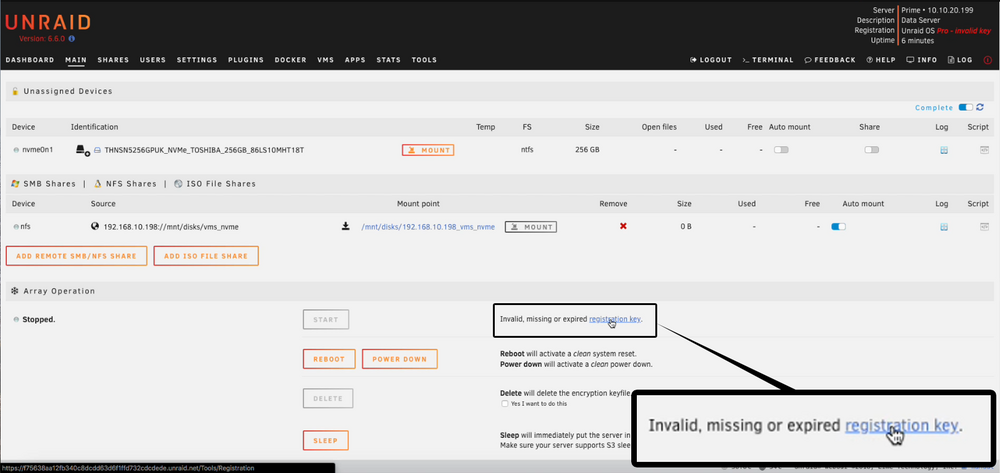
So I got the same error. Had a new 4GB Sandisk Cruzer and used the USB Flash Creator to load my backup on it. No matter what I do, I can't get a WebUI. No easy way to hookup a monitor either. I was expecting that I would get this screen upon boot but nada: Any thoughts on what it could be? Using my old 2GB flash drive works fine. Worst case, is there still a manual way to upgrade (i.e. I remember back in the day just replacing a couple files to ugprade but that was a while ago!). The one thing that just came to mind was the network cfg settings in the USB Flash creator. 2 options: DHCP and static. I have my router configured to assign the IP address of my server based on the Mac ID address. In any case, I used the manual method and put in my IP, gateway and (primary) DNS server info. Should I retry with DHCP?
-
I'm still on original 2GB myself. Any recommended options if I have to buy one? nvm: Just saw this
-
So for option C I would need to sign up for Tailscale VPN services? Like I said, my knowledge of Tailscale is limited to using it for remote access.
-
Wow, thanks for the detailed response. I’m not opposed to option A if it means I can run non-VPN dockers (eg the *arr dockers grabbing nzb’s and torrents) behind the vpn as well. I think that’s what you’re saying here: Other Networking: Set other *arr containers (e.g., Sonarr, Radarr) to use the network of the VPN container by setting Network: container:<vpn-container-name> but I’m not 100% sure. Do you mean setting the network in each of the various docker container settings separately? If so, this seems pretty similar to B but doesn’t rely on a specific *vpn docker? I think I prefer that approach in the event I want to change dockers in the future. I’ll check out gluetun (first time hearing about it) and report back here as I can conceptually understand this approach (and A as well). Finally, is option C really doing the same thing as A and B? I just want the privacy/anonymity the VPN provides when those containers are doing their thing. Perhaps I need a little step by step instruction for this: Configure specific containers (e.g., your *arr apps) to bypass the VPN and use your Tailscale subnet router for remote access. Oh and for WireGuard, I was using built-in vpn functionality with UnRAID. For Tailscale I use the plug-in just for remote access. Thanks again!



