srepper
Members
-
Joined
-
Last visited
-
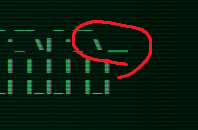
Hey how can I change the CRT line to the bottom? sadly it is in the middle of my word
-
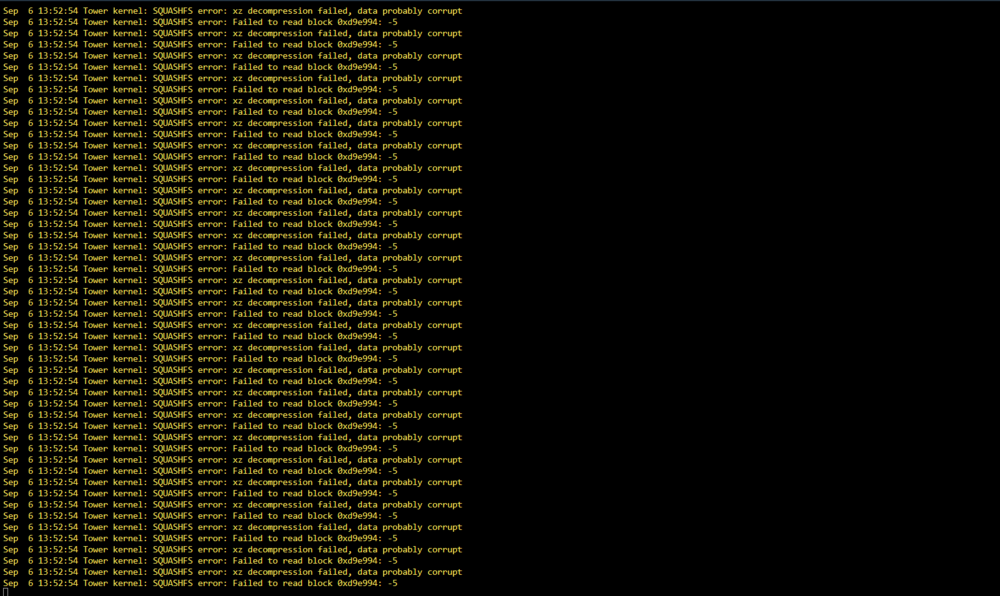
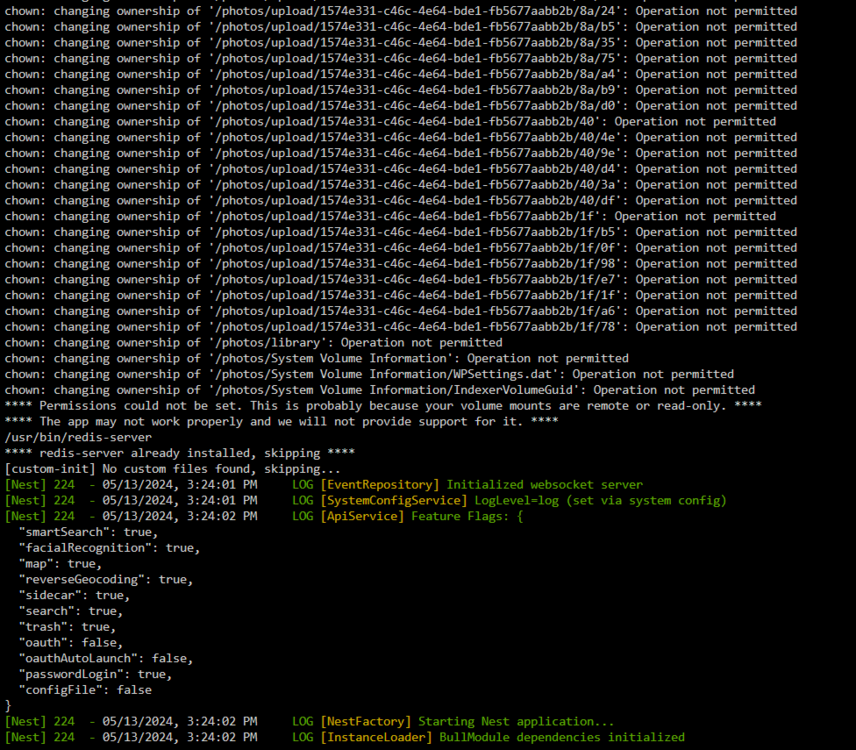
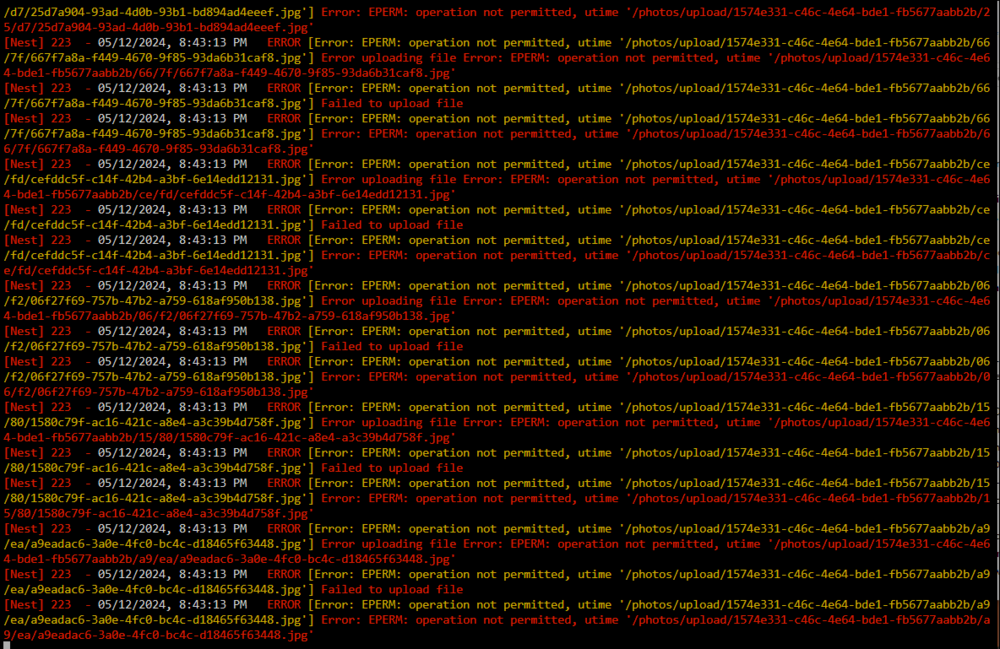
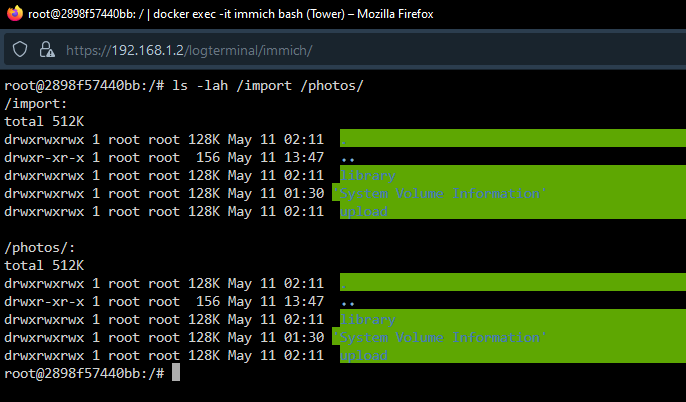
Hey, I want to start my docker, but get some errors if I wanted to start it. After a reboot it works everything fine, but after a few of times I got this error. I changed my storage, this year. Is my USB drive broken again?
-
Hi I had a similiar issue. on my firetv stick I could not access my jellyfin server, but on my smartphone. I just use a share folder tls to get everytime the newest tls certificate. It means: on nginx reverse proxy I get a tls certificate. with cronjob I transfer the certificate to the right format for jellyfin. after it I copied it to the tls folder to use the certificate in jellyfin. I passed over tls connection. Weekly user-script: #!/bin/bash cd /mnt/user/appdata/NginxProxyManager-CrowdSec/UnraidData/certifications/archive/npm-1/ openssl pkcs12 -export -out cert.p12 -in cert1.pem -inkey privkey1.pem -passout pass:passwordinJellyfin chmod 755 cert.p12 cp cert.p12 /mnt/cache/tls maybe it helps you
-
Edit: Found the issue: I used my USB drive. I can create and do stuff with it but not my docker. Thanks ! Thanks for response. I google arround immich permission problems, but didn't find any solutions. I restart it oftern, but same issue.. maybe because my usb drive is my storage?
-
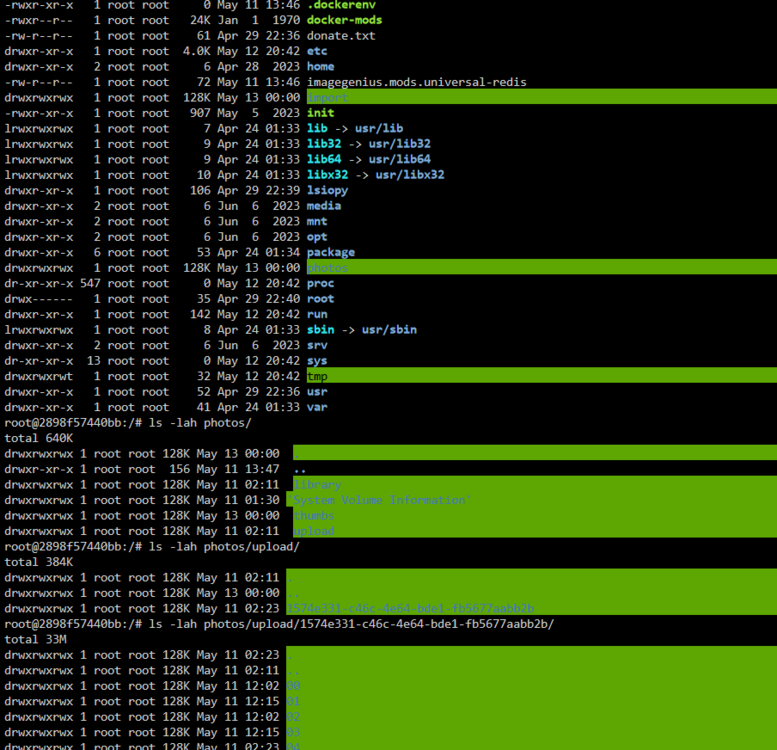
does someone has the same error? ( Immich logs ) ( immich console )
-
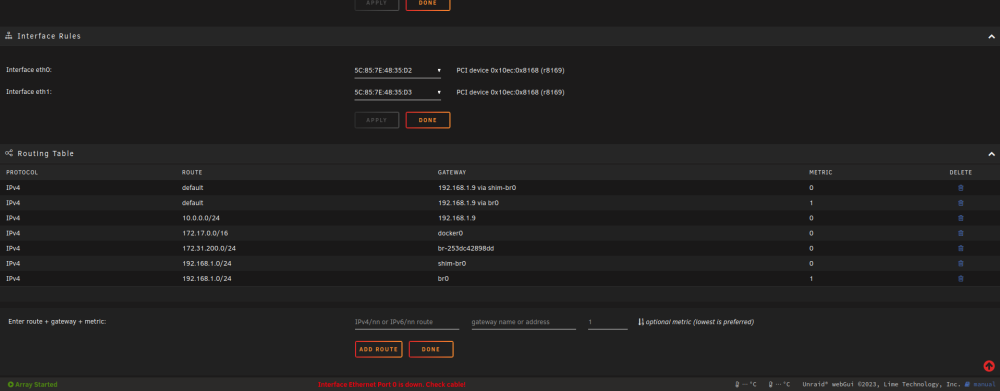
Hey community, For getting access to my homelab I am using wireguard. Wireguard is installed on my OPNsense router. Sadly, I have a few of docker who using VPN. All of them are unable to connect. I have an access to the bridge dockers (192.168.1.x), but not to the "sabnzbd-vpn" (192.168.1.14:8080) docker. How can I access the VPN-docker from outside? Setup: - OPNsense ( + wireguard ) 192.168.1.9 - Unraid ( VPN-docker ) 192.168.1.2 - Wireguard Network: 10.0.0.0/24 Configuration: Settings -> Docker -> Host access to custom networks: enabled Settings -> Docker -> Pv4 custom network on interface br0: Subnet: 192.168.1.0/24 Gateway: 192.168.1.9 DHCP pool: not set Settings -> Networks (Added with following command $: route add -net 10.0.0.0/24 gw 192.168.1.1 ) I am lost. A few forums and AI's told me I have to set routes (show the picture above ). But I don't understand how. The AI say me following stuff: For OPNsense, you would add a static route as follows: Navigate to System > Routes > Configuration in the OPNsense web interface. Add a New Route: Click on the "+" button to add a new route. Configure the Route: Enter the destination network (e.g., 192.168.1.0/24 for the Unraid server network) and select the WireGuard interface as the gateway Apply Changes: Save the configuration and apply the changes. But I have not a wireguard interface at the gateway- best wishes ( please help me )
-
did you add the ports in input/output of the vpn docker?
-
Did you solve this problem?
-
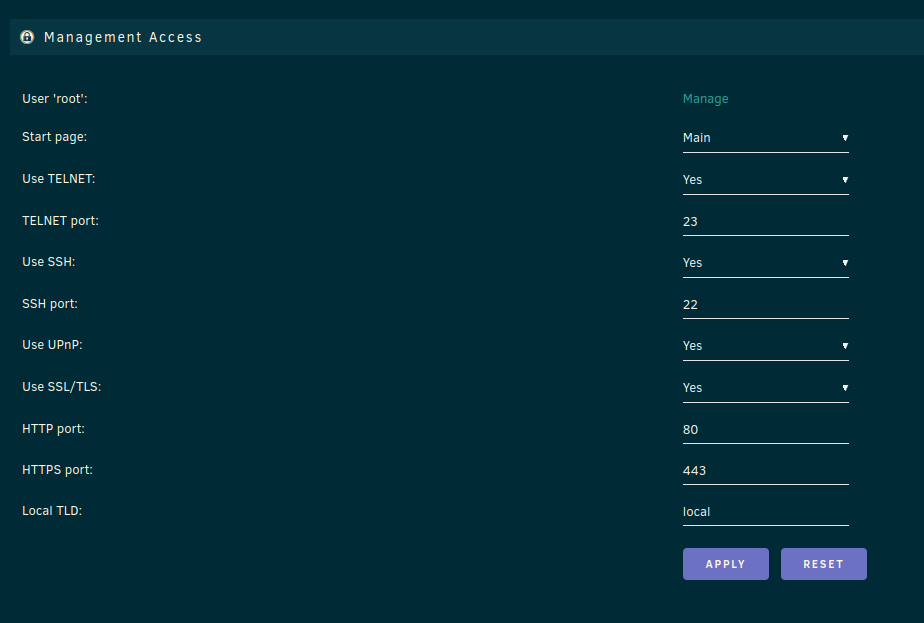
thanks for response I forgot to upload my setting
-
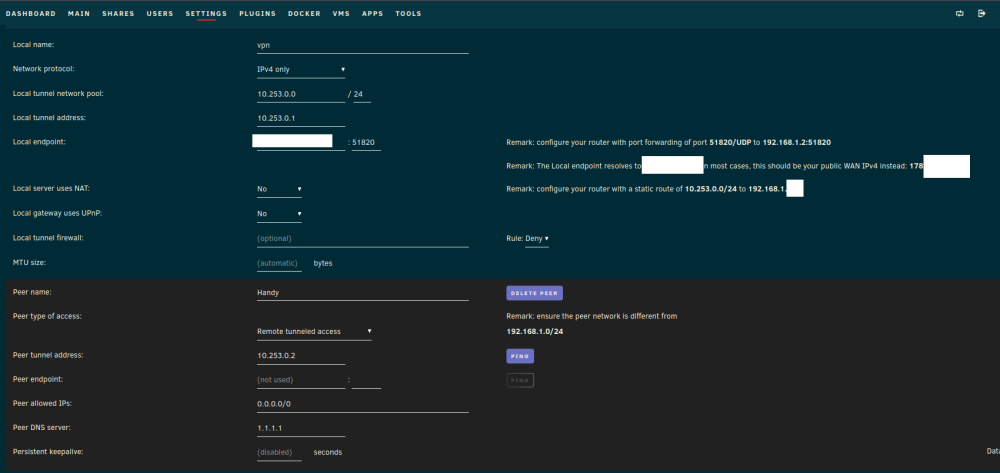
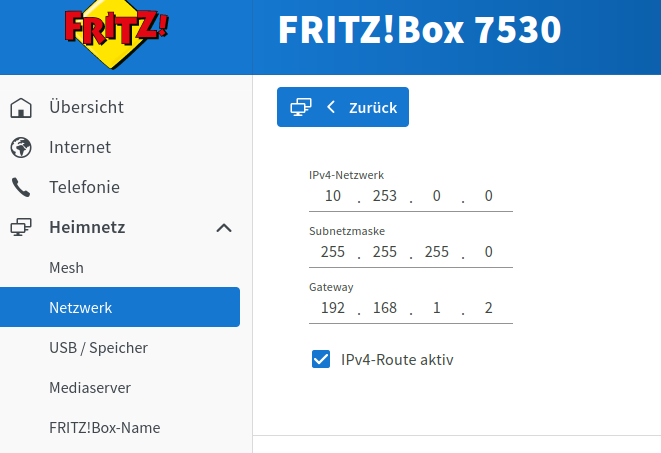
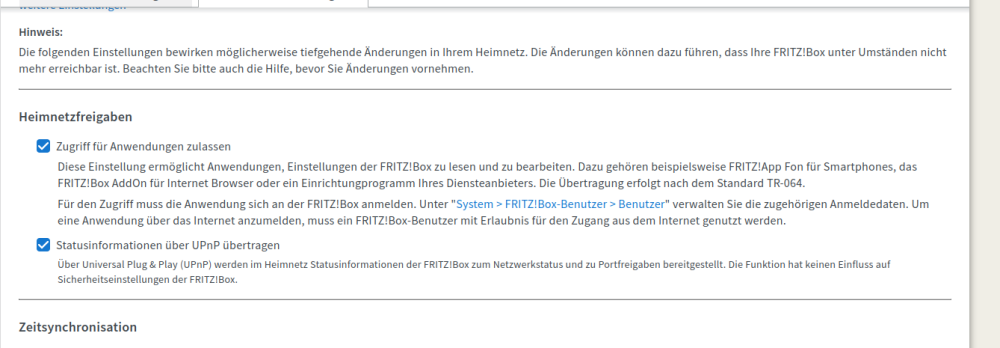
Hey Squad, I can't activate my vpn server, does someone know why? ( from extern port 58120 is closed ) Port 58120 is forwarding from extern to intern via fritzbox UPNP is activate but unraid think it is not. So in the config it is disabled. Static rules: Wireguard config:
-
the container radarr, sabnzbd and sonarr going through delugevpn. On all of this container I get following error if I want to open the console:

-
same
-
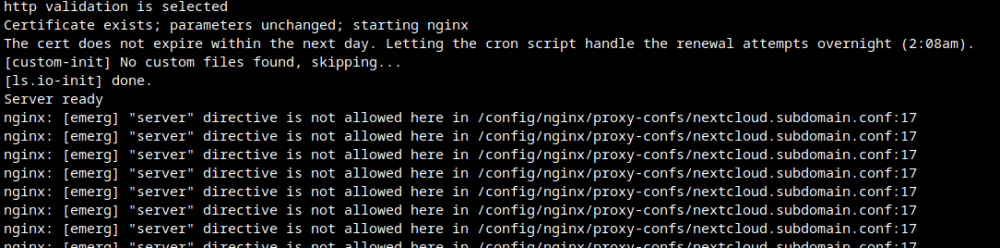
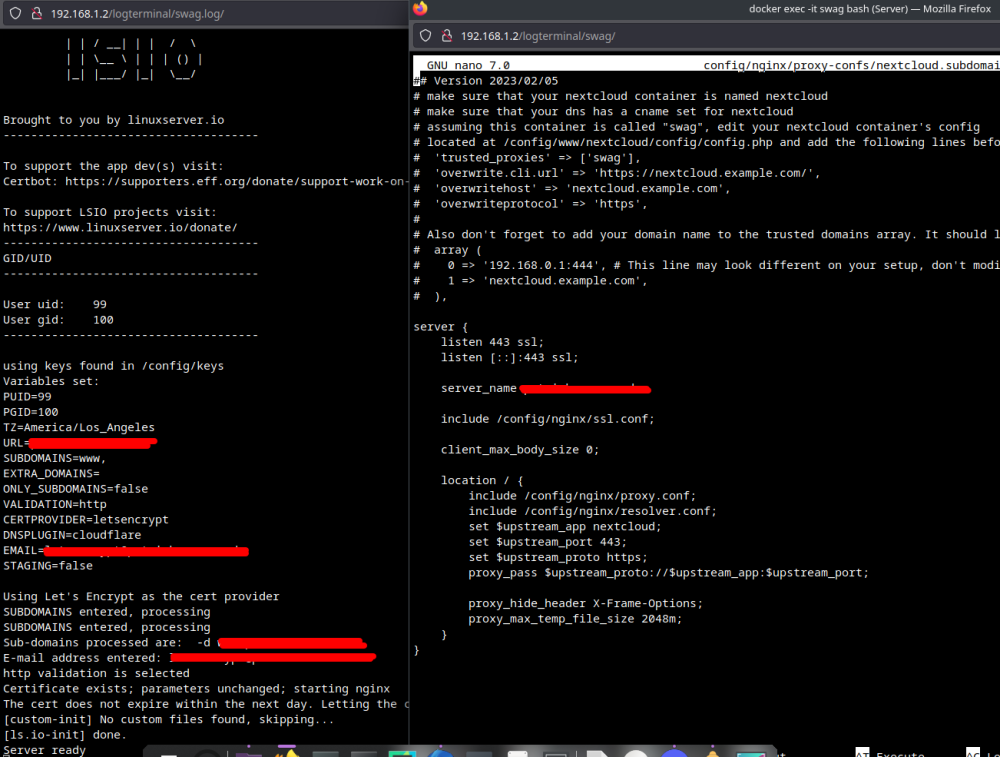
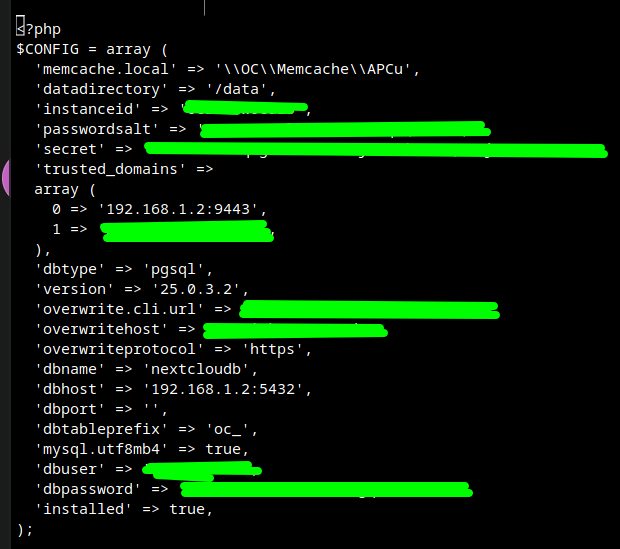
Thank you! I change it back to 443. Locally is everything fine, but not in swag. I get 502 Error, but my log and the config.php looks fine. I added nextcloud in the trusted domain.
-
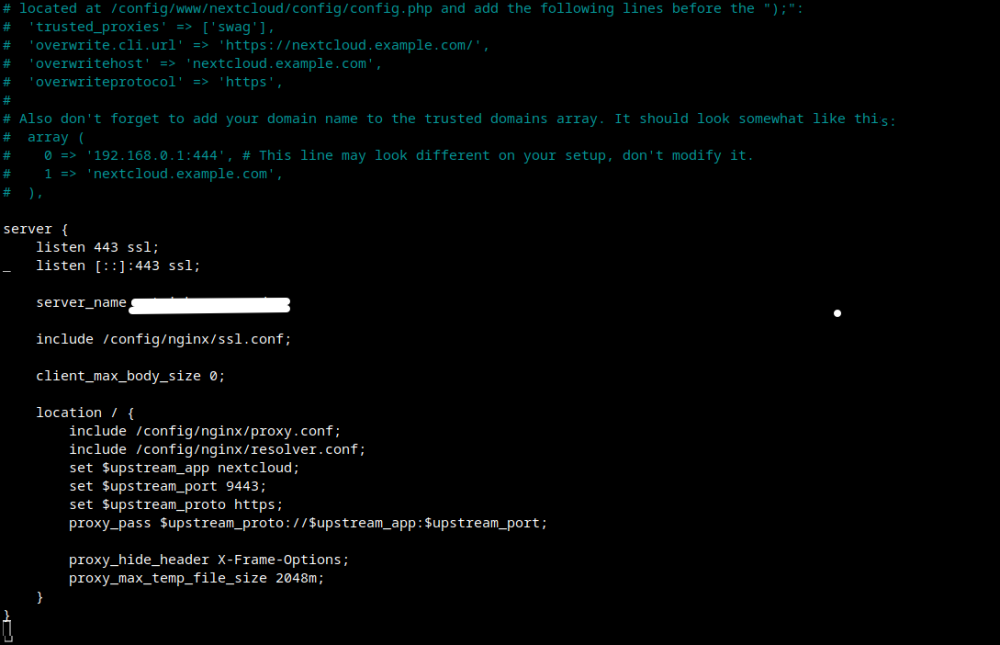
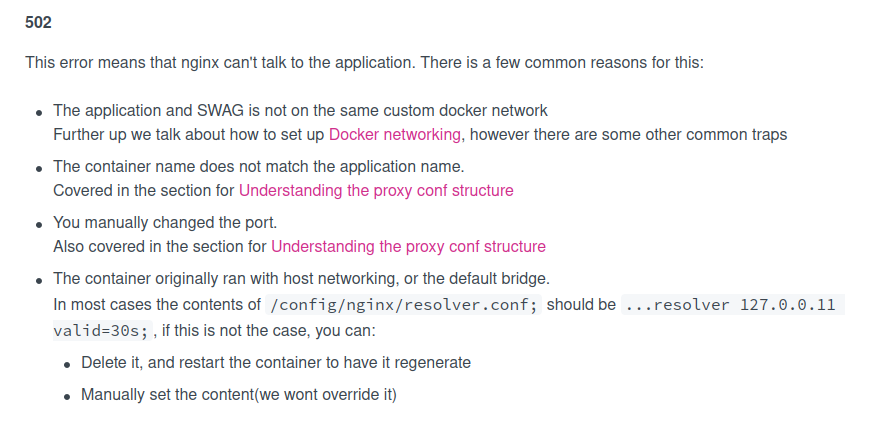
Thanks, I read the handbook again. Reinstalled everything. In this case my docker named on 'nextcloud' with port 9443 swag is on port 1443 and 180 (forwarding in router 443:1443, 180:80) didn't touch the default in site-confs/ just $: mv nextcloud.subdomain.conf.sample nextcloud.subdomain.conf in the next way I change the config in this way: (look at the picture, changed server_name and port. changed the config in the nextcloud. (look at the picture) after a restart, I got error 502 when I want going to my website. In the tutorial we get help for this: The dockernetwork is in the same network. the container has the same name. I changed the port from 443 to 9443 ( changed the config also ) resolver should be 127.0.0.11, but why? default is by me 1.1.1.1 both do errors.
-
nextcloud/config/config.php <?php $CONFIG = array ( 'htaccess.RewriteBase' => '/', 'memcache.local' => '\\OC\\Memcache\\APCu', 'apps_paths' => array ( 0 => array ( 'path' => '/var/www/html/apps', 'url' => '/apps', 'writable' => false, ), 1 => array ( 'path' => '/var/www/html/custom_apps', 'url' => '/custom_apps', 'writable' => true, ), ), 'instanceid' => 'oxpbb9w', 'passwordsalt' => 'pw', 'secret' => 'password', 'trusted_domains' => array ( 0 => '192.168.1.2:8666', ## Nextcloud 1 => 'https://nextcloud.de', ## Domain 2 => '192.168.1.2:1443', ## SWAG Container ), 'datadirectory' => '/var/www/html/data', 'dbtype' => 'mysql', 'version' => '25.0.3.2', 'overwrite.cli.url' => 'https://nextcloud.de', 'dbname' => 'database', 'dbhost' => '192.168.1.2:3306', 'dbport' => '', 'dbtableprefix' => 'oc_', 'mysql.utf8mb4' => true, 'dbuser' => 'user', 'dbpassword' => 'password', 'installed' => true, 'filesystem_check_changes' => 1, ); proxy-confs/nextcloud.subdomain.config server { listen 443 ssl; listen [::]:443 ssl; server_name patrickseemann.de; include /config/nginx/ssl.conf; client_max_body_size 0; location / { include /config/nginx/proxy.conf; include /config/nginx/resolver.conf; set $upstream_app Nextcloud; ## My Container is with a big N set $upstream_port 8666; ## Port of the container set $upstream_proto https; proxy_pass $upstream_proto://$upstream_app:$upstream_port; proxy_hide_header X-Frame-Options; proxy_max_temp_file_size 2048m; } } site-confs/default.conf # redirect all traffic to https server { listen 80; listen [::]:80; server_name nextclouddomain.de; return 301 https://nextclouddomain.de; } # main server block server { listen 443 ssl http2; listen [::]:443 ssl http2; server_name nextclouddomain.de; #root /config/www; # index index.html index.htm index.php; # enable subfolder method reverse proxy confs #include /config/nginx/proxy-confs/*.subfolder.conf; include /config/nginx/proxy-confs/*.subdomain.conf; ## should include my nextcloud.subdomain.conf # enable for ldap auth (requires ldap-location.conf in the location block) #include /config/nginx/ldap-server.conf; # enable for Authelia (requires authelia-location.conf in the location block) #include /config/nginx/authelia-server.conf; # enable for Authentik (requires authentik-location.conf in the location block) #include /config/nginx/authentik-server.conf; location / { # enable for basic auth #auth_basic "Restricted"; #auth_basic_user_file /config/nginx/.htpasswd; # enable for ldap auth (requires ldap-server.conf in the server block) #include /config/nginx/ldap-location.conf; # enable for Authelia (requires authelia-server.conf in the server block) #include /config/nginx/authelia-location.conf; # enable for Authentik (requires authentik-server.conf in the server block) #include /config/nginx/authentik-location.conf; #proxy_pass https://192.168.1.2:8666; proxy_pass $upstream_proto://$upstream_app:$upstream_port; # try_files $uri $uri/ /index.html /index.php$is_args$args; } location ~ ^(.+\.php)(.*)$ { fastcgi_split_path_info ^(.+\.php)(.*)$; fastcgi_pass 127.0.0.1:9000; fastcgi_index index.php; include /etc/nginx/fastcgi_params; } # deny access to .htaccess/.htpasswd files location ~ /\.ht { deny all; } } # enable subdomain method reverse proxy confs include /config/nginx/proxy-confs/*.subdomain.conf; ## should include my nextcloud.subdomain.conf # enable proxy cache for auth proxy_cache_path cache/ keys_zone=auth_cache:10m; weird, I get error on nextcloud.subdomain.conf I remove the sample. In the default file I include *.subdomain.conf to get all of the data. Only nextcloud.subdomain.conf is activated. I only change nextcloud to Nextcloud (container name)' the port to 8666. Thank you