





RichJacot
Members
-
Joined
-
Last visited
Everything posted by RichJacot
-
Well... I set DEBUG but now I can't replicate it. Maybe it was a problem with my VPN provider, but it has happened a couple times. The next time I have the issue I know where debug is. Thanks Binhex.
-
Yes. '192.168.1.0/24' Where can I find the debug setting? I looked through the docker settings but didn't see it. I'm about to leave town so I'll need to get back to this early next week. I should be able to recreate it at will by restarting the docker. Thank you!
-
I have what I think is an odd issue. I'm using binhex-delugevpn and anytime I restart it or reboot unraid, I can't connect to my VPN (Torguard with wireguard). Now... if I edit it and change anything, meaning change port 8118 to 8118 so I get the apply option instead of just done, it works without a problem when it applies. Has anyone else experienced this or know where I should look? Let me know what logs or settings I can provide to help troubleshoot this. TIA
-
The only thing I changed was the webui port and it's not picking up all of my drives. Any ideas to try? I tried adding each /dev/sd(x), I gained two additional drives but none of the others.
-
If I have two Unraid servers I know I can keep the data/media in-sync via some rsync scripts, which I currently do. The real question is my dockers. Can I use the CA backup/restore plugin to backup on the primary server and restore on the secondary? Assuming all of the shares and docker networks are the same? The goal is to have a secondary system that is used for daily data backup but if the need arrises, fire up the dockers on the secondary, tweak my port forwards and be running until the issue is resolved on the primary. One, but not the only concern, is the plex metadata (posters, matches, played, unplayed, etc).
-
You are/were right. I had a weird network issue. Now I'm working the filesystem issues it/I caused. Thank you for the help!
-
Disk 3 is the new one and was precleared without issue. I'm trying to run a check on all of the disks but it only stays up long enough to get about two checked. I'm about ready to flatten and start over. If I didn't have 12 or so dockers I've been fitz'n with for over a month, I'd have done that already... I'll let you know how I make out.
-
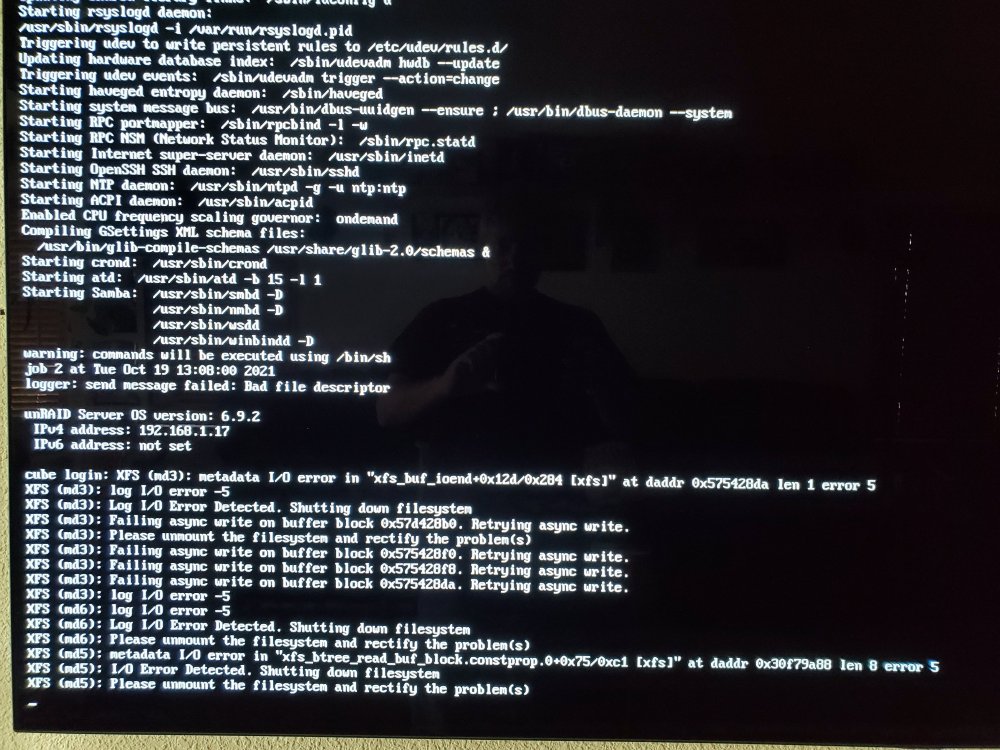
I've been replacing some 3-4TB drives with 14TB drives and now I'm having a problem. Everything was fine until early yesterday morning. I've done two other drives without an issue. Early yesterday I swapped in the third drive and parity was building. Later in the morning I noticed the system was down. I couldn't not get in via ssh nor the web gui. I tried pinging it and it wasn't responding. I went to the console and there were errors similar to the attached image (I didn't get a picture of the initial errors so I'm not sure they're identical or not). I let it sit for several hours and there was no change. I tried a shutdown, it didn't work but I let it sit for another hour or so, nothing. I tried a reboot and still nothing. I finally had to kill the power and boot it back up. It appeared to come up fine, I checked free space on all of the drives (including USB) and they were all fine. I started the rebuild again. Shortly there after it went down/froze again but this time I could shutdown from the command line on the console. After several reboots and trying different things... it appears to stay up on the network for a few minutes and then drops off and the attached image is on the console. Any ideas what might be causing this? (EDIT) Oh ya, I have tried using a different 14TB drive. The result is the same. Also, I brought it back up and just left it sit. I did not start the parity check or any other items. It still dropped off the network after 10 or so minutes. No errors on the console, it's still sitting at the login. TIA syslog
-
I'm about to do this. Is this true for SAS drives on a LSI controller as well?
-
I'll try what you suggest above. Yes, I used the opencore configurator, to edit the config.plist, on the bigsur desktop he instructs you to download and use. Am I missing something should I not be using that? I chose the late 2013 Mac Pro. Maybe that's the mistake?
-
I copied the folder and file from the opencore image over to the bigsur desktop then copied the file and folder onto the EFI bigsur disk. Once there I edited the config.plist file has SI has in his video.
-
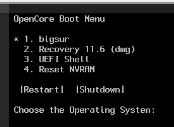
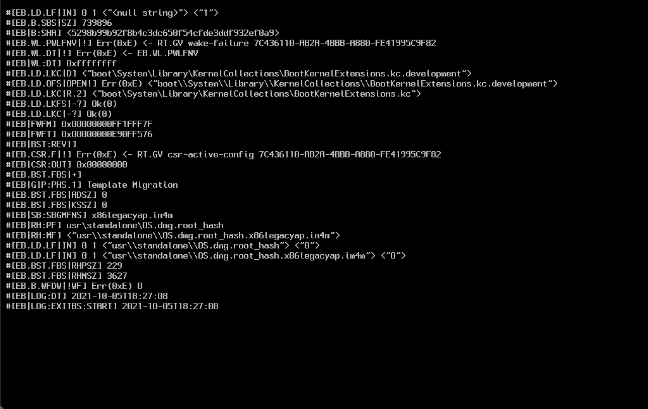
I'm just today trying to install a bigsur VM but I'm getting a similar error to DerSnitzki above. I get all the way through to starting the VM backup after adding cpu/cores, ram and changing the primary vdisk location. And of course running the helper script with the VM name and firstinstall changed. When I start the VM I get the 1st image below. Hitting enter or waiting takes me to the 2nd image. This is on a Ryzen 7 3700X. I've tried installing twice following spaceinvaderone's video with no success. Ideas? xml.txt
-
Got it. SpaceInvaderOne to the rescue. Apparently I had to drill down into the virtio-win iso to the specific folder. I just though it'd search for the correct one itself.
-
As the title suggest I can't seem to create a win10 vm. I have an ubuntu VM running perfectly and didn't have any issues. Anyway.... I downloaded the virtio-win-0.1.190.1.iso into my isos along with the Win10_21H1_English_x64.iso. I leave the default 1 cpu with cpu 0 selected to start with because I saw several posts of folks having issues if they didn't. I leave it at the default 2048MB of ram, machine is i440fs-5.1 and I had to change it to SeaBIOS to even get as far as I mention below. I select the OS iso and the virtIO Drivers iso from my isos dir.. I sent the primary vdisk size to 70G and use VNC for the graphics card. network is br0 and virtio-net. With these settings I get to where I put my product key, agree to the terms and then at the screen where you select upgrade or Custom: Install Windows only I select Custom: Install Windows only. This is where the issue is. That next screen it's asking where do you want to install windows but there are no selections and it sasy We couldn't find any drives. To get a stroage drive, click load driver. I tried the load driver and tried both the virtio-win iso and the install iso but neither help/show anything. Does anyone have any ideas on what I'm doing wrong? TIA
-
Thank you!!
-
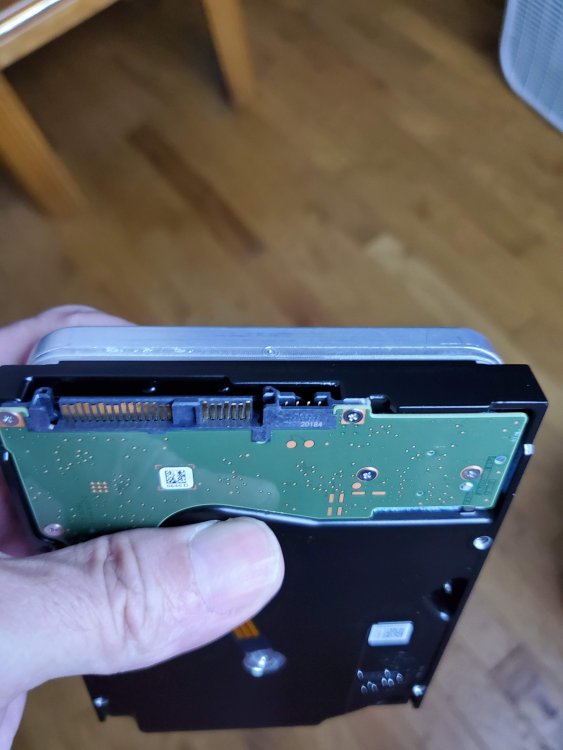
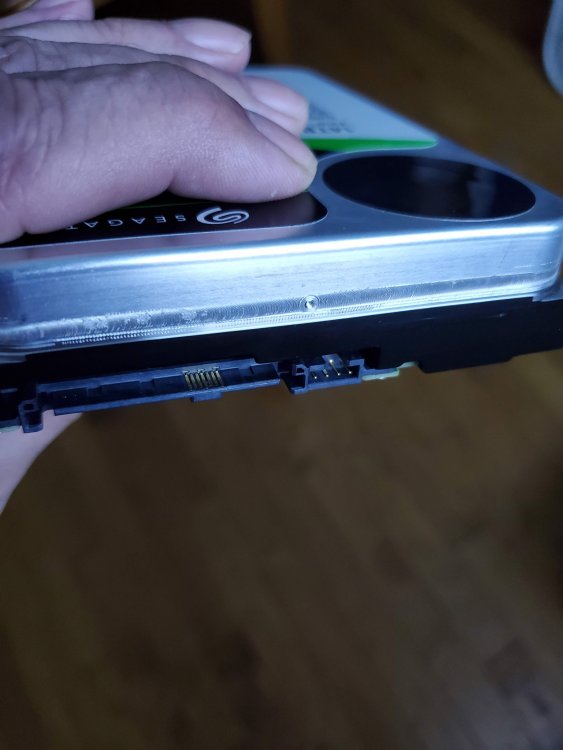
Thought it might be helpful to include some pics of the drive connector.
-
Probably a noob question but I can't seem to find a definitive answer to what cable(s) I need to attach the above Seagate Exos 14TB SAS drive to an LSI 9300 8i. I've found some with 12v molex power and others with the standard SATA power connector. I found that some folks have trouble with the SATA power cables though. Others say something about having to block pin 3 and they claim it works fine. This is my first experience with SAS so I'm at a loss. Any help is greatly appreciated.


