





flosken
Members
-
Joined
-
Last visited
-
Have you added a config.yml file in your Frigate folder, usally /mnt/user/appdata/frigate?
-
How does you settings look like now? I'm having the same issue and also uses NPM...
-
Can you specify the steps you've taken? When looking at the documentation here https://docs.paperless-ngx.com/advanced_usage/#consume-hooks it sounds pretty straightforward... 1. add a mount to the scripts folder. 2. add a environment variable for the pre-consume script.
-
I only added these two in my .env file, then it worked. PAPERLESS_CONSUMER_ENABLE_BARCODES=true PAPERLESS_CONSUMER_BARCODE_STRING="PATCHT" Don't know what you meen with "... with the QR Code i entered "paperless:separator". "
-
I've had some problem with npm previously where a disable/enable of Docker under Settings/Docker solved the issue. Maybe it's worth a try?
-
Are you sure your hastebin runs in https? My guess is that it should be http.
-
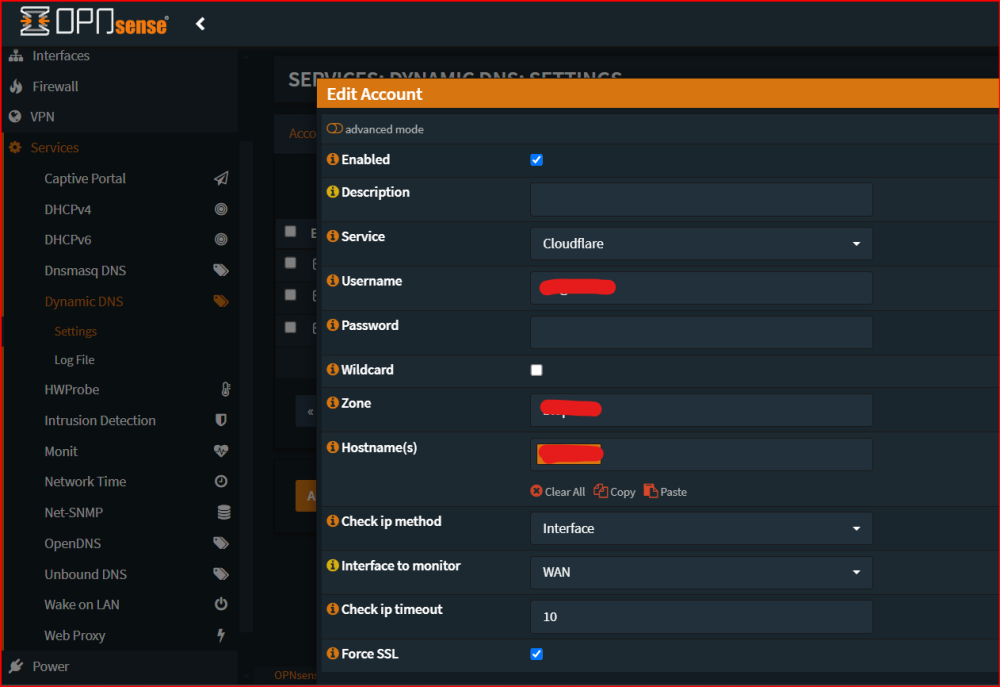
I guess most routers have the option as well. I update my IP from OPNsense.
-
Have you set the HMAC_key variable? https://github.com/iv-org/invidious/issues/3854
-
Did your ISP put you on CGNAT?
-
Maybe this post from March 27th will help? https://forums.unraid.net/topic/88086-support-vaultwarden-formerly-bitwarden_rs/?do=findComment&comment=1244980

