





SShadow
Members
-
Joined
-
Last visited
Everything posted by SShadow
-
@FlamongOle I updated both my servers to 2026.02.13 (and 2026.02.19) and wanted confirm: Commit #487 - BUG: Read/written values could be carried over from another device in some situations. Is fixed. Thank you for your hard work!
-
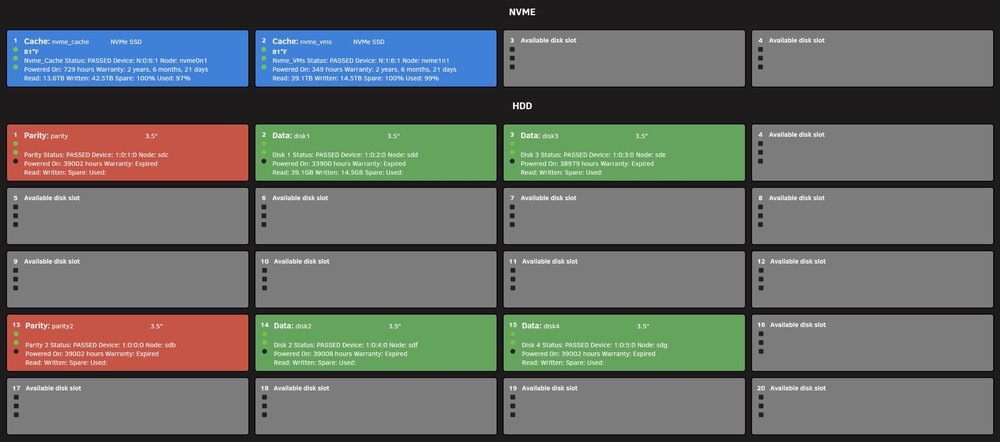
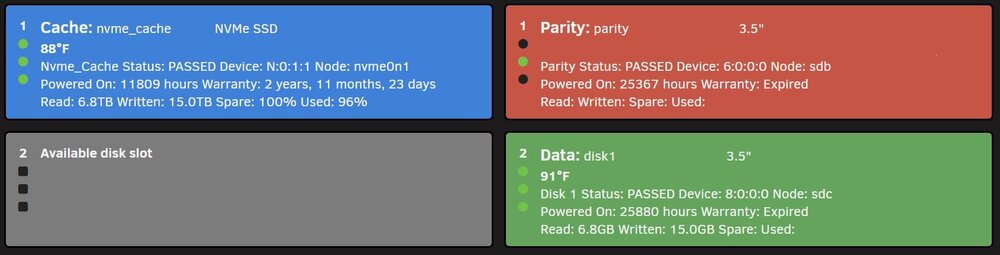
@FlamongOle Happy New Year. I have noticed a bug in the last few versions of the app, my apologies for not posting this sooner. There is an interesting bug involving drive read writes. It appears that the first Data drive (disk 1) pulls the Read/Written data from the last NVME drive. Only Data Disk1 is affected, please see the screenshots below. This bug is also present in the on-hover of the dashboard version of the plugin. The bug is present in Unraid versions 7.1.4 - 7.2.3. Let me know if you need anything else. Thank you.
-
I upgraded both my servers from 7.1.4 to 7.2.3. Everything went smooth and everything appears to work but now I get these errors is my syslog for both servers. [WARNING] [pool www] server reached max_children setting (50), consider raising it. It seems to happen most when first logging into the GUI and doing anything GUI related, if I am not logged in the errors do not occur in the syslog. I do not have the Unraid Connect plugin installed. No hardware or software changes were made to either server before the upgrade. I tried running the troubleshooting script from another post but I get the same error as that user, and I can't get the fpm-status?full page to load from the script in the other post. Diagnostics are attached, the errors occur on tower2 more. Please let me know if you need anything else.
-
Upgraded both my servers from 7.1.4 to 7.2.3. As others have reported I also noticed a lower CPU % with 7.2.3 (nice benefit). Everything went smooth and everything appears to work but now I get these errors is my syslog for both servers. [WARNING] [pool www] server reached max_children setting (50), consider raising it. It seems to happen most when first logging into the GUI and doing anything GUI related, if I am not logged in the errors do not occur in the syslog. I will create a separate post with the diags.
-
@Masterwishx make a manual backup, uninstall the plugin, and reinstall the plugin. That should get you to latest version.
-
@FlamongOle thanks for catching that. I never claimed to know what I was doing! 😁 I edited my original post. Take care!
-
@FlamongOle thanks for the manual backup info for this update. I updated to 2025.05.30, followed your steps for manual backups through UserScripts. The manual backups show up the same as the auto backups under the system tab. Below is the sample of the quick script I made to test and run the manual Disk Location backup through UserScripts. It appears to work fine for me but use at your own risk. 😁
-
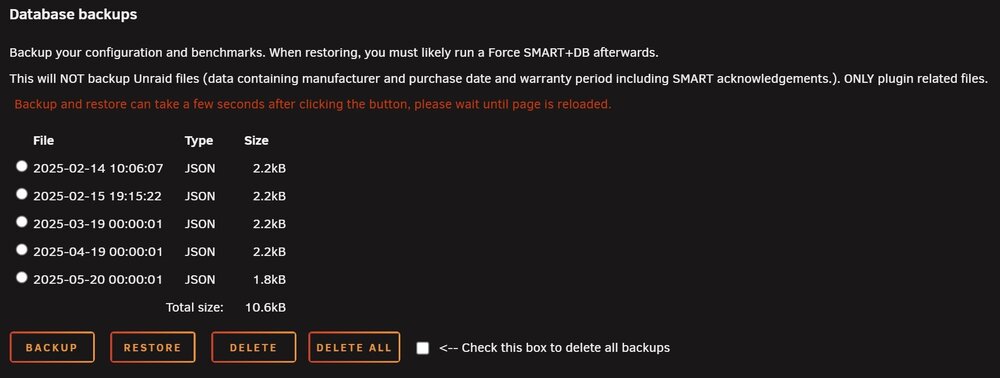
@Starfiresg1 I have seen the "Backup was made in the recent 0 days or backup is disabled, skipping." message too when updating. I never put much thought into it because the backup did eventually run on its own. I made the assumption that the backup would run 30 days from my last manual backup, but it did not work that way. The screenshot below is from my server showing the last 3 backups as automated. @FlamongOle I don't know how you have the backup date/time coded but would it be possible for the user to set a specific date/time in a future release? I leave my server on all the time, for me when the backup runs is not a big deal but others who put their servers to sleep it might be. When would the backup run for a server that is put to sleep, would it run after startup from missing the date/time you have set the auto backup? Just curious. Thanks!
-
Updated to 2025.05.19 this morning on both my servers and the false alert is gone. Thanks!
-
@jeffreywhunter you need to uninstall and re-install the plugin. That will get you the latest version. Make a backup just in case before you do but it should convert fine.
-
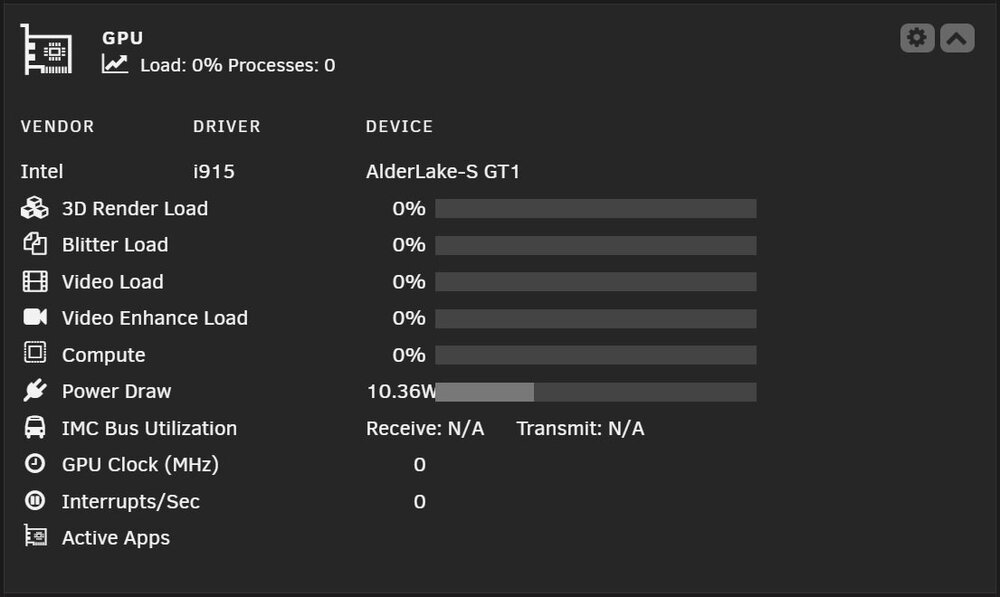
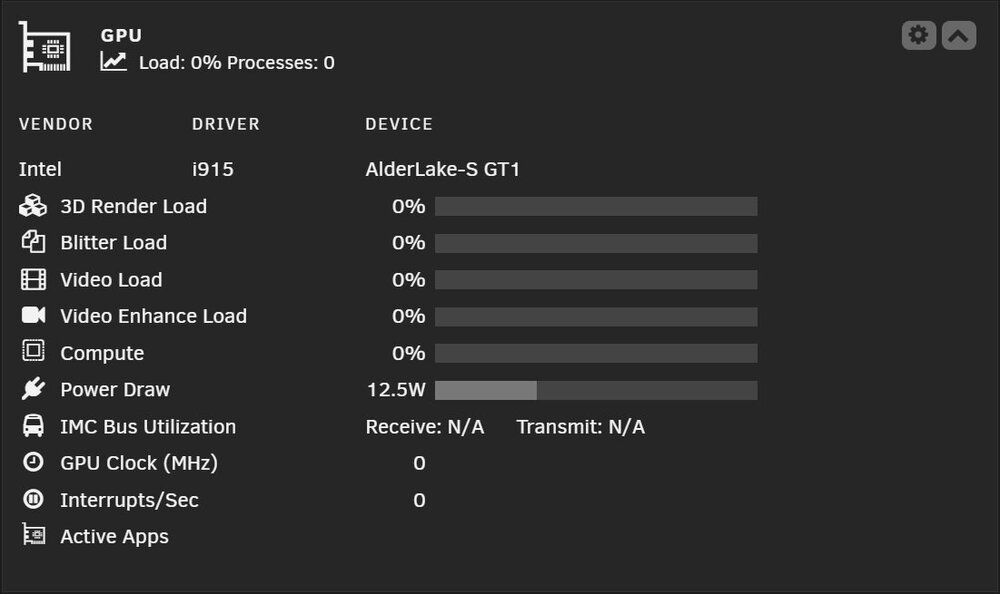
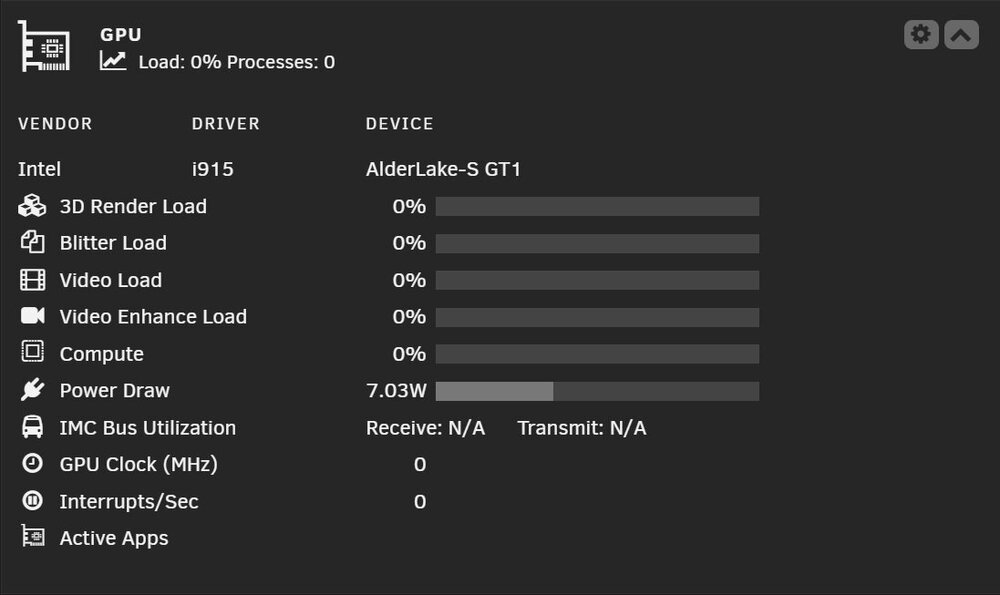
@SimonF thank you for the fix of the device name in dashboard, much appreciated 😁. I noticed another area that could use a formatting tweak when you get a chance. For an Intel iGPU if the power draw line has 4 numbers in it, it pushes the "W" into the status bar. If the power draw line has 3 numbers the formatting is fine. Running 2025.05.17 version of the app on Unraid 7.01. Thanks!
-
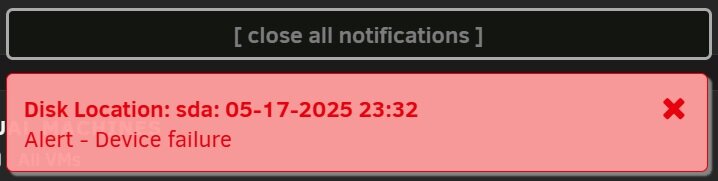
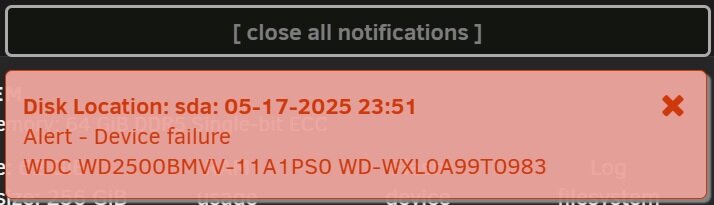
I had to reboot one of my servers tonight and can confirm I got the alert, definitely got my attention. I am running 2025.05.17 version of the app on Unraid 7.0.1. I rebooted my other server and received the error but it actually showed a drive that was from the deleted devices list from the devices.json file. This was a drive I used for initial testing but not sure why it was picked up as device sda. That is not a big deal but I wanted to mention it in case it helps @FlamongOle with code troubleshooting. Thanks!
-
@PetabyteLDA I get that flashing red light every once in awhile on my desktop system. I can usually get it to reset by powering off the system and turning off the power switch on the power supply for a few mins, then turning it back on. I have always suspected that either the power detect feature of the card was overly sensitive or the power supply or cables were suspect. I would be curious if you were able to put the card in different system with different cables would it act differently? Then you would know if it is the card or possibly the power supply and or cables. Good luck.
-
@PetabyteLDA it should be easy to downgrade. Go to the Tools tab and look for Downgrade OS. It should show the option to rollback to 7.0.0. It should process for a few minutes and ask you to reboot.
-
@PetabyteLDA I don't know of any utility that controls the fans at the firmware level, maybe someone else on the forum does. I hope you are able to figure out what is going on.
-
@PetabyteLDA downgrading the driver helps rules out the driver software to a degree. I am also running Unraid 7.0.1 and upgraded the Nvidia driver yesterday from 570.86.16 to 570.124.04. I did verify on my system that the fans on the gpu were matching what nvidia-smi said. Maybe just a proper shutdown with unplugging the power supply for 5 mins, possibly re-seating the the video card if the power off does not help. Could be a coincidence, I have had some weird issues happen on my system over the years that I thought were upgrade related but later on turned out be bad timing. Not sure if that is what you are experiencing. You could roll back to Unraid 7.0.0 so see if the GPU fans go back to normal. Read the release notes for 7.0.1 to be sure there isn't anything that will not work for you rolling back to 7.0.0. One of the upgrades years ago I had to roll back to due some weird issues and when I upgraded a 2nd time everything worked fine. I hope this helps.
-
@PetabyteLDA what happens if you go back to Nvidia driver 570.86.16?
-
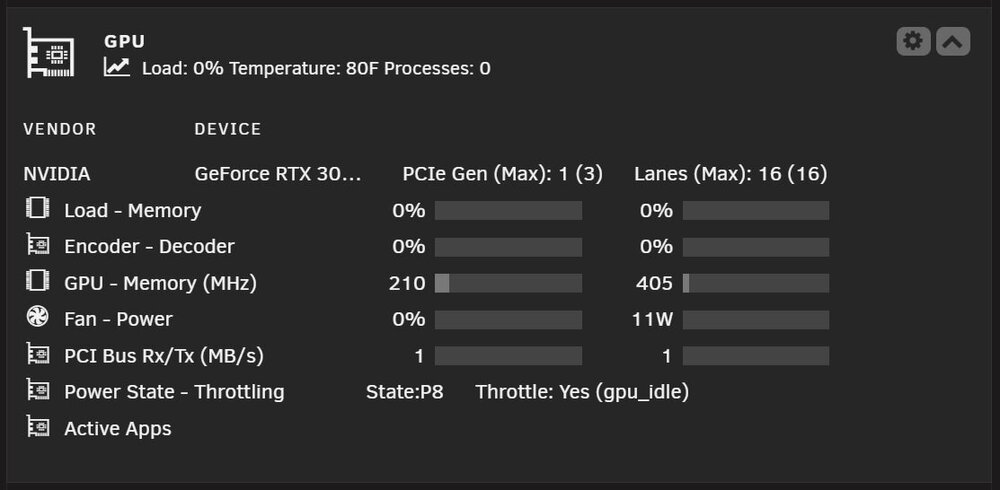
@SimonF I added the code section you provided, refreshed the page, and power section of the GPU Statistics dashboard is working again. Thank you for the quick fix!
-
@SimonF I sent you a DM with this info. Thank you.
-
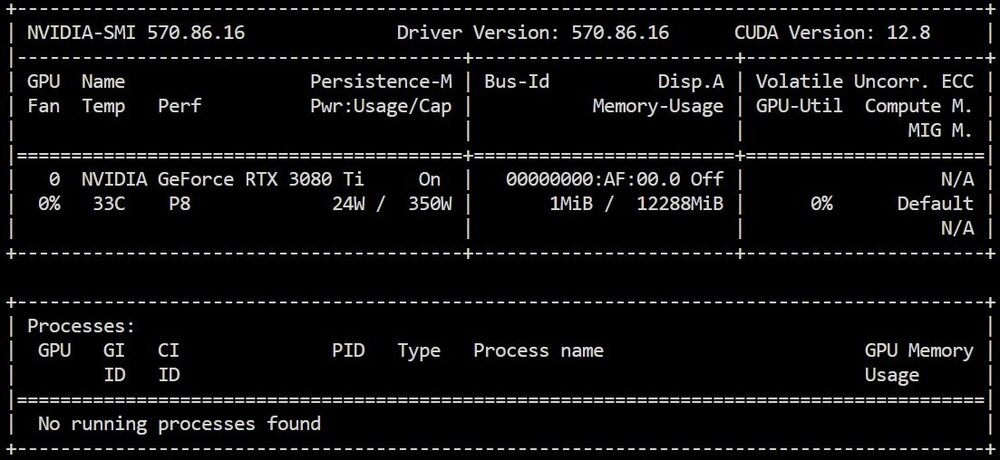
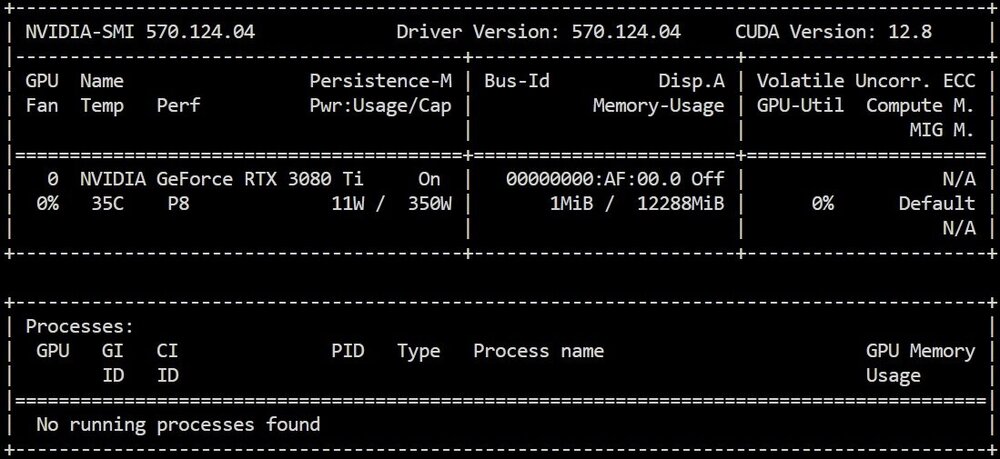
@alturismo thanks, I didn't even think to check that. Here are the results of nvidia-smi for both drivers. Both show power usage.
-
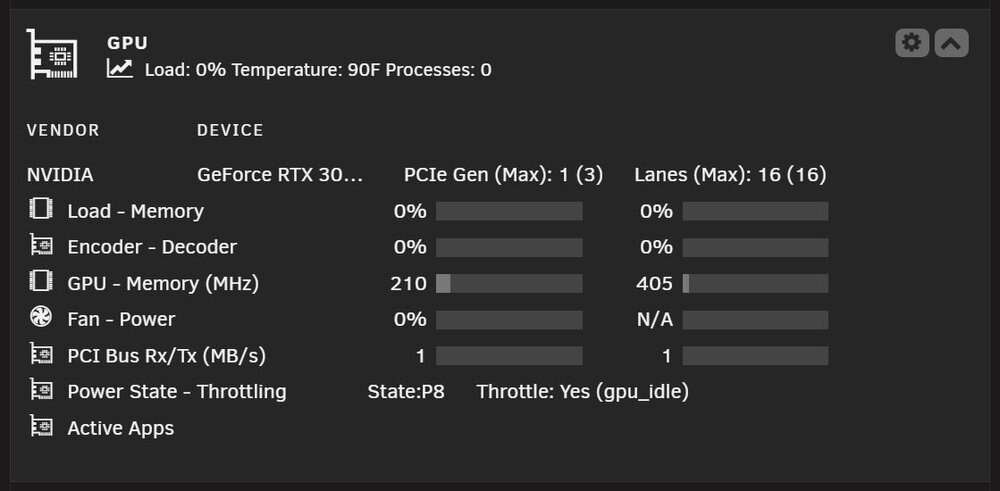
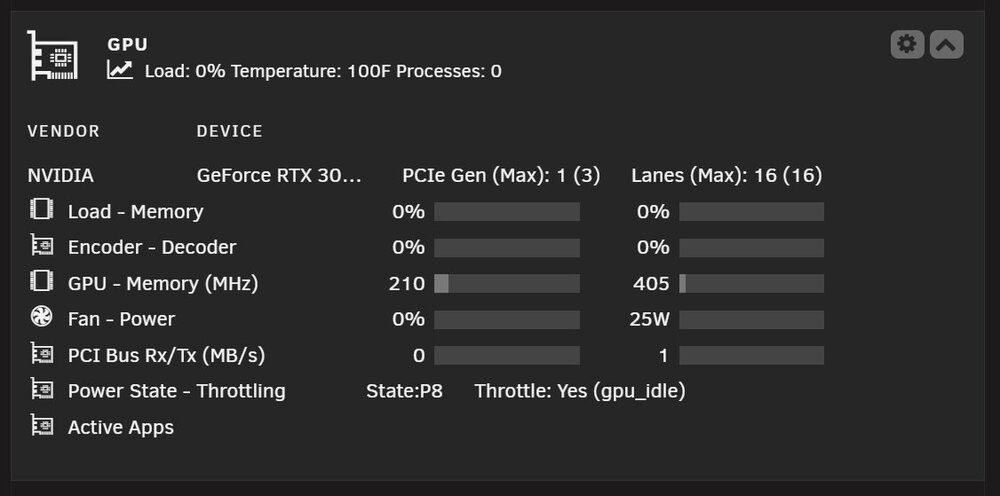
I updated to Nvidia Driver 570.124.04 from 570.86.16 today. After I rebooted my server the power field shows N/A, it was working fine before the reboot. No other changes to the system only the Nvidia driver update. I tried uninstalling and reinstalling the Nvidia driver plugin, no change. I rolled back to 570.86.16 and it works fine again. There appears to be some change from 570.86.16 to 570.124.04 that GPU Statistics does not like for reporting power consumption on Unraid 7.0.1. Let me know if you need anything else. Thank you.
-
@mergahtrern it does not take long to want a 2nd server 😁. It took me two years of running one server to build a smaller 2nd server. The small server is mainly for running pfSense in a VM with a pass-through Ethernet card, 2 Ubuntu server VMs, a 2nd Pi-Hole instance on each of my VLANs (I have the main Pi-Hole instance for each VLAN on my main server), and a few other docker containers. On my main server I made a second pfSense VM as a backup so if I need to work on the small server I would only take the internet down for 30 seconds to swap my WAN cable over to the other server. Makes server maintenance much easier and it is nice to have redundancy. Not exactly high availability for pfSense but close enough for me for my setup. I did exactly what you are thinking, I reused some drives I had pulled out of an old HTPC and I internally backup everything from the original array drives to those drives. It did come in handy a few months ago to have the 2nd backup. I must have made a mistake testing one of my rsync scripts and had some missing files on the main drives of the array. I was able to easily recover the missing files from the 2nd backup drives. Sounds overkill but you can never have too many backups.
-
@JLKunka awesome! You did exactly what I was going to eventually suggest but I wanted to make sure you had a backup file before I suggested it. Nice job! Enjoy!
-
@JLKunka all the serial # information is pulled from Unraid itself. Wait, I understand what you are saying you would need to know where each drive is in the server itself. I had to do that myself after messing up my config before and no backup. Are there directories listed in the disklocation backup folder? This is what my backup folder looks like. ls -la /boot/config/plugins/disklocation/backup/ total 80 drwx------ 5 root root 16384 Feb 14 10:06 ./ drwx------ 3 root root 16384 Feb 15 10:45 ../ drwx------ 2 root root 16384 Feb 11 10:24 20250211-102428/ drwx------ 2 root root 16384 Feb 14 09:55 20250214-095558/ drwx------ 2 root root 16384 Feb 14 10:06 20250214-100607/
-
@JLKunka if you had access to the system tab doing a restore is super easy choose the backup file and press restore. Are you running the latest update 2025.02.16? There was a bug in update 2025.02.15 that the system tab was blank in certain situations.







