Rutj87
Members
-
Joined
-
Last visited
Everything posted by Rutj87
-
Will show updated logs once have a connection working. Assume though everyone would have that issue with the base configuration then with template config? Also, @yayitazale if was restarting wouldn't that show in logs?
-
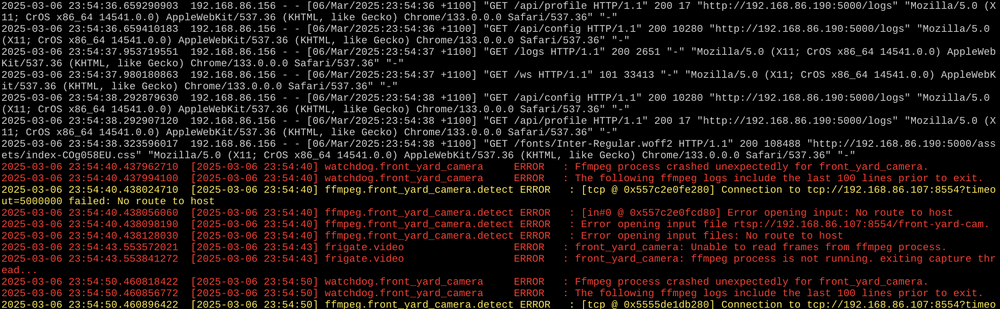
Thanks @yayitazale appreciate that the camera feed isn’t working in this screenshot but as mentioned can’t get the UI to be responsive or even access to the configuration editor without refreshing screen 10 times. I’m more keen to see if anything anomalous in the white nginx logs. thoughts? When I try and load a screen in the UI I just get black shell and the page details don’t actually load without refreshing multiple times. when I have reverted to 0.14.1, nginx logs flow very to above
-
Hi Team, I have had Frigate running with no issues for months until the latest release. Have read the changelog doc's but still couldn't get it back up and running. Have removed and started from scratch with base config file from Frigate. However when accessing WEBUI, I have to constantly refresh the page to get it to load any info. Have tried different devices and same issue. Anyone got any suggestions as I am at a loss as to how to solve.
-
Thanks - here is the debug log ab.debug.log
-
Nope all unique to LibrePhotos
-
Hi Team, Getting an error when trying to backup one of my containers - any suggestions? Thanks

-
@ThierryLC Did you get this running using Macinabox with unraid? I have created Ventura img but still getting stuck in the same boot loop. Are you able to share your OpenCore file? @ghost82 I know you have tried to help before - any new suggestions? Haven't given up hope of getting Monterey or Ventura to run on Ryzen 5600G
-
Thanks - how did you create Ventura img for install. I have had an attempt and adjusted to img but doesn't display any option on boot loader?
-
Thanks @ThierryLC. Did you get passed the initial apple loading bar for Monterey? For Ventura, did you do anything other than use Ventura image?
-
Has anyone had luck using Ryzen 5600G with Monterey? I am able to get BigSur up and running but when try and install Monterey, get stuck in boot loop after apple progress bar gets to 10%. Any and all help would be appreciated.
-
Have tried with and without. Any other information I can share to help narrow down root cause? Could it be possible permission issue between the containers?
-
Target IP accessible and no errors returned.
-
No just this config currently:
-
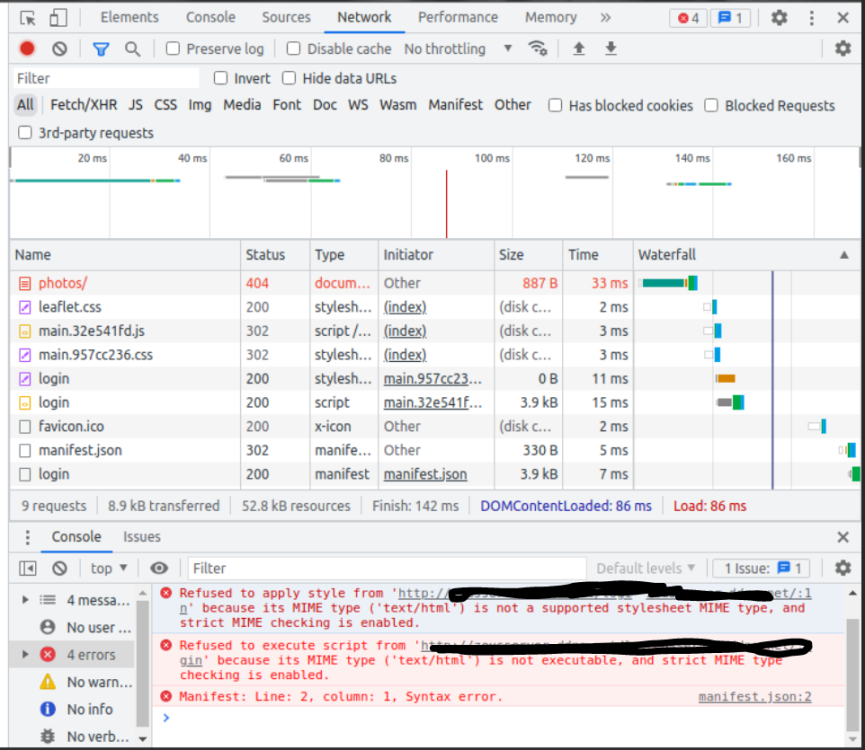
@mgutt - it seems its now reading from base url correctly but giving style error. Is this something with the config of NPM and the mime types enabled?
-
Apologies, hopefully right this time. 1st image is trying to run via custom location and 2nd is normal loading directly with target ip
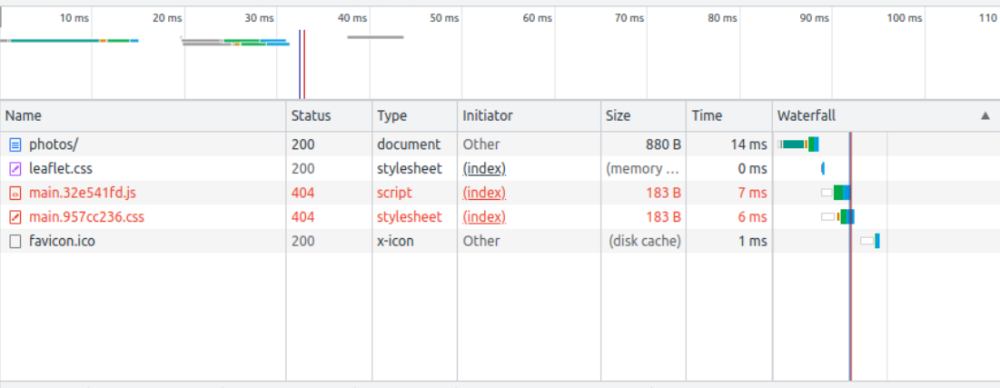
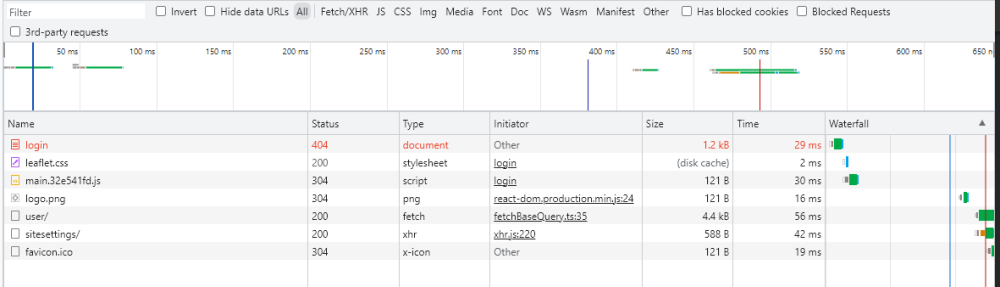
-
Thanks @mgutt Hopefully this is the info need and have also current config from NPM
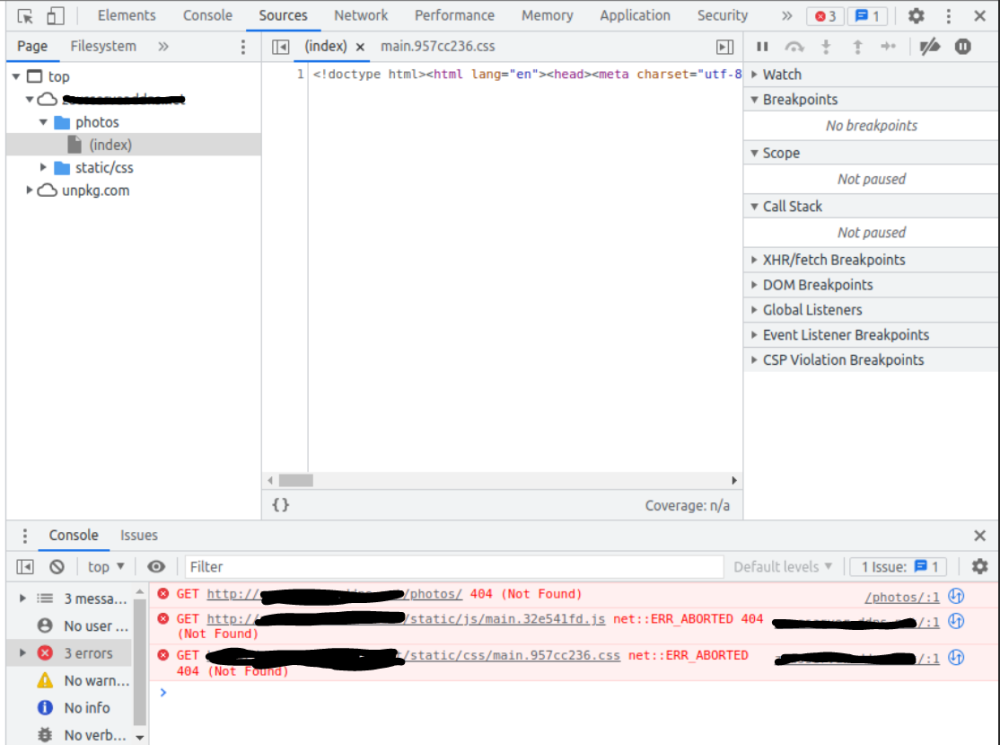
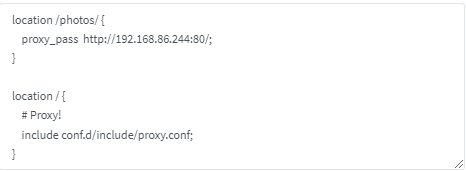
-
Thanks for the rapid response @mgutt Have completed 5XX debug steps and confirm 1. NPM container working 2. NPM online and existing proxy host working 3. Target container 192.168.86.244:80 working and accessible 4. NPM can reach target container Let me know what other information you need I am not getting a 502 error anymore but get a blank page and all that loads is the tab heading "Librephotos" which is what it should be opening. TIA
-
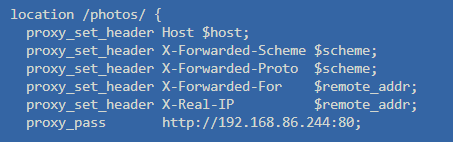
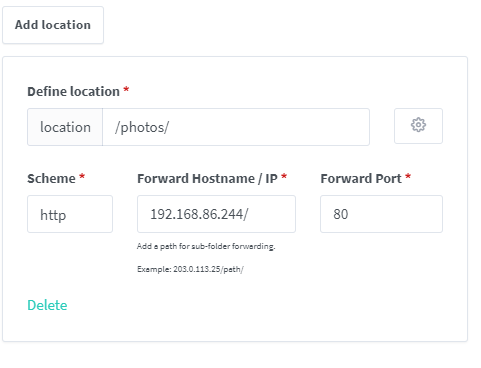
Hi Team, hoping for some help. Have NPM up and running without issues but struggling to get custom location working. inteded use case is to use existing domain with /photos/ to redirect to different IP within network but receiving 502 error. Screen shot of custom location configuration below. Have gotten new SSL certificate via LetsEncrypt. Any suggestions?
-
Hi, Has anyone else had issues getting Monterey Installer to run on an AMD Ryzen? Have successfully installed BigSur and older versions without issue but as soon as try installing Monterey can’t even get installer to run. Gets caught in boot loop. Driving me crazy I can’t work it out. Any help would be greatly appreciated 🤔
-
Have you had any luck getting this to work? I have a 5600G and can get BigSur to run but not Monterey and get stuck in boot loop and can’t even get to installer.
-
Anyone else not been able to get Monterey to boot but been able to with previous versions?
-
Thanks @ghost82 for troubleshooting with me. XML and all VDisks are correct but still not working. Anybody got any suggestions??
-
THanks @ghost82 - tried that and still no success. Bar starts to load and then reboots back to boot loader. PS - have deleted install image and re-download via macinabox several times and still problem persists. Any other suggestions?
-
Thanks @ghost82 - appreciate you taking a look! Have attached diagnostic extracts with BigSur running fine and after trying unsuccessfully to get installer to start for Monterey. Have also attached the XML for Monterey in case there is something obvious that jumps out to you. Any and all help is appreciated as hate my tech beating me! XML - Monterey.rtf tower-diagnostics-20220511-0904 - Monterey Fail.zip tower-diagnostics-20220511-0855 - BigSur.zip
-
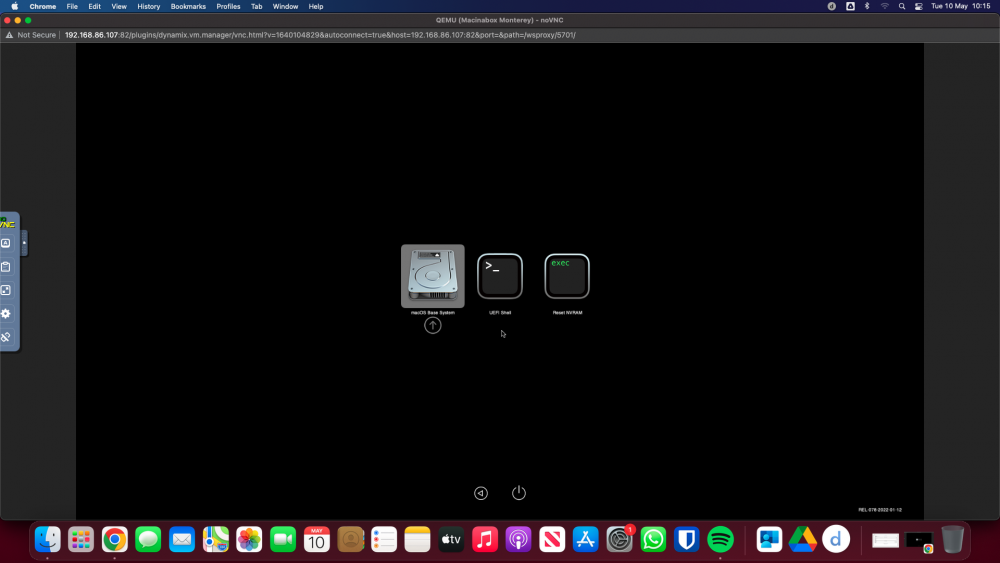
Hi Team, I have been able to get BigSur up and running (with GPU passthrough) - was suprisingly easy with the instructions! When I try and get Monetery installed (using VNC) can't get very far. I get stuck in boot loop and can't even get in to installer. After I select below, get loading with apple logo (for 1-2 seconds) and then it returns to below. Have tried different Machine types (ranging from 4.2 through to Q35 6.0) with no success. Given BigSur worked with no issues, assume it isn't hardware compatibiity issue. Have tested changing the install Vdisk back to BigSur install img and it gets to install prompts with no issue but as soon as revert to Monterey install img, no luck. Have also tried remove macinabox, all app data and iso/domain folders with no success either. Has anyone identified any naunces with installing Monterey? Any and all help would be greatly appreciated as driving me crazy not knowing why can't get this version to work Thanks in advance