SVThuh
Members
-
Joined
-
Last visited
Everything posted by SVThuh
-
I got it working. Re-installing the LimeTech nvidia plugin seemed to solve the issue. Thank you for all the help!
-
Now that the nvidia-driver plugin is deleted, slim now loads. My question is though, now how do I load the nvidia driver for plex and emby transcoding if the nvidia driver plugin is causing issues for me? Thank you for all the help.
-
I had removed nerdtools, ca.cleanup, gpustat and radeontop before seeing this reply, because I realized I just dont use/need them, and was hoping it would help, sorry. Just removed the nvidia driver plugin. The only plugins I have now are limetech plugins.. Here is the diag before reboot, but after removing the nvidia driver plugin. tower-diagnostics-20260331-1323.zip
-
Looks to be the case, I was able to boot into safe mode with GUI. Should I just start killing plugins until it works? Here is a new diag file. tower-safemode-diagnostics-20260331-1253.zip
-
Yes, though I just realized that diag file is after the reboot, but without trying to run SLIM again. Here is another one after trying to run SLIM, but before reboot. Apologies for the oversight. tower-diagnostics-20260331-0905.zip
-
So, I'm not super handy with command line stuff, but I think I got it blacklisted correctly. Though it still shows in use by the kernel even though it is blacklisted. Slim still brings up the same screen, all black with one un-blinking cursor. New Diag file attached. Thank you! tower-diagnostics-20260331-0838.zip
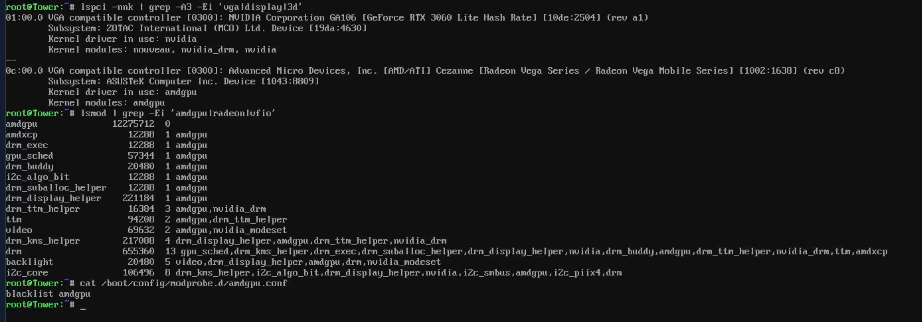
-
I even tried to roll back the nvidia driver, with no luck. Please see the attached diag file. Thank you for checking in on this. This is the screen I get through my KVM. ETA: Slim command worked before updating to the newest OS. tower-diagnostics-20260331-0002.zip

-
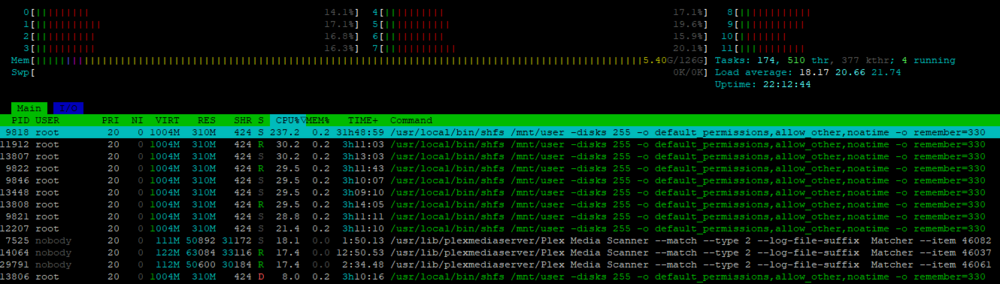
Hello, I recently recovered from a dead flash drive, I replaced it with an industrial microSD card, but Im still having some of the same issues I was having before the flash drive failed. Docker seems to be eating up all system resources and slowing the UI down to a crawl. Specifically scanning Plex libraries (which I have been having issues with Plex for what seems like ages now) I have also been seeing this in HTOP: I'm at a loss for these entries. Any ideas? Any ideas on why the whole system slows down from Docker containers? Do I need to exclude cores? I'm utilizing a 5700G processor so I would imagine there is plenty of processing power for what I'm trying to do. Also found in HTOP, is this something I should be concerned about? Thanks. Diagnostics attached below tower-diagnostics-20241104-2220.zip

-
 Simple vignetted repeating Japanese style wave pattern
 -
-

From the album: Community Created Banners
-
Thanks @JorgeB. I think you are correct!
-
@JorgeB sorry to keep bothering you, but im still having hard crashes. I dont know what else to do??? Thanks for all your help! 10.27.24 syslog.txt
-
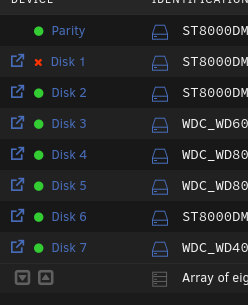
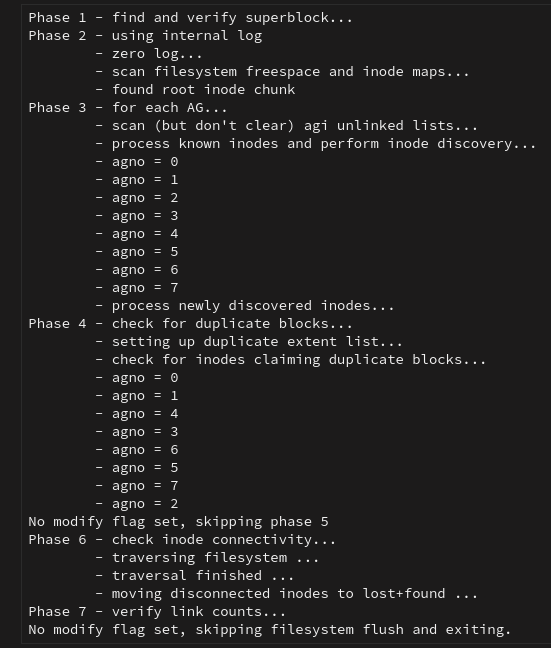
Thanks @JorgeB. I moved the HBA, but Im still seeing a disabled drive. Is my HBA borked? Should I try that drive with a sata cable? Thanks for all your help! ETA, I ran the filesystem check with the -n flag and got the following: tower-diagnostics-20241024-1930.zip
-
@JorgeB, thank you for the advice with the GPU. After removing the GPU, the system seemed to be a bit more stable, but then I just had a drive become disabled. But at least Im able to pull diagnostics this time. It did seem like it locked up hard, but came back and then the disk was not there. The disks are all connected via an HBA. I alse keep getting this error on my syslog, repeatedly. "pcieport 0000:02:02.0: Unable to change power state from D3cold to D0, device inaccessible" Thank you for your help! tower-diagnostics-20241022-1338.zip
-
Will do. Thank you for the quick response. Hoping to get this figured out.
-
I was able to get the syslog server setup yesterday, everything was working fine, then crashed today. It has been crashing frequently. Like full stop. No idea why, though if I'm seeing this correctly, is it because of an issue with my GPU? Currently on version 6.12.13. Thanks. UnRaid Syslog.txt
-
I cant connect to pull log files. I cant connect to do anything except make a backup of my flash drive.. Is there anyway to pull logs right now like this? Is there anyway to have the logs written to a share, other than the flash drive, at scheduled intervals? Please see the attached video.. Any other ideas on how to get access to pull logs? UnRaid crash.mp4 Thanks.
-
Yes, I have been the past couple of times since migrating to new hardware.. Thanks!
-
I have no idea what this is. Any help is appreciated. Thanks. tower-diagnostics-20241007-1137.zip

-
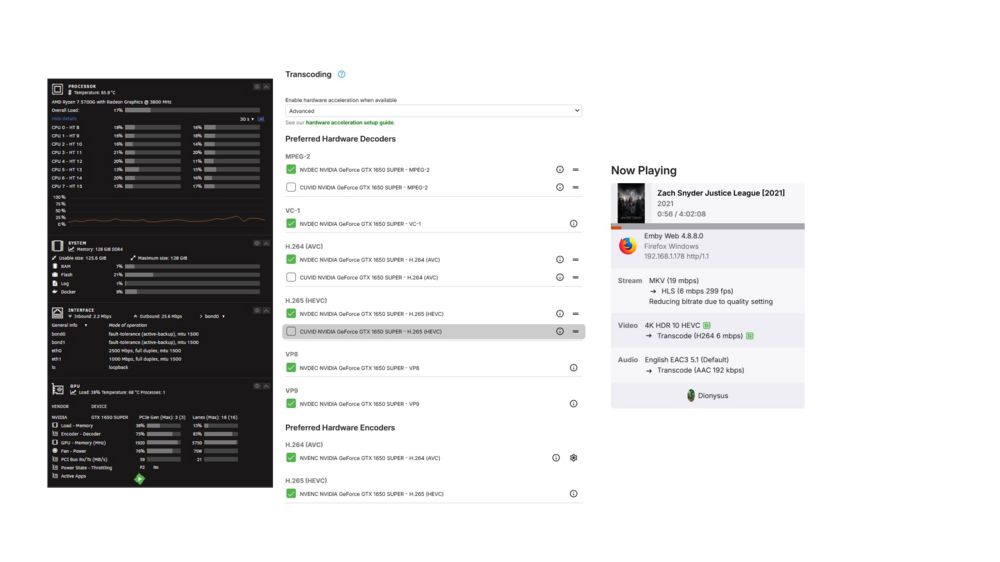
As an update, it looks like the Binhex Emby container has been fixed. Using these same exact settings, the Binhex Emby container is successfully transcoding with my GPU.
-
Copy that. Thank you. I will let the parity rebuild finish, reboot and recheck.. I will also look at updating the OS. Thanks!
-
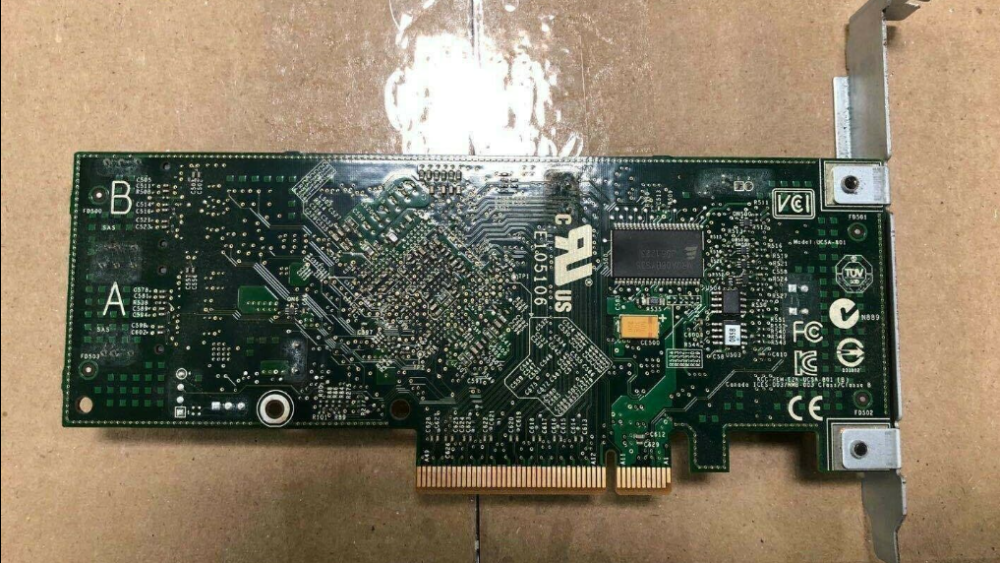
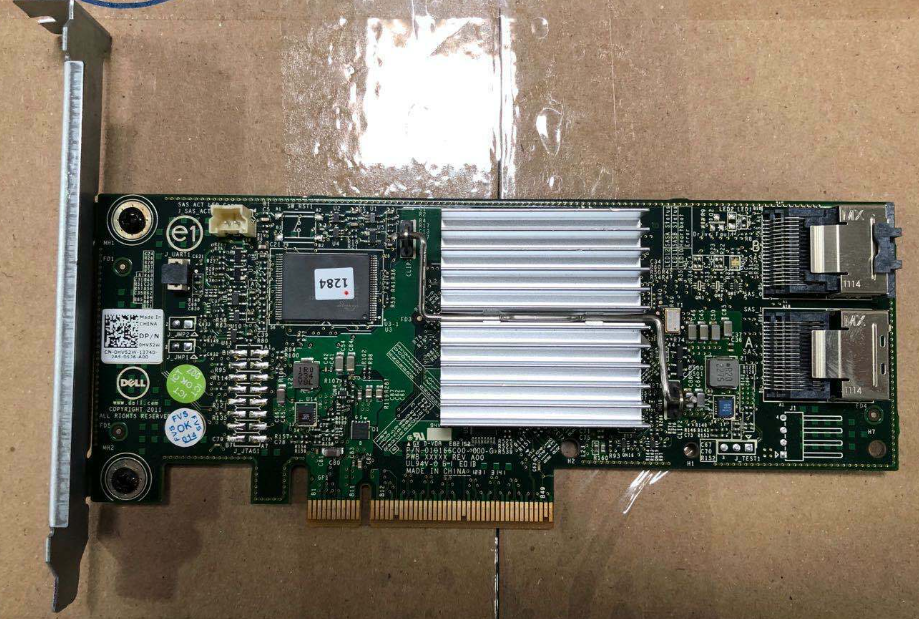
Yeah, sorry.. All I did was replace the cache drive with a larger nvme. Started everything up, shares are missing. I was thinking that the share configs were stored on the cache drive as a result.. Any idea why the shares are missing now? I was going to just wait for the parity to finish rebuilding and then reboot and recheck, but Im sleep deprived and a little spun out right now. Thank you for the help.I upgraded the m.2 cache drive, and I just sent it, I didn't do a backup and now the old drive is formatted. I screwed up. I no longer have any shares setup. I see the share config files on the USB though, so Im wondering if there is a way to recover the share/user info off of the usb and back onto the cache. Im an idiot.. Thanks for helping me out with this. tower-diagnostics-20230214-1533.zipLocated in Boise, Idaho. Full disclosure: I bought this card, but cant seem to get it to work with my system. I can boot into the cards bios, it shows its working, etc., but when I try to flash it into IT mode, FreeDos hangs on my system. I'm competent enough with IT related tasks to get myself into trouble, this is honestly out of my league. Only thing I've done was re-paste under the heat sink with Noctua NT-H1 thermal paste and tape the required non-Dell system PCIe pins (completely reversable) and plug it in and pull out my hair. I have another HBA incoming. If you want this, the first $28 takes it, shipping included. Card really does look to be in perfect shape.