





T_Matz
Members
-
Joined
-
Last visited
Everything posted by T_Matz
-
i have almost half of my plugins started and the server is not having any issues. I am going to let the server run for 2 days and start the remaining plugins 2 at a time until they are all started
-
Sounds good! I'll report back in 2 days when I start plugins
-
Unraid has officially been up for 48 in safe mode. I turned on most of my dockers today. There are a few still off, but usually by now the server would have crashed. I'm going to turn on the last 4 dockers tomorrow and let the server run for two days. After that if everything is running and not crashing I want to start bringing my plugins online but don't want to start them all at the same time is there a way to do this?
-
I was able to access it and deleted the comment, I made a mistake and for some reason the laptop i was on was trying to access the server using the old static IP address. once I realized it and input the correct IP address on my browser on another computer on my network i got in. 24 hours into safe mode and the server did not crash. Im going to start dockers tomorrow 2 at a time. I just wish i knew what was causing this and why it always happens at night.
-
So i was bringing down my server but looked at Pihole real quick and noticed that it was still running normally until i powered down the server. So things that i know for sure- Server webui is unresponsive if i plug in directly to the server cant shutdown with command Server does not shut down gracefully by just pressing the power button once windows VM running blue iris stops recording at 1030PM Pihole continued to run until i shut the server down by holding the power button
-
For sure my server went down around 1035 my time if the webui became unresponsive before that I do not know. I looked at my blue iris recording and all recordings stopped at 1035. But i had a parity check started and it seems to have finished around 07 today, numerous hours after the VM lost connection. So im super confused
-
The system froze again last night. Its strange because the system was stable for weeks and just randomly it started to freeze like this and its always at night when the system is idle. sometimes daily other times it goes a day or two. ill be putting the system on safe mode, how long should i run it in safe mode for before turning on services? syslog
-
What files are you looking at to find issues Id like to be able to look/watch to find issues in the future
-
Fix common problems plug in keeps warning about mcvlan and bridging found. In the release notes it describes that this can cause issues with crashes. But if i disable bridging or enable ipvlan my dockers are unreachable. If i make these changes do i need to edit my dockers as well?
-
Is there any options to capture the logs to figure this out? I have the logs currently flashed to my usb.
-
-Update even with the changes the Unraid server becomes unresponsive. Woke up this morning to the server webui down, also when i went to the physical machine im unable to do anything. Had to hard shut down the system. attached are the latest logs and diagnostic files. System was up with zero issues for 2 days and then it just goes down. this makes the 7th hard shutdown in a little over a week. syslog tower-diagnostics-20240117-0838.zip
-
I edited my bios to disable EIST and ensured no VMs have utilized the same cores. I will update if the system locks up again
-
Ill have to check the C states later tonight that is a great idea. I had mine disabled but after a recent rebuild not sure if it was reset
-
Sorry thought I included it in the last post. Attached diagnostics to this post tower-diagnostics-20240115-0957.zip
-
Update: did figure out one configuration issue. I accidently had my Homeassistant VM and Windows VM utilizing 2 of the same cores. I accidently selected the wrong ones. I will update if there are any changes to the system crashing
-
I apologize I should have posted the logs while it was running. The system did crash again last night so here are the mirrored logs from the flash drive, i did notice that just before the crash all my cores were pinged to 100% utilization. Also, i tried to ping the IP address of the server and it comes back unresponsive. Any help in fixing this would greatly be appreciated. Also just recently the Fix Common Problems plugin identified that Macvlan and bridging has been found. This might cause issues with stability on your server. if i switch to ipvlan like the 6.12.4 2023-08-31 upgrade notes suggest most of my dockers do not work. if i disable bridging again my dockers stop working. so im not sure what I should be doing. syslog
-
As the topic states my unraid server becomes unresponsive after a few days and I do not know what is causing it to crash. Im unable to log into the webui and if i go to the actual computer the shell is also unresponsive. Just started having the logs mirrored to the flash. running unraid 12.6 In the past weeks ive had 5 crashes. The only change i made to the server is adding a homeassistant VM and removing 2 cores from a windows VM. My setup i have a homeassistant VM, a windows VM running blue iris with a NVIDIA gpu passed thru to the VM, and I have 14 dockers running. Normal operation the server only runs at 8% utilization I can give more details anywhere needed. I will post logs if it happens again. Any advice that i can start looking into in the mean time would be greatly be appreciated Rig details Intel Core i7-12700K | ASUS ROG Strix Z690-G Gaming WiFi | CORSAIR Vengeance 64GB (2 x 32GB) RAM DDR5 5200 | 5 - Seagate IronWolf Pro 12TB | SAMSUNG 980 PRO M.2 2TB (cache drive) | SAMSUNG 970 EVO PLUS m.2 250GB (VM drive) | Gigabyte NVIDIA 3050 (VM GPU) | WD Purple Pro 14 TB (VM Passthrough) | Sandisk Ultra Dual -64 GB (boot device)
-
Im having the same issue. Unable to connect to Unraid connect. I sign into connect on the server but remote access is disabled, when i try to enable dynamic-uPnP the drop down disappears and is replaced with "disabled - sign into unraid connect to enable" it is a constant cycle (sign in, try to enable, receive prompt, try to sign in...
-
Same docker is no longer transcoding using Intel iGPU is there a fix for this or should I roll back the update?
-
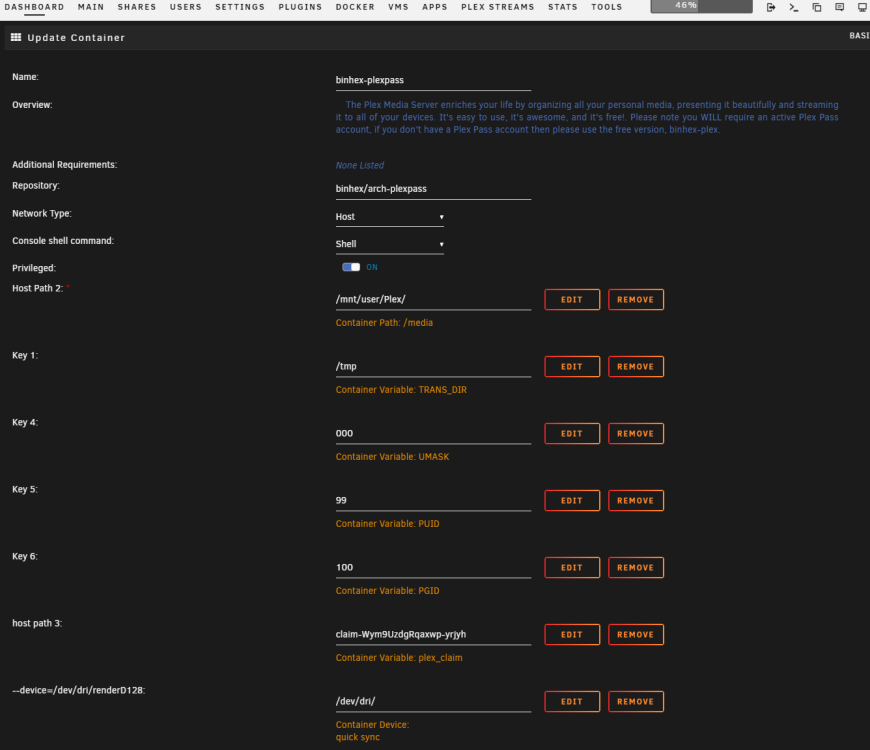
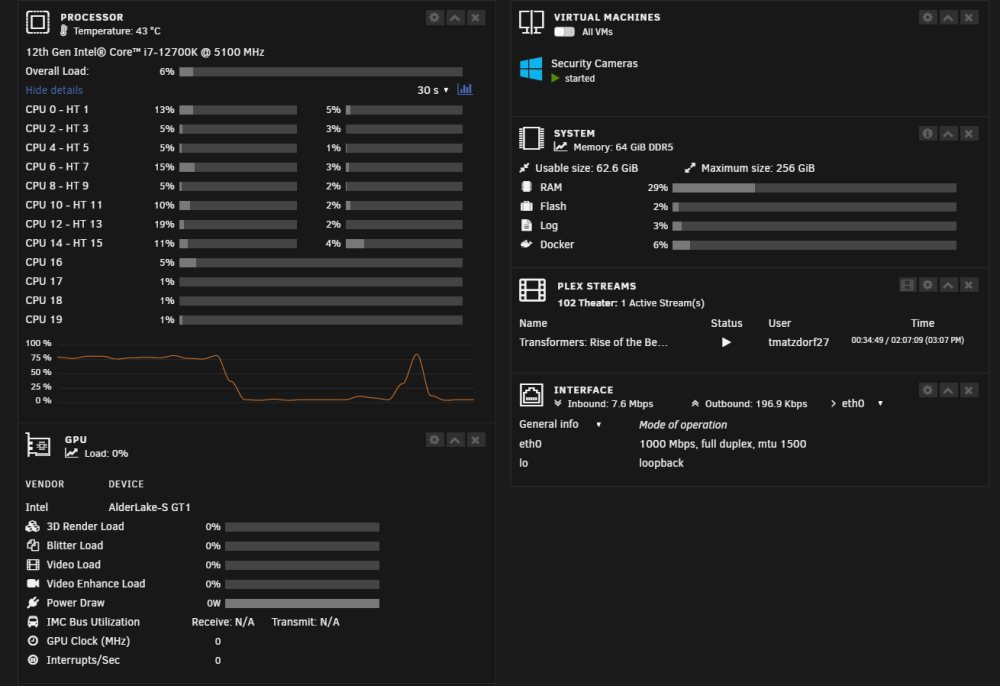
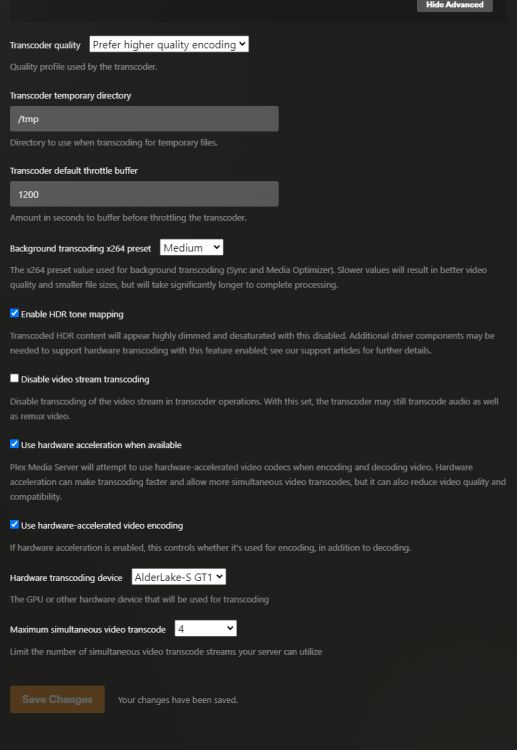
Having an issue with plex transcoding using an iGPU. I have a 12700K and i was utilizing the iGPU for transcoding. It was working a month ago with out issues. I was watching a movie today and noticed that the iGPU was not being used. Pictures attached with current settings. Please let me know what i need to do to have this fixed.
-
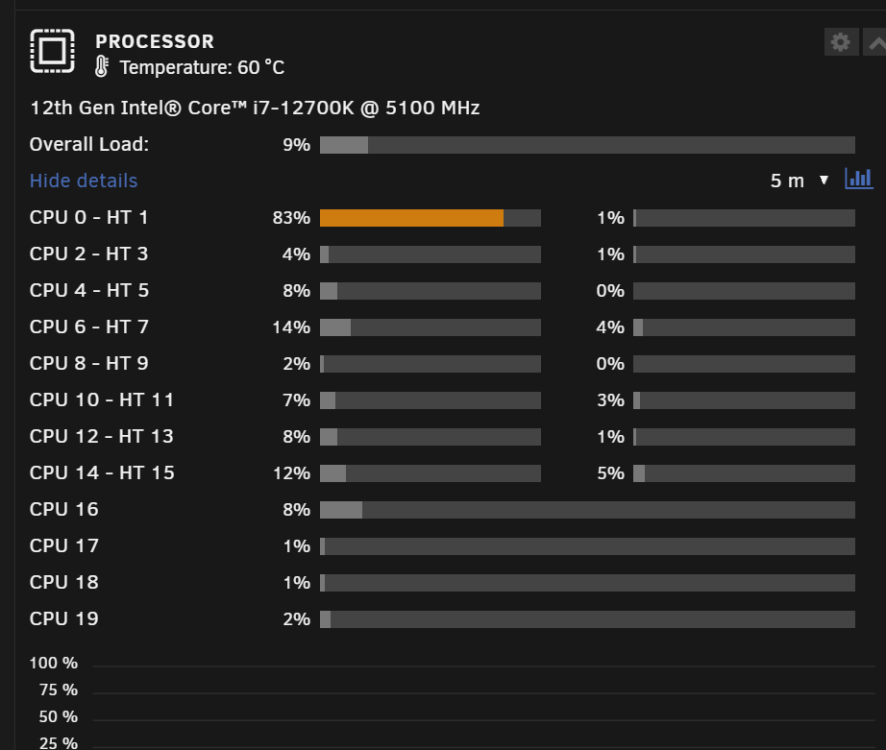
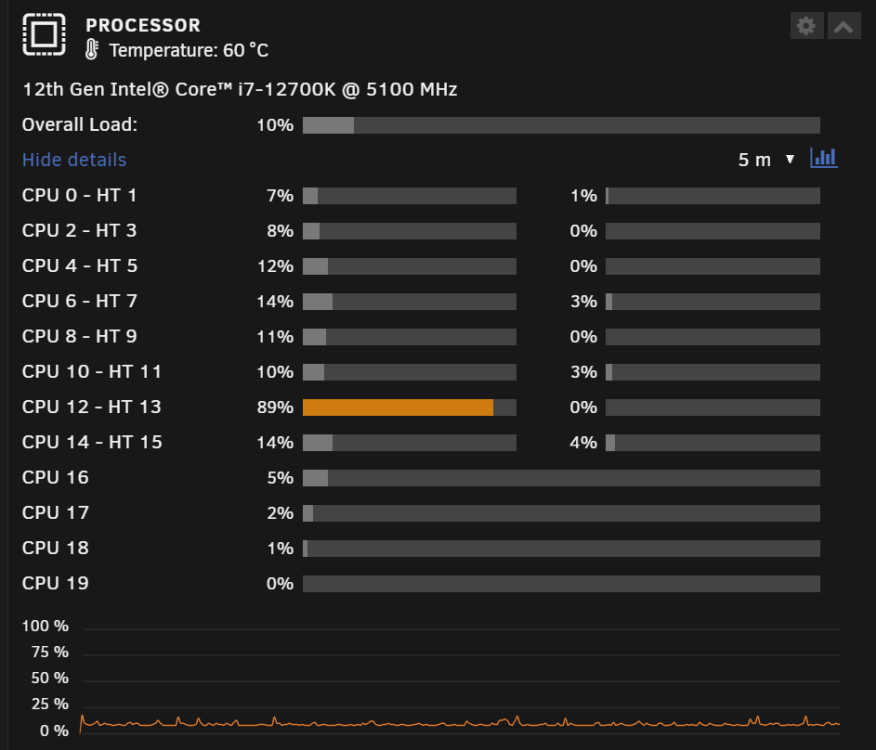
Has anyone found a solution to stop deluge from utilizing 90% of a single core upon start up? Ive only been able to stop it from doing this by stopping the container and restarting it. After that it seems to run fine for days, but if i do not restart the container it will ping a CPU core to 90% utilization causing the cpu temps to sit above 60c.
-
I've tested this a few times for me, upon reboot or restarting the array I will have a single core almost maxed, but after stopping deluge and restarting all cores will have normal utilization
-
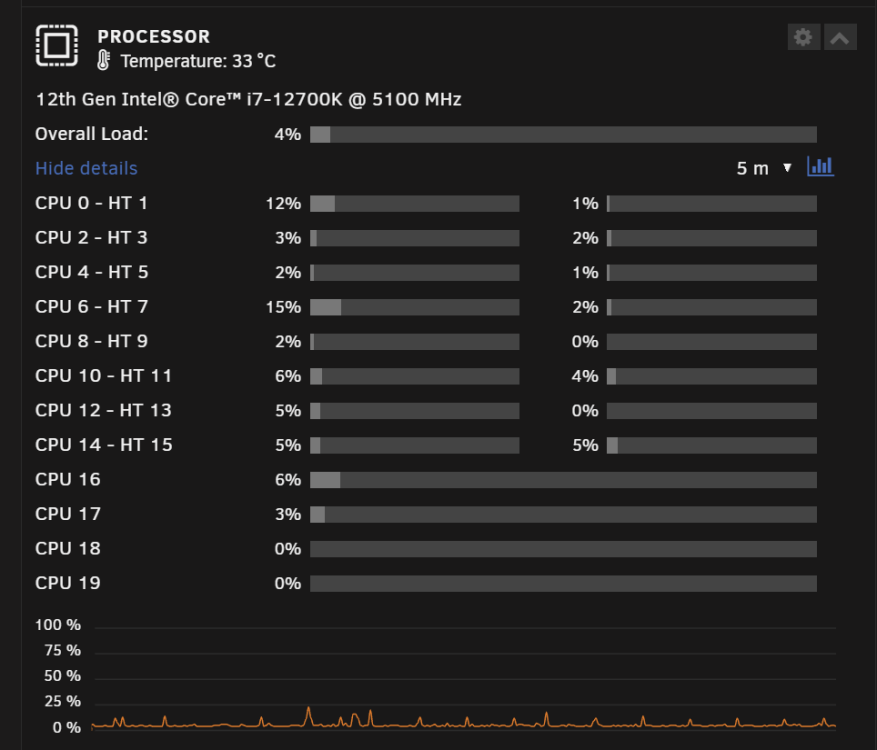
I am having an issue with Deluge. Upon a fresh reboot or array restart Deluge pings one core above 80% utilization, it jumps between core 0 and 12 but one of them will always be above 80%. If I stop the docker and restart it after, it corrects the issue. The first two pictures show the utilization prior to the docker being restarted, the third picture is after the docker restarts. Restarting the docker also brings down the CPU temps. Is there a way to correct this issue so i do not have to manually reboot the docker at every restart? Rig details Intel Core i7-12700K | ASUS ROG Strix Z690-G Gaming WiFi | CORSAIR Vengeance 64GB (2 x 32GB) RAM DDR5 5200 | 5 - Seagate IronWolf Pro 12TB | SAMSUNG 980 PRO M.2 2TB (cache drive) | SAMSUNG 970 EVO PLUS m.2 250GB (VM drive) | MSI 2070 super (VM GPU) | WD Purple Pro 14 TB (VM Passthrough) | Sandisk Ultra Dual -64 GB (boot device)
-
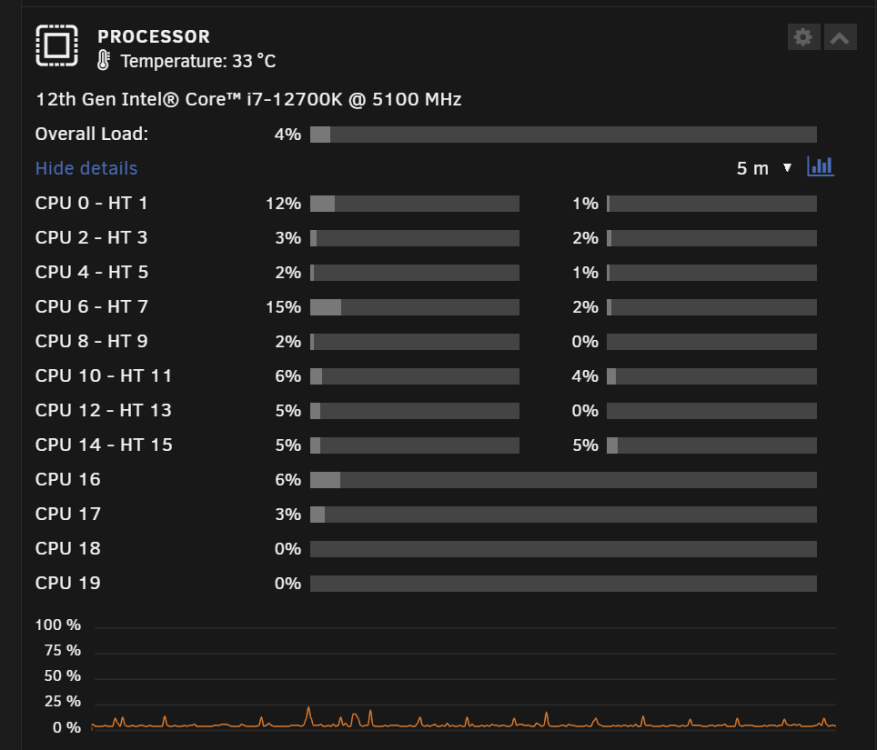
After stopping and restarting Deluge, it has even brought the CPU temp down.
-
when I stopped Deluge the issues stopped, also when I restarted deluge the issue isnt coming back. Will i have to do this everytime the server restarts or is there a way to fix this?


