





EdgarWallace
Members
-
Joined
-
Last visited
Everything posted by EdgarWallace
-
I just wanted to let you know what caused the problem. With a little help from the AI, I was able to pinpoint the error, and after deleting the parity-checks.log file, I found that the WebUI was working again.
-
A reboot solved the issue with the GUI. Restarted VM and Docker engine and everything is running well again. Again, thanks to all of you.
-
It might just be a display issue. I copied 2 out of 3 datasets (appdata and domains), and the subsequent check appears to show a 100 % match in the data. I'll be away for a bit, and I'll reboot the server tonight after the copies are complete and the data has been verified, and then I'll get back to you.
-
Here you are: tower-diagnostics-20260912-1150.zip
-
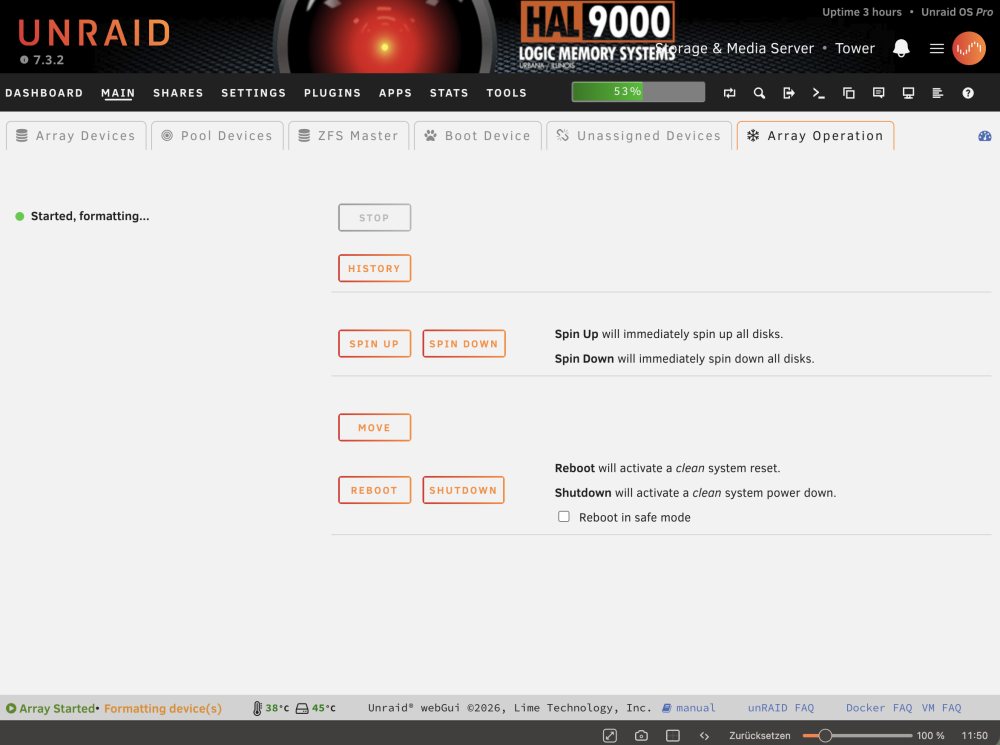
In the footer as well as on the main screen. Yes I refreshed the page and was trying a different browser. No change.
-
Thanks to all of you @itimpi @JorgeB @MowMdown I am going to recreate the pool with the backup that I am having. Remaining issue is the the message "Started, formatting..." is not going away. zfs pool status pool: cache state: ONLINE config: NAME STATE READ WRITE CKSUM cache ONLINE 0 0 0 mirror-0 ONLINE 0 0 0 /dev/nvme0n1p1 ONLINE 0 0 0 /dev/nvme1n1p1 ONLINE 0 0 0 errors: No known data errors zfs pool information NAME SIZE ALLOC FREE CKPOINT EXPANDSZ FRAG CAP DEDUP HEALTH ALTROOT cache 1.81T 1.95M 1.81T - - 0% 0% 1.00x ONLINE - mirror-0 1.81T 1.95M 1.81T - - 0% 0.00% - ONLINE - nvme0n1p1 1.82T - - - - - - - ONLINE - nvme1n1p1 1.82T - - - - - - - ONLINE - tower-diagnostics-20260912-1054.zip
-
root@Tower:~# zpool import pool: cache id: 16121631689107972322 state: UNAVAIL status: One or more devices contains corrupted data. action: The pool cannot be imported due to damaged devices or data. see: https://openzfs.github.io/openzfs-docs/msg/ZFS-8000-5E config: cache UNAVAIL insufficient replicas mirror-0 ONLINE nvme0n1p1 ONLINE nvme1n1p1 ONLINE mirror-1 UNAVAIL insufficient replicas sdb1 UNAVAIL 2689372608096457617 UNAVAIL
-
Sorry, forgot that. Posted below tower-diagnostics-20260912-0847.zip
-
I disabled both docker and VM services. I was able to start the array and the issue now is the following: Unmountable disk present: Cache • Samsung_SSD_990_PRO_with_Heatsink_2TB_S73HNJ0Y300354V (nvme0n1) Cache 2 • Samsung_SSD_990_PRO_with_Heatsink_2TB_S73HNJ0Y304753B (nvme1n1) Is there any way to prevent formatting? I am sure that nothing happened to the file system on any of the drives.
-
I had AppData, Domains, and System on the cache drive, and I hope the data is still there. Just in case, I do, of course, have a backup of the cache data.
-
Just checked - you are right there is /boot/config/shares/cache.cfg existing. So just deleting it?
-
Thanks @MowMdown There is no share with the name "cache" but both drives are showing up in Unassigned Devices.

-
Earlier, I accidentally assigned two SSDs to the existing cache pool. In oder to correct that and to remove the wrong SSDs I then went to “New Configuration” and left the array unchanged. I was able to define other pools (boot and temp), but when defining the cache pool, the following message appears: Do not use user-shared names What am I doing wrong? tower-diagnostics-20260911-2033.zip
-
Thank you very much for confirming my hunch @Michael_P I guess I'll just have to bite the bullet and buy some RAM at current prices ☹️
-
According to this guidance I would like to ask for help. Thanks a lot in advance. On a properly running server this error should never appear. Effectively, one process on your server requested to use some memory and it wasn't available so the OS killed off a low priority (or very infrequently used) process so that the higher priority process could keep running. The consequences of this error could either be unnoticeable or severe depending upon what process was killed off. You should create a new post in General Support and include your diagnostics. Ultimately your recourse to clear this error is a reboot, but the forum users will need to see the diagnostics before you reboot tower-diagnostics-20260825-1411.zip
-
Thanks @JorgeB , as mentioned this has all been done "Oh, and I’ve tried all the tips available online—different browsers, clearing the browser cache..."
-
This is about my backup server. Recently, some drives were 100% full. Shortly after that, the display (see screenshot) of the drives disappeared, even though the fill level for each drive is now between 29% and 53%. I booted the server in Safe Mode, which made the drives visible, but they disappeared again after the array started up. Any good ideas? Oh, and I’ve tried all the tips available online—different browsers, clearing the browser cache... Thank you. tower2-diagnostics-20260819-1000.zip

-
Yes that is why I choose that CPU. It is power efficient, supports ECC as well as non ECC and is 50% (single core) respective 4x faster (multi core) than my XEON CPU. I will give your settings a try - probably the best starting point :-) thanks for your guidance!
-
Thanks for all you comments. I agree with @landS that ECC is important but for the time being DDR5 prices are just crazy. But RAM should not be a show stopper so I am moving forward with the following parts: ASUS PRO WS W880-ACE SE Intel Core Ultra 5 235 Crucial 16GB DDR5-5600 UDIMM RAM Thermalright Peerless Assassin 120 SE Yes it's not ECC but I am changing the towards ECC when the price is being reasonable again. Makes sense?
-
Thanks the @GraemeT and @Ledgem RAM prices are definitely an issue. 32GB for over CHF 1,000. That's just crazy.
-
This thread is now three years old, and after a brief foray into a Chinese motherboard that ended in a bad experience, I’d like to go back to relying on tried-and-true hardware. So far: Supermicro X11SSL-CF, Xeon E3-1260L v5, 64 GiB DDR4 single-bit ECC Planned: ASUS PRO WS W680M-ACE SE with the Intel Core i5-13500. The server contains 2x6TB data and parity disks. In addition, two 2TB Samsung 990 Pro NVMe drives are installed for cache and app data. I currently have these housed in an ICY-Dock in the PCI slots, so I’m very interested in moving these two drives directly onto the motherboard. Another advantage is the two 2.5G Ethernet ports. There are several Docker containers running: audiobookshelf, calibre, collabora, emby, mariadb, nextcloud, npm, paperless-ngx, PhotoPrism, readeck, redis, RustDeskServer, StirlingPDF, workout-tracker, and a few more.... VMs aren’t a factor; I only need to start a Windows VM every now and then. The current server’s performance is more than sufficient, so even the little i5-13500 might be overkill. However, a new project is planned: ollama and open-webui (thanks for the inspiring video by @SpaceInvaderOne). So I’d also like to follow the suggestion in the video and install an RTX 3060. There should be room for it in the PCIe slot. Now the question: Would you buy this motherboard again, and do you think it’s suitable for the requirements mentioned above? And what’s the experience like in terms of power consumption? Obviously, the server will draw more power with the new Docker containers, but most of the time it won’t be doing anything, so it would be nice if it didn’t draw too much power. Can you achieve anything with POWERTOP? I’ve read that there were some instability issues when using POWERTOP. Thanks in advance for sharing your experiences.
-
Thank you very much for your help @JorgeB Until now, after a reboot, the server would display numerous error messages on the degraded device. However, there was no data loss or issues with my Docker files. I've now adjusted the default boot options according to your advise and will see if it solves my issues.
-
@davze leider lässt sich das Board nicht mehr zum Leben erwecken und ich musste dem Verkäufer eben erklären, dass die 90 Tage seit Lieferung noch nicht um sind . Ich bin mir nicht sicher, ob ich mein Geld wiedersehe. Alles sehr ärgerlich ...
-
I keep getting the same error: the status has once again been shown as ‘DEGRADED’ in my cache pool. The SMART report for both NVMe drives looks fine. Can anyone tell me what’s causing this? The diagnostic report is attached. Thank you very much for your help. tower-diagnostics-20260529-2210.zip
-
@onotop vielen Dank für deine Rückmeldung. Ich hoffe, dass der Board-Tausch unkompliziert funktioniert. @davze ich hatte die Batterie schon abgeklemmt, allerdings nur für wenige Minuten. Ich werde das mal für einige Stunden abziehen und dann sehen, ob es sich wieder meldet. Erst einmal brauchte ich meinen Server und habe das alte Supermicro-Board wieder in Verwendung. Das China-Board kommt dann (wenn es wieder funktioniert oder wenn ich ein neues bekomme) in ein anderes Gehäuse, so dass ich eine "versicherung" gegen weitere Ausfälle habe.




