





HomerJ
Members
-
Joined
-
Last visited
Everything posted by HomerJ
-
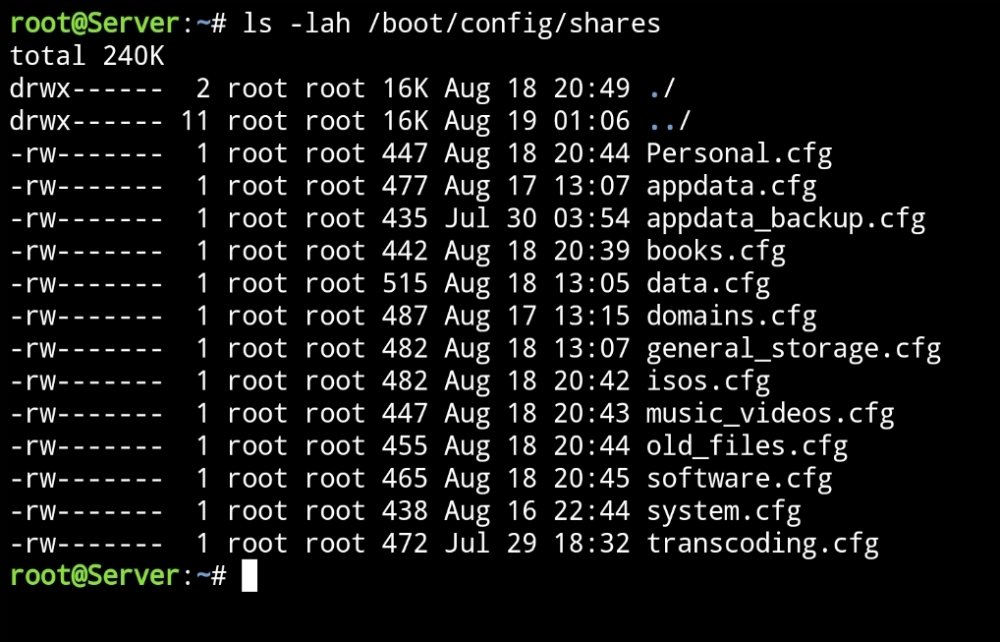
This is what I get(I'm still in safe mode): By the way, one of the drives which was in the process of being filled up by my data share which officially doesn't exist, has completely filled up. I just get the message saying it was at 100%. Maybe my best option is to recreate my unRAID server.... Am I able to do this without losing any files on the drives?
-
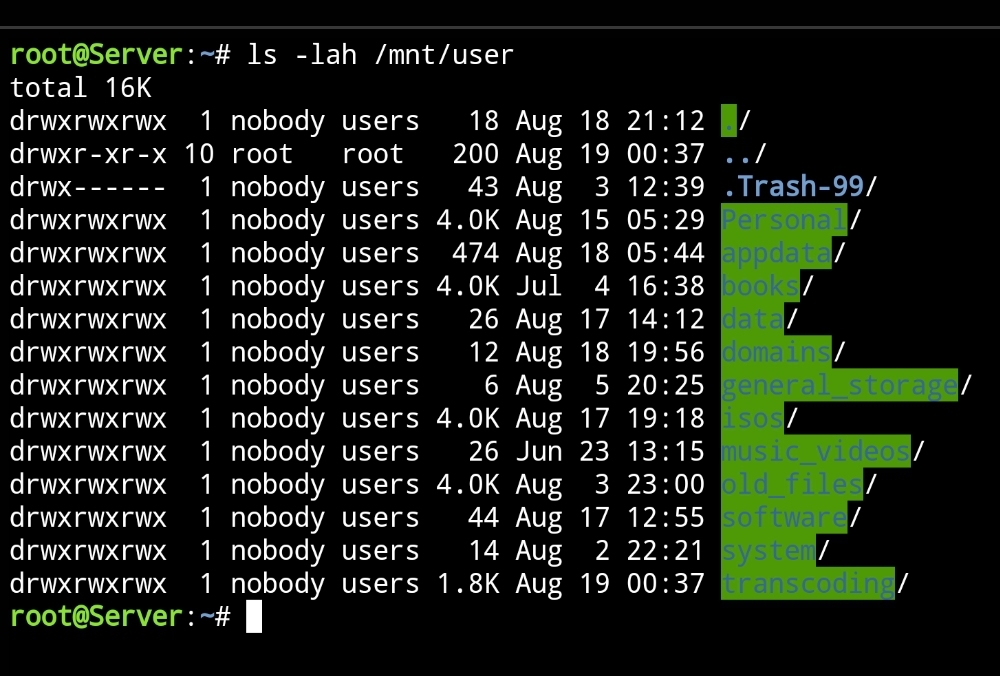
Done. Here is the diagnostics zip. I haven't looked at it yet but will do when I finish this post. server-diagnostics-20220819-0044.zip This is what I get: I also don't across a another weird issue about a week ago where I'm not able to update done docker containers. For example I just tried, again, to update Jacket while the server was still in safe mode, but I wasn't successful. This is the message I get: FYI all containers have been installed via the Community Apps plugin.

-
Ok will do that now.
-
Do I have the option of starting fresh without losing any data on the drives? When I was setting unRAID up on the new pc, the were a few times when I had to go into the TOOLS menu so I could select the NEW CONFIG. Maybe that's got me where I am...
-
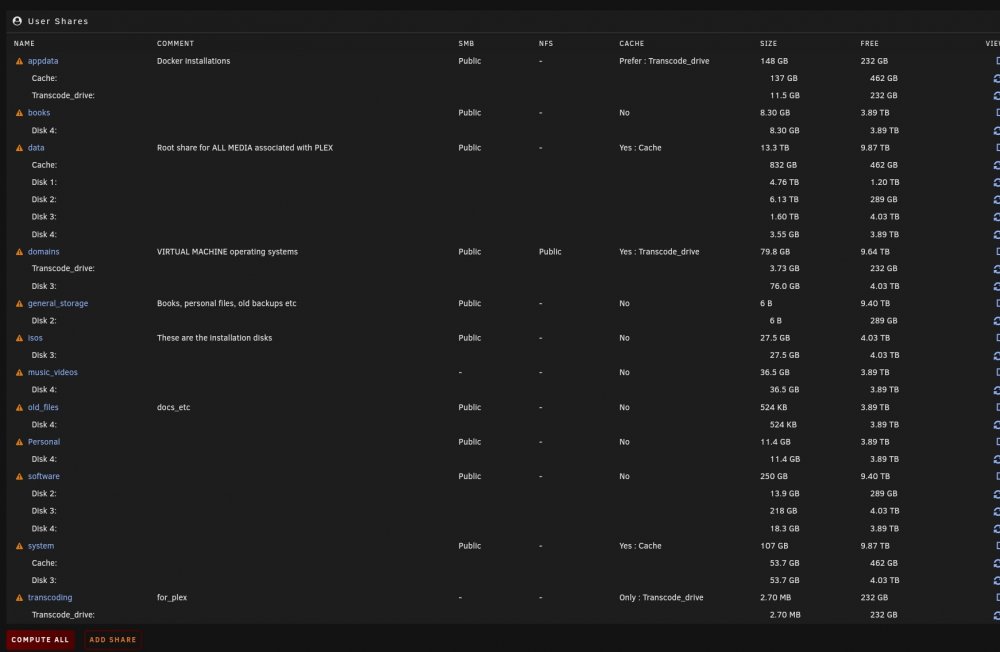
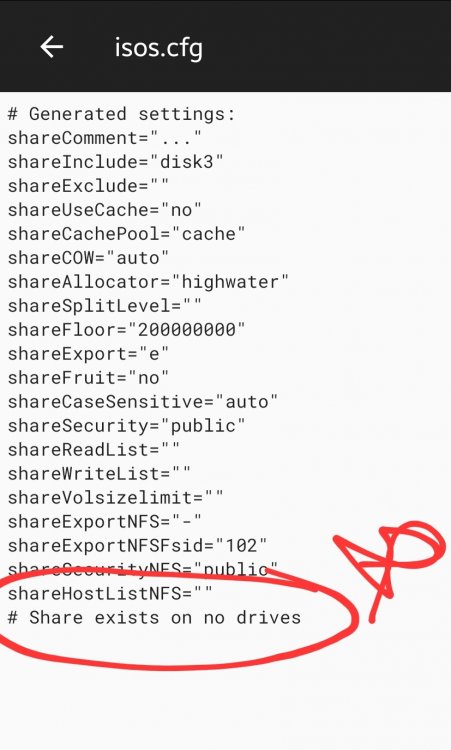
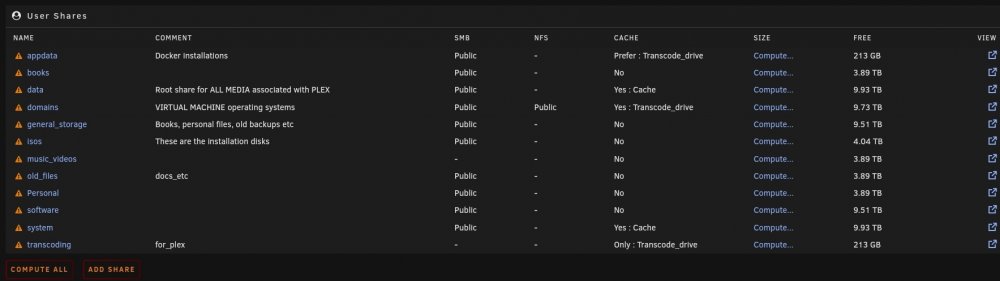
Great minds think alike? Lol I had just done what you suggested above and came here to share it, to find you asking for it! Yes I just looked at the diagnostics zip myself to see what I could learn, and your right; most of the shares are saying that there is no data! Check out these screenshots below: The one directly above is my main share: data. It's the one which holds almost everything, and yet this says I it's not using any of the drives.
-
I don't know why I do.... I just tried finding where I can change it, but I lucked out. It was originally set at 25GB, but at one time I had used very close to that amount so i changed it. I figured that at the time I had heaps of space, so letting it have that amount wouldn't be a big deal. If you think I should have it at a lower amount, I'll make the change. I remember having issues and I ended up making a bit of a mess of the shares. I do though have a system share. Below is a screenshot of my shares. I appreciate the time taken to help me. Cheers!
-
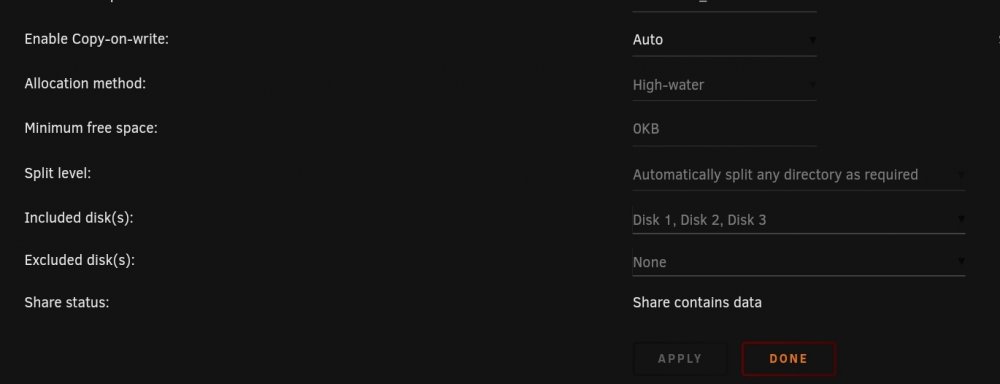
I think the above relates to what I've attached below in the screenshot. This drive was being used for something else originally, which is why it has disks included. As you can see though, they aren't able to be changed without making other changes first. I'm hoping unRAID knows why and ignores this.
-
Thank you for sharing your thoughts as well as your suggestions. I've just completed some housekeeping, rebooted and then let the system run for a couple minutes before downloading the diagnostics zip, which I've attached to this post. Getting it all running was a little bumpy, which may reflect in how it's been set up and could show up in the diagnostics zip. One of my children has severe anxiety and his own computer died a month or so ago, and at the time I was just starting to get my unRAID up and running on the trial licence. The licence ended up expiring and I had no idea if or when I'd get my computer back, so I ended up buying new components and building myself a new one. I'm very far from being a computer expert, so by the time I had the new computer built, I'd forgotten a lot of what I had learned when I originally setup unRAID on my old computer, so I made a few mistakes. Hopefully some of them have been rectified now, but if any more are found in the attachment, please let me know! Thanks again!! server-diagnostics-20220818-2109.zip
-
G'day, thanks heaps for your reply! Attached is my diagnostics zip. I have thought about using the unbalance app, but I was thinking that since the app was originally made many years ago, that by now the people at Limetech may have made changes to unRAID that possibly made the unbalance app obsolete by now, but if the consensus is that the app is still useful, I'll start using it. In the end, everything seems to be functioning fine, it's just that it seems a bit weird to me lol. And thanks for that info on the hard drive temperature issue I thought I had! server-diagnostics-20220818-1704.zip
-
Hi fellow unRAIDers! Thanks to many of you, over the last month of so I've managed to setup a system which is running pretty much faultless. I don't have heaps of storage, but I am moving closer and closer every day towards filling up my 4 array disks. At present I don't have a parity drive, but this will change very soon. My question.... If I were to tell you that 95 percent or more of the storage taken up above is by my media share which spans across all 4 disks, would you, like me, think that how the data has been spread across the drives is a little lopsided? I do remember though that when the array was starting to fill up, that it did so on one drive first until it was around half full before moving over to another drive, so the above might be totally normal, but it just seems weird to me that one drive is almost full while there is another that barely has anything on it. Another thing that might be related..... I noticed last night that drive 4 didn't have the little green dot and wasn't displaying is temperature. I had it do a quick Smarttest and when it had concluded(no errors found) it had changed to green and was again displaying the temperature. I doubt it's related because I'm certain I would of noticed no green dot, but maybe there has been an issue with the drive since day one that unRAID has always known about... Anyways, it would be much appreciated if I could get some feedback on the screenshot above, as well as any suggestions on the issue with the drive not showing its temperature. Thanks again everyone!

-
Update- I've been able to get into the server, albeit only in safe GUI mode for some reason, and I've changed its network credentials back to IPv4 only again, and I'm again able to find the server on my network. I'll mark this as resolved, but if anyone has any good advice or links to good guides which help transition from IPv4 to IPv6, please let me know. Cheers!
-
BTW, I've checked the router to see what devices are connected, and I can't find the server at all.
-
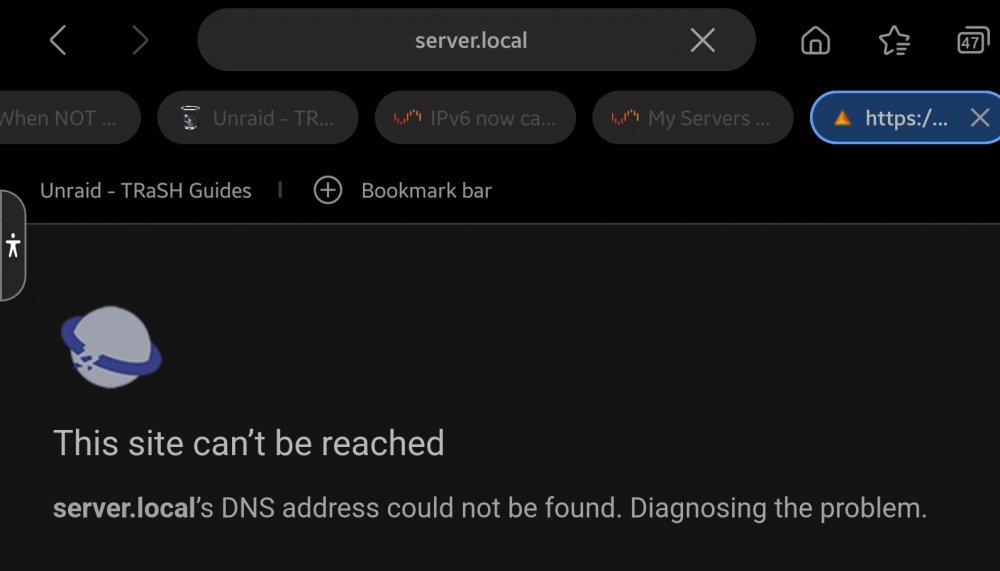
Hi, I wasn't able to use port forwarding so I could access my server from outside my local network. I contacted my ISP and my network is now connected using IPv6 which they said will resolve the issue. So after changing my router, I went into the servers settings and selected IPv6 only in the Network settings. Now I can't access the server on my local network. Nothing else was changed in my routers settings, so I don't understand why I can't access the server using the IP address that I reserved for it. I'm actually feeling pretty stupid.... Can someone spare a moment to help? Thanks heaps
-
UPDATE - SOLVED Firstly, thank you again to those who chimed in to help. I copied the files on the USB stick and then formatted it. Then I did a new install. Then I copied over the CONFIG folder. I was still having issues with it not completely loading. The only way I could get it to work, was to enter into the BIOS first. What I've done is set the BIOS so it doesn't start up so fast. I've also just bought a licence and this has been entered into the server with no issues. All my drives were placed in the correct positions and all my shares are there. Now time to finish the setup and to start working towards realizing unRAID's full potential, so I'm sure you'll see me about over the next few weeks!! Cheers!
-
Thanks for your quick reply! I see a whole heap of writing on the screen, then it goes blank. This also happens when I try to boot in the GUI mode. I have checked the BIOS to confirm that UEFI is enabled. Legacy isn't though, whereas the old PC did have this selected as well. It's 3:30 in the morning here so once I get some sleep I'll put the USB stick into another computer to check the folder as you've suggested. After looking into the upgrade deal a bit better, I've decided that is cheaper to go directly to the UNRAID tier that suits me. All the instructions I've read say to buy the licence from within unRAID. World it help if I buy UNRAID via my browser and have the licence emailed to me seeing that I can't boot the system and the fact that my trial licence has already expired by about a week and a half?
-
Hi unRAID experts! I started an unRAID trial about 2 months ago and was pretty happy with the product. Before the trial expired my son's computer died, so I let him borrow mine. I've now given him my old PC and yesterday I finished building myself a new one. I've decided to not worry about extending the trial and will just go ahead and buy, but the USB was originally created on the old PC and won't boot on the new one. I'd really appreciate it if I can get some help with the move to the new pc. I would really like to be able to continue using the expired USB stick as I would prefer not to have wasted money on it. If I can get it to work then I can buy the first tiered option and then take advantage of the July promo to upgrade. Do I just save a copy of a config file on the USB stick and then wipe it and create a new setup and then later transfer over the config? Those is just a bit of a guess based on my searches. Thanks in advance everyone!
-
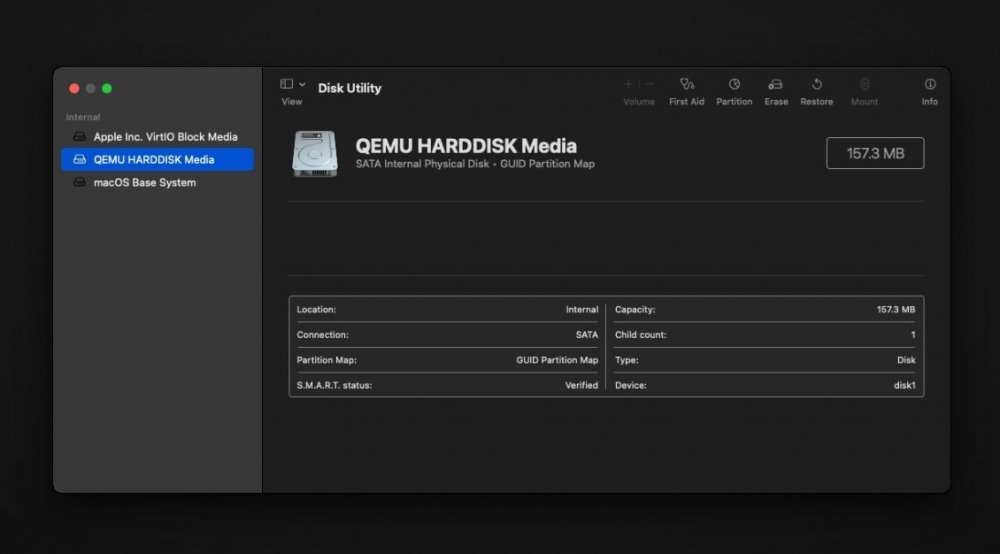
Hi all, I've been trying multiple times to get this running, but the same thing keeps happening; the size of the drive that I need to install on it's always too small. Can anyone give me an idea as to why this keeps happening, despite following the guide?
-
Hey Thanks for your reply. Yes it’s only Sonarr which has been shutting down on its own. I’ve attached the diagnostic zip. I tried to do it straight after Sonarr had did what it’s not supposed to do. It’s the first time I’ve ever downloaded the file. I’m pretty overwhelmed with the info it contains! If any other things look not right I’m happy to hear it. I have qBittorrent running and while it is stable, I did expect it to download files a bit quicker. server-diagnostics-20220623-1551.zip
-
Thank you for your reply. I've ended up sorting out a fix. I've done heaps of searching and I found some posts which said what you said, others that said that it will say that it has the smaller amount available but that I could ignore it, others that said it would always go by the amount available on the smallest drive which would just be doubled, and other posts in the middle. So to be certain I end up with something decent in the way of space, I just removed the smaller drive, did lots of different formats on the drive, and I now have 1TB as my cache. It's a result I can live with
-
Hi I'm slowly setting up my unRAID server which I'm gradually getting there. I have a couple drives in the normal array and I also had a m2 250GB drive for cache. My new m2 1TB drive arrived today which I want to use for cache, so I followed a video on how to swap drives, and started working on it. In the end though, I decided that I might as well also use the 250GB drive for the cache coz I already have it, so I should then have 1.25TB of cache. Well, I must have stuff up somewhere coz that's not what has happened. As the server is new, did a new config. I've tried putting the drive in various positions and have run what I thought was a format many times, but the system always thinks it's in a pool and subsequently shows it as a much smaller device in the way of available space. I was just thinking that I could boot into a disk utility and format the drive, but I'm concerned that it won't change a thing. Sorry for the long story above. If anyone has any ideas to share, I'm all ears! Thanks





