HomerJ
Members
-
Joined
-
Last visited
Everything posted by HomerJ
-
Thank you for the tip. I can confirm that Mover works as it should when run in Safe Mode. I wasn't aware there was an issue with Mover in this release. I understand that there is a new release now, but when I checked the notes for it I don't remember seeing a fix mentioned for Mover. Do you happen to know if it's now fixed?
-
Hi all Firstly I'm not sure if this is a bug related to the 7.0.0beta but in case it isn't and is instead a mistake that I've made, which is more likely, I've posted this is this section. Only just upgraded to the latest beta, everything was working properly beforehand. I have two cache's, one is called cache and one is shared. I have a share called 'Data' which is set so that files first go onto the shared drive and are moved to the array when Mover does its thing. For some reason, Mover isn't moving anything from the shared drive. Instead it's just filling up. Diagnostics zip is attached. tower-diagnostics-20240712-1918.zip
-
Hi all I upgraded to this new beta a couple days ago. After reboot the array couldn't start coz one of the drives were missing. Shut down and checked connections and all seemed fine. Turned server back on and still the one drive was missing. decided to downgrade but before doing so I downloaded the diagnostic zip, which I'll attach. After this reboot the server is up and running as it should. Never got a chance to try anything out test anything coz I couldn't obviously start the array. Diagnostics zip created while running beta: tower-diagnostics-20240704_0606.zip Diagnostics zip created after downgrade: tower-diagnostics-20240703-2055.zip
-
Mine seems to still be working fine.
-
Finally got around to checking; you were spot on! Thanks!
-
Thanks for your reply! I had one of those smart meter plugs which I've just found and attached to my server. I'll now do some testing.
-
That is a fantastic reply!!!! I really appreciate the time and thought you put into it! I have a power meter somewhere, I'll find it over the weekend and start getting some figures.
-
Hi all The time has come for me to purchase a UPS for my server. I have never bought one of these before. I have just checked the server and everything is running attached to a 1200W PC power supply. So far I've found this: CyberPower Systems Value 2200ELCD Value SoHo Line Interactive UPS https://amzn.asia/d/gMa0pFc From what I can understand, this should give my server a little over a minute to power down before the battery runs out, right? I just want to make sure that I understand. Thanks!
-
Thanks for the suggestion. I'm pretty sure I turned off Fastboot but I'll check tomorrow morning.
-
Hi all I've been having an issue for some time now, but now it's happening each and every time. When ever I try rebooting unRAID, it won't boot up unless I first go into the BIOS, where I don't make any changes, I just save the existing settings and restart. Only then will unRAID boot. When the problem first started happening, I backed up the thumb drive, formatted it and remade it, then transferred all my previous settings over to the drive. Sometimes this would fix the issue, but other times it doesn't. Might this be a good time to try a new thumb drive? Diagnostics zip is attached. tower-diagnostics-20240531-1823.zip Thanks in advance!
-
Thanks mate! 95% done now!
-
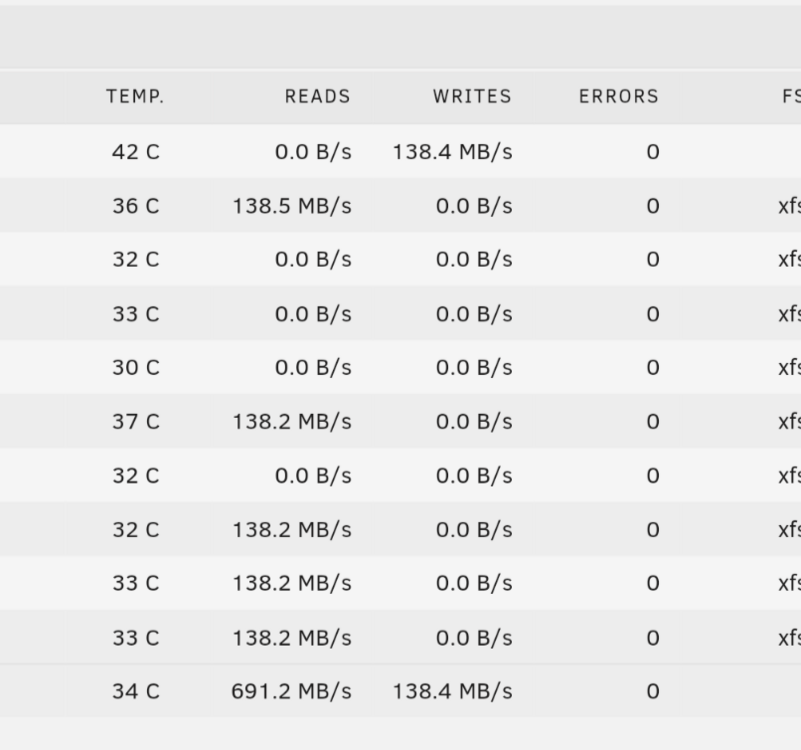
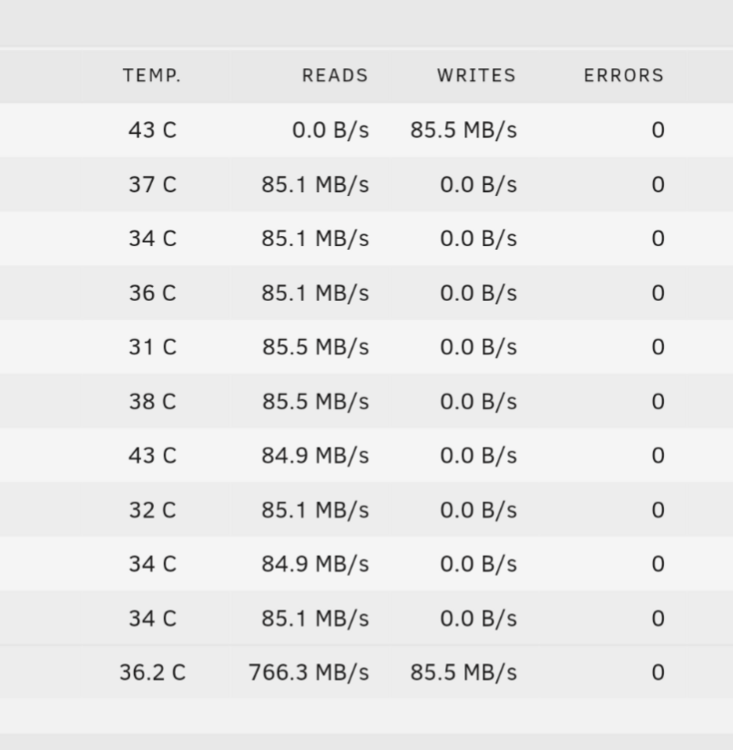
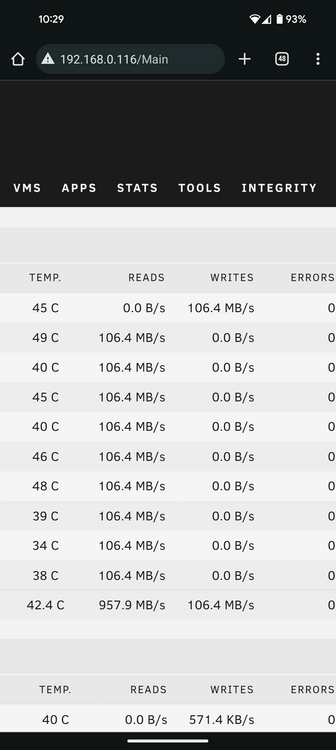
I can't recall when exactly I took the screenshot, but it was a couple hours into the Parity build. It's currently at 43% and this is what the values are now, which are slower :
-
Thank you for that info. So what you're saying is that I should be getting better speeds? I'm pretty sure that all the drivers are CMR, though I have a sneaky suspicion that one might be SMR. In any case, I will do as you've suggested and benchmark each drive once Parity is finished building.
-
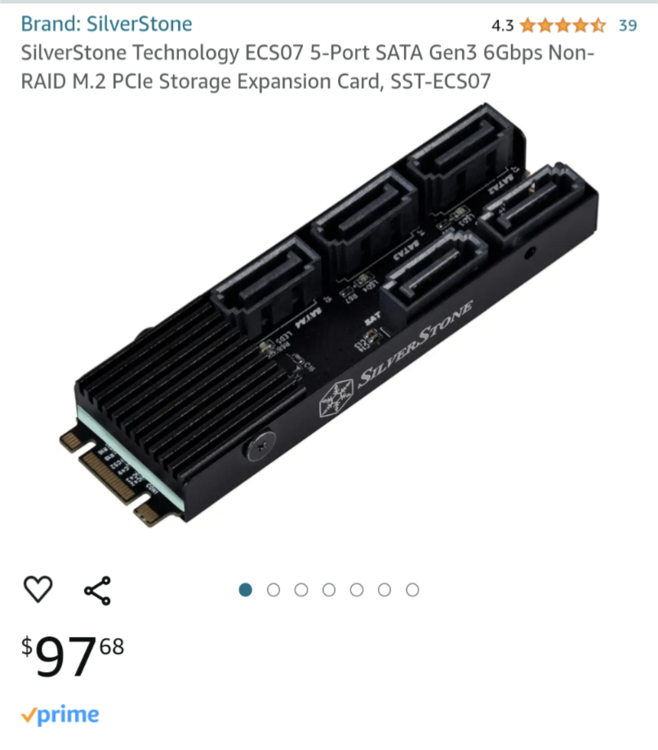
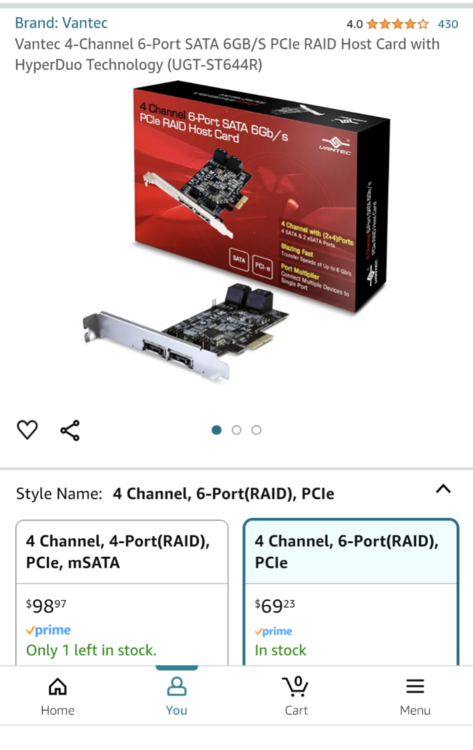
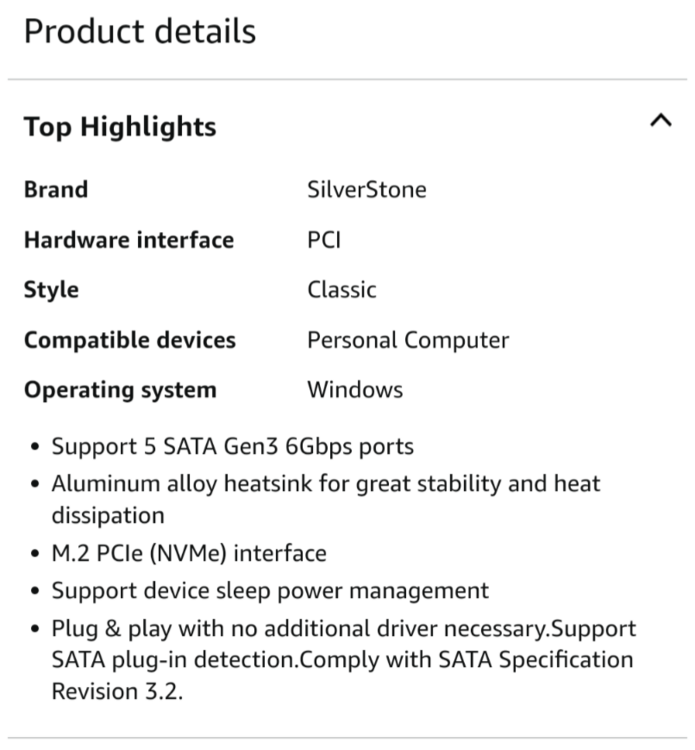
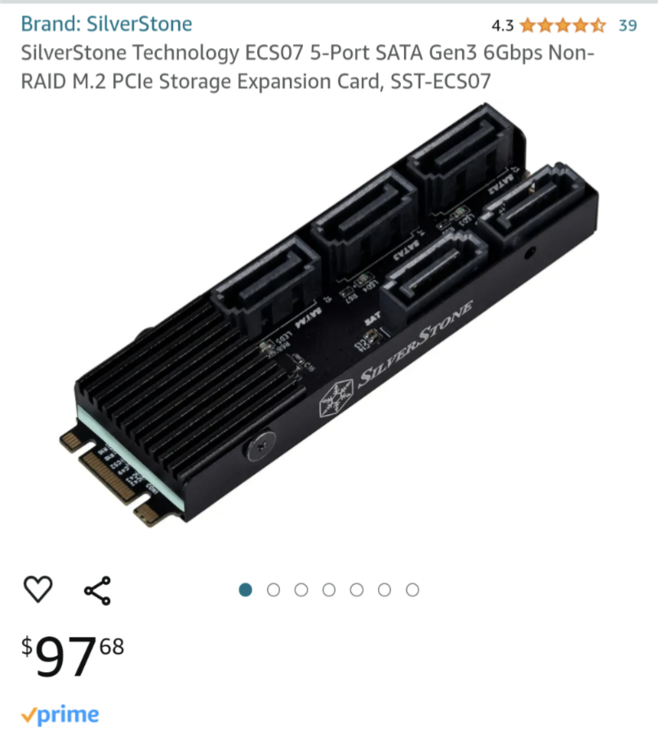
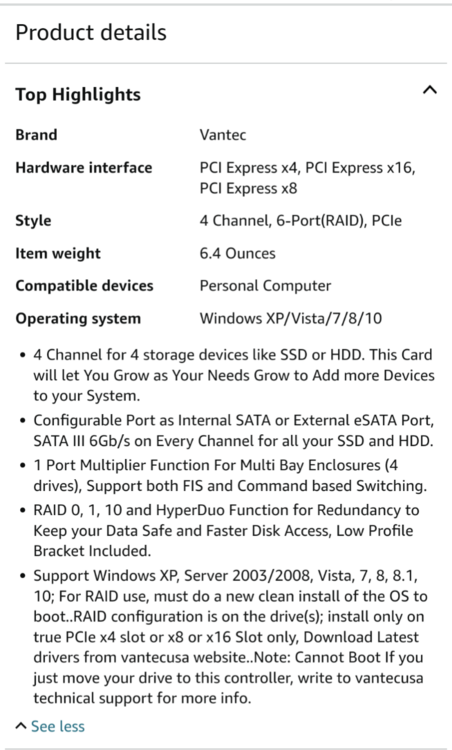
Thanks for your reply! I have 6 drives, which includes the Parity drive, connected to the motherboards 6Gbps SATA ports. Then I have these two controllers, first of which I'll call 'A' and the second is 'B'. A B 'A' is connected to a M.2 slot which is either Gen 4 x4 64 Gbps or it could be Gen 3 x4 32 Gbps. 3 drives are connected, leaving 2 SATA ports not in use. 'B' is connected to a PCie 3 x16 slot. 2 drives are connected, leaving 4 SATA ports not in use. The motherboard is an MSI PRO Z690-A DDR4. Have I reached the maximum performance I can get from this setup? The 2 sata cards still have 5 sata pets available between the two of them, but every other port on the motherboard is used. Because I've never had a Parity drive before now, I don't have much of an idea of what to expect in regards to speed.
-
Hi all Today I installed my first Parity drive. All seems to be running as it should, but I was wondering about the speed. This is a screenshot of the current stats: So my question is, are these speeds ok? Or should I be seeing more action? If you think it's on the low side, what could I be doing to have it run better? Thanks!!
-
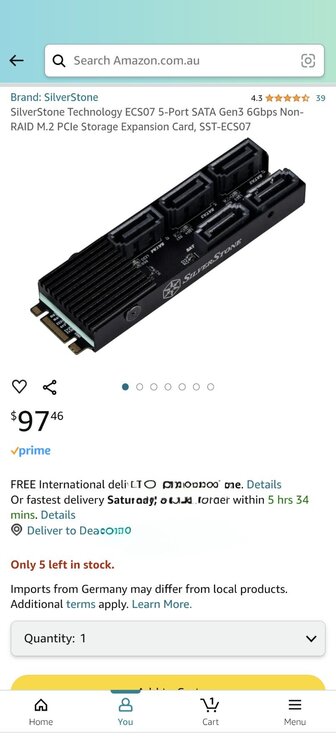
I bought a new one: Installed it and immediately everything is working as it should. Thanks heaps for the help!
-
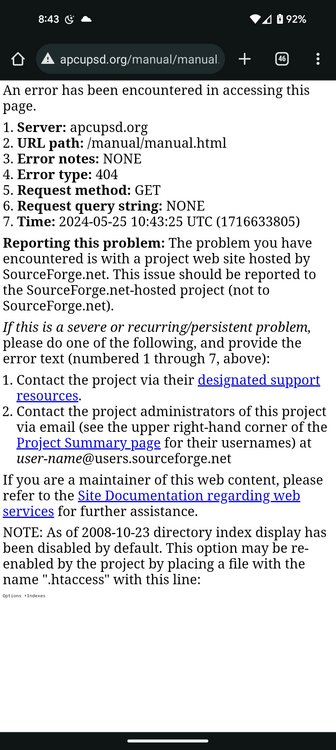
Hi all Time for me to get myself a UPS. I would like to buy one that will be compatible with the UPS Settings in the Tools section. I went to view the online manual which is linked in the settings, but I get this instead: I've never bought a UPS before so for all I know, maybe they all are compatible...? Given that there isn't a guide, is anyone able to advise what I need to look out for to ensure I buy a UPS which will work with unRAID? Thank you!
-
Ok cool. I know the slot works because I've had a hard drive in this position in the past. Therefore it must be the card. Thank you for your help!
-
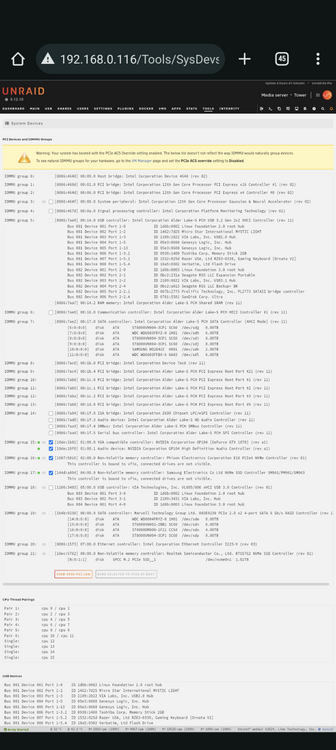
I've had a look for something but I don't really know what I'm looking for so I don't know. I've looked in System Devices and it isn't showing there.
-
That your for your advice! tower-diagnostics-20240525-1838.zip Diagnostics zip is attached. I have 4 M.2 ports, 3 are hard drives and the 4th is this card. I originally had a couple hard drives attached to the M.2 card but I've connected them elsewhere for now. I bought 4 new drives so an in the process of adding them to the server, as I want to remove one of the 4tb drives. So as this is happening I've had to try and connect them all in any way that I could, which has meant that one of the new drives have been connected via USB, but it won't remain that way. Despite the fact that no drives are currently connected to the card, the card should show up, shouldn't it? I'm assuming so. Anyways, as I've said the Diag file is attached, and I'll have a look at it myself. I don't really know what I'm looking for, but I might get lucky lol
-
Thanks for that info!
-
I've just bought a card with the same JMB585 chip and it doesn't seem to be recognised by unRAID. This is what I bought: CY M.2 NGFF NVME M-Key PCI Express to SATA 3.0 6Gbps 5 Ports Adapter Converter Hard Drive Extension Card JMB585 2280 https://amzn.asia/d/5iklmKJ Is there anything I can do to get it to work, or do I just need to find an alternative? I'm after something to use my spare M.2 slot. Thanks
-
Thanks! My VM's predominately use drives which are not in the array, but my Home Assistant VM would be running on a cache drives so I guess that won't matter. Same with Docker but I have Qbitorrent which saves files on another cache drives so I guess that would be fine too. What about Mover though; do I need to make sure that it doesn't run while Parity is building? So, I'll add just the one Parity drive and let it do it's thing before adding the 2nd Parity drive. How long can I expect it to take before I'm able to add the 2nd Parity drive?
-
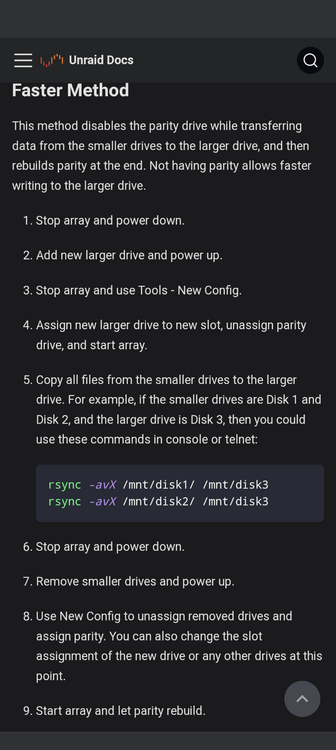
Thank you for your advice. I did some reading and I came across this: This method would work just as well, right? I was thinking about doing this before adding Parity. I was thinking that once I've sorted out all the normal array drives I was then going to add the Parity drives. I was hoping this way would save some time. Either way I'll need to add the 2 Parity drives at some point; do I add them at the same time? How long can I expect the building of the Parity drives to take? I was planning to disable the Docker and VM's while completing the first parity sync; will this help the process?
-
Hi all I currently have 7 drives in my array, plus 2 separate cache drives. I have 4 8tb drives on their way and will arrive tomorrow. I am planning on using 2 of them as Parity drives and I'll be adding the other two to the array. I will probably need to stop using the 2 4tb drives which are currently in the array. What steps do I need to take to complete this? Thanks in advance!