





Eurotimmy
Members
-
Joined
-
Last visited
Everything posted by Eurotimmy
-
Welcome to the support of Reactive Resume V4. I appreciate people forgiving me for the extended time between my publishing the Unraid template in CA and eventually getting seen in here to provide better support / documentation. Sometimes life throws you a curve-ball, maybe Reactive Resume V4 can help you knock that ball out of the park!! I created a video and uploaded it to YouTube, showing an end-to-end walkthrough of my specific installation... To be clear, creating a video for YouTube is not within my wheelhouse so I take any feedback / constructive critisisms openly. Also... Github README and supporting information / files
-
Hi @S3v3nD34dly51ns, thanks for trying my Odoo17 template and giving feedback. Appologies on my delay as I needed to recreate / do some research of your issue... which I have recreated and (I think) fixed. Note: I updated the README and my example odoo.conf file linked in the first post above The steps to correct this should be... Step 1. Edit the odoo.conf file to include this setting: proxy_mode = True Step 2. In your NGINX (or in my case NGINX Proxy Manager) settings, edit your location/{ ... } to include the following: proxy_set_header X-Forwarded-Host $http_host; proxy_set_header X-Forwarded-For $proxy_add_x_forwarded_for; proxy_set_header X-Forwarded-Proto $scheme; proxy_set_header X-Real-IP $remote_addr; proxy_redirect off; proxy_pass $forward_scheme://$server:$port; Please give it a try and let me know if this helped at all? Edited: Additional material from Odoo about HTTPS / Proxy setup
-
This did it for me, thank you @ajmaradiaga The rest of the template is fine other than this. Hey @tmchow, thank you for the template. Could you please consider an update to include the above `chown` command in the template XML <Description> Cheers
-
Hi @ProLoader That’s an interesting one, glad you shared the fix as it’ll likely help others in future. Enjoy your new Odoo.
-
Hey @ProLoader… looking good but I’m going to take a shot at that ‘data’ drive mapping. Would you mind please removing that path mapping from your Odoo17 container (via the ‘Edit’ option) and restarting the Odoo17 container. I had tried mapping /var/lib/odoo to /mnt/user/appdata/odoo/data when I did it, but I recall that when I had that mapped it halted my Odoo from starting too.
-
Hey @ProLoader, glad you’re giving the container a spin on Unraid and I hope I can assist you. Please go in to the CLI / shell on your Unraid system (not in the Odoo container) and check the ‘odoo.conf’ file is in the path you set as “Config Location” when you installed the Odoo17 container. To do this you’ll need to use the “Terminal” option in the top right-hand corner of your Unraid web interface. FWIW my ‘odoo.conf’ is owned by root:root and additionally if I access the Odoo17 container via “Console” in the Docker screen the location “/etc/odoo” is also owned by 99:users (which should be fine, I believe). Please let us know if your Unraid host folder (for eg /mnt/user/appdata/odoo/config) is showing the Odoo.conf file and that it has all your personal config correctly in it? If you edit the file to correct any configuration please remember to restart the Odoo17 container.
-
Thank you @Squid... I had convinced myself I'd committed something wrong in my XML and killed it. Looking great now, I appreciate your efforts. Thank you also @Kilrah, for stopping me from deprecating my template prematurely... undid it before the repo sync'd with CA.
-
Hey @menuscreen, thank you for reporting and the template has just updated in CA. Sorry for the inconvenience caused on my initial template. I had been wondering if it was something I’d done incorrectly, stopping the new version from publishing in CA. But the CA flow of updates has been reviewed and correctly passing changes to templates again now. In short, the new template has a cutdown version of the paths and (just config and add-ons now) and the config file is the way it’s working for me. Please check the new config in CA to see what I stripped out to be done instead in the config file and that got me up and running quickly. Here is the direct link to a short README I’m putting together for this. https://github.com/Eurotimmy/unraid-templates/blob/main/Odoo17/README.md Please let me know if there’s any troubles after the changes are made and the odoo.conf is in place?
-
With some looking around in the forums my expectation of getting updates to my Odoo17 template seems not possible. I had thought I could correct my oversight (additional / unneeded config items and needed <postargs> ) but instead I understand I need to: - deprecate the existing odoo17.xml template (add <Deprecated> true tags) - rename the odoo17.xml template (now odoo17_1.xml) - rename the <Name> (now "Odoo17.0") - add in the missing / remove the unneeded items from the new XML Can anybody please tell me if that's enough to get rid of the existing Odoo17 template and replace it with the corrected version? Thank you
-
Would anybody know if the pipeline to grab updated application XML templates from the github repo's is currently operational? I published a XML template for Odoo17 a few days ago and realised I needed to update it... but the changes in CA have not been reflected yet. I have checked the 'statistics' page in CA and found nothing pointing / highlighting my issue.
-
** IMPORTANT NOTE ** For the installation of Odoo 18 I've created a README which has steps I took to get mine up and running For the installation of Odoo 17 I've created a README ** The 'PostArgs' in the Docker template need to be deleted (remove the "-i base" command) after initial / first load Update 15 Sep 2025: Adding the Odoo 18 Unraid (XML) template to Unraid CA The readme file is being updated as I go: README Update 24 Jan 2024: The website editing part of Odoo 17 was failing / causing an error which rendered the website editor pretty useless I have updated the README and my example odoo.conf file with corrected information on the reverse proxy setup as discussed in this post (below) Update 23 Jan 2024: I have updated the README with another command for 'PostArgs' if you wish to install Odoo17 without any preloaded DEMO data TL;DR - Use this instead "-i base --without-demo=all --stop-after-init" Remember to REMOVE the 'PostArgs' after the initial / first run of the container
-
I just spotted this around the same time I saw your post. https://github.com/zurdi15/romm/wiki/WebRcade-Integration
-
Hey @HynesJeff, I’m currently getting this too. I’m finding that each pull of the containers the initial startup runs and I have things working, then on a “Restart” of the container it crashes with the same log entry as yours. Interestingly… if I change the network setting from “Bridge” to a different network name, the container starts correctly again. Not ideal as a fix or really even a workaround, just saying it’s interesting to note. Even on that initial run of the container, when it’s working it tells me the Twitch token is invalid and then says that it has fetched a valid token directly after this… perhaps the container always fails the first attempt to use the token and that is why it crashes… assumption being that subsequent attempts would’ve worked and the token would have been validated.
-
Hey all, sorry for my slow timing… typical end-of-year tasks taking precedence. Thank you to you folks above for sharing solutions. The RomM template (in Unraid CA) and it’s instructional notes have just been updated, I’ll keep doing so as changes / fixes emerge. Most people’s RomM install troubles will be the “Config” file part initially… to fix this: Manually copy the sample.config.yml in the RomM repo to your server, name it as your your …appdata/romm/config.yml file. Then delete the empty directory named ‘config.yml’ to clean up, if you have one. Cheers to @NeoMatrixJR for contributing this one!
-
This is a support thread for the Unraid CA installation of RomM. A thoroughly documented setup guide kindly written by @Green Dragon is in this post. Green Dragon is active in both here in the Unraid community and directly with the official Discord support community. The official support for RomM is very active on Discord... it's got the developer (zurdi15) along with plenty of super smart folks... which include a number of our fellow Unraid users. OFFICIAL SUPPORT Discord - RomM -support
-
I found I had this same reported issue today (29 Nov 2023) - Additional info from 25 June 2023 - - Upgrading from the Admin Web UI is no longer supported: https://info.linuxserver.io/issues/2023-06-25-nextcloud/ This is how I got back to running just perfectly (based on the above info). 1. Edit the 'nextcloud' config via the Unraid UI (change "Repository" to "lscr.io/linuxserver/nextcloud:25.0.2"... 'Save' and this will restart the container on image 25.0.2 2. Did as described at the beginning of this thread by @g1an7 3. Edit the 'nextcloud' config via the Unraid UI (change "Repository" back to "lscr.io/linuxserver/nextcloud"... 'Save' and this will restart the container on the most current image (as of today that is 27.1.4) 4. Watch the log files of the nextcloud container... -----Start Output------ - - Migrating legacy install (this can take a while) ...) Initializing nextcloud 27.1.4.1 (this can take a while) ... Upgrading nextcloud from 26.0.1.1 ... - - Starting code integrity check... Finished code integrity check Update successful Turned off maintenance mode Resetting log level Initializing finished - - /config/nginx/site-confs/default [custom-init] No custom files found, skipping... [ls.io-init] done. -----End Output------ And now all is good again for me! Thanks to all contributing above.
-
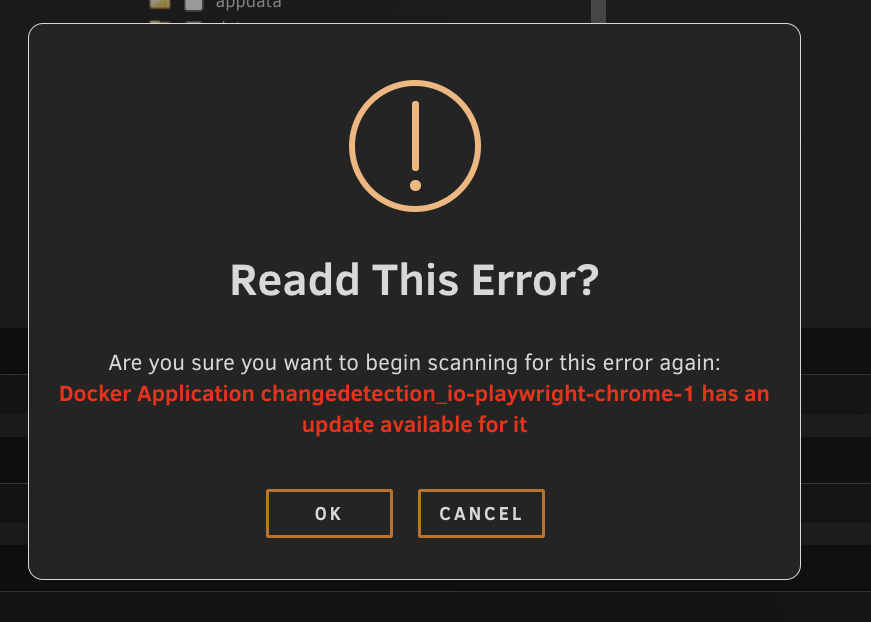
One very minor thing. When clicking the "MONITOR WARNING / ERROR" button in the ignored list. The pop-up has the word "Read" spelt "Readd". Thank you for the great plugin!
-
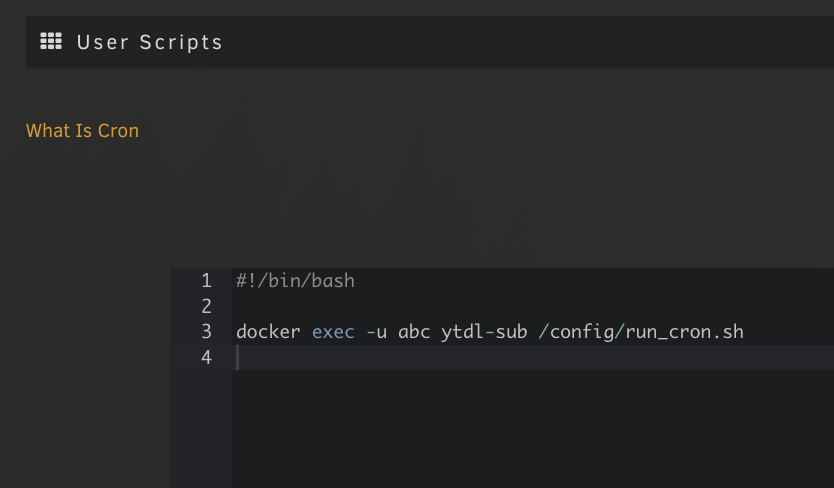
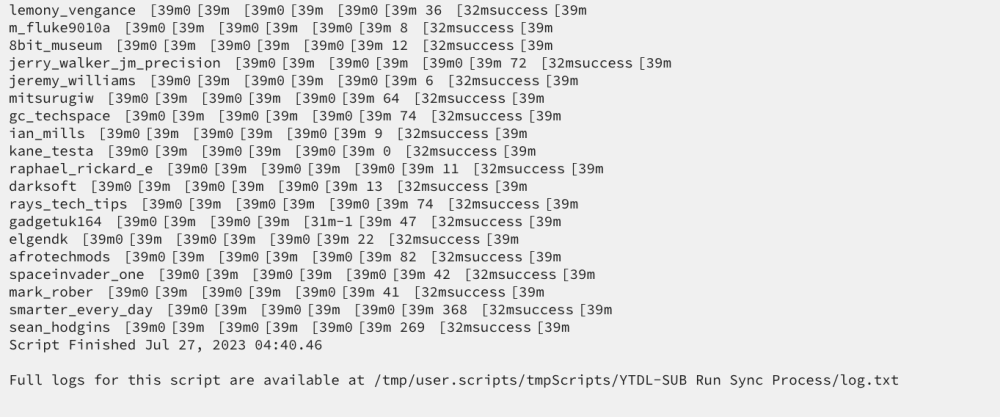
Hi @pranasziaukas Here's a shot of my script which I have on a schedule... and one of the logs shown inside the "User Scripts" interface. Please note a 'full log file' address is shown at the bottom of the screenshot. This does the job for me, but maybe others are more sophisticated
-
Hey @pranasziaukas, I should have elaborated after I made that learning to say I use the “User Scripts” in Unraid to automate the running of the YTDL-Sub container on my schedule. I will post up a screenshot once I get home!! BTW: I am loving YTDL-Sub and always enjoy seeing new episodes from the YT’ers I follow appearing in my media centre.
-
For anybody running this Docker app, the image has been updated to include the Opensky network. It's working well for me. 1. You need to create your own account on https://opensky-network.org/ (if you don't have one already) - Note down the Username you made / have on Opensky to use in the next steps 2. At your Unraid terminal prompt... Run the docker command found here in the Opensky section ** Remember to update these values to your own or the Feeder will not attach to your Opensky profile: "OPENSKY_USERNAME=OpenskyUsername" "HTML_SITE_LAT=45" "HTML_SITE_LON=9" \ - Note down the value from this line (it will look something like -16546546532) [opensky-feeder] [INFO] [SERIAL] Got a new serial number: Once you have it, kill the docker and close the terminal. 3. In your Unraid Docker... "Edit" the template Add the following 'variables' SERVICE_ENABLE_OPENSKY (set to 'true') OPENSKY_USERNAME (from step 1 above) OPENSKY_SERIAL (from step 2 above) 4. BONUS (because I forgot on mine) Add the following 'variable' to display a link in your local flight tracking webpage to your new feeder HTML_RECEIVER_STATS_PAGE_OPENSKY_NETWORK The URL format is "https://opensky-network.org/receiver-profile?s=<YOUR_ID>" 5. Apply your changes and enjoy your new Opensky feeder You can see the Opensky data every 10 minutes in your docker containers log files You will see your new feeder is linked to your profile on Opensky 🤩
-
Hey all, I have my training wheels on so please forgive if this is a pretty basic knowledge share. I am impressed with ytdl-sub so far! My issue... Each time I ran ytdl-sub every folder / file created & each downloaded file was owned by 'root:root'. I was connecting to the console of the container and running my commands, which of course is running as 'root'... kind of obvious error now looking back on it. My learning was to run the ytdl-sub from the host console, after opening up a bash on the container as the 'abc' user. Open up the "Terminal" from the icon in the Unraid header menu Then, open the bash as user 'abc', run the command docker exec -u abc -it ytdl-sub /bin/bash Setup your config.yaml and subscriptions.yaml how ever you want it. Then run ytdl-sub (use your own ytdl-sub command) ytdl-sub --dry-run --config /config/config.yaml sub /config/subscriptions.yaml This got the files and folders created / downloaded to the mapped locations on my server. The user & group are now correctly set as 'nobody:users' like the rest of my media files in that location. Also, to note... The default config.yaml & subscriptions.yaml was setup & attempting to download a Rammstien music playlist which was failing. Hope this helps somebody at the same remedial levels as me!! 🤗
-
Thank you @CatDuck for putting this up on CA! I'll give this a try as I have recently failed to get TubeSync working adequately (also in CA)... my number of files to 'sync' was too large for the current TubeSync version to handle.
-
That’s a bit odd, my setup was exactly as I noted above and I believe this is the new driver using this Git: Type in 'git clone https://github.com/rtlsdrblog/rtl-sdr-blog' and hit enter I can’t recall seeing this lib error (build-essential libusb-1.0-0-dev) on mine but it ran through the settings just fine beyond that part.
-
*** Please note: This guide did NOT permanently enable my biast. After several full shutdowns the biast is once again disabled. I leave this post intact for reference only. How to permanently enable RTL-SDR Blog V3 biast using the rtl_eeprom command in your fr24feed-piaware docker I wish to enable the biast permanently so the change can survive a reboot of my Unraid server. During this process you will need to disable some of the fr24feed-piaware services that would otherwise lock down your ability to edit the eeprom… and you'll also install some things in the docker image temporarily, you'll make the change to your dongle (eeprom settings), and finally you'll re-enable the fr24feed-piaware docker settings in Unraid. These changes you'll make in the Docker image should all disappear when we restart the image, leaving only your RTL-SDR Blog dongle with it's new biast setting turned on Here is what I did, step-by-step… please do so at your own risk. In your Unraid menu, select the Docker tab "Stop" the fr24feed-piaware docker from running "Edit" the fr24feed-piaware docker settings Set each of the following container variables to "false" SERVICE_ENABLE_PIAWARE SERVICE_ENABLE_ADSBEXCHANGE SERVICE_ENABLE_PLANEFINDER SERVICE_ENABLE_DUMP1090 SERVICE_ENABLE_FR24FEED SERVICE_ENABLE_HTTP (possibly overkill disabling all these, but doesn't hurt as we'll re-enable them shortly) "Apply" the settings to the Docker image Check the fr24feed-piaware docker is running Click the fr24feed-piaware icon, select "Console" Once in the console... enter all the following commands without the talkies (' ') on either side Type in 'cd ~' and hit enter Type in 'apt-get update' and hit enter (agree to proceed if asked) Type in 'apt-get install git cmake build-essential libusb-1.0-0-dev' and hit enter (agree to proceed if asked) Type in 'git clone https://github.com/rtlsdrblog/rtl-sdr-blog' and hit enter Type in 'cd rtl-sdr-blog' and hit enter Type in 'mkdir build' and hit enter Type in 'cd build' and hit enter Type in 'cmake .. -DDETACH_KERNEL_DRIVER=ON' and hit enter Type in 'make' and hit enter Type in 'cd src' and hit enter *** From here you can either enable biast permanently or just this once *** To enable the biast just this once - Type in './rtl_biast -b 1' and hit enter (I did this step first, then the next, probably unnecessary) To enable the biast permanently - Type in '.rtl_eeprom -b y' and hit enter *** You may be asked to commit the changes to your dongle, note down any settings changes just for good measure *** Close the console window once you're done with making these changes Back in the Unraid menu… go to the Docker tab "Stop" the fr24feed-piaware docker from running "Edit" the fr24feed-piaware docker settings Set each of the following container variables back to "true" (or whatever ones you had enabled previously) SERVICE_ENABLE_PIAWARE SERVICE_ENABLE_ADSBEXCHANGE SERVICE_ENABLE_PLANEFINDER SERVICE_ENABLE_DUMP1090 SERVICE_ENABLE_FR24FEED SERVICE_ENABLE_HTTP "Apply" the settings to the Docker image Check the fr24feed-piaware docker is running *** You may need to reboot your server for the changes to take effect on your dongle *** *** Effectively you'll test to see if the dongle retains the biast setting (if that was your goal) by shutting down your server *** I hope this helps somebody else.
-
This is the exact case for me too... Ideally, an environment variable for biast to be on / off would be amazing. I don't know how I enabled the biast the first time but now that it's disbled again I'm lost at trying to reactivate it.



