





geromme
Members
-
Joined
-
Last visited
-
forgive my bad english, after update today in unraid i get this error message! Composer detected issues in your platform: Your Composer dependencies require a PHP version “>= 8.1.0” I have no idea how to get rid of this Please help, thanks and best regards
-
hallo, verzeich mein englisch, benutze ein übersetzungsprogramm. du verstehst mich wahrscheinlich falsch. wenn ich mein profil aufrufe, erscheint die option apps. das ist für alle apps anzeigen gedacht! und genau das geht nicht mehr, dann erhalte ich die meldung die ich erwähnt habe. ======================================================================== hello, I can't understand my english, I use a translation program. you probably misunderstand me. when i go to my profile, the apps option appears. this is meant to show all apps! and exactly that doesn't work anymore, then i get the message i mentioned.
-
hallo, habe nextcloud 31... laufen und heute ist mir aufgefallen das ich die apps unter meinem profile nicht aufrufen kann! bekomme die fehler meldung angezeigt! Interner Serverfehler Der Server konnte die Anfrage nicht fertig stellen. Sollte dies erneut auftreten, senden Sie bitte die nachfolgenden technischen Einzelheiten an Ihre Serveradministration. Weitere Details können im Serverprotokoll gefunden werden. Technische Details Entfernte Adresse: 93.220.64.71 Anfragekennung: 1NcEl8wyZx6yojfIarCD Habe keine Lösung gefunden! Habe auch versucht eine älteren Nextcloud version zu installieren, bekomme das gleiche ergebnis beim versuch die apps zu öffnen. DA ich sehr wenig unraid und linux kenntnisse besitze sind meine möglichkeiten sehr sehr beschränkt. kann mir jemand weiterhelfen? Vielen Dank und Grüße ====================================================== hello, have nextcloud 31... and today I realized that I can't access the apps under my profile! I get the error message! Internal server error The server could not complete the request. If this occurs again, please send the following technical details to your server administrator. Further details can be found in the server log. Technical details Remote address: 93.220.64.71 Request ID: 1NcEl8wyZx6yojfIarCD No solution found! Also tried to install an older Nextcloud version, get the same result when trying to open the apps. as i have very little unraid and linux knowledge my options are very very limited. can anyone help me? Many thanks and regards
-
knex666, könntest Du etwas genauer schreiben, wie ich das mit der config machen muss? Bin da etwas überfordert. Danke knex666, could you write a little more precisely how I have to do this with the config? I'm a bit overwhelmed.
-
Hallo, habe nextcloud aktualisiert, nun komme ich aus dem Wartemodus nicht mehr raus. Kann mir jemand weiterhelfen?
-
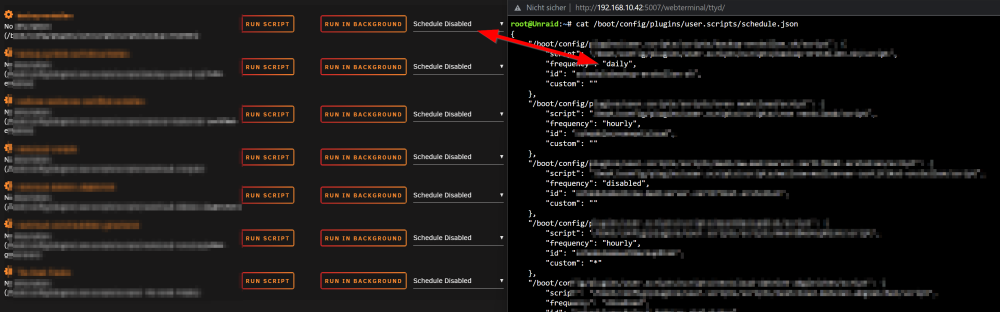
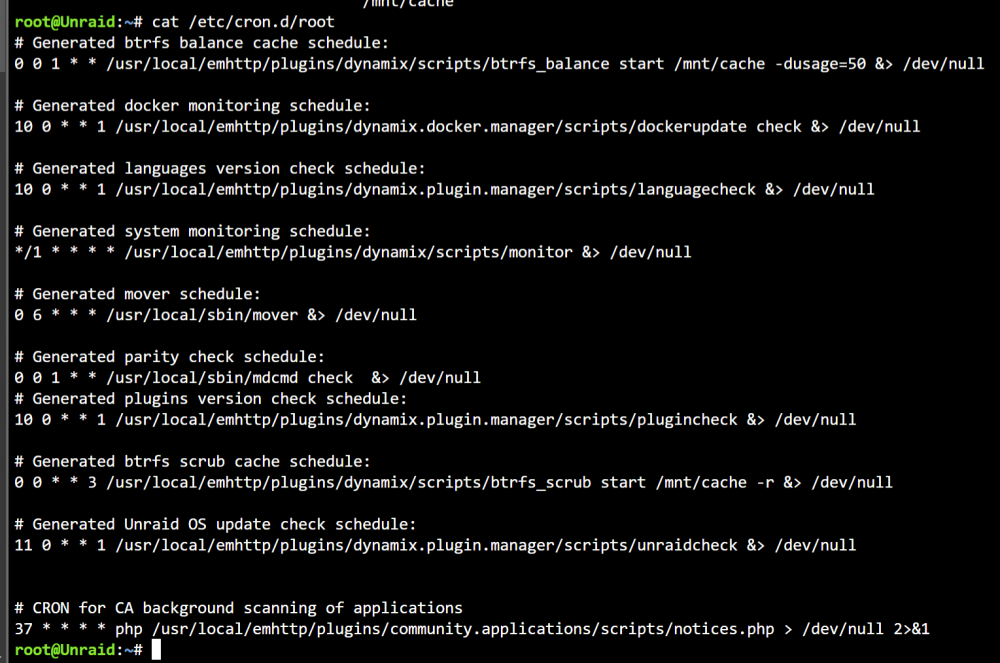
After a server restart all my schedules aren't set, but there are still in the plugins config file?!
-
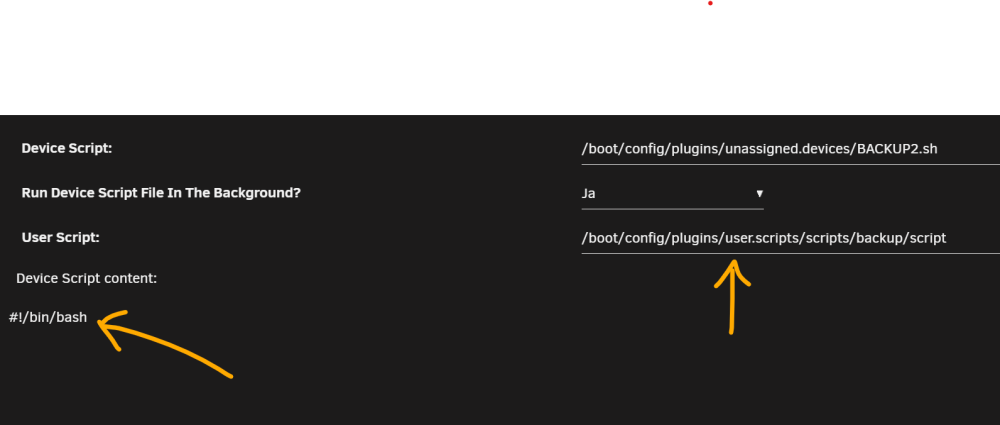
@dlandon Hi, i thought I could use my own custom script and pasted the path of the script into the field: But after hitting the button "save" two things happen: 1.) The path field becomes blank 2.) The script content is deleted (!) EDIT: Ok, now I understood the concept. but it seems to be overcomplicated to me?! You have to choose the default script and leave it for example blank and then you are able to select a user script from the user scripts plugin. 3.) Is there a specific reason why it is need to execute two scripts?! 4.) Why doesn't it generate the logs inside the users scripts plugin? This would be extremely nice.

-
Is it possible to setup a password protection in Adminer?
-
Hi squid, is that better unraid-diagnostics-20220816-1611.zip
-
Hi AndrewZ activated it does not appear either. unraid-diagnostics-20220816-1448.zip
-
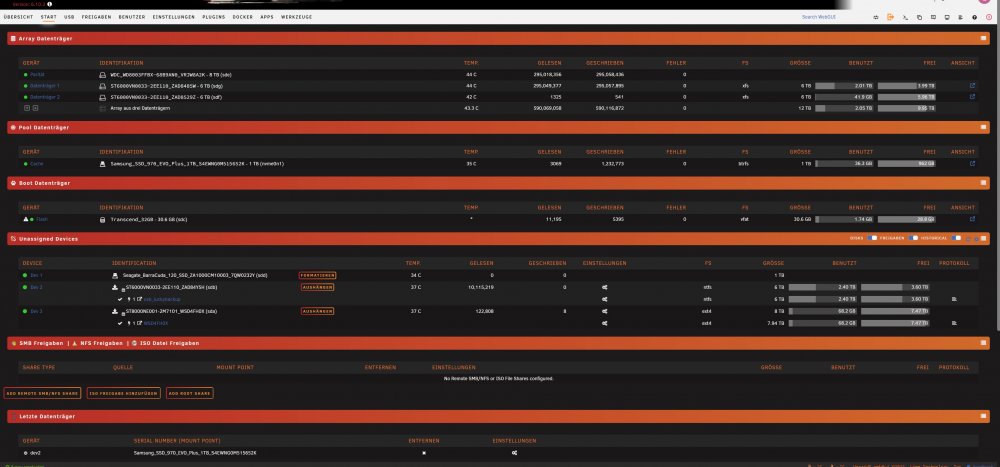
Hallo vakilando, ja habe die Seagate Barracuda SSD formatiert. Ich mache ein Fehler nach dem anderen. Ich habe nur noch unter luckybackup die ordner siehe anhang gesichert. Und mit VM backup die sicherung! ist auf der dev3 Wenn mir einer konkret helfen will kann er sich gerne bei mir aufschalten, ich bin komplett überfordert!
-
Thank you for your kind contribution elmojo. That's why the world is what it is.
-
hi trurl, here. Thanks unraid-diagnostics-20220815-2024.zip
-
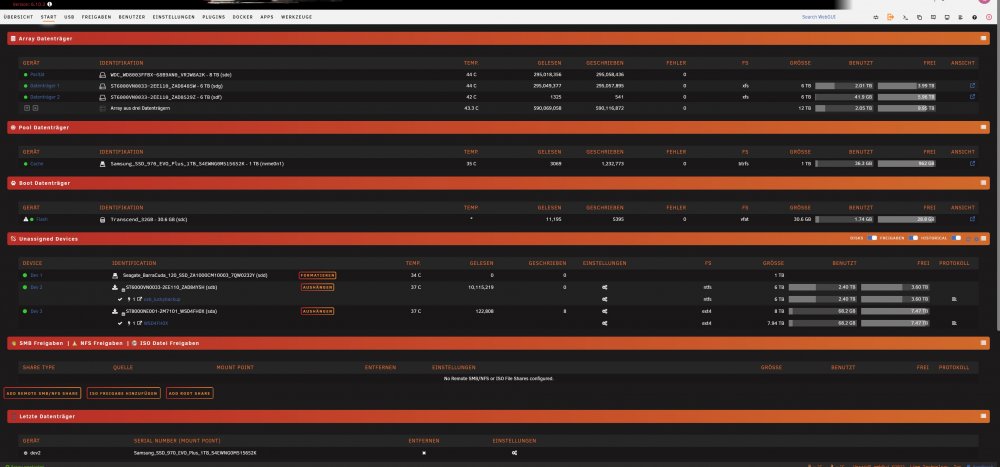
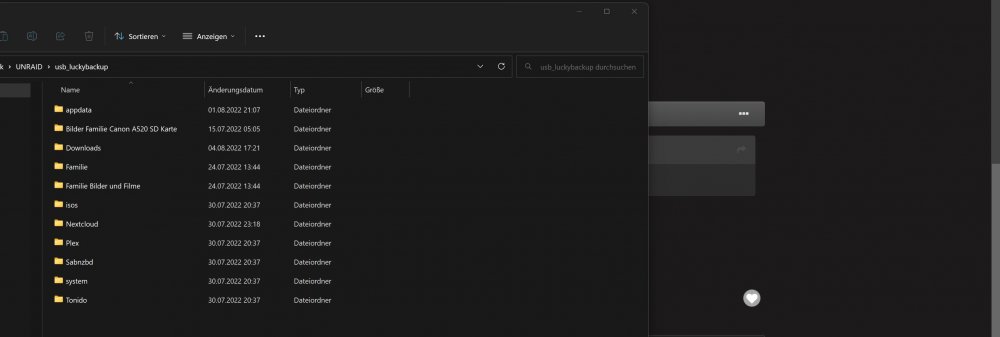
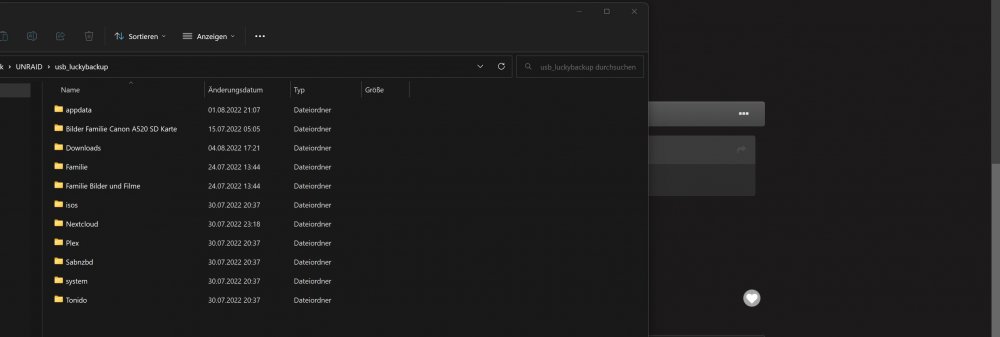
Hallo cz13, danke für Deine Antwort. So versuche mit meinen wenigen Kenntnisse so viele Infos zu geben wie ich kann, falls was fehlen sollte einfach konkret nachfragen. Hier ein Bild hoffe das dies einiges Aussagt. Auf dem einen Bild siehst Du die Ordner die ich mit luckybackup gesichert habe , sind ca 2,2 TB. Im Moment versuche ich über den FileManager daten rüberzukopieren diese landen auf der ersten sdg HDD. Bin mir nicht sicher ob das Ok richtig ist oder ob das blödsinn ist. Daten die Fehlen, es werden mir keine Docker mehr Angezeigt auch meine Debian VM ist weg! Die Ordner sind leer. Grüße
-
Hello friends, I'm sorry if I beg for help here, but I have harmed myself and now nothing works with me after Different try. Have opened the one or the other topic and also received partial answers but probably everything worsened than repaired. Now I have an almost empty cache that I have tried to fill with mover, but with me that does not work somehow. After three or four attempts to move my data from the old cache to the new one, I stopped myself, because everyone told me that this would not take so long. But if after two days the process is not completed then something is wrong. I did not find out what I did wrong. The result is now, the old cache is no longer there. The new cache is filled with about 32 GB but my whole Docker and my VM are gone! At least are no longer displayed. I have a Luckybackup and a VM backup of my VM. Now I thought maybe I could restore everything via Luckybackup. But I can't find a backup entry with the program, I copied the logs over but I can't select an entry! So I can't get on with luckybackup. So now I've been messing around for 5 days and have probably broken everything. Is that so???? or could someone give me a hand? Thanks for your help.


