





Simon
Members
-
Joined
-
Last visited
Everything posted by Simon
-
That seems to have done the trick. Thank you.
-
If I run ./preclear_disk.sh /dev/sde from the command line then it looks like it might run. Is their any concerns with running it this way?
-
I'm on Unraid 7.0.1 and plugin version 2025.02.25. Trying to preclear a new drive is stuck on "Starting...".
-
The submitted change in the GitHub PR shows that additional manifest formats will now be accepted. The relevant documentation regarding the formats is in the code comments. Presumably some of the Docker projects have changed the format which was causing the original code to fail.
-
Confirm fixed here too. Thank you!
-
Nothing to be sorry for, you're a rockstar for responding so fast.
-
I'm leaving this here in case it helps others... Restreamer seems to have received a significant update, and choosing "Web UI" will currently give you a error message in JSON format (404, file not found index.html). The workaround is to just add /ui to the URL. Discussions at https://github.com/datarhei/restreamer/issues/326
-
The image updated last night and nvidia smi is back!
-
I just tried this for the first time in a while and notice the GPU charts are missing too. The logs show: 2021-07-17 00:21:16: python.d INFO: nvidia_smi[nvidia_smi] : chart 'nvidia_smi.gpu0_processes_mem' was suppressed due to non updating 2021-07-17 00:21:16: python.d INFO: nvidia_smi[nvidia_smi] : chart 'nvidia_smi.gpu0_user_mem' was suppressed due to non updating The GPU is working fine with Plex for transcoding and nvidia-smi returns output from the command line. I'll dig deeper another time.
-
Doh! Sorry for not reading first. Confirmed resolved by the updated runc version.
-
I just updated it now fails with: <snip> 2021-03-30 11:50:46.532403 [info] CUSTOM_JAR_PATH not defined,(via -e CUSTOM_JAR_PATH), defaulting to '/config/minecraft/min ecraft_server.jar' (Mojang Minecraft Java) 2021-03-30 11:50:46.584340 [info] JAVA_VERSION not defined,(via -e JAVA_VERSION), defaulting to '8' '/usr/lib/jvm/java-8-openjdk/jre' is not a valid Java environment path
-
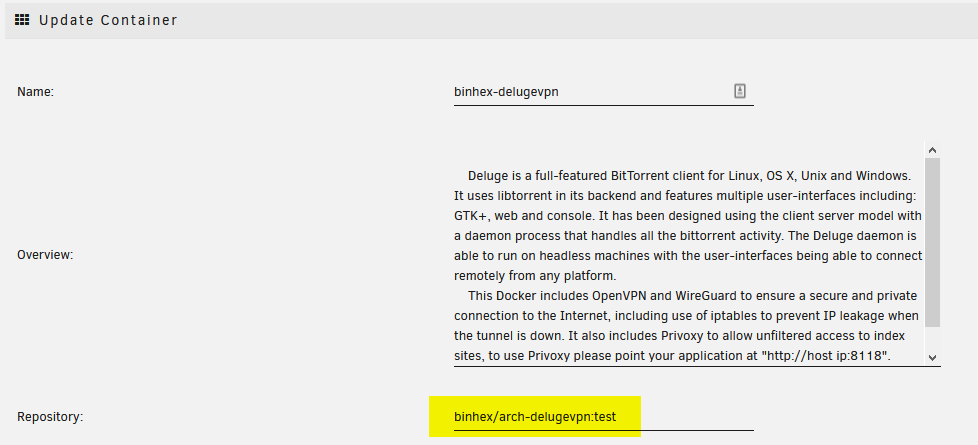
Q5 at https://github.com/binhex/documentation/blob/master/docker/faq/vpn.md
-
Thanks. I just went back to that version too and it works again (Q5 at https://github.com/binhex/documentation/blob/master/docker/faq/vpn.md for anyone want to do the same)
-
dev tun fast-io persist-key nobind remote netherlands-amsterdam-ca-version-2.expressnetw.com 1195 remote-random pull comp-lzo no tls-client verify-x509-name Server name-prefix ns-cert-type server key-direction 1 route-delay 2 tun-mtu 1500 fragment 1300 mssfix 1200 verb 3 cipher AES-256-CBC keysize 256 auth SHA512 sndbuf 524288 rcvbuf 524288 auth-user-pass credentials.conf <cert> -----BEGIN CERTIFICATE----- XXX -----END CERTIFICATE----- </cert> <key> -----BEGIN RSA PRIVATE KEY----- XXX -----END RSA PRIVATE KEY----- </key> <tls-auth> # # 2048 bit OpenVPN static key # -----BEGIN OpenVPN Static key V1----- XXX -----END OpenVPN Static key V1----- </tls-auth> <ca> -----BEGIN CERTIFICATE----- XXX -----END CERTIFICATE----- </ca>
-
I've been using this for months with no issue with ExpressVPN, but a recent update has caused it to fail with 2020-11-29 10:10:34,196 DEBG 'start-script' stdout output: 2020-11-29 10:10:34 DEPRECATED OPTION: --cipher set to 'AES-256-CBC' but missing in --data-ciphers (AES-256-GCM:AES-128-GCM). Future OpenVPN version will ignore --cipher for cipher negotiations. Add 'AES-256-CBC' to --data-ciphers or change --cipher 'AES-256-CBC' to --data-ciphers-fallback 'AES-256-CBC' to silence this warning. 2020-11-29 10:10:34,196 DEBG 'start-script' stdout output: 2020-11-29 10:10:34 WARNING: --keysize is DEPRECATED and will be removed in OpenVPN 2.6 Options error: --proto tcp is ambiguous in this context. Please specify --proto tcp-server or --proto tcp-client Use --help for more information. 2020-11-29 10:10:34,198 DEBG 'start-script' stdout output: [info] Starting OpenVPN (non daemonised)... repeatedly occurring in the log file. Any idea what's up? Edit: Seems to be reported here too https://github.com/binhex/arch-delugevpn/issues/230 supervisord.log
-
My compressed backup was 164GB before I excluded the Plex Media location. What I've done is exclude it and then add a Custom Start Script to run rsync on that location instead. It's static content, so I'm not too concerned about it syncing while the Docker container is running and rsync only has to copy the new/modified files.
-
Apologies if this has previously been answered, but I'm looking to run a set of light commands every 20 seconds for diagnostic purposes. If I enter a script such as: #!/bin/bash while true do <my stuff> sleep 20 done And schedule it for run in background and at first array start only will it run forever?
-
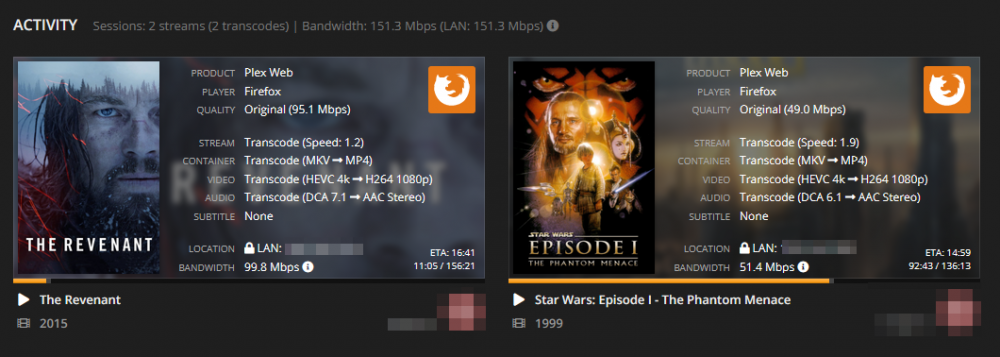
So I created a 8GB RAM disk under /tmp/, set Plex to use it and kicked off a 4K movie in a Web Browser to ensure it was Transcoding. Monitoring the directory I saw it grow to 100% usage (about an hour into the movie) and then it emptied itself and has started growing again. I assume (dangerous I know) that it will continue doing this and that multiple transcoding streams will just cause this to happen sooner. I'll leave it like this for a while and monitor. Edit: Kicked off two transcoding streams (from 4K, which I'm impressed my system managed - see attached image) and my observation was that the usage grew to 8GB (100%) and then dropped to 4GB (50%). So it seems Plex might be dividing the available transcode space evenly between jobs and purging history once they fill their "allowance".
-
I'm playing around with this on my setup. I notice the Plex support site says: Wouldn't that be way more than 4GB?
-
I also just ran the Enable Testing (just for debugging) option with the latest Plugin (2019.11.27) and it finished fine. Thanks @gfjardim !
-
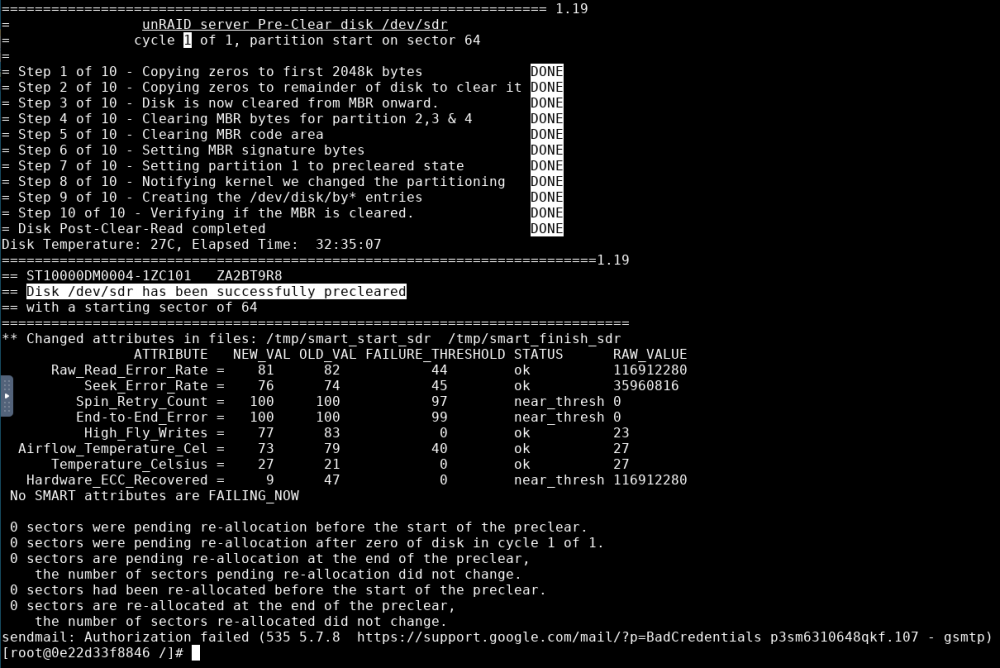
My 10TB cleared successfully using the Docker plugin.
-
-
My 10TB Seagate failed in the same manner again. I'm going to try the Docker preclear and will report back...
-
edit: So I figured out the below is a partition. I tried deleting it using Unassigned Devices in destructive mode, but it didn't remove it. So I removed it using fdisk and confirmed it was no longer showing in the UI. I've tried kicking off another preclear run to see if it makes a difference. Possibly related? This is the only disk I've ever noticed a 'child' dropdown for in Unassigned Devices. It's a shucked Seagate drive.

-
Using plugin version 2019.11.22, I just tried to preclear a 10tb and it failed with: ############################################################################################################################ unRAID Server Preclear of disk ZA2XXXXX # # Cycle 1 of 2, partition start on sector 64. # # Step 1 of 5 - Verifying unRAID's Preclear signature: FAIL # # Step 2 of 5 - Writing unRAID's Preclear signature: SUCCESS # # Step 3 of 5 - Zeroing the disk: [14:40:54 @ 189 MB/s] SUCCESS # # Step 4 of 5 - Pre-read verification: [14:43:57 @ 188 MB/s] SUCCESS # ############################################################################################################################ # Cycle elapsed time: 29:24:54 | Total elapsed time: 29:24:54 # ############################################################################################################################ ############################################################################################################################ # # S.M.A.R.T. Status (device type: default) # ATTRIBUTE INITIAL STATUS # # 5-Reallocated_Sector_Ct 0 - # # 9-Power_On_Hours 0 - # # 184-End-to-End_Error 0 - # # 187-Reported_Uncorrect 0 - # # 190-Airflow_Temperature_Cel 21 - # # 197-Current_Pending_Sector 0 - # # 198-Offline_Uncorrectable 0 - # # 199-UDMA_CRC_Error_Count 0 - # # ############################################################################################################################ # SMART overall-health self-assessment test result: PASSED # ############################################################################################################################ --> FAIL: unRAID's Preclear signature not valid. Anything useful I can provide? preclear.disk.log




