WeeboTech
Moderators
-
Joined
-
Last visited
Everything posted by WeeboTech
-
Try to access the smart information with smartctl directly. Perhaps HDSentinel turned off or clobbered the smart functionality.
-
I like this idea. Great idea.
-
badblocks should already be available in /sbin. -rwxr-xr-x 1 root root 19256 2010-04-30 03:18 /sbin/badblocks*
-
I rsync my flash periodically as there are some configuration files, plugins, extras, etc, etc. In addition it has the superblock which is the layout of the array itself. Keep in mind it might be out of date from when you've last made a change to the array, so you'll want to do the rsync/backup anytime you change the array.
-
You don't have to have a second backup server. It can be a another disk that is mounted on demand in the script. rsync from one location to the other with the link-dest and a dated directory. It can be a usb mounted disk as well, but you'll want it to be a usb 3 or eSATA disk for speed. As far as internet access. Yes, you might have to set up ssh with a tunnel in order to encrypt the data and provide remote access to the other server. using ssh and port tunneling you can even proxy the webGui over the ssh tunnel, but that's a more involved process for another thread. Might be better off setting up a VPN.
-
With rsync, files are usually compares by size & modification time. So silent corruption may not cause the files to be rsynced to the backup. There's another strategy with the -c option which does a checksum compare rather then size/time. That would surely propagate the silent corruption. Accidental deletion protection. In this case, for crucial files that need to be kept over a time period or 'deltas' there is the --link-dest option. This can be done locally disk to disk, or it can be done remotely if the remote server 'pulls' the files. With this option you can link the current destination directory to new name. All files recursively are linked from an old directory to a new directory before the rsync is executed. The rsync is then executed on the source to the new name. If there are any chances they are copied over. If there are no changes at all, the new directory looks like the old directory. This has the benefit of using 1x the space for the whole tree, then the space required for each file's change. I've used this to mirror source trees and carry deltas. It can be done daily, hourly, monthly whatever is choosen. You do this by managing the source directory name and destination directory name on the backup volume. This article has a good description of the process. http://goodcode.io/blog/easy-backups-using-rsync/
-
Not sure why you think that. 24TB isn't really all that much these days ... on 4 6TB drives. A small 2nd UnRAID server with that much (or more capacity); and it takes ~ 5 minutes of "your time" to backup your entire collection [Clearly the copy would take a few days cross the network, but that doesn't require any action on your part except to initiate the copy.] He's talking about backing up onto actual DVD's. Would take forever. Beyond that, its actually cheaper to back it up onto other hard drives. Duah, thanks for the clarification!
-
Not sure why you think that. 24TB isn't really all that much these days ... on 4 6TB drives. A small 2nd UnRAID server with that much (or more capacity); and it takes ~ 5 minutes of "your time" to backup your entire collection [Clearly the copy would take a few days cross the network, but that doesn't require any action on your part except to initiate the copy.] I tend to agree here. you can trigger an rsync over the "local" network and let it fly, check on it every day and just let it fly. You can calculate how long it takes with a best of case of around 90MB/s. With the right tuning of kernel and rsyncd.conf files along with the proper command line, this will be faster and easier then realized. The trick is to tune the kernel for maximum buffering on the writes and open the TCP buffer/windows with the sockopts settings. I've moved 4TB overnight with ease. With rsync you can stop and restart the rsync and it will only rsync the files that have changed.
-
I'm sure there's a way to do it in the rc.S file, check if UNRAID exists and issue the chkdsk command. However we may want to consider doing it via a /proc/cmdline option. i.e. if FSCKUNRAID exists in /proc/cmdline, do the fsck on the UNRAID boot device. Another idea is to check for a FSCKUNRAID flag as /boot/FSCKUNRAID then umount the device, fsck it, then remount it and remove the flag. Are there tell-tale signs in /var/log/syslog that can be tested with grep for this condition. If so that could be used for an automatic unmount, fsck and remount. I'm just not sure how safe it would be to automate this rather then having a /proc/cmdline option from the syslinux.cfg.
-
AWESOME! Let's go with it!
-
There's so many more important things for Eric to work on at the moment, this plugin is a quick stopgap to help get a few power tools installed for novices. If I remember correctly, this is temporary to aide those who do not want to drop to the command line to install the packages. I probably would not do the removepkg commands since this doesn't install them into /boot/extra anyway. Removing the plugin stops them from being installed at next reboot, that's probably enough for now.
-
NerdPack wasn't my favorite naming, yet as long as it's easy to install and get the additional tools for novices I'll go with what works. Suggestions powertools commandpack slackextras slackpack any other ideas? a poll perhaps?
-
For those unfamiliar with the kbd package, I suggested it so programs could be run on the console on a different tty. This is mostly useful if your machine is having difficulty and you have a monitor. In my case, I share one with the HTPC and switch between HDMI/VGA as needed. For me, there is no difficulty, yet my machine has a monitor so I utilize it. in my /boot/config/go file the last line is. openvt -c9 -v -s /usr/bin/less +F /var/log/syslog This opens less in follow mode (like tail) on the /var/log/syslog file on tty9. So when the machine boots up, it switches to tty9 and starts monitoring the /var/log/syslog file. It's a cheesy way to monitor the syslog temporarily on a physical screen. The caveat of this approach is it needs to be restarted every time the /var/log/syslog is rotated. I haven't done anything about that yet since it's been a proof of concept. I think it's mostly useful when your machine is on the bench or there is difficulty. There are better approaches like having rsyslog write directly to /dev/tty12 instead. Since chvt is also included, we can make a drop in config for rsyslog to write to /dev/tty12 and change to it. In the meantime use of less in this context allows forward/reverse paging and following mode on the syslog (if you choose to enable it)
-
badblocks does this. Each sweep is predictable and the same. Plus you can use varying bit shifting patterns for some of the passes. The default is x'ff' 11111111 x'aa' 10101010 x'55' 01010101 x'00 00000000 Yes, it's 4 passes, which equates to 8 sweeps. But it's a controlled write, read, write, read, write, read, write, read. Although you can easily program any character pattern and only do a 1 pass write/read of x'00' There's also a random pattern too. As I remember from reading details in the old spinrite days, varying these bit shifting patterns helps to find track alignment issues. It has weeded out some bad drives in my arsenal over the years. I don't know that it's going to be as fast as dd though. I've yet to modify the code to provide the MB/s during the updates. It's slightly faster then a smart long test which can be estimated by looking at the smartctl log in the Extended self-test routine recommended polling time: ie. (652) minutes for a new 6TB drive.
-
I've been considering a few externals for my N54L's and GEN8. I'm probably going to settle on using SAS cards and SAS boxes. i.e. the LSI 9207-8e While I wont have the density of 4-5 PMP boxes, I'll have 2 4 drive boxes that run at full speed. Yielding a total of 12 drives + 1 external trayless removable for foreign mount or preclear, + SSD for esx. I had looked into a larger box capable of SAS expanders. From what I read I can have 1 chassis hooked up to two machines. That started putting me into 15-30 drive territory and I don't want to own that many spindles anymore. My mission over the past 6 weeks was to consolidate all the 1TB drives onto 6TB's and keep the spindle count down. I think there are diminishing returns to so many spindles vs consolidating and selling off the smaller ones.
-
What about Linux quotas. They are based on the user account.
-
Thanks!
-
Yes, I wanted to post what I had before people wasted money. I have a new solution I'm working on that should satisfy all parties. I'll post when unRAID 6 is released.
-
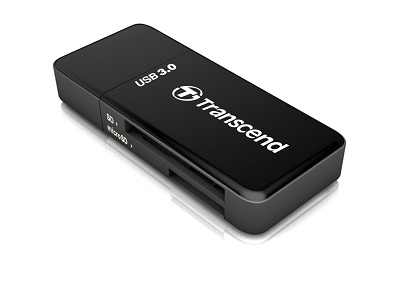
Tom Reports non unique GUID: 8564-4000-0000-000000000039 TS-RDF5 Transcend Information USB 3.0 Card Reader (TS-RDF5K) http://www.amazon.com/gp/product/B009D79VH4/ref=oh_aui_detailpage_o09_s01?ie=UTF8&psc=1
-
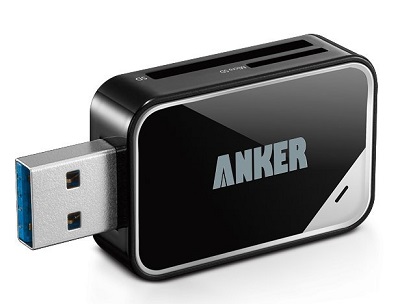
UNKNOWN Anker® USB 3.0 Card Reader 8-in-1 for SDXC, SDHC, SD, MMC, RS-MMC, Micro SDXC, Micro SD, Micro SDHC Card, Support UHS-I Cards, http://www.amazon.com/Anker%C2%AE-Reader-RS-MMC-Support-Warranty/dp/B006T9B6R2/ref=pd_cp_pc_3
-
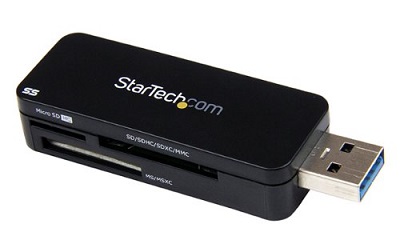
UNKNOWN StarTech.com USB 3.0 External Flash Multi Media Memory Card Reader (FCREADMICRO3) http://www.amazon.com/o/ASIN/B00DFVZOCA?tag=mixtame-20
-
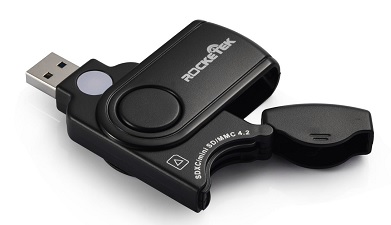
Not compatible with BIOS cannot boot. Not even detected by HP Microserver Bios. YMMV. Via dual boot means, Shows GUID is Blacklisted: 0BDA-0306-0000-201006010301 Rocketek USB Card Reader / Writer for SD/Micro SD/MMC memory card - (SD, SDXC, UHS-I SD, SDHC, Micro SD, Micro SDXC, Micro SDHC, MMC) http://www.amazon.com/o/ASIN/B00IX9ZDKC?tag=mixtame-20
-
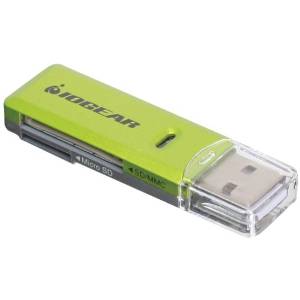
Shows GUID is Blacklisted: 0BDA-0119-0090-815198100000 IOGEAR SD/MicroSD/MMC Card Reader/Writer GFR204SD (Green/Gray) http://www.amazon.com/o/ASIN/B0046TJG1U?tag=mixtame-20
-
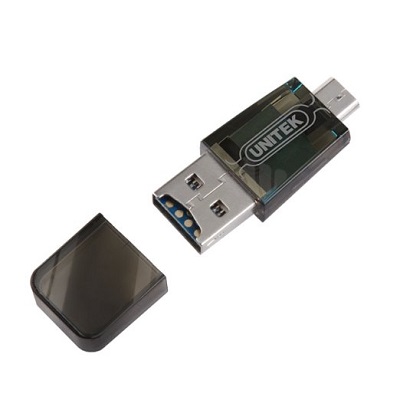
Has a messed up serial number. Unitek Micro SD card reader adapter with OTG USB 2.0 A male Micro USB B male Connector http://www.amazon.com/o/ASIN/B00NL43JAU?tag=mixtame-20
-
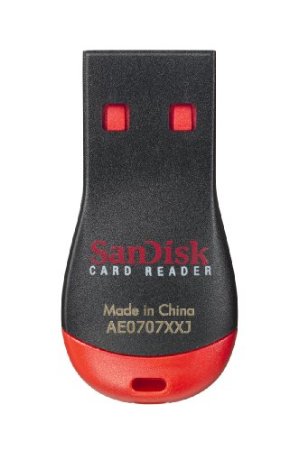
Blacklisted Shows GUID is Blacklisted: 14CD-121C-0000-812320100708 SanDisk SDDR-121-A11M MobileMate Micro Memory Card Reader (Red/Black) http://www.amazon.com/gp/product/B000WR3Z3A/ref=oh_aui_detailpage_o09_s00?ie=UTF8&psc=1