





theone
Community Developer
-
Joined
-
Last visited
Everything posted by theone
-
The numbering is just for reference when choosing a tray on the data tab in reference to the preview table also on the data table. It has no other meaning.
-
You can configure it as 5x3 horizontal or 3x5 horizontal if you don't like the vertical view. Regarding the USB flash drive location - I found a bug it should be showing on the right of the server - I will fix it in the next release. This is a known issue on FF and MSIE. I am looking for a solution for it. See previous thread messages regarding HTTP_USE_AGENT. Never encountered this issue - do you have javascript enabled in your browser? Will consider it - The issue is that if you are defined as not tabbed browsing then it wil fill up quite a large area - maybe show some sort of preview only. For "narrow" arrays the flash drives should be on the right and for "wide" arrays they should be on the bottom. Automatically detected. I will probably add options to choose tray size and font size. The preview will be available if I decide to add the layout as a section on the main unRAID screen. Will consider it. I originally wanted to avoid any maipulations on the actual array and devices. Will consider it. Should already be possible - configure the array as 5x3 Horizontal The USB wll be at the bottom though. Thank you for all your inputs.
-
Already in my Todo list - with a preview of the tray.
-
Any suggestions would be welcome and considered.
-
Still not working - I rebooted the server, I cleared the browser cache but the tooltips still move out of the window and disappear. This release was not supposed to fix it. I still cannot get http_user_agent to work.
-
New Release: 2015.06.15 - Fixed indexing of tooltip table CSS - Added triangle/arrow to the Tooltip frame - Added USB devices on "Layout" tab - see below screenshots
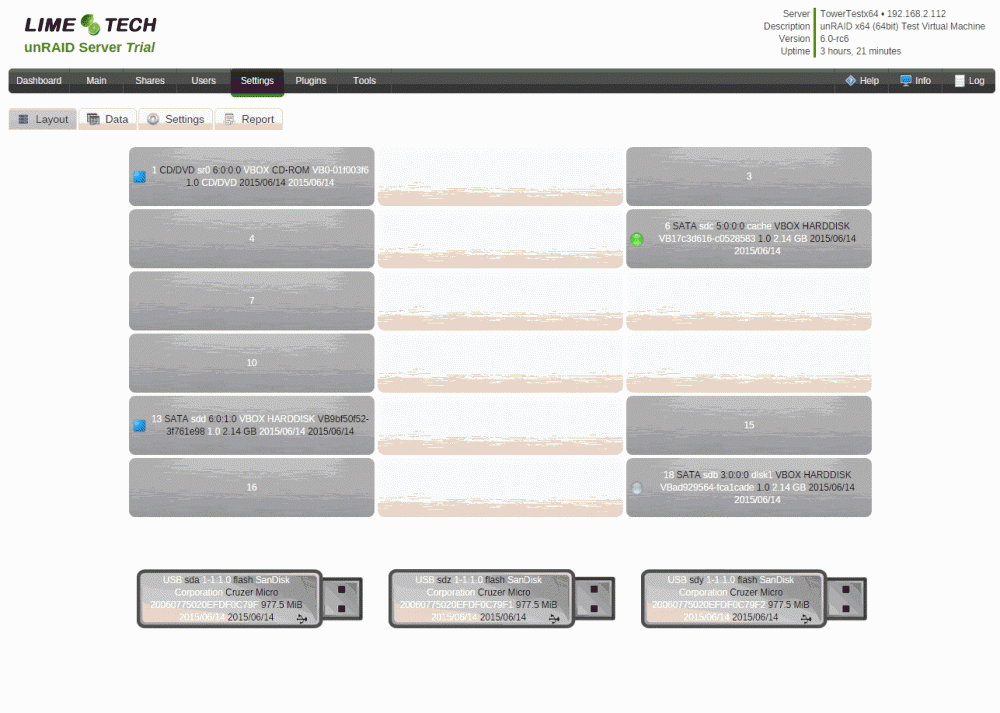
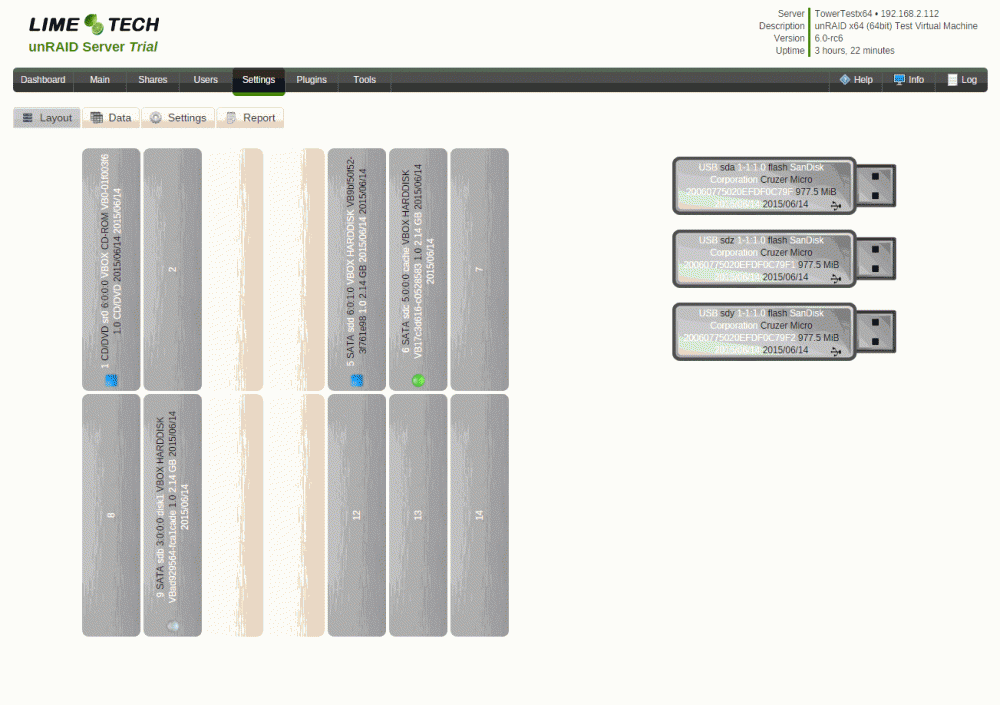
-
I'm no php expert, but when I google that the examples always come back with single quotes, not double: $_SERVER['HTTP_USER_AGENT'] From this page: It doesn't work- I tried both and returns nothing...
-
I think I found a way to fix this... BUT for that I need to identify the browser type the user is running. I need to differentiate between Chrome and FF/MSIE. I tried $_SERVER["HTTP_USER_AGENT"] but I get nothing back - so I am stuck ! What am I doing wrong? or can't I do it under unRAID (this is a server side thing - isn't it)?
-
I acknowledge this issue (also on MS Internet Explorer) - somehow I missed it - on Chrome it is working flawlessly. On first glance it seems that on FF and MSIE the "hover" is relative to the the whole matrix (right edge of the array) and on Chrome it is relative to each TRAY as it should be. Need to understand why ... and fix it
-
New Release: 2015.06.12 - Added device status icon (same as unRAID icons) - as requested - Added option to delete historical devices (per device) from database under "Historical Device" table See attached screenshots
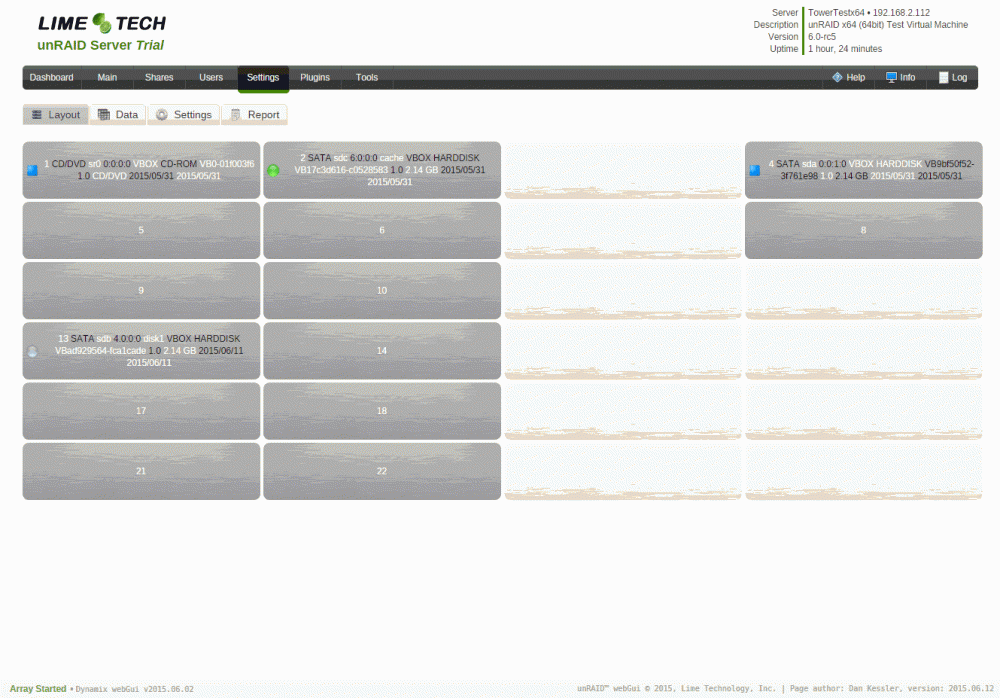
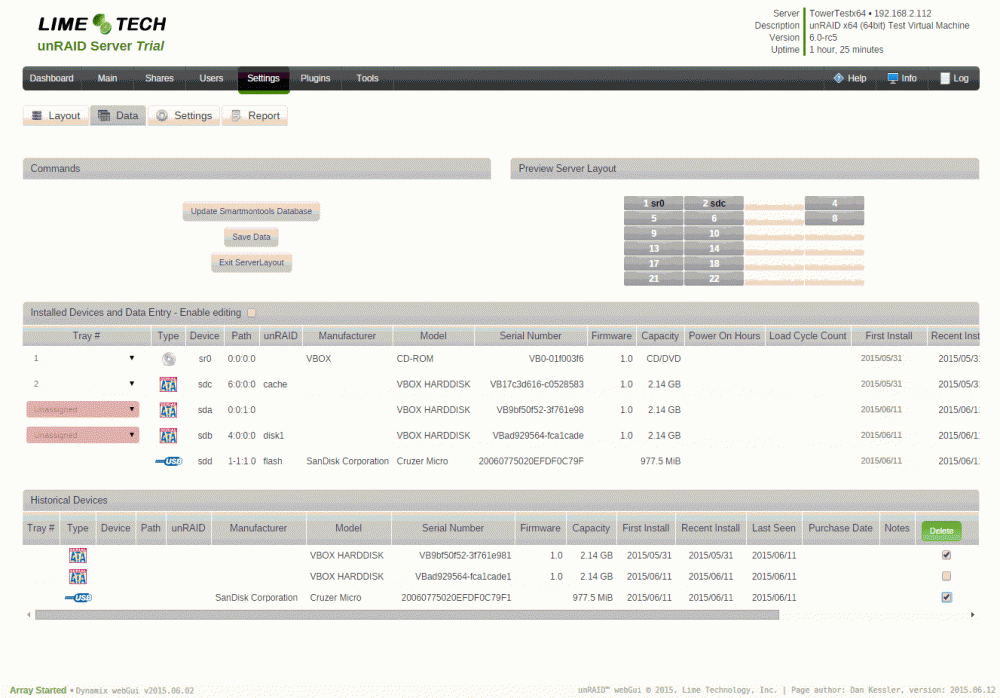
-
New Release: 2015.06.11 - Remove EMPTY row and columns pull-down options in Layout Settings - HW scan speed optimization - Changed USB path from "lsusb" to "lsscsi -t" - HW scan speed optimization - Changed USB data gathering from "lsusb -D" to "udevadm" so I can scan only USB storage devices Main change Reduce plugin load time due to storage device information scanning. On my server with 8 HDDs and 1 USB storage device (flash) I went from over 10 seconds to under 3 seconds.
-
I will look into these feature requests.
-
Please elaborate and give an example if you can.
-
I use lsusb to list all usb devices. then I do lsusb -D to get each devices information and if it is a mass storage device. This takes most of the time in the webui loading and there are many devices which are not mass storage devices. How can I know in advance which are storage devices and query only these with lsusb -D (I will need to know the bus and device numbers). For starters I will filter out all that have "root hub" in the description, but how do I filter out the rest? How do I get the Device and Bus numbers for using in lsusb -D by knowing the device node (sda,sdb,etc...)?
-
All OK now
-
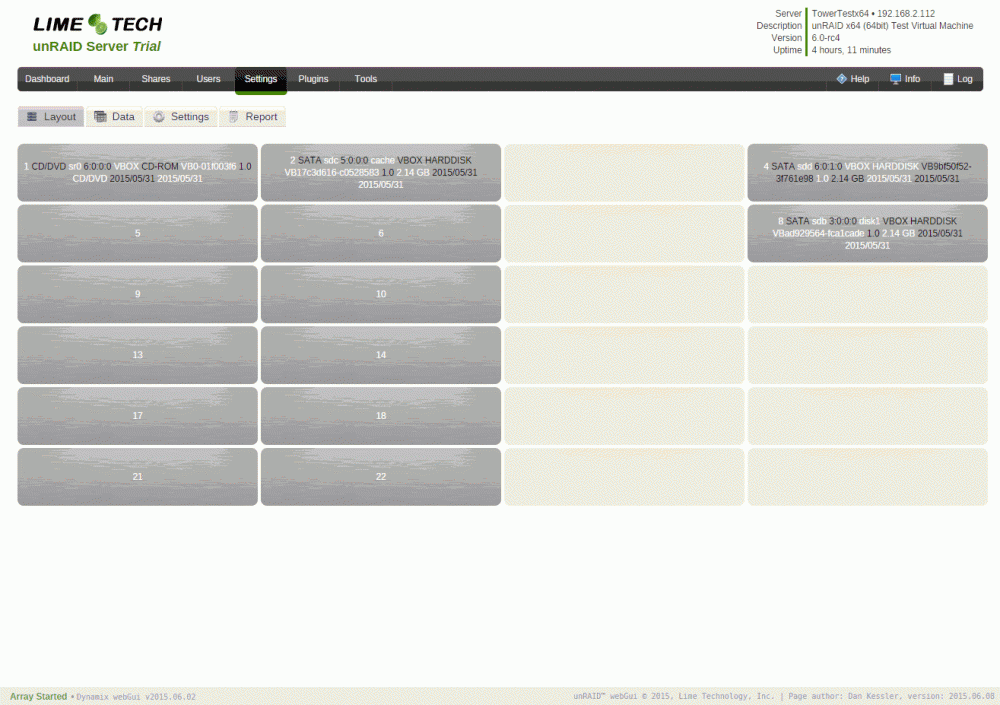
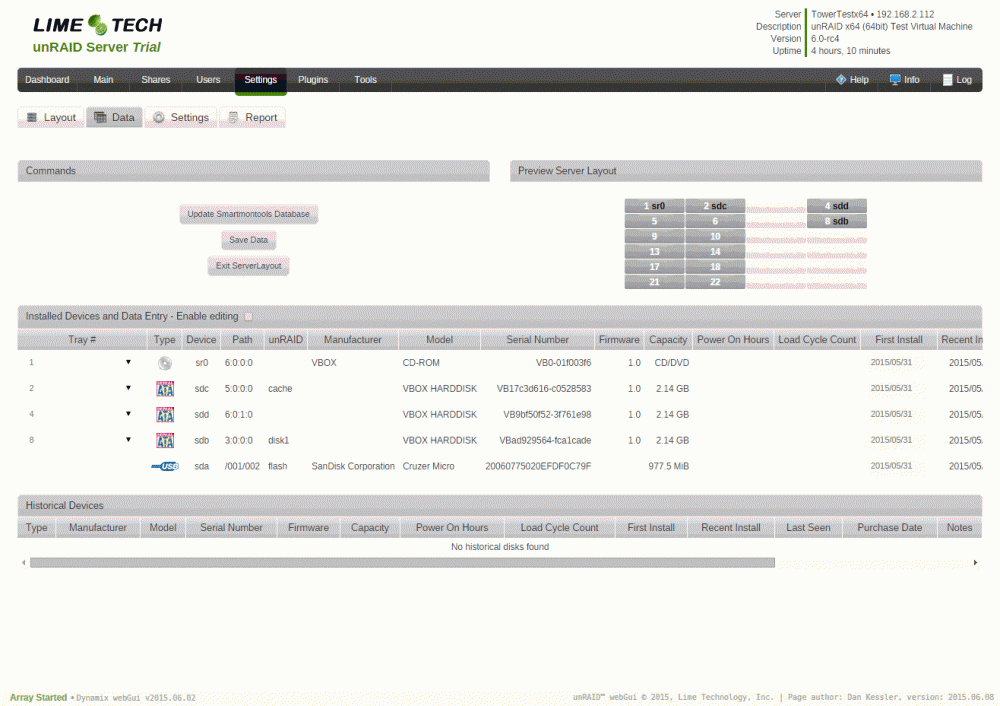
New Release: 2015.06.08 - Added support for HIDDEN TRAYS - click on preview tray to show/hide it - don't forget to save settings - Increased number of maximum trays to 99 (from 26) - Supports better usage of HIDDEN TRAYS - Removed "User Utilities" icon - part of unRAID v6 RC4 - Add Enable/Disable for Tooltips - Fixed "UNRAID" functionality recognition for USB devices 2015.06.08-2 - Fixed bug - introduced by new parameter array "TRAY_SHOW" - Fixed bug - introduced by new parameter array "GENERAL" Main change/addition - Hidden Trays - as requested by phenomeus: http://lime-technology.com/forum/index.php?topic=40223.msg378962#msg378962 Click on the trays in the preview table no the "Data" tab and the tray will become hidden/visible. Save your changes and see it on the "Layout" tab. If a tray is already assigned to a device and then it is hidden then the device that was assigned to it will become unassigned. See attached screenshots
-
Do the "started" and "stopping_svcs" events also exist in unRAID v5? so I can make my plugins compatible Edit: According to "/usr/local/bin/emhttp_event" they do exist
-
It depends of what services/steps you need your plugin to precede/supervene. LT just postponed VMs and Docker init from disks_mounted to started. I think I will do it for my VirtualBox plugin as well. What is the equivalent unmounting state? When does LT stop the VM and Docker? stopping_svcs event. How do I implement this? Do I just rename the files to "started" and "stopping_svcs" instead of "disks_mounted" and "unmounting_disks" and place them in the same events folder?
-
Good to see you got it going OK. Do you think I should add more columns or are you using the NOTES as for everything else?
-
I would like to see an option for each plugin (next to the remove checkbox) to enable/disable a plugin on boot and an option to start the plugin manually after boot for the plugin page.
-
Trying to think with you... The smartmontools update, as far as I kow, changes a database file (sungle file) in the system files located in RAM and does not touch the USB or any other device for that matter. I don't know how it could have caused a corruption or hold up the devices for a clean powerdown.
-
Doesn't happen to me with this plugin. All I do is read and write to the configurration file /boot/config/plugins/serverlayout and run shell information commands. I don't see how it can effect the write protection of the flash drive.
-
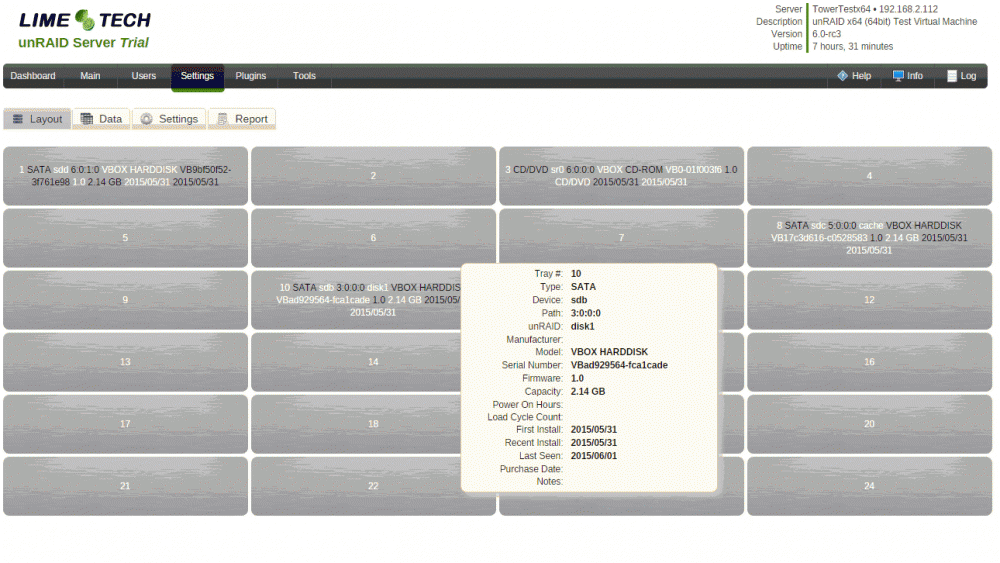
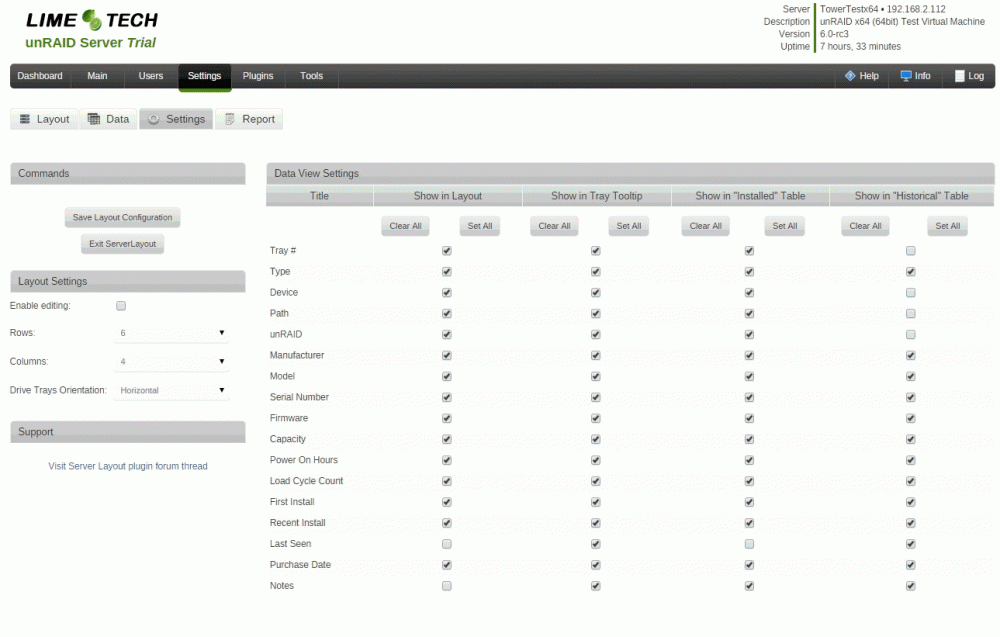
New Release: 2015.06.01 - Added transform (rotation and translate) support for other browsers (-webkit, -ms) - Added Tooltip Disk information for each tray on "Layout" tab and settings for each field in "Settings" tab - Compacted data and settings tables rows - Added "User Utilities" icon
-
I will fix the rotation bug in the next release (add prefixes for all browsers for all transfrom functions). the JSON file is in /boot/custom/plugins/severlayout but the shift is also probably caused by the missing transform prefixes - check again in next release. P.S I am will also probably add a tooltip that will appear whenever you hover over a tray and display all infomation you configure vertically so it will be simpler to veiw... look for it
-
The bug: * What browser and browser version are you using? * Can you send me your serverloayout.json file? privately if you prefer. New feature: This is an interesting idea (to hide trays), this can also be used as a first step to split enclosures as requested before. The limitation is that the trays will all be in the same orientation (Horizontal or Vertical). Side note Why didn't you define the trays as vertical? Why did you define the arrays as 2x4 and not 1x6? (Rows/Columns)




