





aliengoa
Members
-
Joined
-
Last visited
-
Recently i changed my cache SSD and had to move appdata folder/share. After moving it i couldn't access the WebUI and i was getting the missing Postgres db error. I deleted (nuke you said ) the /config/postgres dir and everything is fine now.
-
I use my arr custom docker network and it works fine. prowler setup ok and seems its working. I'm trying to find a way to use my binhex-delugevpn with PIA VPN to use also for bitmagnet. thanks for this great app
-
thank you very much for your post. It is useful even after 5 years
-
I also have the same problem for no apparent reason! Troubleshooting now. Will post after I remedy the situation. EDIT: After restart everything is fine without changing any option or setting.
-
Have you tried to change "base url" i find sometimes certain base urls not working and all i have to do is to change it
-
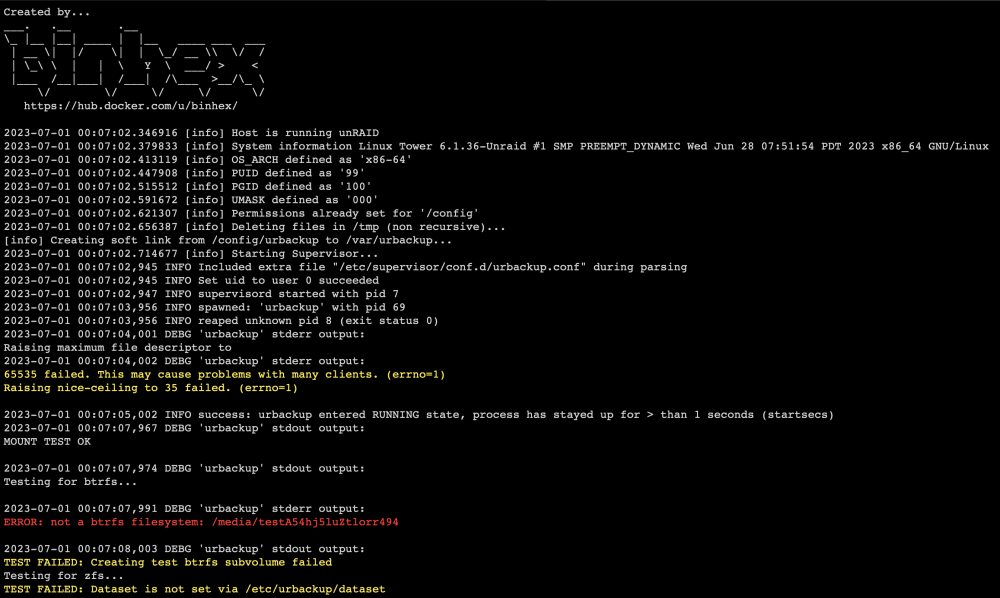
Hello to all. I need help regarding this issue (check above photo). I cannot access the UI (it just shows that it's loading)! I haven't done anything and yesterday it was working fine. I need help with the problem. I did some google research but I don't understand the point. I don't use cache for the /media folder. urbackup sends it directly to array which is 4 disks all of them XFS. What does it mean with BTRFS problem? thanks all in advance
-
Hello, I also had problems updating nextcloud and the only thing that worked was by running updater.phar. via console. I managed to go up to 25.0.3
