mcgerk
Members
-
Joined
-
Last visited
-
@UNRAIDyNAS Thank you so much, this works great! I love the detailed customization options. Please consider making the plugin available in the Community App Repository.
-
Same here, the plugin seems to be filtering out all the files and isn't moving anything. I sent the debug log via PM. Thanks for your help, Masterwishx!
-
@pinterpass I've updated to 7.3.0 and the plugin is working perfectly.
-
bucky2780's instructions worked for me too. Thanks!
-
Same here...
-
Same here, header background color changed from dark to light.
-
Works great, exactly what I was looking for. Thank you very much!
-
I am also experiencing this issue. I uninstalled the plugin and immediately noticed an improvement in performance.
-
Did you switch to ZFS with 7.0.0? Then maybe it's not empty folders, but empty datasets that are left behind. There is a new option “Clean empty ZFS datasets” for this purpose.
-
Yes, the Plugin lists the files to skip correctly but moves them anyway. This was the same in the previous version of the plugin. As I understand now, the part of the plugin responsible for this wasn't changed for now - so that behavior makes perfect sense. 😉 However, I would be very happy if you could check the ignore list function. It doesn't seem to work (at least for me) anymore since Unraid V7 at the latest. Maybe the behavior is also zfs-related?
-
First of all: Thank you @Masterwishx for your great effort! I have installed the new plugin version, but I have a problem - that on the other hand may not have anything to do with the plugin. 😄 For most shares everything works as desired and the data is moved correctly: Primary storage: cache - size: 1.8TiB - used: 34 % (635GiB) Secondary storage: data move: Share Information: Name: backup - Path: /mnt/cache/backup move: Moving threshold: 5% (90GiB) ; Freeing threshold: 5% (90GiB) move: Mover action: cache->data (cache:yes). Pool is above moving threshold percentage: 34% >= 5%. move: => Will smart move old files from cache to data. Nothing will be moved from data to cache move: Updated Filtered filelist: /tmp/ca.mover.tuning/Filtered_files_2025-02-13T085228.list for backup But for one share I get this message: move: Primary storage: data - size: 53TiB - used: 56 % (30TiB) move: Secondary storage: cache move: Share Information: Name: media - Path: /mnt/*/media move: Moving threshold: 5% (2.7TiB) ; Freeing threshold: 5% (2.7TiB) move: Mover action: cache->data (cache:prefer). Pool is above moving threshold percentage: 56% >= 5%. move: => Will smart move newest files from cache to data until freeing threshold. Older files will be moved from data to cache. move: find: '/mnt/*/media': No such file or directory move: Updated Filtered filelist: /tmp/ca.mover.tuning/Filtered_files_2025-02-13T085228.list for media Why is the path “/mnt/*/media/” and how can I change that? The /*/ notation only appears in this share and I don't see any differences in the share configuration. The mover obviously cannot work with this path specification ("No such file or directory"). Any Ideas? Thanks alot! _______ Edit: Nevermind, switching primary and secondary storage does the trick. The path ist now correct. Still: Despite of recognising 83GB of data in the exclude list, no file is skipped when mover is active. 🤷♂️ Primary storage: cache - size: 1.8TiB - used: 35 % (660GiB) move: Secondary storage: data move: Share Information: Name: media - Path: /mnt/cache/media move: Moving threshold: 5% (90GiB) ; Freeing threshold: 5% (90GiB) move: Mover action: cache->data (cache:yes). Pool is above moving threshold percentage: 35% >= 5%. move: => Will smart move old files from cache to data. Nothing will be moved from data to cache move: Skipping Files from List. File size are taken into account in the calculation of the threshold move: List Path: /mnt/user/system/plexcache/plexcache_mover_files_to_exclude.txt: move: Ignored files are using 83GiB move: Updated Filtered filelist: /tmp/ca.mover.tuning/Filtered_files_2025-02-13T131159.list for media
-
mcgerk changed their profile photo
-
Same here, ignoring files doesn‘t work. (7.0.0-beta4)
-
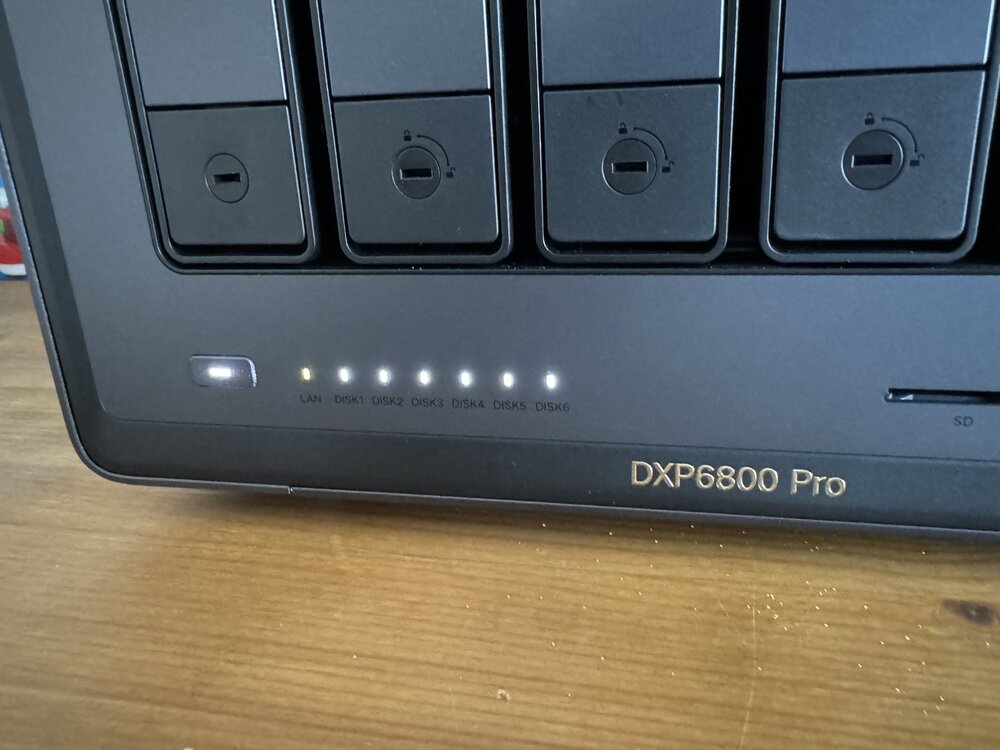
It works perfectly on my DXP6800. The LEDs flash when the disc is accessed and the 2.5gbe network connection is also displayed correctly. All drive bays are occupied. In my case it is therefore correct that all disc LEDs are lit. Thank you Ich777 for your efforts!