





thatja
Members
-
Joined
-
Last visited
Everything posted by thatja
-
When I try to do an upload to google drive, it says "Listed: 0" and goes through thousands of files but never ever ends. It never used to do this, and my upload command has not changed. Can anyone help me with this? Atm i cannot upload to google drive because of it
-
This seems to have only started after upgrading to the beta2.
-
Where can I edit the server config, usually its in /mnt/evo/rust/server/my_server_identity/cfg/server.cfg but for some reason, this version of Rust Server ignores this file. I have a lot of stuff in my file such as; How can I use these in this version of the server? I am moving from a game server on gameserverkings to my own UNRAID server (multi purpose)
-
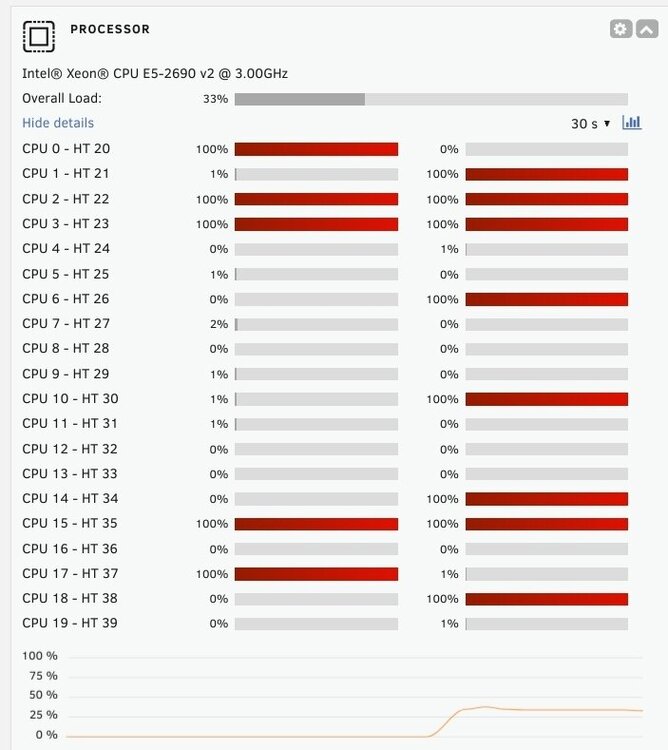
Could it be hardware?
-
I am having an issue where my /mnt folder becomes inaccessible/unresponsive which means everything that needs to access files/configs just does not work anymore. I am pretty sure this is rclone that is causing it as after 4 days without rclone mounted it did not crash. More information about my issue is here; /mnt becomes inaccessible after 12-14 hours - General Support - Unraid This thread includes all of the commands being run, aswel as some more information in general about my issue. Really frustating as rclone is a part of my media server and without it, its not really a media server anymore.
-
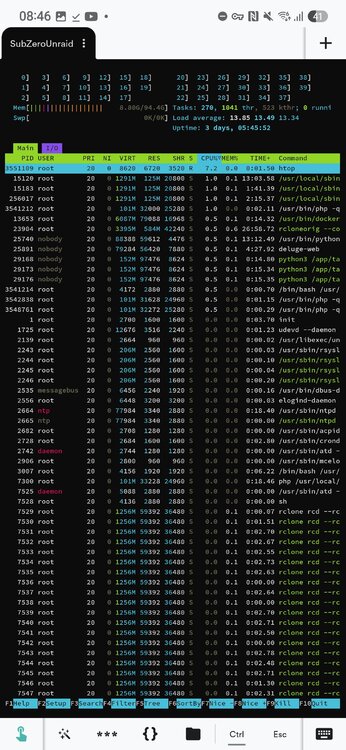
I have no idea if this us significant or not.
-
After 3 days of uptime, same issue has occurred. Cannot ls /mnt or access it via file manager, ssh etc. UNRAID UI is still completely accessible.

-
I've done both of these just now. I'll report back in a couple days/when it next crashes.
-
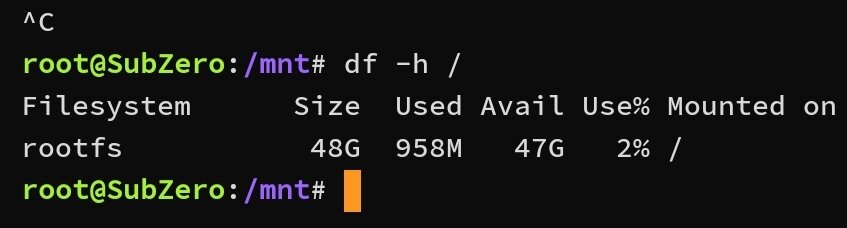
df -h / shows (image below) but df -h /mnt/user hangs
-
I managed to copy the syslog off the flash drive though, here it is. syslog.txt
-
df -h just hangs on the SSH terminal. free -h

-
Can I run a bash script using this tool? Filename Collections.sh
-
Also it looks like /mnt became unresponsive at 04:30 as that's when logging stops completely until I issue the shutdown command. I forgot to run those commands you mentioned before I will do that next time it happens
-
It happened again, I had the logs mirror on the flash drive and here they are. syslog.bin syslog-previous.bin
-
Here are diagnostics from the fresh booted system. subzero-diagnostics-20250228-2043.zip
-
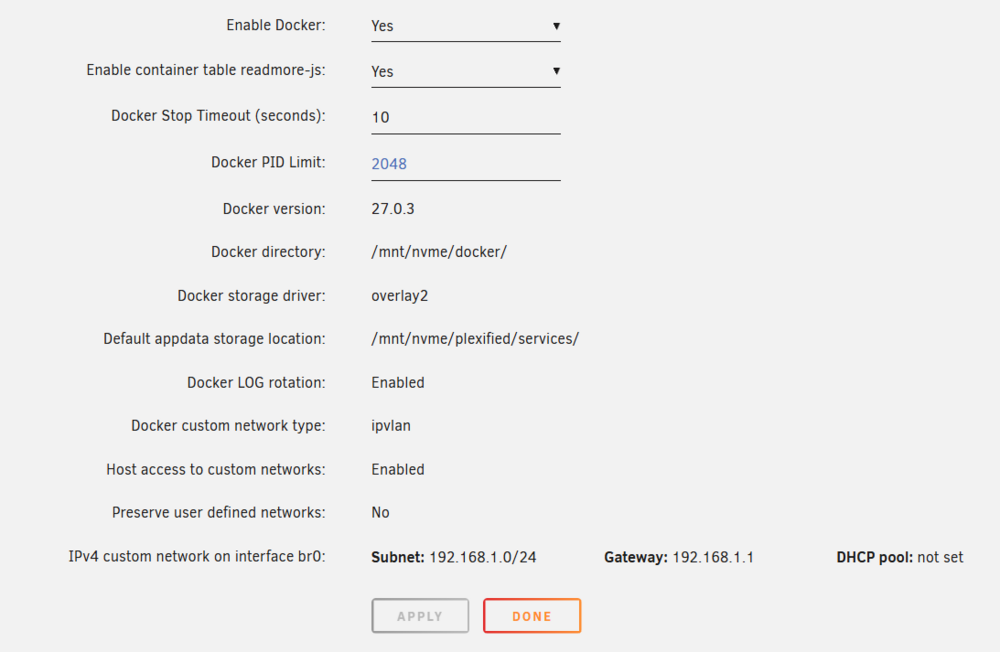
I have previously started a thread on a similar issue that I never really got resolved. I thought I narrowed it down to mergerfs, and I completely removed mergerfs from my setup and I've still to this day never had more than 2 days uptime, and every single time it is doing "unclean" shutdowns are the array isn't able to stop as /mnt becomes completely unresponsive. I can't ls the directory, I can't access /mnt via file manager. Everything comes to a complete standstill. This means my Plex server, and all docker containers crash/freeze although I can still access the IP:PORT of each service, and I can access the UNRAID GUI, I can't access anything that relies on the disks. As you can imagine, this is frustrating, it also means that my disks have a high risk of being damaged due to the sheer amount of unclean shut downs. I can't do a diagnostics after the crash, because the entire UNRAID won't let the diagnostics write to the disk. Here are my Docker settings I use Rclone to mount my Google Drive files, and I use three commands to achieve this with one of them merging the array and the google drive file structure into one directory. These commands are as follows; screen -S googlereal -X stuff $'rclone mount --config=/mnt/nvme/plexified/mounts/rclone/rclone.conf --allow-non-empty --allow-other --vfs-fast-fingerprint --vfs-read-chunk-size 128M --vfs-cache-max-age 8706h --vfs-cache-mode full --cache-dir /mnt/ssd/plexified/mounts/googlecache/ --vfs-cache-max-size 650G --dir-cache-time 8760h --vfs-fast-fingerprint --vfs-refresh --vfs-read-ahead 128M --drive-impersonate [email protected] googledecrypted: /mnt/ssd/plexified/mounts/google/' screen -S moviesreal -X stuff $'rclone --config=/mnt/nvme/plexified/mounts/rclone/rclone.conf mount --allow-other --allow-non-empty moviesunion: /mnt/ssd/plexified/moviesource/Movies/' screen -S unionreal -X stuff $'rclone --config=/mnt/nvme/plexified/mounts/rclone/rclone.conf mount --allow-other --allow-non-empty newunionize: /mnt/ssd/plexified/secret/' I have also attached diagnostics from when the system is running perfectly, although I am not sure these will be much use. How can I capture logs when the server freezes if I can't run diagnostics? I am having a hard time troubleshooting this issue. Is there anything obvious that stands out as a probably cause? Any help is greatly appreciated.
-
How would I be able to proceed without losing everything in my configuration? Docker containers, etc. Just backing up the /config folder and then wiping the flash and restoring the /config folder?
-
This is a fresh install the only plugin installed is unassigned drives which I have just uninstalled and it's still the same. This was set up as a brand new install on Sunday
-
Nope no ad blocker on phone or PC, also incognito doesn't either.
-
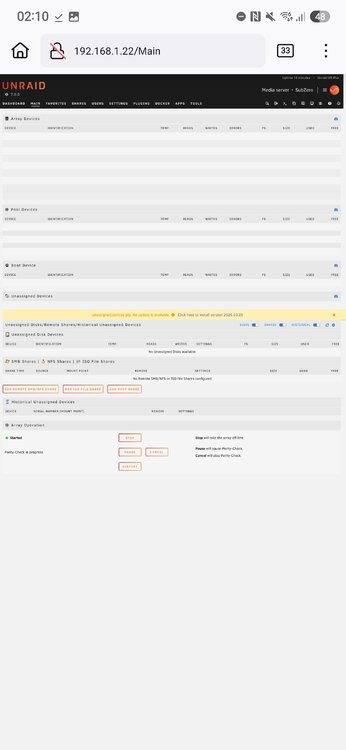
I'm having this issue where the main tab is blank, even after a reboot. I can't cancel parity can't pause it either as it takes me to http://192.168.1.22/update.htm But it's a blank page. I can't click to update unassigned devices plugon from this page either. Here is a screenshot and I've provided diagnostics below. I've tried this on multiple devices in incognito mode with no success. subzero-diagnostics-20250226-0207.zip
-
Server been set up about 2 weeks, been working perfectly but last night it crashed and upon restarting I can no longer access the web ui over network, or while on the device. I've also tried in safe mode with the same issue. I can SSH into the server though. Diags below. optiplex-diagnostics-20250205-2039.zip
-
Does this mean, any files added into /boot/extras will automatically boot on startup of the server, or are you having to run a script to install these manually on boot?
-
I just tried this but got the same result
-
I did supply a password in my config yes rcon.web "False" rcon.port "28017" rcon.ip "ip" rcon.password "password" I also tried rcon.web as True aswel using the webrcon above, none seem to work.
-
Sorry, I don't understand. I tried logging in here; https://facepunch.github.io/webrcon/#/home - but I cannot connect. What is WebRcon and where do I search it?


