Sptz87
Members
-
Joined
-
Last visited
-
Little bit late reply. Life got in the way. Everytime I reboot it happens. Just yesterday I updated from 7.1.4 to 7.2.4 and it doesn't boot. Have to turn off the server, grab the usb drive, replace the BZ* files and it then boots fine
-
So what just happened right now. Upgraded to 7.1.4 = no boot Changed USB port = no boot Downloaded a copy of 7.1.4 and replaced manually on my laptop every single file and folder except for config and syslinux Plugged to the original usb port = booted
-
That's interesting and a possibility! But this never happened before though, only after going to 7.1.2. Even going from 6 to 7 which was a big jump was absolutely fine. I could reliably reboot the server remotely etc all the time. No issues!
-
So I forgot to update this thread. Basically it fails to boot all the time. I have to change USB ports for it to work. I just tried to upgrade now to 7.1.4 and lo and behold. Not booting. :[
-
Think I spoke to soon. To test I just restarted the server and same thing happened again. Copied the files yet again, and now it just doesn't boot with the same issue...
-
Yep, that worked. Wow lol. That simple. Just replaced the bz* files and instantly booted perfectly.
-
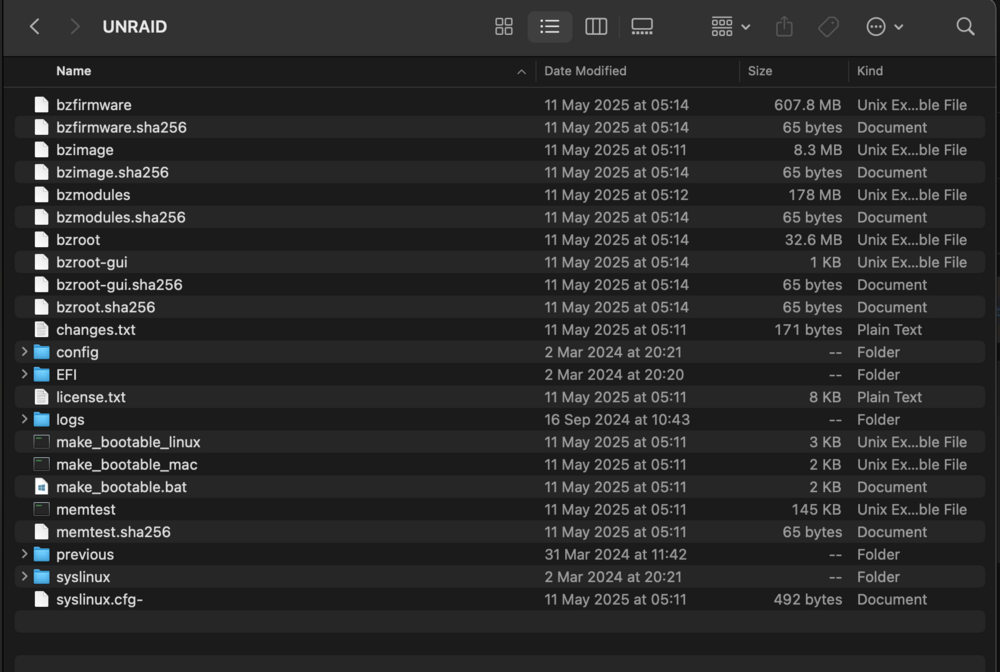
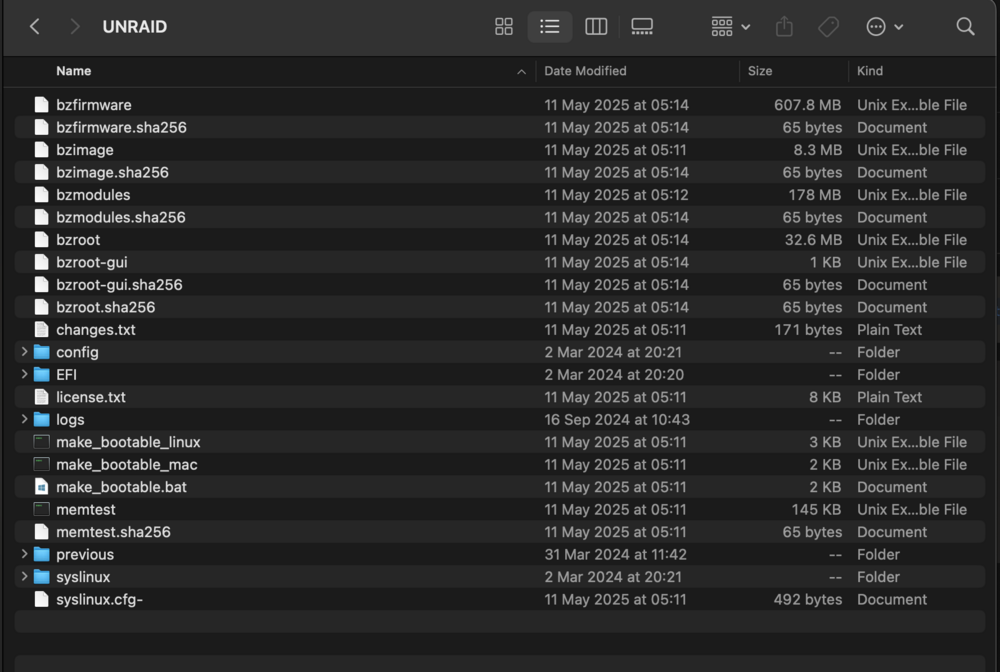
I just plugged it on my mac and everything seems to be there. Don't know what to do now lol, it's been rock solid until this update today
-
Samsung Flash Drive FIT 1100 is the flash drive I use. Cache SSDs are both a Sabrent and a Crucial. As can be seen in my signature. How would it die with an update though? When it's been rock solid oO I just plugged the flash drive on my mac and it looks fine.
-
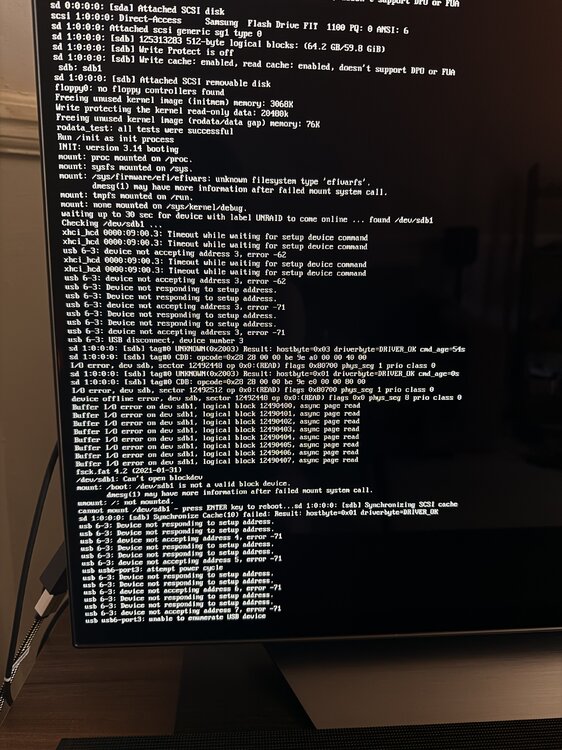
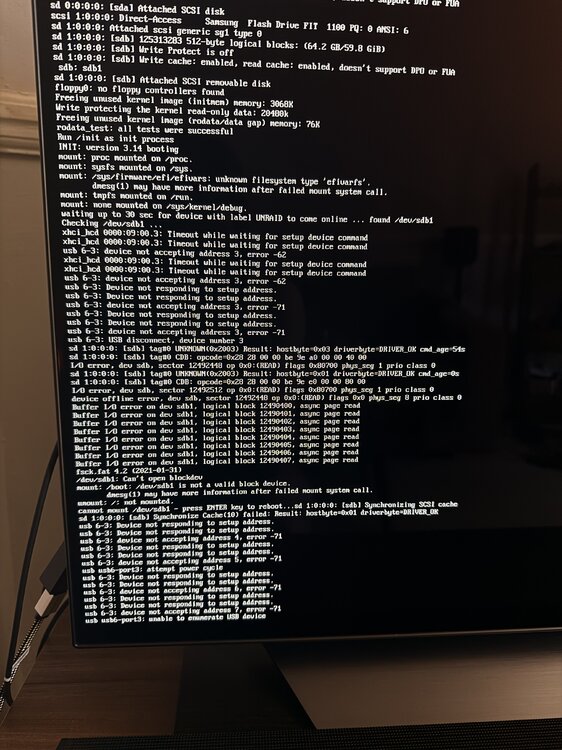
I've been running unraid for over a year, decided to update today from 7.0.1 to 7.1.2, surprised it didn't come back online. So I plugged an HDMI cable to check what was up and noticed it was booting straight into the bios, I changed the USB drive to another port, force reboot and it started booting but to this error. Apologies for being a photo, as I have the server in my living room, never plugged to a monitor. Any idea on what to do here? Never encountered this before and all updates prior were a breeze. Until today...
-
I've been running unraid for over a year, decided to update today from 7.0.1 to 7.1.2, surprised it didn't come back online. So I plugged an HDMI cable to check what was up and noticed it was booting straight into the bios, I changed the USB drive to another port, force reboot and it started booting but to this error. Apologies for being a photo, as I have the server in my living room, never plugged to a monitor. Any idea on what to do here? Never encountered this before and all updates were a breeze. Until today
-
What CPU are you using? And not using amd-pstate actually worked out to better power savings to you? :o
-
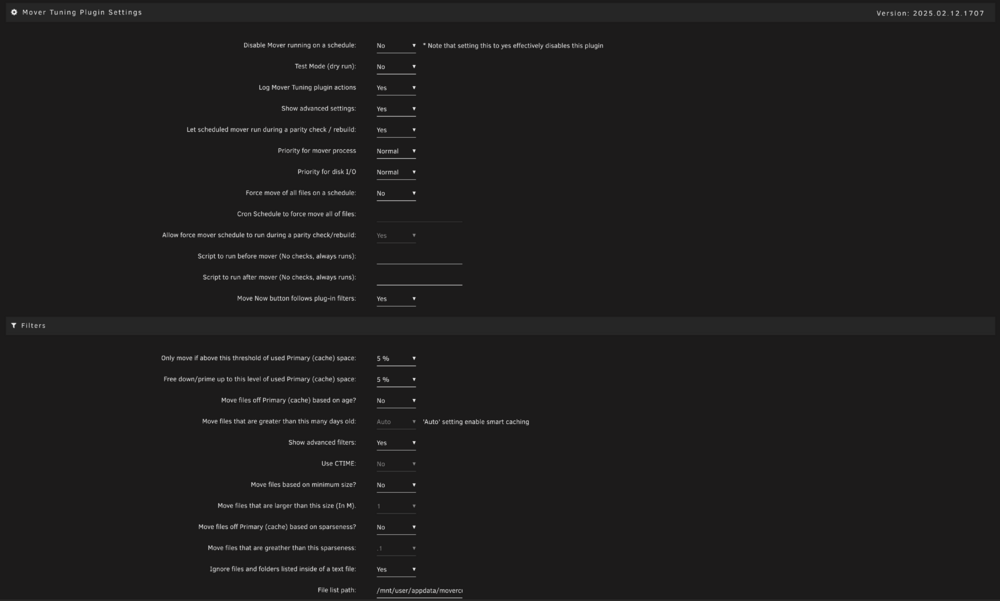
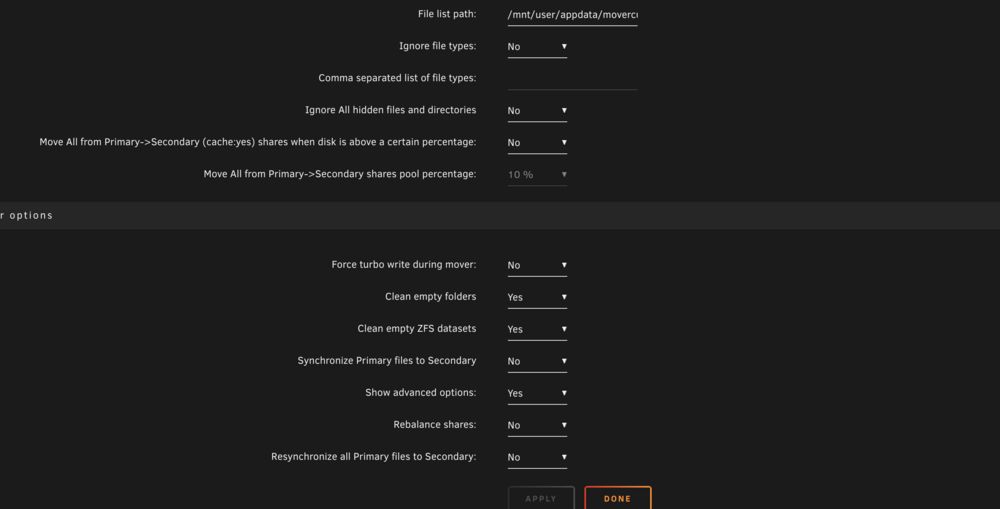
I just ran into this as well. My cache pool is ZFS (always has been) and with all those options ticked still leaves empty folders behind.
-
Yes, with your version. I was using 2023 which didnt work at all in unraid 7 so I installed yours
-
I have an external HDD as well, which I could very well use. As I used that as an in-house backup on top of offsite backup. So I can just dump what's in the cache pool onto that and then copy it back onto the new pool? Makes sense! Thank you!
-
Attached diagnostics as well! awe-diagnostics-20250213-1515.zip