





smoldersonline
Members
-
Joined
-
Last visited
Everything posted by smoldersonline
-
Works 100% now - awesome! Log is clean as a whistle. One very minor point of feedback: with the unraid box up-and-running the powerdown switch (in HA) is turned off and to powerdown the server you turn this switch on. For me, it would make more sense to have this the other way around. Maybe that is just me, and then of course ignore my point. Thank you much for this docker and your support!
-
Thanks! Update is not yet available in Unraid. I will check again tonight and report back here.
-
Thank you. Just as a note (again, not sure if it matters): even in the 'semi-working' case the docker log is continuously reporting errors: connect ECONNREFUSED 192.168.178.31:80 In the docker configuration I (of course) included the correct port for MQTT communication (1883). My Unraid box is not running 24/7 and the remote (HA) ability to powerdown is relevant in my case. I do that now with a (rather complicated) console automation, but this seems a (far) more elegant and robust way to accomplish that. Please let me know if I can help. Thank again!
-
I removed the docker and the old entities from HA. A fresh start. To your question. Yes and no. I can start and stop other dockers from that UI. After I did that, that particular docker will show up (as a device) in HA and I can also stop/start that particular docker. Second docker: same thing, after stopping it in the api UI, it shows up in HA and works. When I try to stop the array from the api UI, the docker stops (crashes). Weird stuff. No sure if it matters, but just to be sure: I'm running HA and the MQTT add-on from a hassio host (on a NUC).
-
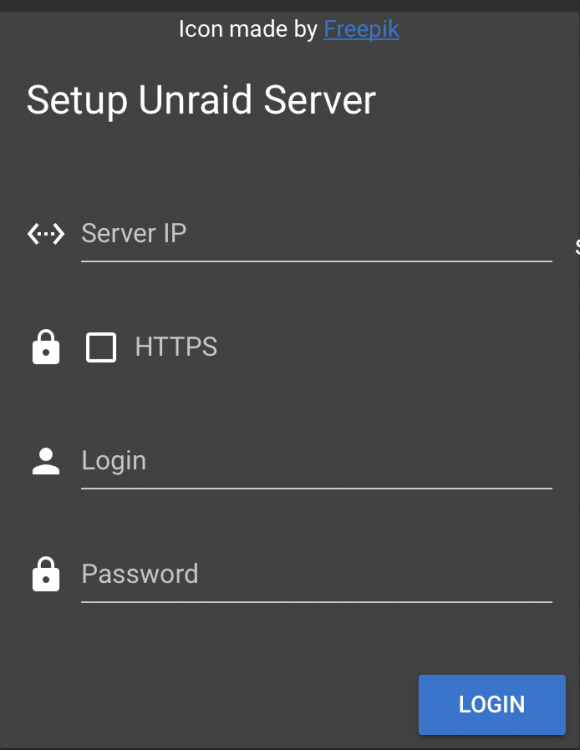
Thanks for your support! I will try (again) tomorrow. Just to be sure: do I use HA/MQTT IP an MQTT credentials (as also specified in docker template)? Or Unraid IP and login credentials?
-
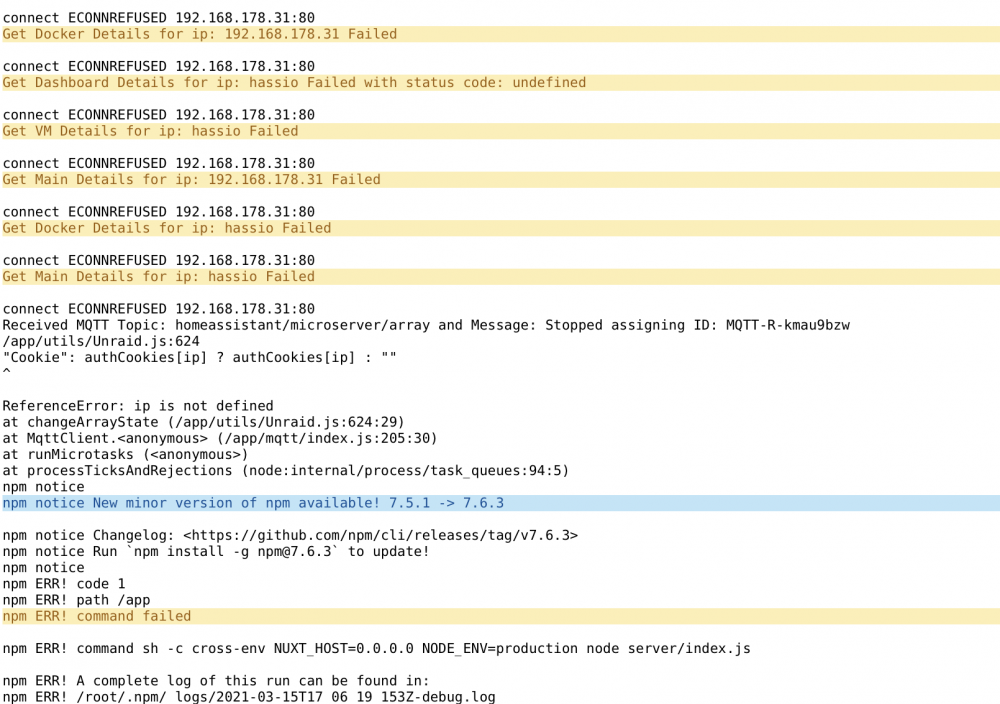
I'm far from an expert user (both Unraid and HA), but would be great if I could get this up and running. I think I'm close and not willing to give up yet. HA (including working MQTT broker) is running on a different device. The MQTT broker discovers the Unraid entities. When I try to stop the Unraid array from HA, the docker crashes and this is the docker log (after crash). I am very grateful for your thoughts on the point(s) I'm missing here. Thanks a lot for the great work on this docker!
-
I'm not sure whether this is a typical Dutch issue? However, recently many downloads come with a "Rename.With.This.par2" file. With this file the downloaded target file can be renamed to the correct name. Until now, I do this manually (and remote) from my Mac with MacPAR deLuxe and that (kinda) works. I've searched for a post process script that can do this (on the server). I've found one, but that one doesn't work. Anybody around with a practical solution for this? Thanks!
-
Thanks again and I apologise for confusing matters. I don't know where par2 is stored? I thought it was part of the SAB docker? It does not seem to be in /usr/local/bin/par2. SAB log: /config/postprocess/rename_script.sh: line 18: /usr/local/bin/par2: No such file or directory
-
Thank you very much for your kind support! That's what I've done with (also) this docker /mnt - /mnt, and SAB runs the script just fine. The script however cannot find par2 (I think). That make sense because I'm pointing the script to run: /mnt/user/_Usenet/Sabnzbd/bin/par2 I know that is wrong but I don't know how to run par2 from within a script.
-
n00b alert. I'm trying to get a post process script to work with this line: /mnt/user/_Usenet/Sabnzbd/bin/par2 Of course I get this: No such file or directory I can't for the life of me find the location to point the script to. Help? Thanks a lot.
-
Same issue here, docker fails to start.
-
+1, would be great to have this!
-
Happy New Year to all! Thanks a lot for the BTSync docker. I've tried (with trail & error) one or two sync alternatives but now believe BTSync works best for me. How can I best get this updated to the most recent version? Additionally, is it possible for me to upgrade to the Pro version? Again, many thanks!
-
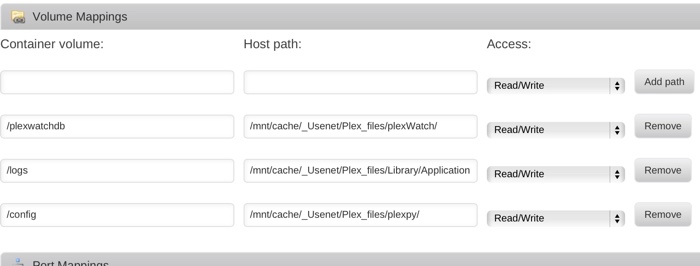
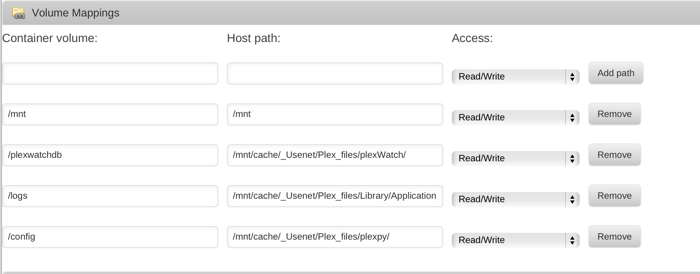
Awesome - thanks a lot for this one! I would be grateful for some pointers on how to import my PlexWatch db. Do I need to set that up in the docker Volume Mappings? Thanks again! edit: This is driving me nuts. plexWatch is at 0.3.2. This is in my Docker configuration. edit 2: I added /mnt to the Volume Mapping (trail & error) and import worked. I'm clueless ....
-
Thanks a lot for this, works like a charm!
-
IMO: this is Art.
-
Not really ready to pimp my rig, but more sharing a WIP, as well as looking for some feedback. Bear in mind, this is my first project.. On this side of the case, the cable management needs a lot of work. Can I combine the molex cables without restrictions? I now have only one cable (from the power supply) serving all fans and HD cages. How can I best fasten the cables on this side of the cage? Of course any and all feedback is greatly appreciated!
-
Thank you!
-
Wow.., that really is an awesome build. I'm considering something similar - Lian Li PC-A77FA and Supermicro Racks (here). I read somewhere that the Supermicro's are (a tiny bit) bigger than other cages and that it could be a struggle to fit them in a case. Is this true for fitting them in your Lian Li case? What fans did you use as replacement for the Supermicro's? Thanks!


