





Atorcha
Members
-
Joined
-
Last visited
Everything posted by Atorcha
-
I need to scan all files that I moved from nextcloud to owncloud but I need to scan it, But it dooesn work
-
Hello, I still have the same error. How I can scan new files with letter like ñ or ó Thanks
-
finally what happend?
-
Finally I will buy it: Componente Modelo CPU Intel Core i3-13100 Placa Base ASRock B760M Pro RS NVMe 2x WD Red SN700 2TB RAM 32GB DDR4 (2x16GB) Kingston Fury Beast~€903200MHz CL16. HDDs 6x Seagate IronWolf 4TB~€240CMR, 64MB cache. Fuente Be Quiet! Pure Power 11 400W 80+ Gold, silenciosa. Ventiladores 2x Arctic P14 PWM
-
Hello, actually I have a ROUAFWIT 4 Bays wich are 2 HDD for media and 2 HDD for my own cloud. I also have an M.2 drive for the system. I'd like to switch the setup to one of the JONSBO cases, so that I can have 2 M.2 drives for the personal cloud and system (with security), and then gradually add 3.5" HDDs in parity mode for Radarr, Sonarr, etc. - 1 x SDD for cache. - 2 x M.2 in parity mode for own cloud and apps. ( Array of two devices ) - any 3.5HDD for media ( Pool of x devices ) That config is ok ?
-
My Unraid is configured with Tailscale, and I have several applications like Plex or Jellyfin, and I'm not sure how to best access them over the internet. a) Each one has its own name in Tailscale, and I access it by entering that name (radartail.lilolo.tailscale ). b) I access it through Tailscale but enter 192.168.x.x:7878
-
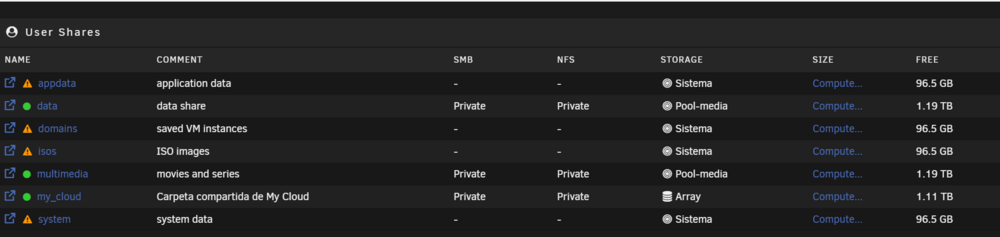
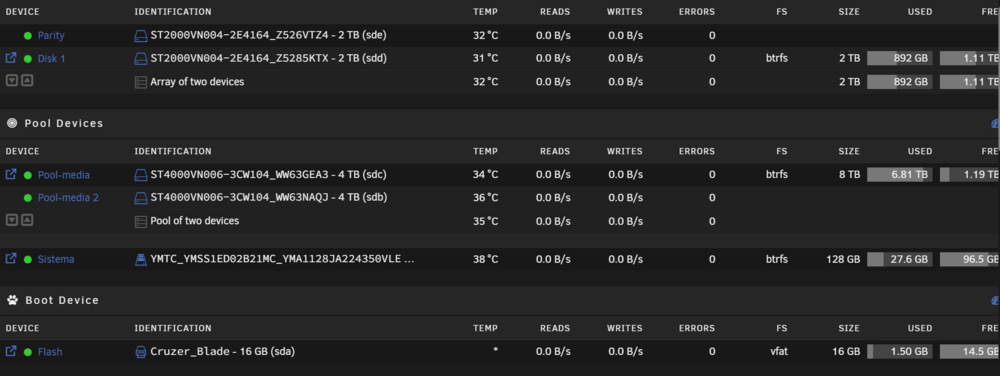
Good morning, I've been using the equipment for some time, but I don't think I have it configured in the best way. I currently have four hard drives and one NVME. The use I give to the NAS is for personal cloud (nextcloud) and as a multimedia server (PLEX). For the PLEX issue, I do not need to have the data protected, I am only interested in the configuration of the apps and the personal cloud. Maybe the one called system is used as a cache... I don't know... give parity to the appdata If you think it is better to reorder the use of each disk, I would appreciate it.
-
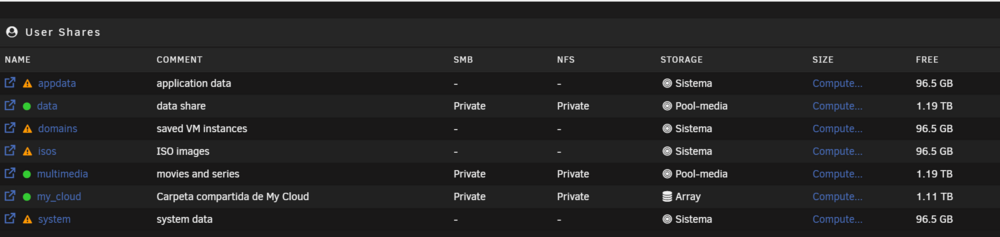
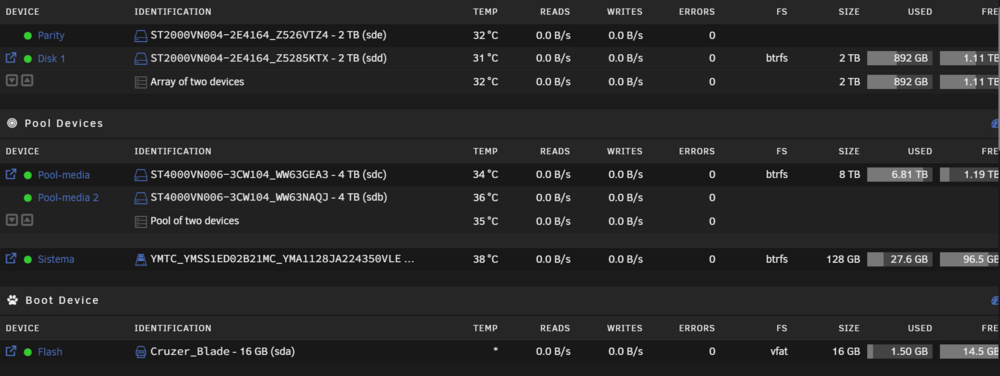
Buenos dias, llevo algun tiempo con el equipo, pero creo que no lo tengo configurado de la mejor manera. Actualmente tengo cuatro discos duros y un NVME. El uso que le doy al NAS es para Nube personal (nextcloud) y como servidor multimedia (PLEX). Para el tema PLEX no necesito tener los datos protegidos solamente me interesa la configuración de las apps y la nube personal. Quizas el que se llama system, se utilice como cache... no se... darle paridad a las appdata Si creeis que es mejor reordenar el uso de cada disco os lo agradezco.
-
I have changed to priviledged but it has the same error.
-
What do you recommend? because you said: I do not recommend the use of nextcloud and that is better asked on their Nextcloud forum... I just want a personal cloud with my filesUnRAID 7.0
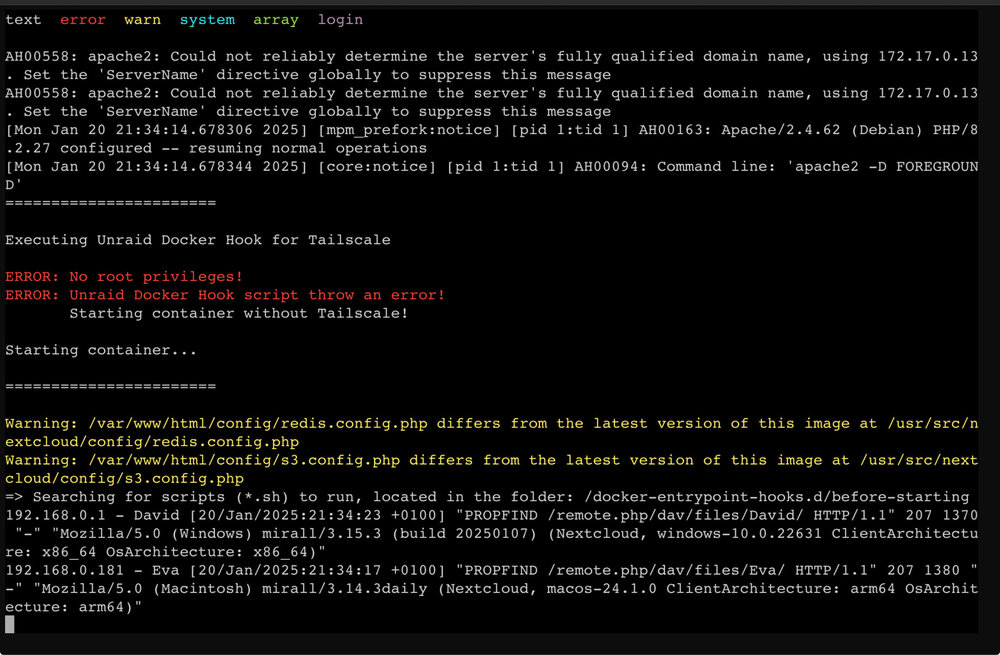
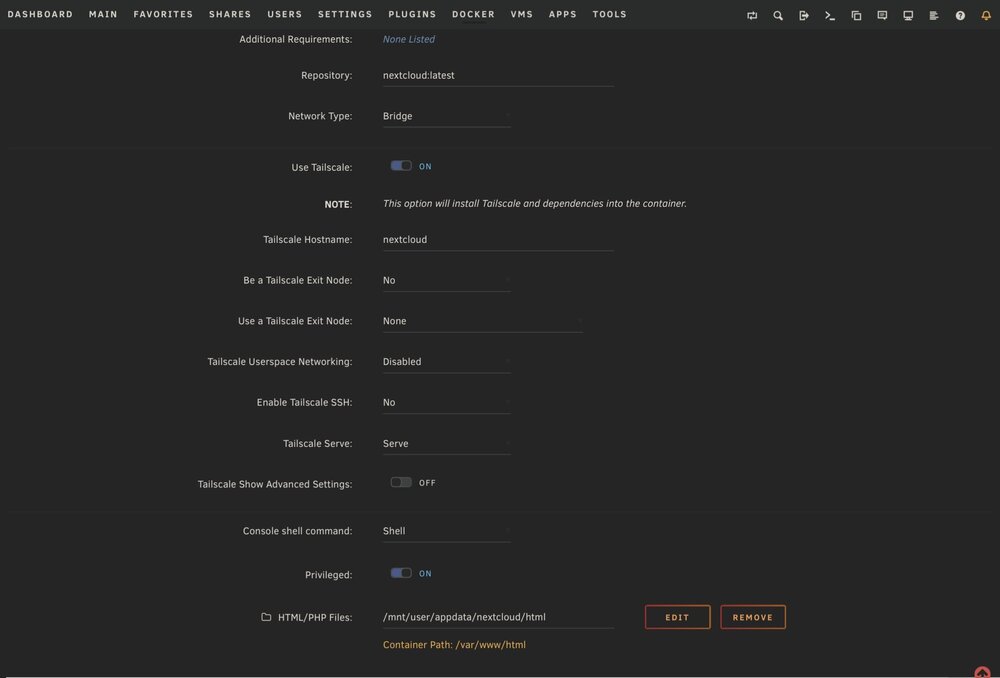 hello, I installed NEXTCLOUD knex666 version and now I wanto to install teh linuxserver version, because I only need the "official version", I use it has a personal dropbox and chat. Thats all. So, how I can unistall kneex666 version an install another version witouth lost anyting? Thanks.Helo, I am trying to connect he docker with TAILSCALE at the new version 7.0 of UnRaid, but I get an error about user account. How I can make access to NExtcloud trought a Tailscale node? ThanksFinalmente la mejor manera ha sido instalar la versión 7.0 y configurar TAILSCALE para cada app que me interese.Pues es que con Nginx no se como hacer... de todos modos he instalado TailScale y con la version 7.0 aunque esté en Realise Candidate me permite hacer eso. Cada App de docker es como si fuera un equipo y puedo utilizarlo de esa manera. No se la diferencia con ZeroTier, cual de los dos es mejor.Buenas, tengo instalado plex server, immich, o nextcloud en mi UNRAD, actualmente accedo mediante VPN wireguard que tengo instalado en el router asus. El router lo tengo con DDNS y me gustaria saber si existe alguna manera de acceder sin que sea con la VPN de tipo: myddns.com/plex He instalado NGINX pero no tengo claro si es lo que necesito. GraciasI tested it, but I can not make it work. I will try to move files to PC folder and wait it syncs itself. Thankas a lot for you effort.I am not expert about that. Please. I need help step by step.. I can create a file with ñ or í ó etc, but the errors appeas when I make an SCAN all to add files to database Thanks again,My config.php is : <?php $CONFIG = array ( 'htaccess.RewriteBase' => '/', 'memcache.local' => '\\OC\\Memcache\\APCu', 'apps_paths' => array ( 0 => array ( 'path' => '/var/www/html/apps', 'url' => '/apps', 'writable' => false, ), 1 => array ( 'path' => '/var/www/html/custom_apps', 'url' => '/custom_apps', 'writable' => true, ), ), 'upgrade.disable-web' => true, 'instanceid' => 'xxxxxxxxxx', 'passwordsalt' => 'xxxxxxxxxxx', 'secret' => 'xxxxxxxxxxxxxxxxx', 'trusted_domains' => array ( 0 => '192.168.0.10:8666', ), 'datadirectory' => '/var/www/html/data', 'dbtype' => 'mysql', 'version' => '30.0.1.2', 'overwrite.cli.url' => 'http://192.168.0.10:8666', 'dbname' => 'db_nextcloud', 'dbhost' => '192.168.0.10:3306', 'dbport' => '', 'dbtableprefix' => 'oc_', 'mysql.utf8mb4' => true, 'dbuser' => 'xxxxxx', 'dbpassword' => 'xxxxxxx', 'installed' => true, 'mail_from_address' => 'unraid', 'mail_smtpmode' => 'smtp', 'mail_sendmailmode' => 'smtp', 'mail_domain' => 'xxxxxxx', 'mail_smtphost' => 'xxxxx', 'mail_smtpport' => '587', 'mail_smtpauth' => 1, 'mail_smtpname' => 'xxxxxxxxx', 'mail_smtppassword' => 'xxxxxxxxx', 'maintenance' => false, 'default_language' => 'es', 'default_locale' => 'es_ES', 'force_language' => 'es', 'loglevel' => 2, 'memories.db.triggers.fcu' => true, 'memories.exiftool' => '/var/www/html/custom_apps/memories/bin-ext/exiftool-amd64-glibc', 'memories.vod.path' => '/var/www/html/custom_apps/memories/bin-ext/go-vod-amd64', 'mysql.utf8mb4' => true, ); I have added default_locale and mysql.tf8mb4I have made a massive copy from my old cloud to new folder in nextcloud. I wrote: docker exec --user 99 Nextcloud php occ files:scan --all But I have errors about encondig with tildes or ñ Entry "files/Documents/Uned/estadistica/formulario/Formulario_Estadística_Aplicada_2013_2014 (1).pdf" will not be accessible due to incompatible encoding Entry "files/Documents/Uned/estadistica/material de Marcos Roman/Resumen Marcos Román .pdf" will not be accessible due to incompatible encoding Entry "files/Documents/Uned/estadistica/pec obligatorio/Eva Moyano Atienza. 30958971. PEC DE ESTADÍSTICA..pdf" will not be accessible due to incompatible encoding Entry "files/Documents/Uned/estadistica/resumen Nora/Resumen Estadística Nora Tudela.pdf" will not be accessible due to incompatible encoding Entry "files/Documents/Uned/estadistica/resumen Nora/Resumen Estadística Nora TudelaTema 1 y 2.docx" will not be accessible due to incompatible encoding Entry "files/Documents/Uned/estadistica/resumen Nora/Resumen Estadística Nora TudelaTema 4 y 5.pdf" will not be accessible due to incompatible encoding Entry "files/Documents/Uned/estadistica/resumen Nora/Resumen Estadística Nora TudelaTema 6.pdf" will not be accessible due to incompatible encoding Entry "files/Documents/Uned/estadistica/resumen Nora/Resumen Estadística Nora TudelaTema 7.pdf" will not be accessible due to incompatible encoding Entry "files/Documents/Uned/estadistica/resumen Nora/Resumen Estadística Nora TudelaTema 8.pdf" will not be accessible due to incompatible encoding Entry "files/Documents/fotos Paula y Manuela/Vídeo.MOV" will not be accessible due to incompatible encoding +---------+-------+-----+---------+---------+--------+--------------+ | Folders | Files | New | Updated | Removed | Errors | Elapsed time | +---------+-------+-----+---------+---------+--------+--------------+ | 169 | 15946 | 0 | 14658 | 2 | 191 | 00:04:51 | +---------+-------+-----+---------+---------+--------+--------------+ I have a lot of errors about that. Thank for your help!!!!! I have asked about that but nobody can help meI have the same problem. How I can solve that?I need help with this. I can not solve and I can not use itAfter move my old files from a copy of synology to new folder call "files" in nextcloud I ran docker exec --user 99 Nextcloud php occ files:scan --all But I get that error: root@UnRaid-Atorcha:~# docker exec --user 99 Nextcloud php occ files:scan --all Starting scan for user 1 out of 1 (David) Entry "files/00 Autocaravana/Suspensión neumatica.txt" will not be accessible due to incompatible encoding Entry "files/00 Autocaravana/Manuales Autocaravana/Autocaravana Elnagh 590 L (130 Cv) _ Precio, ficha técnica y fotos.pdf" will not be accessible due to incompatible encoding Entry "files/00 Autocaravana/Manuales Autocaravana/CBE_centralitas_PC100,PC200,DS300_manual_español.pdf" will not be accessible due to incompatible encodingFunciona!! Gracias!! It works!


