Robert_dokatec
Members
-
Joined
-
Last visited
-
after updating to 7.3.2 I can see the missing things in unraid again and also searching for nodes works now so that solved all of my problems :)
-
it works if I enter the IP of the unraid server, but can I somehow skip filling the "Server" textbox so that it connects to the only existing DB?
-
hey all! I just tried both nodered dockers I can find in the app list. The official nodered installs, but then I can not find any nodes like dashboard etc. Then I tried Spant's v2 version, this one doesn't start at all. since unraid 7.3.1 I have troubles looking at logs resp. the container update window shows nothing but the spinner, updates are applied though. I can not tell what's wrong, but I need something to connect to a MQTT server and parse a message on a dashboard ...
-
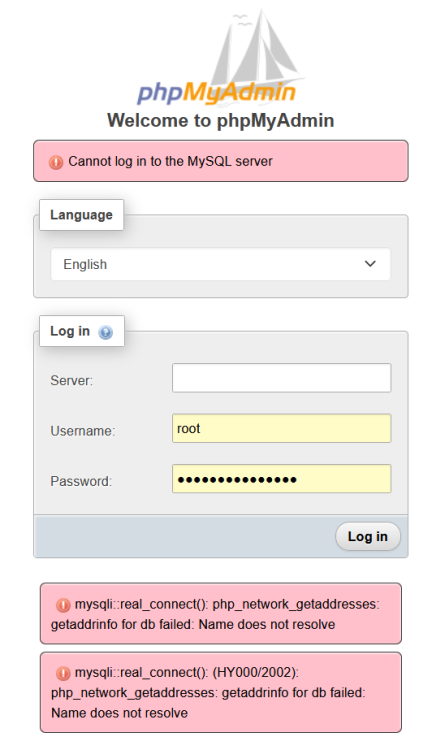
Hello all! This is for mariaDB and not for phpmyadmin: can anyone please hint me to the correct support thread for phpmyadmin on UNRAID? There are a lot of updates for this docker and I just wanted to use it again after several weeks, but I can not connect to the server anymore. I think the empty server field is the problem, but what went wrong? I did not touch anything, except the updates :) Many thanks for any help!
-
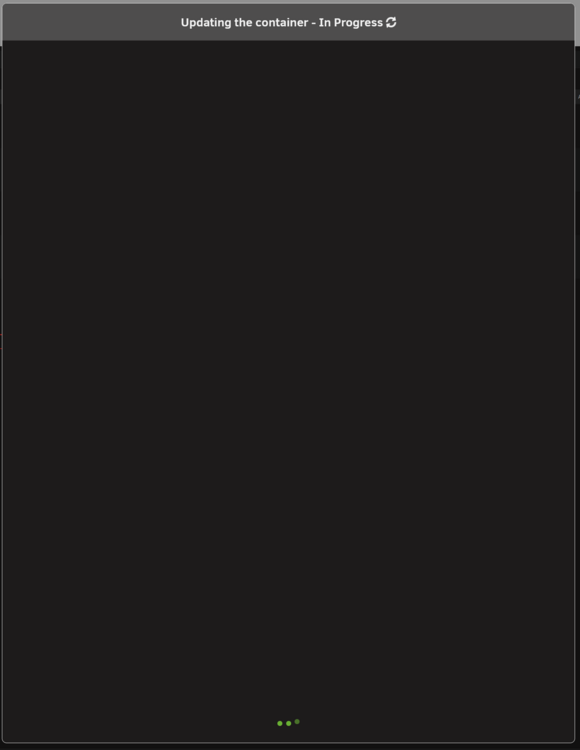
I have the same problem since 7.3.1, the updating process works and finishes but it's not visible in the process window! you see the spinner on top and the 3 points at the bottom and that's it. I just reload the page (F5) after a while and the container is updated.
-
I just saw the new update with the new auto-update option. Wow, that was fast, thanks a lot! 💓
-
edited due to a mistake I made. auto-update tailscale is enabled but only for NEW devices, older can opt-in it says. how can I set the unraid plugin to be manually updated? Auto is fine for the other devices though. the machine info shows: node:tsAutoUpdate -> true But there is no option to change this on unraid.
-
hello, I have a stupid question: after the weekend I just noticed an eMail about an available update of the plugin (Tailscale). This is nothing new. But: as usual I went to check the changelog and update the Tailscale plugin afterwards, but the newest version already is installed. Is there a new auto-update function anywhere that I can not find? I want to do that manually! Nobody else could have updated it, so I wonder why it's already the newest version. :o
-
ah, ok, thanks I've read something about 2way-sync that was posted years ago, so I thought it might work now. But I have found a solution: syncthing works
-
Hello I'm currently trying to set up a bidirectional sync between unraid and an external QNAP NAS. The only way I can connect to the QNAP NAS is via WebDAV. So I installed rclone and used WebDAV to sync it into a local folder in /mnt/disks This works so far. With luckyBackup I want to sync 2 folders (with subfolders), but bidirectional. The background is: accessing files via tailscale and SMB shares is really slow if you want to use CAD software. This means, my colleague who's working at home will alter files and colleagues at work will alter files. Over night we want to sync both, the unraid NAS and the QNAP NAS. Yes, there are special cases: they can't alter the same files or else only the newest will be synced) but before I replaced one QNAP NAS with an unraid server, I was syncing with QSync and RTRR. This was working, but really slow. So I created a task in luckyBackup with both root folders. The first thing I notice: delete files on destination is greyed out and I cannot uncheck "skip newer dest files", everything i open the task again, the checkbox is checked. Maybe luckyBackup is not the correct tool, but how can I achieve my task? I have tried and created a file locally. This file was transfered to the extNAS. Then I deleted the file on the extNAS and synced again, but the local file still exists. Is it possible to have exact folder contents on both NAS devices? And maybe this: Is there a faster way of syncing both like nearly instantly? Many thanks for help!
-
ok, I suppose it is starlink related. My colleage (same country) copied a 5 GB file from NAS to his notebook and unraid shows 40-50 mbit/s upstream, going down to around 13 now and then. But CAD projects in Inventor (if anyone knows Autodesk Inventor) are nearly impossible to work with. I don't know about the background processes, but moving/rotating parts or assemblies in the designer takes ages without a LAN connection. I can only guess: maybe it accesses multiple files at once which works for SMB via LAN but not via Tailscale/WAN.
-
Thanks everyone for your feedback! I was asking about how to make the NAS accessible from the WAN in other forums (EdgeRouter firewall settings) and basically everyone said "use Tailscale for this, it eliminates all the problems" Well, over LAN I have no speed problems with SMB folders, it's as fast as my 1Gb-LAN connection allows. I advertise one subnet IP (.../32), our network printer, IPv6 is active. All PCs/Notebooks run on Win11, no fruit phones or anything The Thailand office building offers client mode WIFI, there is nothing we could change though, and it looks like the relais servers are in Singapore (if "sin" means Singapore). Except my colleague who's working from home, he is directly connected. Ok, I'll test some more and see if I have any speedups.
-
Yes, the speed test was made with my workplace PC, I don't have tailscale there. The NAS PC with Unraid is right next to me on the same LAN. I just tested again and upstream was 14.7 Mb/s A minute later it was 16.4 Mb/s But I ask because I never see anything over 4.5 Mb/s in the Unraid interface traffic chart while someone accesses the SMB shares. I don't have enough experience to tell if this is to be expected or not. I made tests with wireguard to my private Ubuntu box and got 2.5-3 MByte/s in the past, but I need a solution for a small company. External hosting could be a solution but we kinda like the data to be local In the future we might have FTTH, but will this be faster with tailscale and SMB? I know, SMB is not for internet use, but what could be used instead to make people think they access the LAN (maybe a little slower than LAN, but faster than 1-2 MByte/s ...)
-
Hello all! I hope this is the correct thread to ask: Setting up tailscale was easy. We can connect to the SMB shares from anywhere. But: what speeds can I expect? I have googled tailspeed slow SMB speed and found out that some people have really slow access with less than 100 Mbit/s lol and most problems were LAN-related and about the metrics. But for access via inter I know it depends on the upstream speed. We currenly have starlink, nothing else is available. The upstream is between 10 and 30 Mbit/s. But everyone who tries to access only get 4 to 4.5 Mbit/s according to the upstream value in the Unraid network chart. People in the same country have direct connection, but my boss for example currently is in Thailand and from there it seems that only a relay connection is possible according to the tailscale status page. This makes working with CAD data nearly impossible, even opening images with only 4 MB in size takes ages To make it short: is it normal to have only max. 4.5 Mbit/s even if the max upstream capacity is 30? Is there a way to have faster external connections to the data on the Unraid NAS so that working is possible?
-
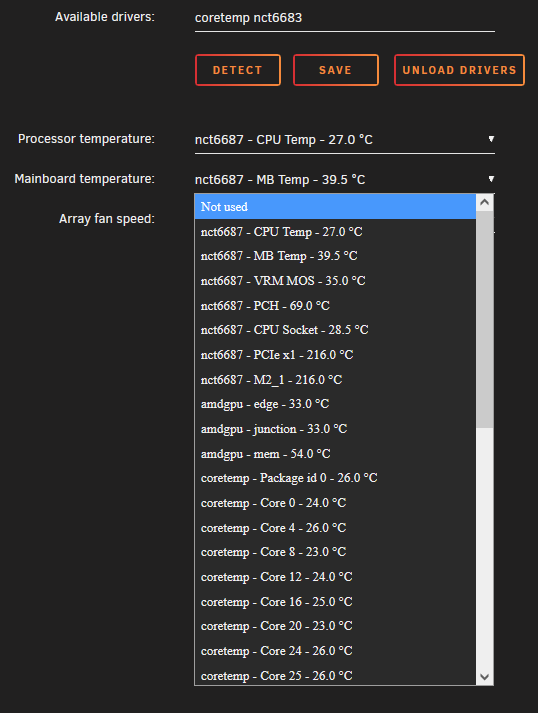
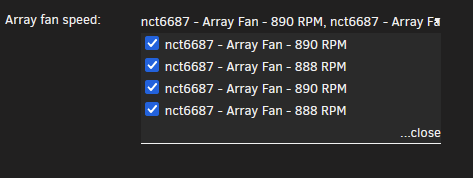
I have also an odd problem with System Temperature plugin, it puzzles me a bit. It was working for a short time but suddenly after a reboot (I think I was installing the newest intel microcode that time) I see the fans twice and some temperatures look wrong: 216 °C for PICe x1 and M2_1? Here are the fans: I can uncheck either the upper or the lower 2 but they are checked automatically again. If I uncheck all 4, they stay unchecked. Now, if I unload the driver above, I still see temperatures that I can select, but only 2 fans are left. Some temperature entries are missing with unloaded driver. To actually see anything in the drop down menus I had to install the Nuvoton NCT6687 Driver first, but now it somehow works without loading it?