shodeira
Members
-
Joined
-
Last visited
-
I get the same notification every day at my schedule for mover tuning. It started on 13th Aug, never happened before. Build-in mover schedule is disabled, only mover tuning is active. All I can remember is that I used the Move Now Button in a share before to trigger the build-in unraid mover and I checked that it's not running anymore. Other than that, I didn't touch anything. Syslog: Aug 17 05:00:01 XYZ move: 3038691 ? S 0:00 /bin/bash /usr/local/emhttp/plugins/ca.mover.tuning/age_mover start ca.mover.tuning-debug-20260817-2357.zip
-
I have something similar flooding my logs nginx: 2026/07/10 04:18:52 [error] 7309#7309: *18035 open() "/usr/local/emhttp/plugins/dynamix.docker.manager/images/question.png" failed (2: No such file or directory) while sending to client, client: 192.168.0.150, server: , request: "GET /plugins/dynamix.docker.manager/images/question.png HTTP/2.0", host: "192.168.0.42", referrer: "https://192.168.0.42/Docker" nimashomeserver-diagnostics-20260710-0423.zip
-
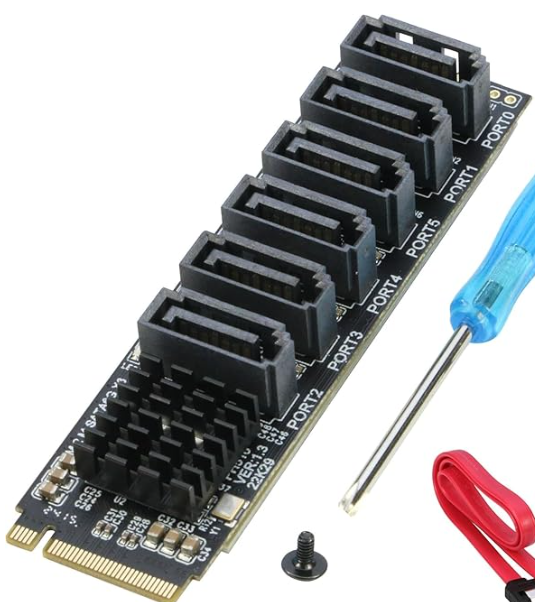
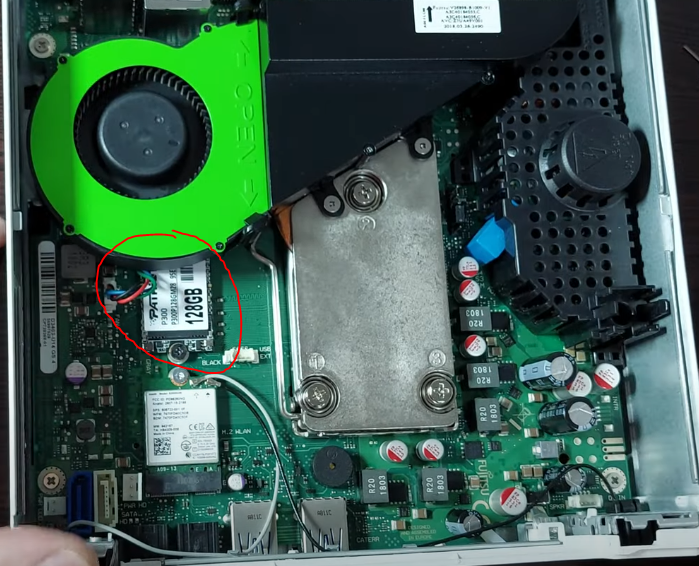
@de-sascha erwähnte ja, dass er mit 3 Platten keine Probleme mit der 65W PSU bekommt (https://forums.unraid.net/topic/152157-unraid-auf-nem-tiny-pc-laufen-lassen/page/2/#findComment-1380881). Nun ja, ich würde es auch nicht ausreizen wollen und nur zwei verbauen. Dass beide zeitgleich hochfahren, wird nicht allzu oft passieren. Bei Volllast erreiche ich im Peak 28W, so gesehen wäre noch Luft nach oben. Ich hatte gehofft, dass es sich um ein Mini-ITX handelt, damit es in mein großes PC-Gehäuse passt, das auch Mini-ITX unterstützt. Hab die Vermutung, dass es doch etwas kleiner ist. Muss es nochmal richtig ausmessen. Danke, dann wäre der Adapter mit dem Chipsatz für mich keine Option. Der M.2 2080 Nvme Steckplatz befindet sich leider auch direkt unter dem Lüfter. Keine Chance da etwas anzubringen wie z.B. diesen ASM1166 M.2 auf SATA 3.0 Adapter Karte [6-Port], RIITOP M.2 NVMe auf 6-Ports SATA III Erweiterungskartenadapter 6Gbps mit Chipsatz ASM1166 Jemand erwähnte diese Verlängerung. Kann mir nur beim besten Willen nicht vorstellen, wie das da Platz finden soll mit dem fetten Stecker obendrauf. (Quelle: https://youtu.be/4EYICtAKBx0?si=BlUQNNi1eFyr80UD&t=1382) Den Lüfter möchte ich ungern ersetzen. Wie auch? Der bläst passgenau in die konstruierte Öffnung. Ich denke es läuft auf eine alternative Verlängerung hinaus. Vielleicht hat da jemand einen Tipp...
-
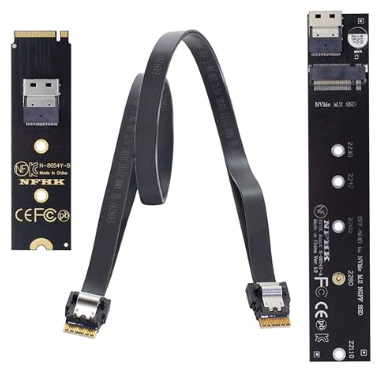
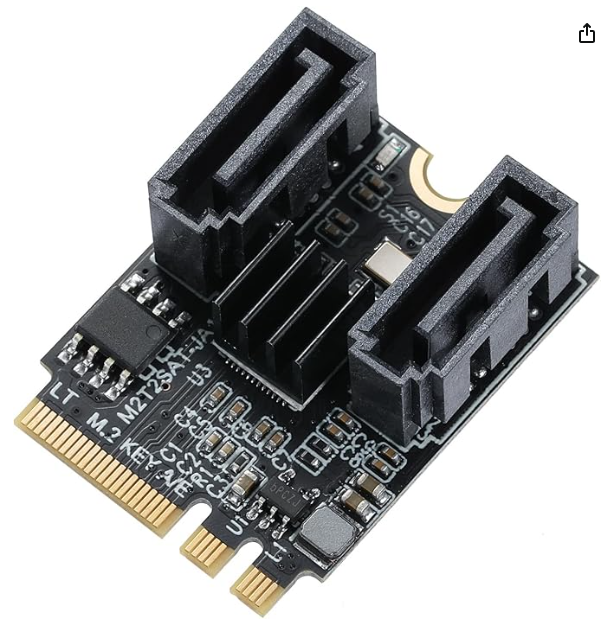
Mega spannend was bis jetzt hier beigetragen wurde. Vielen Dank schon mal! Ich muss das Thema nochmal ausgraben, weil ich mich momentan auch mit dem Q556/2 befasse. Meine Unraid Journey begann mit einer 2TB Nvme + 5TB 2.5" HDD. Jetzt wird langsam der Speicherplatz knapp, aber ich sträube mich davor, wieder nur 2.5" HDD einzubauen, wenn ich mit 3.5" HDDs auf lange Sicht gesehen preiswerter wegkomme und mehr Reserven habe. Auf den effizienten Q556/2 will ich aber nicht verzichten. So spiele ich mit dem Gedanken, das Motherboard auszubauen und in ein größeres Gehäuse mit mehr Platz für 2x 3,5 Zoll HDDs und 1x2,5 Zoll HDD zu packen. Ich habe es ausgemessen und es müsste sich eigentlich um ein Mini ITX handeln, richtig? Die 12V Stromversorgung bietet der 3-Pin Anschluss ja schon mal und über ein Y Kabel könnte man es aufteilen. Zu den SATA Anschlüssen: Der erste Adapter/Nvme Verlängerung, der von jemandem erwähnt wurde passt wie ich sehe aber nicht unter den Lüfter. Zumindest kann ich es mir nicht erklären. M.2 NVME NGFF M-Key SSD Stecker auf Buchse Verlängerungskabel 40cm mit SFF-8654 Steckeradapter für Mainboard SSD 2280/22110 Alternativ hätte ich an so einen Adapter gedacht und den am M.2 Steckplatz vom Wifi Modul anzubringen: M.2 SATA Adapter,Key-A+E M.2-zu-SATA3.0-Erweiterungskarte, SSD Riser Karte bis 6 Gbit/s, JMB582-Chip Ich weiß aber nicht, ob der M.2-Steckplatz für das Wifi Modul nur für Wifi gedacht ist oder ob er auch als normaler Datensteckplatz nutzbar ist? Weißt da jemand mehr?
-
In your autostart order, does Redis start before paperless-ngx? I once encountered similar issues, RAM filling up and server crashed until starting them in right order.
-
That could be interesting. You might consider posting the diagnostics as well of both servers in here for the devs to help investigate the issue.
-
This is what is written on my page: <your server ip>,127.0.0.1/8,192.168.0.0/16,172.16.0.0/12,10.0.0.0/8,fd00::/8,::1 Btw thanks for bringing this thread up lol. I had solved it so far with a script like docker exec -u www-data nextcloud-aio-nextcloud php occ config:app:set richdocuments wopi_allowlist --value=""but this solution now is more elegant.
-
shodeira changed their profile photo
-
I finally managed to find the culprit of my internet connection issue! So my config in my fresh install 7.1.2 was the same as in 7.0.1 EXCEPT my docker.cfg from version 7.1.3 which I copied onto my fresh install 7.1.2. And this file was the problem for the connection issue. That is also why disabling docker or stopping the array brings the connection back....So I started again with a fresh 7.1.2 install and fresh config folder but leaving docker.cfg this time and voila. No issues anymore. So comparing both docker.cfg, there are two entries that differ: DOCKER_ALLOW_ACCESS="yes" was added in the 'broken' docker.cfg and DOCKER_AUTHORING_MODE="yes". Disabling "Host access to custom networks" in Docker Settings removes DOCKER_ALLOW_ACCESS="yes" and solved the issue for me in 7.1.2. I can't tell if the solution works also for 7.1.3 but its worth a try. Maybe this setting broke something in 7.1.2 and 7.1.3
-
See this bug report relating to this issue. Multiple users have reported that reverting to version 7.1.2 solved the problem.
-
I ended up reverting back to an old backup from 7.0.1 and it solved the issue. I first tried to narrow down the problem by running on bare minimum which worked. Then enabled docker and wireguard tunnel and suddenly the issue came back. Then deactivated wireguard but still no connection. Only stopping the array brought the connection back. At this point, reverting back was much easier for me. Since others reported reverting back to 7.1.2 solved their issue, I am still clueless how the update could have an effect on my config folder. My next step would be to upgrade to 7.1.2 and see if the issue will stay away. If not, I maybe need to go the first route again piece by piece. Edit: Additionally, on every reboot, there is the following line in the logs even with reverted version 7.0.1 I tried all NTP servers but nothing changed. Also ntpq -p always responds with only synchronizing manually with ntpdate -u pool.ntp.org works.
-
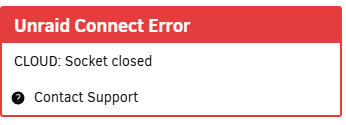
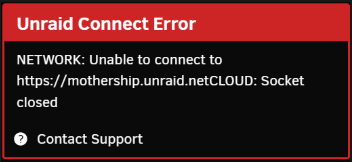
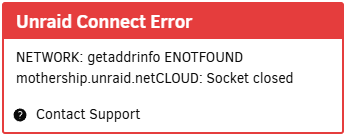
So I was asked to post my diagnostics here since it might be a different issue than stated in https://forums.unraid.net/bug-reports/stable-releases/713-unraid-connect-error-r3898 Since upgrading from 7.1.2 to 7.1.3, I am having same error but instead of the error being solved when downgrading, it remains in 7.1.2. Occasionally loosing connection (internet and wireguard tunnel) for several minutes (usually 20+ min). Connection comes back for some minutes and loosing it again afterwards. I reverted with this method and not with the Unraid Connect Tool but I think it should do the same thing?! After upgrading to 7.1.3: unraid-diagnostics-20250606-1634.zip After reverting to 7.1.2: unraid-diagnostics-20250606-2023.zip After reverting, on a trial basis, I changed the DNS in the Unraid Network Setting from router (192.168.0.1) to 1.1.1.1, but it didn't help. #Edit: Just created a fresh new 7.1.2 version with USB Creater Tool onto my flash device and put my config folder in it. Still same issue with similar error: unraid-diagnostics-20250606-2223.zip