





chuga
Members
-
Joined
-
Last visited
Everything posted by chuga
-
Hi - not sure where to post this so apologies if it needs to be moved. I have started to look into getting a few security cameras outside and would like to be able to use my Unraid server to store the videos versus a paid cloud solution. I am looking for some advice on a few things.. --I have read that there could be issues with security cameras always keeping the dives spinning/writing. I have a spare 120gb ssd- could I just put this in and have the cameras write to it? I do not care much about having the data backed up. --what software systems are recommended ? I have read on others setting up 'blue iris' as a windows VM. Are there other recommendations on the best software solution compatible with Unraid? -and finally- not very unraid specific, but are there security camera recommendations that would be compatible with the unraid hardware solution ? I assume cameras such as Ring have propriety solution and you are stuck with the cloud. thanks!
-
thanks - that seemed to work, here is the new report after disabling spin down ST3000DM001-1CH166_Z1F45EWH-20211106-1336.txt
-
Hi, I recently had one of my drives shST3000DM001-1CH166_Z1F45EWH-20211105-1744.txtow an error but I am not sure what it means. I ran the extended smart test - see attached for the results. any help/advice is appreciated. I am interested mainly on if this is an indication of imminent failure and if I should start moving files off this drive. thanks!
-
Hi, no - never fixed it. I still can't copy to any of the top level directories. I also built a new windows 10 PC / fresh install etc and it has the same issue. good luck!
-
thanks - I tried quite a few of this with no luck. I ran the docker-permissions tool to reset share permissions. I also uninstalled SMB1.0 from windows 10 as I read recently that Unraid upgraded it's SMB support. no luck. For any of my top level directories I cannot copy files- but if I open any directory I can then drag/drop and copy a file into it. any other suggestions? thanks
-
Hi, I just noticed an issue when trying to copy a file from a windows 10 PC to unraid via explorer. I could not copy to any folder (the red circle with slash through it). I rebooted the windows 10 PC, then the unraid server. Upgraded from 6.8.1 to 6.8.2. Still no luck. Then I tried going into a sub directory and was able to copy. For example - I can't copy to \movies but I can copy to \movies\action. I have not changed anything in ages on the unraid server (settings, etc) -but I checked anyway my user permissions on the share it was OK. the only thing I can think of is over the last week the new windows 10 version 1909 installed- could that have changed something that does not allow copying to a top level directory? ideas? thanks also - just checked on windows 10PC and SMB 1.0 was still enabled...figured maybe something to do with SMB.
-
Hi - issues playing .mp4 from emby IOS (connecting to unraid docker). Luke @ emby forum was helping troubleshoot and in the end he recommended installing emby docker from their site to fix issues with ffmpeg. https://emby.media/community/index.php?/topic/54841-issue-playing-mp4/?p=532343 as I have only ever installed dockers from Unraid gui, can anyone here first tell me why this docker won't play the file correctly ? is there a different unraid emby docker (I see a binhex one also?) that would work? thanks
-
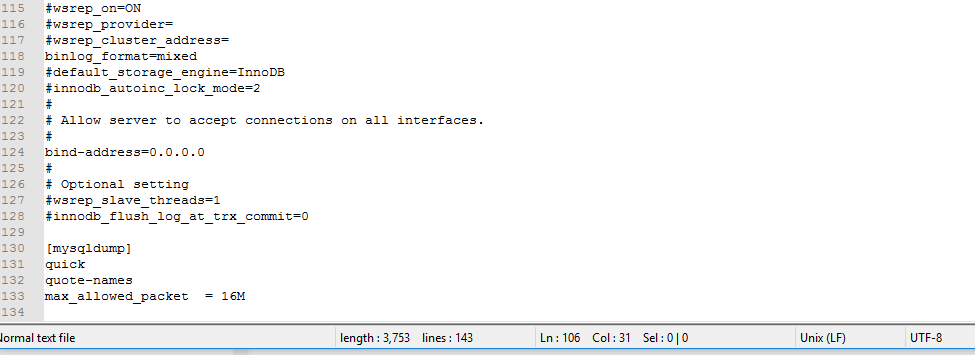
yes, from a fresh install agree it looks like the binlog not uncommented (but it is - see screenshot) I used the mc editor to do it. just checked using notepad++ and it says 'unix' at the bottom, that was other thought was wrong format file. also did the chown 644. thanks got it working! not sure how. stopped dockers, reopened the config file using notepad++, resaved, reapplied chown, restarted dockers and ran the webgui thanks again for all of the help today
-
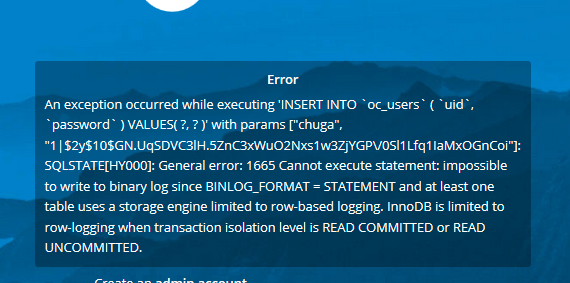
yes I missed the semicolons! also I missed the " ' " on the 'root'@'localhost' lines.... making some progress I think, the nextcloud folder was created. however I still get an error on the nextcloud webgui config, see attached (it is different error this time)
-
no - there is no nextcloud folder in there...
-
Hi - just tried again to install from scratch. Still no luck. I took screenshots along the way of each screen, see attachment, thanks for all of the help on this nextcloud_install.pdf
-
see attached- copy pasted from the docker log file (let me know if this is not correct log, not sure where to find it) mariadb_log.txt
-
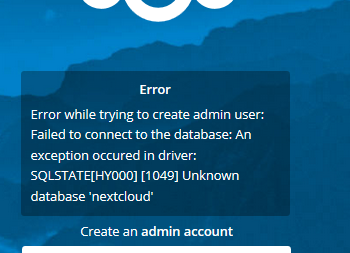
still no luck see attached for error... thanks
-
I went back to try it all over again - odd but CHBMB your post a few up where you corrected the code GRANT ALL PRIVILEGES ON nextcloud.* TO '$WHATEVER-USER'@'$UNRAID-IP' IDENTIFIED BY '$WHATEVER-PASSWORD'; seems to have disappeared?
-
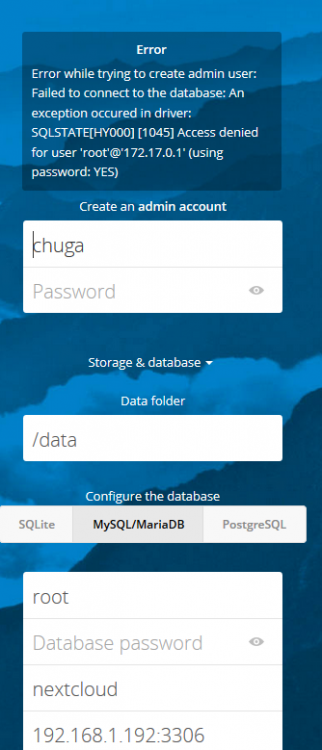
I think I got through it ok - however still an error when configuring nextcloud (see attached) not sure if I made a mistake configuring mariadb or something else. thanks
-
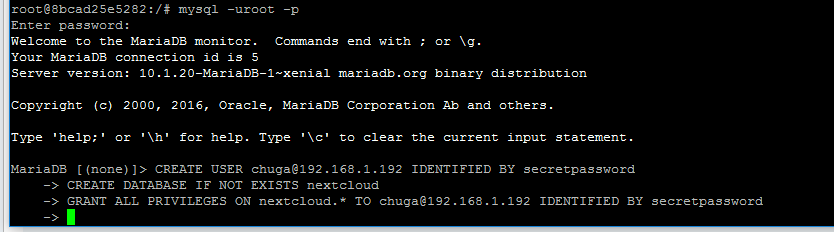
I am not sure if this is right - see attached pic. no prompts appear that say it worked or did not work. do I just ctrl-c to exit ? thanks
-
thanks- I made it all the way down to terminal code with "Create user..." I can't tell in those line what is a comment from you and what I am supposed to type.. for example for this CREATE USER '$WHATEVER-USER'@'$UNRAID-IP' IDENTIFIED BY '$WHATEVER-PASSWORD' would I type "CREATE USER [email protected] IDENTIFIED BY password"
-
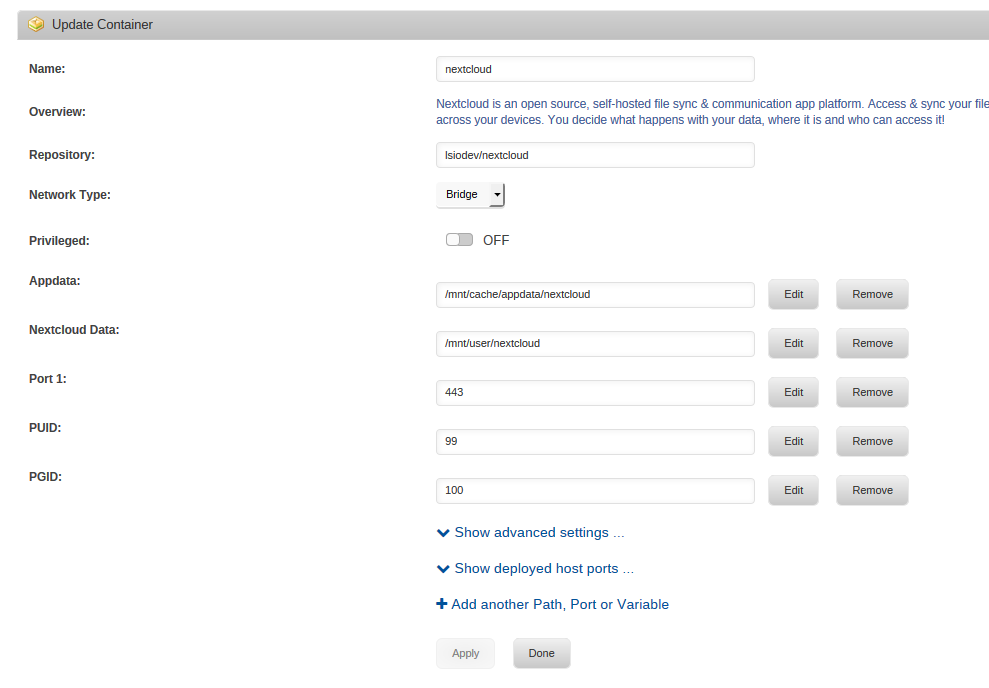
and nextcloud docker image attached - previous post ran out of image room.
-
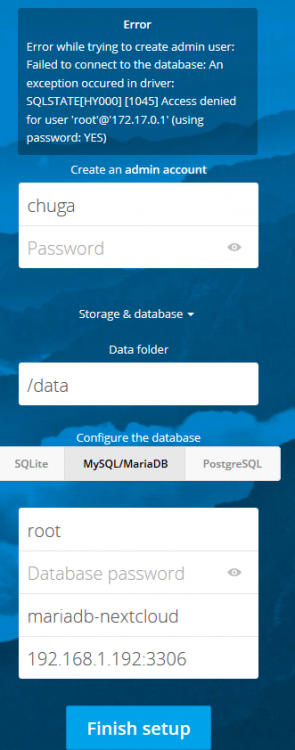
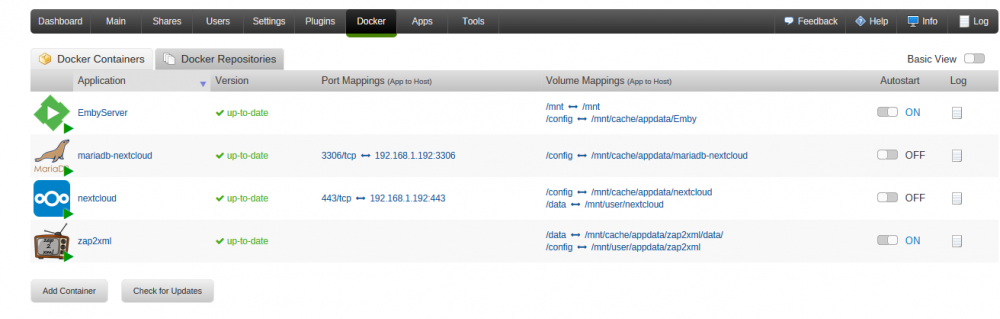
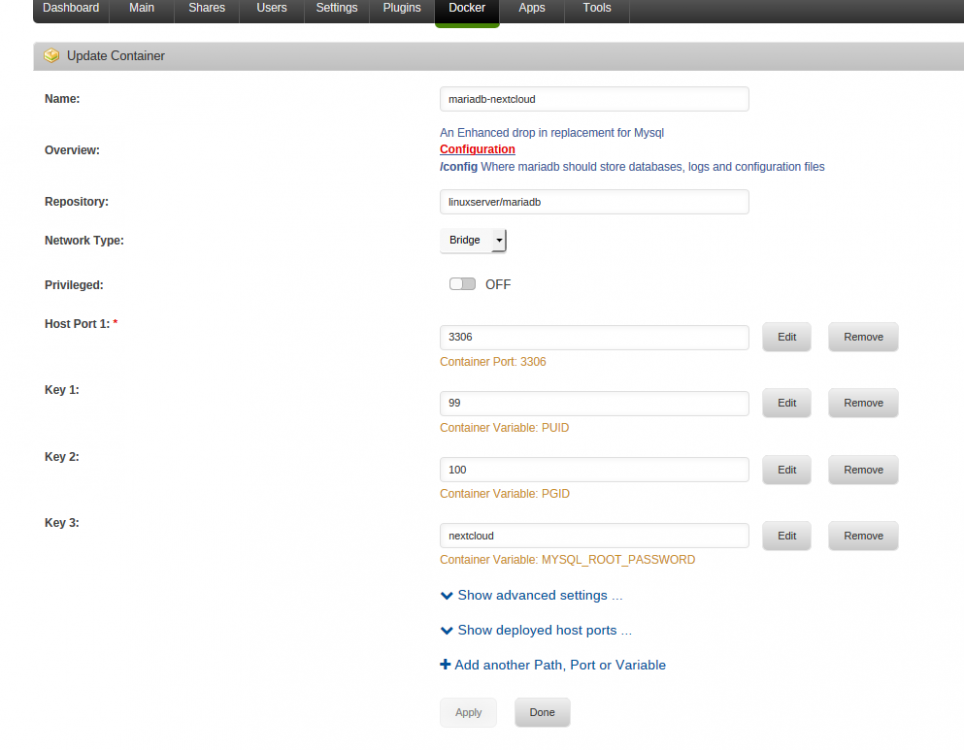
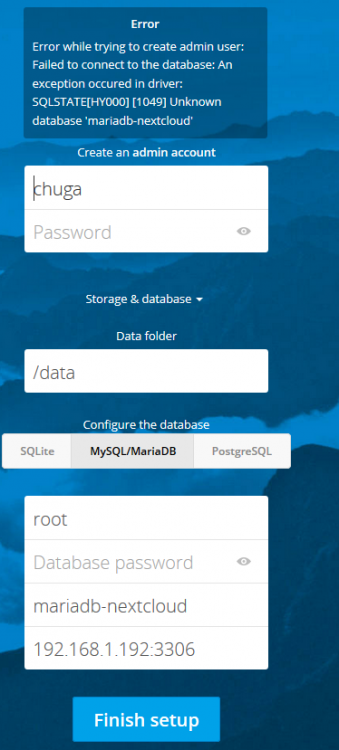
Hi - just tried a new password in mariadb docker and then the nextcloud webgui again - it did not work but the error is slightly different (see attachment) thanks
-
see attached for whole screenshot for database name I have tried "mariadb-nextcloud" which is the name in the mariadb docker, and and just "nextcloud" which is used in the install guide. thanks
-
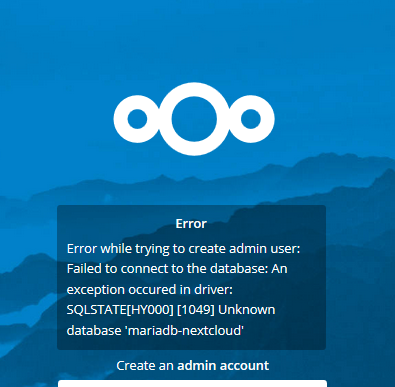
Hi - just installing nextcloud for the first time, using the guide in the original post I get all the way to configuring nextcloud via the webgui and get this error when clicking "finish" (see attached screenshot). both dockers seem to be installed correctly- not sure on how to troubleshoot this. thanks
-
Not to get off topic but does openvpn docker or plugin have any advantages vs running openvpn on a router? A decently powered router such as an asus ft-ac68.
-
Will the "original" emby docker have the latest version of emby? Or do I need to remove that docker and install the new docker you are discussing. I did not quite follow if the "original" docker will be unsupported and should be removed Thanks
-
just updated and I get the issues with not being able to access webgui Warning: require_once(include/DefaultPageLayout.php): failed to open stream: No such file or directory in /usr/local/emhttp/plugins/dynamix/template.php on line 56 Fatal error: require_once(): Failed opening required 'include/DefaultPageLayout.php' (include_path='.:') in /usr/local/emhttp/plugins/dynamix/template.php on line 56 I posted this also in community applications forum by mistake.
-
Hi, Does this support sftp? I have been unable to connect using sftp. thanks chuga


