






kingpin
Members
-
Joined
-
Last visited
Everything posted by kingpin
-
Glad it helped someone.
-
thank you. that fixed it for me. great app by the way.
-
i have the port set to the same number on both the app on the settings for the plugin. i can access the webGUI for the server itself and for the ControlR plugin with no issues (from both my desktop and my phone) thank you
-
i have been playing with this for a couple weeks now and just can not get it to link to either of my servers. i have upped the timeout function to 25000ms. i have created other users to see if that is the issue. any advice?
-
good afternoon. unraid version 6.4.0 rc6 server layout version 2017.03.03 here is the issue i am having. any thoughts would be appreciated Warning: Illegal string offset 'Z840YXEB' in /usr/local/emhttp/plugins/serverlayout/php/serverlayout_constants.php on line 213Warning: array_key_exists() expects parameter 2 to be array, string given in /usr/local/emhttp/plugins/serverlayout/php/serverlayout_constants.php on line 227Fatal error: Allowed memory size of 134217728 bytes exhausted (tried to allocate 171016456840 bytes) in /usr/local/emhttp/plugins/serverlayout/php/serverlayout_constants.php on line 213
-
I have the same issue. I am running dual 6 core processors and 48gb of ram. If I have my transcode set to the ram (/tmp) I can watch some tv shows, but none of my movies. I changed the transcode to my cache drive ( mnt/cache/) then my movies work fine. I have to believe that something with the new update has changed. For now I have left my transcode set at the cache drive. I would prefer it set to ram, but right now it doesn't work for me.
-
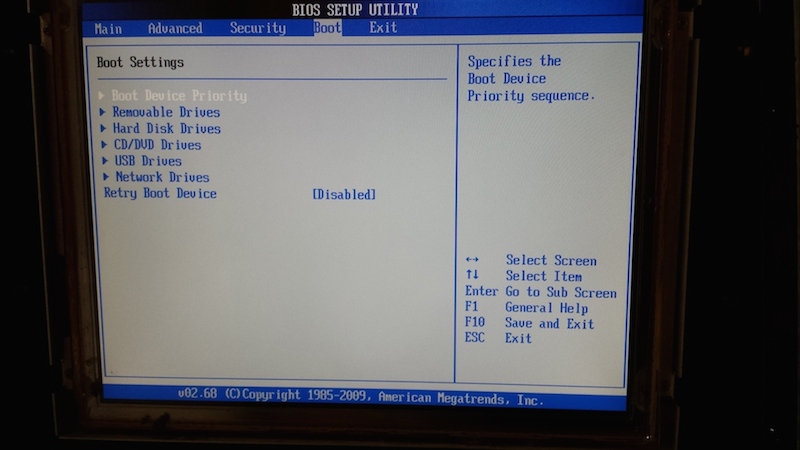
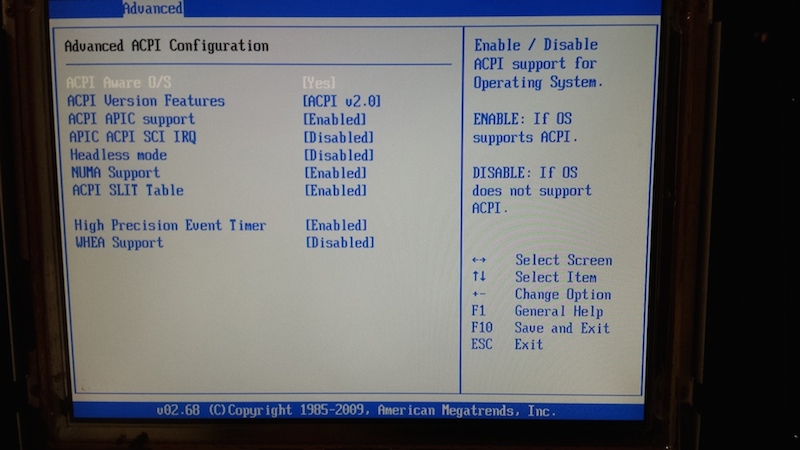
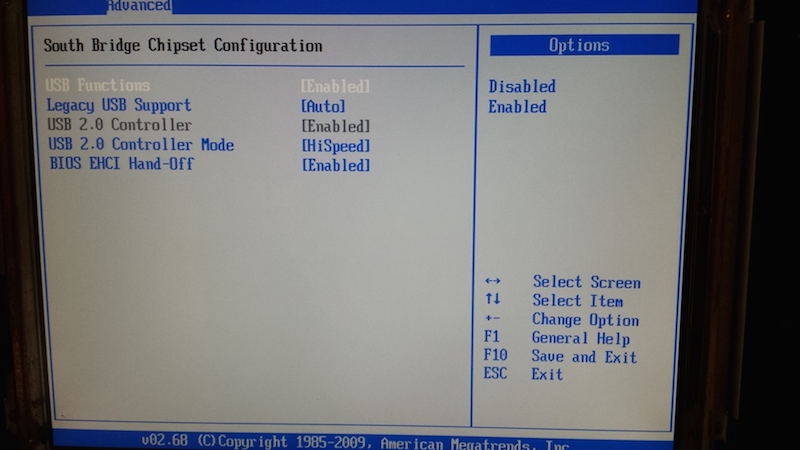
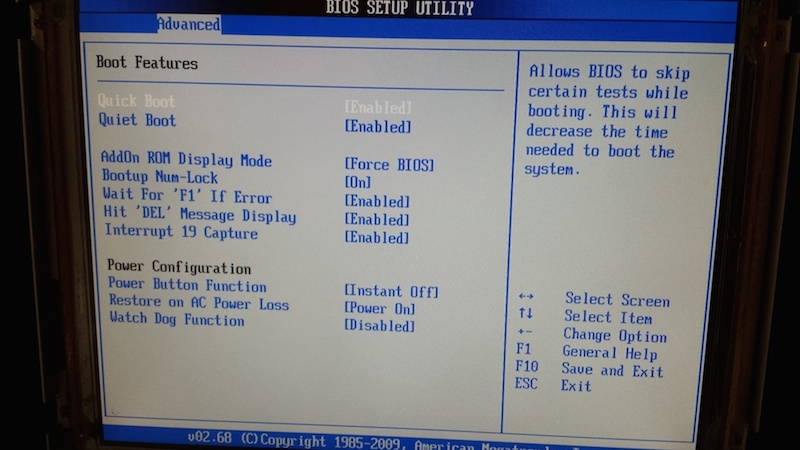
Alright, we are up and running (doing a parity check now). here is what happened. before reading your response i tried a brand new san disk cruizer flash drive (loaded with the free unraid software). still nothing. then i downloaded ubuntu and loaded that onto another flash drive, still nothing. after that i removed both of the pci-x sat2-mv8 cards and put my original UnRaid usb back in.... it booted up. went into the bios and found these settings Slot1~Slot3 PCI-X Option ROM/Slot4~Slot6 PCI-E Option ROM Select Enabled to enable the onboard PCI Slot Option ROM as specified (except the VGA card). This is to boot computer using a network interface. The options are Enabled and Disabled. Load Onboard LAN1 Option ROM/Load Onboard LAN2 Option ROM Select Enabled to enable the onboard LAN1 or LAN2 Option ROM. This is to boot computer using a network interface. The options are Enabled and Disabled. i disabled everything, reinstalled the pci-x Sat2-MV8 cards and everything booted up the way it should have. like i said, currently doing a parity check 84.6MB/sec, 13 hours to go (4 TB parity) thank you for all the advice, like i said in a different thread "i might not be sophisticated, but i know my way around a computer." i just had to figure out why the pci-x cards were stopping the usb from booting.
-
last on 8 of 8
-
7 of 8
-
6 of 8
-
5 of 8
-
4 of 8
-
3 of 8
-
2 of 8
-
here is what i have so far https://www.dropbox.com/sh/u2z0y1kzjn6a921/AAC-BUrgLcdBHHXOyDLd3PUua?dl=0
-
thank you for clearing that up. i will try to update later this evening.
-
Okay. This flash drive came from my previous system that was also a supermicro board, so I know it was working
-
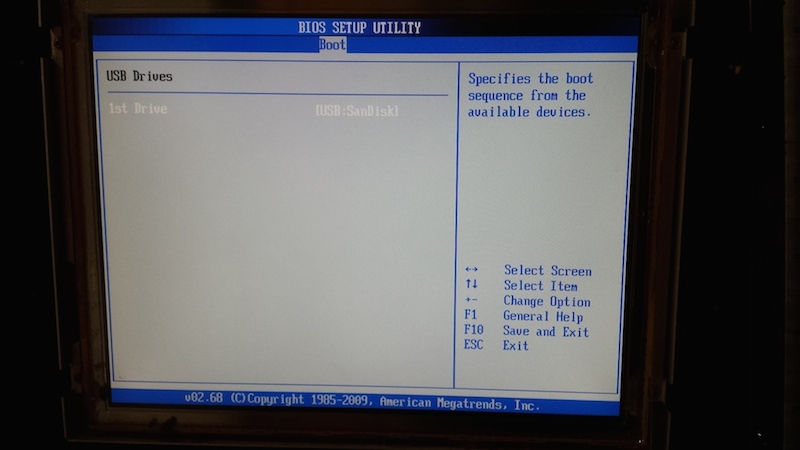
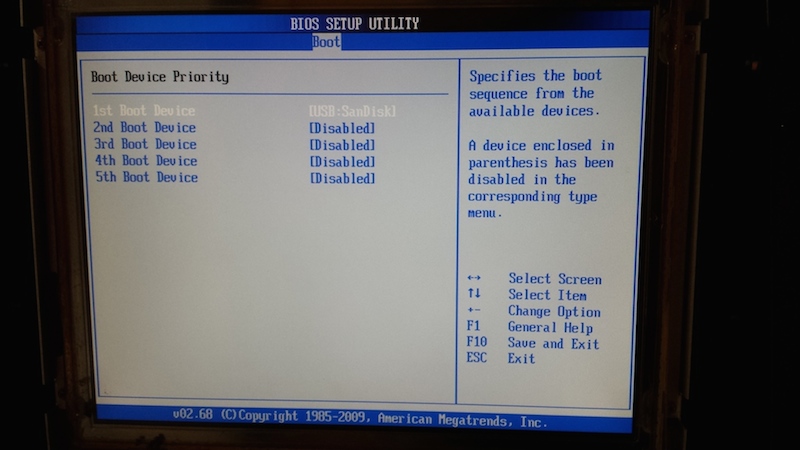
just arrived at work for the day. i will be back home in 10 hours or so and will upload some shots then. here is what i can tell you from memory under the "boot" section of the bios screen it goes like this boot device priority - 1st boot device - USB SanDisk USB Drives - 1st drive - USB SanDisk i will snap some shots when i get home though are there any screens in particular that you are looking for? christopher
-
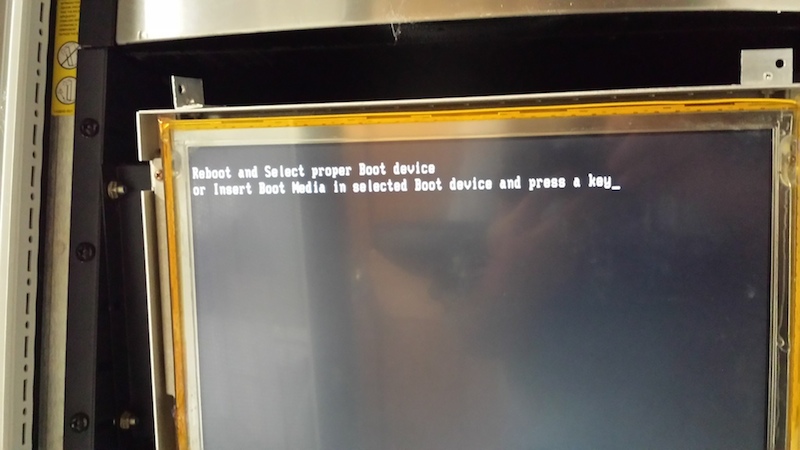
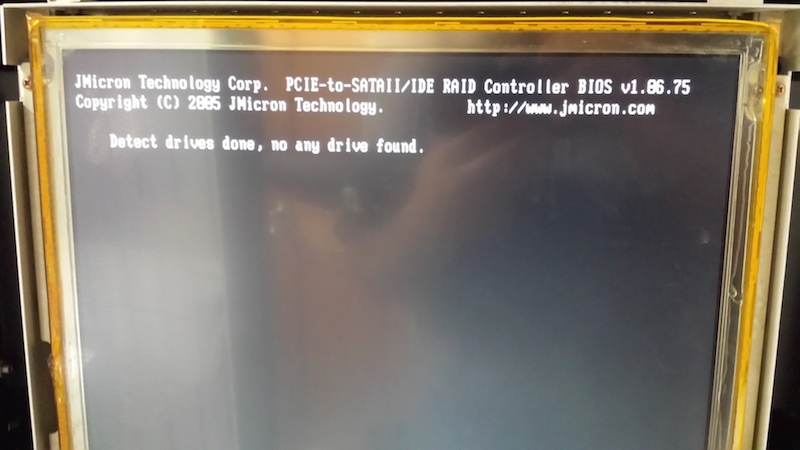
i picked up this board and am having difficulties getting it to boot from the USB drive. i go into the bios, and make the usb drive priority #1 (it sees the drive in there and labels it by name: USB_SanDisk) i have tried reformatting the flash drive, but with no luck. the post screen seems to see everything (the 6 hard drives from the motherboard (technically 5 since i have a bay open), 7 drives from one of the Sat2-mv8 cards (again one bay open), 8 drives from the other Sat2-mv8 card and the usb drive. when it gets to the part where it should start loading the bizimage and bizroot, it never gets there. it says "please reboot or insert the media with the correct software (or something along those lines). also, the USB drive seems to have gone dormant in the meantime. there is a slow fade on and off from the drive itself. I have tried all 4 usb slots on the motherboard (2 on the back and the 2 on the board itself). any help would be appreciated christopher
-
Exciting. I have my 4 xserve raid cases, but I just have not had time to sit down to get started on this project.
-
My xserve raids should be here Friday!
-
Love it. My xserve raids should be here Wednesday.
-
i am excited about this. i just ordered 4 xserve raid with hard drive caddies on ebay ($60 each plus about $200 in shipping)
-
i contacted c3-xtech and have to admit that the prices are a little crazy $70 for just the hardware (not the drive sled). that is for EACH drive. there is a 10% discount if you order 14 or more of them. i will continue to follow this as i really do enjoy the look of the xserver raid.
-
i am following this because i love the look of the Xserver Raid and would like to do something similar. have you looked at these instead? http://www.c3-xtech.com/SataUpg.pdf there are an upgrade for the sled to make it sata instead of ide (pata)


