






Walter S
Members
-
Joined
-
Last visited
-
Hum, let me look for that. I don’t believe anything was changed but I could be wrong. ty
-
I looked at that nothing was changed.
-
I have never seen this before.. My system stops during the boot process unless there is a keyboard plugged in.. Any idea where I should start looking? That's right, as soon as I plug in my keyboard (I usually don't use one) the Unraid gui screen starts the 3 second count down and loads normally. any suggestions would be appreciated.
-
Thanks Jawzxx I thought I turned all that AV stuff off. I’ll check further.
-
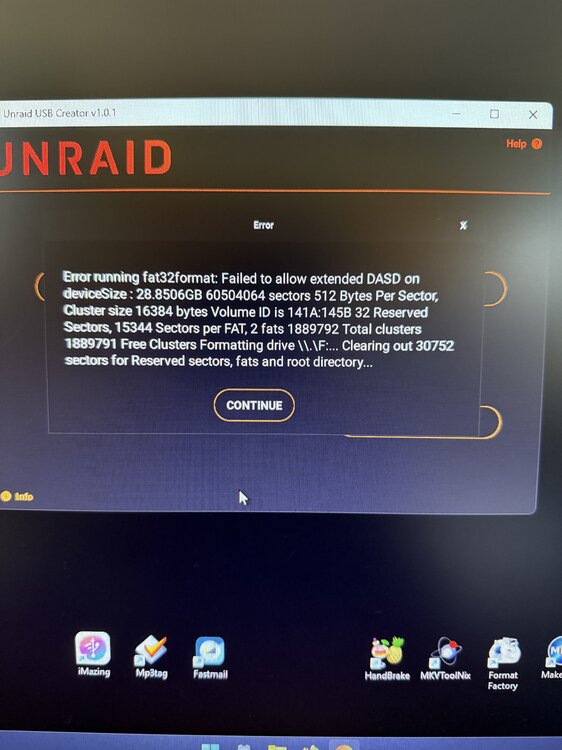
The USB Creator is terrible, no matter what I do (in order to replace my old flash drives) I keep getting the below message. I wish there was a better way! Any suggestions? My walls are getting dented from banging my head on them lol.. I'm using memorex USB 2.0 16gb drives in windows 11 still no luck..
-
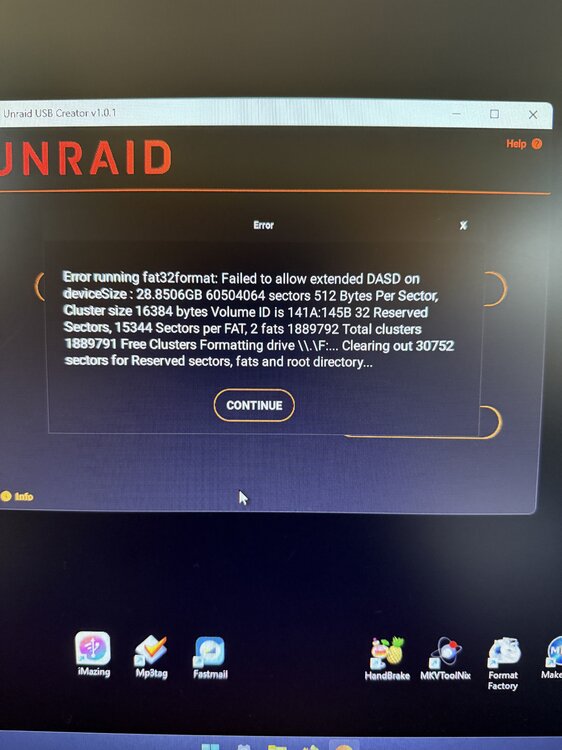
The USB Creator is terrible, no matter what I do (in order to replace my old flash drives) I keep getting the below message. I wish there was a better way! Any suggestions? My walls are getting dented from banging my head on them lol..
-
Lovely Lime-tech family. Glad to be a member of it since 2014. Thanks Tom, Tiff and family.
-
What calendar lol, are you inferring it would only happen on April 1st?
-
Hi Squid, I deleted the "Larry" file but it hasn't changed anything.. Any thoughts?
-
It’s cool with me. But I understand.
-
Hay Squid what does that mean? rm = remove? I see it but? "rm /boot/config/plugins/community.applications/larry"
-
No, that's not the way I saw it. The Banner said go to CA and it will turn itself off.
-
I agree, it's not funny, (April fools or not) However, It is nice to see the real people instead of a moniker. Squid you should put a toggle in settings to turn this feature it on or off. Being a retired COP I guess I'm not so sensitive. lol
-
What if you like to pics and want to turn it on? "Just sayin" (Geez)
-
How do you turn it on or off?



