CHBMB
Community Developer
-
Joined
Everything posted by CHBMB
-
You won't, an .exe is a windows file. You need to look at how to do so for Linux.
-
Post your docker run command and screenshots of your port forwarding. Sent from my Mi A1 using Tapatalk
-
Namecheaps API isn't compatible with DNS Auth, I changed my DNS provider to Cloudflare and used their DNS plugin. Sent from my Mi A1 using Tapatalk
-
It's linked on the very first post. On both dockerhub and github.
-
That's interesting, I use Namecheap and up until this week used their nameservers and never had an issue. Switched to cloudflare now, just so I can get a wildcard cert, nothing to do with performance.
-
Regardless of the port forwarding you can't have two containers both running as host at the same time using the same ports. Shutdown your working container, then start the one you're struggling with and see if you can access it. Might be an idea to use a custom network for the second Plex server. Plex uses more than just 32400 so I don't think changing that one port in the Plex webui is going to work.
-
It does matter, unless you're using a custom network, in which case it doesn't.
-
You're using a custom network, try changing the port in your proxy config back to 4040. Also the whole point of a reverse proxy is you don't have to open the port in your router, everything goes through 80/443 Sent from my Mi A1 using Tapatalk
-
Yeah, it was just a thought as the only time I saw this kind of behaviour was when some appdata was on the array and on a spinning rust cache drive, so it took some time to grab the info. Checked the logs in /config/log/nginx?
-
I use a subfolder, but principle should be the same -e 'CONTEXT_PATH'='airsonic' location /airsonic { proxy_pass http://192.168.0.1:4041/airsonic; proxy_set_header X-Real-IP $remote_addr; proxy_set_header X-Forwarded-For $proxy_add_x_forwarded_for; }
-
Where is your appdata located on the server? Cache or array? HDD or SSD? Sent from my Mi A1 using Tapatalk
-
You sure the new disk is allowing the relevant share. Look around Shares =>Whatever Share You're using
-
Post your docker run command, there's nothing wrong with the container. So it's got to be something your end. I suspect you've run into the fact that letsencrypt has changed it's auth protocols. Details in the read me. https://github.com/linuxserver/docker-letsencrypt#parameters
-
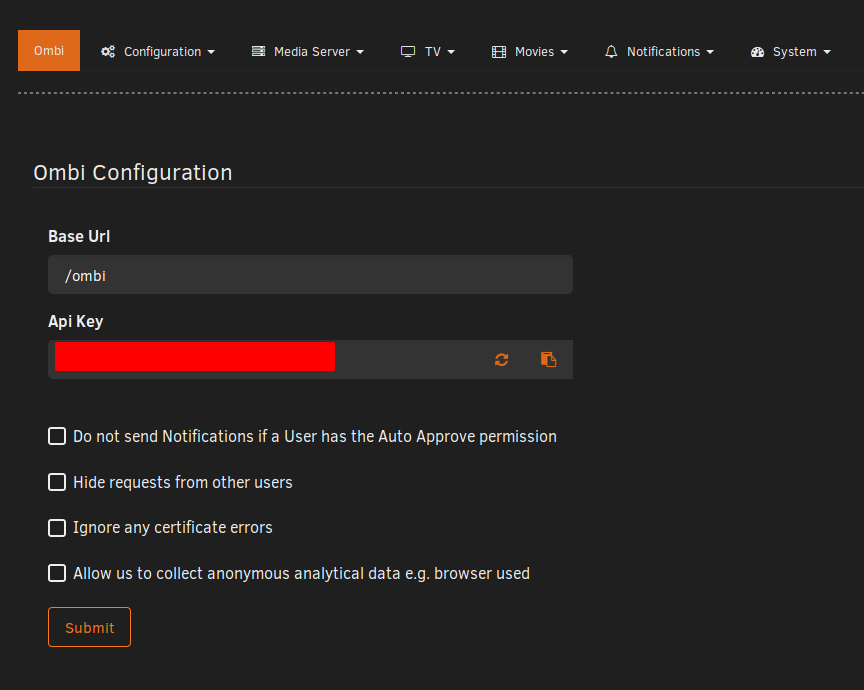
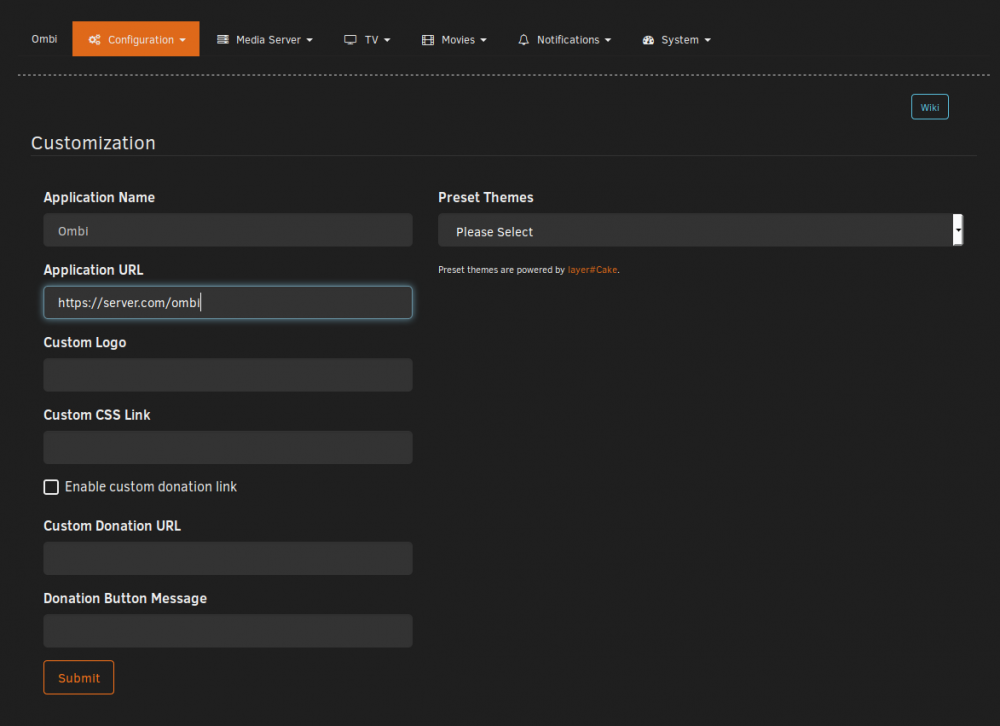
And you've saved that file as unifi in /config/nginx/site-confs/Have you restarted the container?IP addresses and server name do need to be changed satisfy any; allow 192.168.0.0/24; deny all; This bit just means it can only be accessed by clients on the 192.168.0.0 subnet. (My LAN)I don't use brett357's container (obviously ) But this works for our container. server { listen 80; server_name unifi.server.com; return 301 https://$server_name$request_uri; } server { listen 443 ssl; server_name unifi.server.com; include /config/nginx/ssl.conf; location / { proxy_pass https://192.168.0.1:8443/; include /config/nginx/proxy.conf; #proxy_http_version 1.1; #proxy_buffering off; #proxy_set_header Upgrade $http_upgrade; #proxy_set_header Connection "Upgrade"; #proxy_set_header Host $host; proxy_set_header X-Real-IP $remote_addr; #proxy_set_header X-Forward-For $proxy_add_x_forwarded_for; satisfy any; allow 192.168.0.0/24; deny all; } }It won't work anyway as the URL to grab the deb from is 404.HeimdallIt's proprietary software so I wouldn't touch it with a bargepole as making a container could be construed as redistributing copyrighted software. If there's a container already available on Docker Hub, why don't you just use that.Pop by our Discord channel, https://discord.gg/YWrKVTn @Kode is the author of Heimdall and can be found there, as well as a dedicated channel for Heimdall. Sent from my Mi A1 using TapatalkThen it's not redirecting. No error. I use this to redirect all my traffic from http to https. server { listen 80; server_name server.com; return 301 https://server.com$request_uri; }And you've changed the root URL in the webui? Other thing to try is a different browser, or a browser cache/cookie clear.