




.jpg.adf8def3431e0aa8e590900f82752d7a.jpg)

wgstarks
Members
-
Joined
-
Last visited
-
Switched to the new version. I got an email notification on the first run but not on repeat runs. The only difference I see is that the script aborted on the first run due to stale files so I'm wondering if the script only notifies on an abort and how to change it to always notify?
-
Doesn’t look like anyone has submitted a bug report for this issue. That would be the best way to make LT aware of it.
-
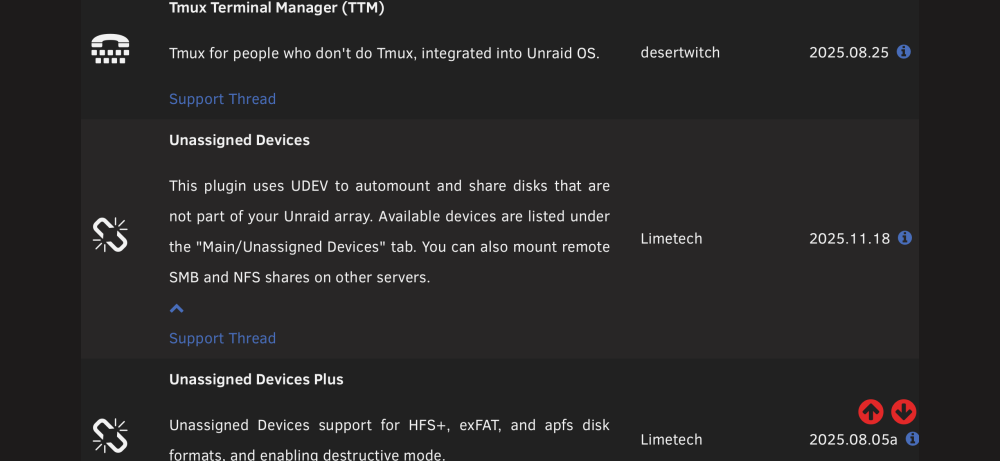
Actually it’s 2025-11-18.
-
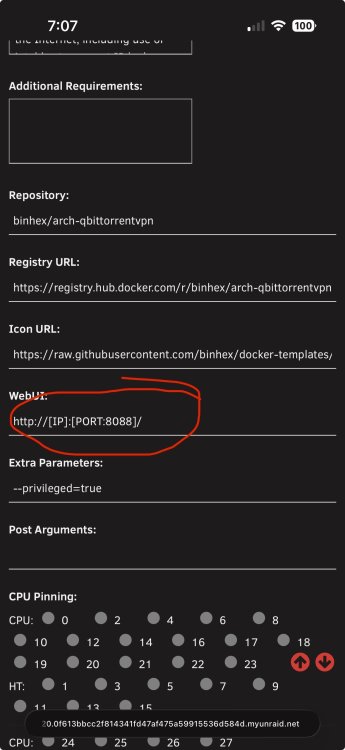
I’m guessing you’re referring to the link from the docker tab??? If you want to change this open the docker configuration, set the switch in the top right corner to advanced and look for the WebUI field. Set the port number to 8085 and click Apply.
-
Attach your supervisord log and docker run command to your next post. Be sure to redact users/passwords.
-
Probably won’t ever know for sure. Obviously not something on your end though or it would still be broken.
-
My suspicion is that it’s a PIA issue.
-
Try changing your PIA endpoint.
-
If you get to this point be sure to rename your qbit appdata folder to something like old_qBittorrent so that the install won’t re-use the old settings. That should eliminate anything you might have set from the trash guide. If a fresh install works you can delete the old folder once you’re sure you no longer need anything in it. You may want to re-use your ovpn/wg0 file.
-
You might try getting help on whatever forum trash uses.
-
Afraid I’m out of ideas. Usually when people have this sort of issue it’s because they’re trying to login from outside the configured LAN network.
-
How about if you try http://<hostIP>:<portnumber>
-
The log shows a successful start. How are you attempting to access the webUI?
-
I would suggest posting your supervisord log and docker run command first. Be sure to redact any users/passwords.
-
Is that BACKUP_BASE_DIR=? And I’m guessing I need to replace everything after the =?


