





isvein
Members
-
Joined
-
Last visited
Everything posted by isvein
-
Same thing here I checked the logs and after some time it says "some challenges have failed" Same happens if I after tries to renew manually aka create new cert on same domain. Nothing has changed on my dns end, same dns, same ip, the domains/subdomains should resolve fine as far as I can see. if I use a tool like dnschecker.org to check my cname and a-records, all resolve just fine
-
Maybe, never thought of that XD Did not have to recreate the lun and so
-
Update to the new version did not work for me, had to reinstall it but then it worked
-
Same here No luck on reinstall after 6.11.2
-
Also had to reinstall the plugin after 6.11.0 stable
-
Hello So I`m thinking of maybe its time "soon" to upgrade my server. Today its an i7-4790 (not k) with 32GB ram I`m looking at an i5-12400 and 32GB ram, but maybe I will be just as fine with just 16. What I`m using the server for: -storage and more storage -Plex -wordpress +mariaDB (just for testing stuff), bitwarden/vaultwarden, reverse proxy and a minecraft server that is hardly used and when used its like max 4people on it at once, usually just 2 -Maybe 1vm sometimes, but remoting a Linux vm is stupid slow in gui so I more than not does not use any vm. The reason I been thinking of upgrading is mostly because of iGPU/QuickSync and Plex, as the server does not have any gpu and the iGPU in the 4790 is at this point old and does not support very many formats and the 12 gen seems to support everything I need for years to come, but I`m not sure if 12gen is supported by Unraid at the moment.
-
Thanks! So its missing the middle screws on the bottom too, meaning it wont fit with 4 screws on the R2 brackets
-
Hello I hope someone can help me. I`m thinking of getting some WD Ultrastar DC HC550 drives, but I cant find any pictures or info about the hole layout on the underside of the drive. I ask because I have an older fractal design Define XL R2 case and the WD Red 10TB has the holes spaced out too much for the drive bay caddies to only be able to use 2 screws, so I want to know if I can mount the 18TB with all 4 screws or not. Thanks
-
is the script at page 1 the one people still use for scheduled scans?
-
How can I reset my root password that I dont remember? I tried to add "mysqld_safe --skip-grant-tables" to the post arguments and follow a guide I found, but if I add this to this container it wont even start.
-
Who knows, I guess we never find out, but Im glad its working now and if the same happens again I know where to start Thanks for the help.
-
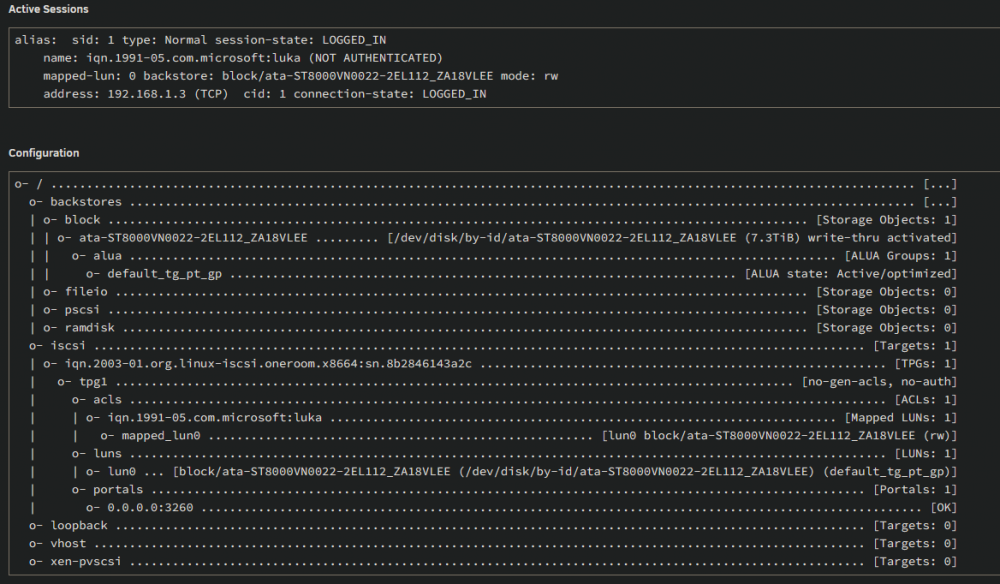
There we go I had to map the LUN to the remote IGN (windows pc) (Under Settings-->Iscsi-->initiators-->Create IQN) I cant remember I had to do that before tho, has there lately been an iscsi update that require you to do this manually? Or maybe the config for it dropped during one of the rc updates.
-
It stopped working over night, not sure if there was an unraid update or an windows update before it happened. Still, no matter what I try, Windows10 says "Authorization Failure"
-
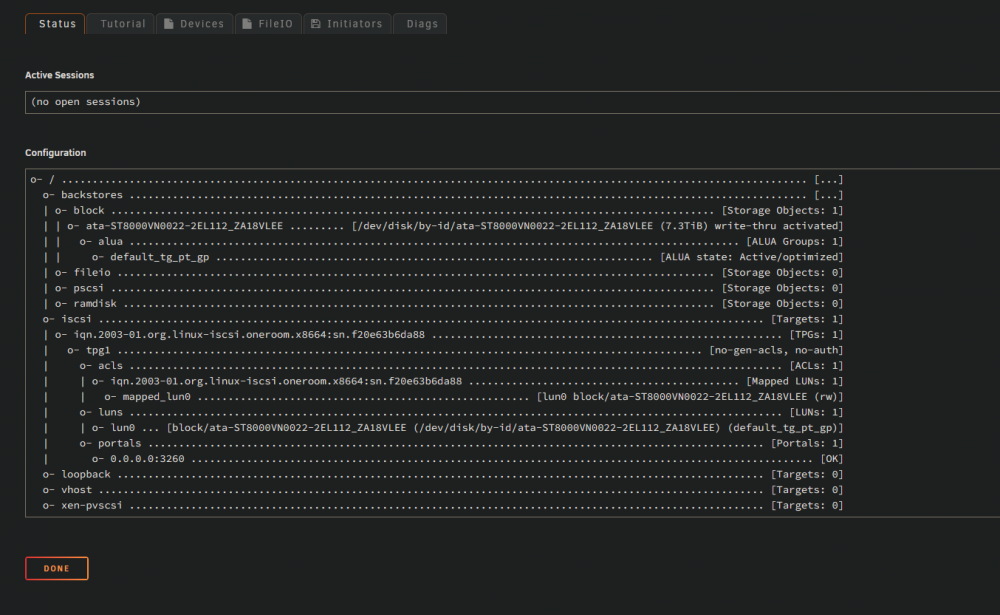
Is it supposed to say "iSCSI target portal group: 1"? Or should it be group 0? Is there some files that are not deleted when removing the plugin, because if there is some files I can delete I can try to reset it all 100% and try again and see if that helps.
-
Tried to remove all settings on both Unraid and Windows now, when I use quick connect in windows it says "Unable to login to the target" Diag taken after I tied this. oneroom-diagnostics-20220517-0830.zip
-
Suddenly windows wont connect to my iscsi drive that worked fine before. Windows say "Authorization Failure" I tried to remove and reinstall the plugin. Running Unraid 6.10 rc8
-
Im looking at Spaceinvaders video about this, but its from 2018 and latest version does not have the "BlockList" option under Settings. Is this in another place now? Edit: Found it, its now under Group Managment-->Adlists
-
I was just wondering the same thing since I just upgraded my 1TB HDD cache to 2*500-SSD raid1
-
True, it uses all it can get its hands on, but I also heard the iGPU in the 10th gen and up is pretty good at plex hardware encoding.
-
Yea, good point, but for a fileserver that will not run any VMs with GPu passthough and the hardest thing will be Plex encoding, I dont think its worth it.
-
Hello Im windows shopping for an upgrade to my home server and I cant see any real difference between the Intel Gen11 i7 and i9 that is currently available (11700 and 11900) beside cost. They have more or less same core and boost speed, same amount of cores, same igpu. Anything Im missing here?
-
Just a thing I found out, just in case someone has the same problem and did not know: Tried to update the certs today but got the message that authentication did not work. Found out that since my domain is now on Cloudflare, I had to turn off the proxy for the subdomains SWAG is using, then the authentication worked and then I could turn the proxy setting on again.
-
Aha, so I just follow the rest of the guide? Edit: got it to work Works fine for the formats supported. One day I may upgrade the server to an 10th gen to get more supported formats and better quality, but it works just fine.
-
Is this guide still the way to go for quicksync under 6.9.1? Edit: I just checked, I dont have the "/dev/dri" not even after I added "i915.alpha_support=1" to the "syslinux.cfg" I guess unraid does not support the quicksync on the 4th gen cpus
-
So the main difference between a FileIO and DiscIO is the speed. Thanks


