Everything posted by brickfireio
-
Does anyone have some advice for this issue?
-
The custom routes I enter in the routing table do no persist a reboot. Is there a way to make them stick?
-
Thanks. Just wanted to double check because I didn't see it defined explicitly on https://hub.docker.com/r/linuxserver/letsencrypt/
-
Can we run this docker in a custom bridge mode with a fixed IP address, i.e. not host?
-
@mifronte can you specify the rules you created to intercept DNS queries and redirect to your routers DNS resolver? I believe this is still an issue not being able to define dns servers when creating vlan interfaces in unraid.
-
@mifronte Did you make this a feature request? I'm interested in this as well.
-
Awesome. It works. Thanks.
-
No problem. I can test.
-
Is it possible to install GhostScript to enable printing? "Printing support requires GhostScript to be installed. If guacd cannot find the gs executable when printing, the print attempt will fail."
-
is running this command the only way to generate htpasswd? docker exec -it letsencrypt htpasswd -c or could we use something like this http://aspirine.org/htpasswd_en.html with md5 and name the file .htpasswd?
-
Is there a difference if I use windows explorer to transfer files from one share to a newly configured share?
-
I see. Thanks. Does the disk/share allocation I mentioned above resemble your configuration?
-
Also, if I have an existing share called "Files", where files reside on multiple Disks, but then I change it to include Disk 5 (in my example), what happens to the files on the other disks? Are they moved to Disk 5?
-
Interesting. I'd like to implement what you have set up. I have 5 4tb drives. Does the below look correct? Not sure what allocation method to use though. Disk 1 - Movies, split-level 1 Disk 2 - Movies, split-level 1 Disk 3 - TV Shows, split-level 2 Disk 4 - TV Shows, split-level 2 Disk 5 - Other
-
If Gladiator is on Disk 1 and Sopranos is on Disk 1 and 2, you're saying both disks would spin up when playing Gladiator?
-
Is there a best practice for configuring user shares to minimize drives spinning up, etc? Specifically, how should a "downloads" or "media" folder be configured?
-
Interesting. Thanks for the help.
-
The default folder (in this template) where Radarr will look for downloads is /downloads, correct? If so, why is DownloadedMovieImportService looking in /data?
-
Publish it, please I think its fair to include this per https://github.com/linuxserver/docker-letsencrypt/tree/dns "This option is only for advanced users. We will not answer any questions related to this setting. If you need to ask questions, this is not meant for you." I understand it would be a huge support headache, however, the use of forums for support isn't the best either. How many times have people asked the same question because they didn't read or missed an earlier post? I'm certainly at fault for this too. In any case, I don't think its wise to withhold features just because its too hard to support.
-
DNS-01 challenge needs to be added to this docker per this update: https://community.letsencrypt.org/t/2018-01-11-update-regarding-acme-tls-sni-and-shared-hosting-infrastructure/50188
-
My ISP blocks port 80, so changing that value won't work in my situation. Subscribed to the thread..hopefully a fix is found soon.
-
Awesome! Thanks @dlandon.
-
I have a control script (PTZ) that is supposed to be placed in this folder /usr/share/perl5/ZoneMinder/Control Where would I put this script within /mnt/user/appdata/zoneminder?
-
Its odd that the port is open when the nginx container is started but closed when the letsencrypt container is started. I'm at a loss. Also, I removed the URL redirect but then received a different error from letsencrypt below. FYI - Port 80 is definitely blocked by my ISP, so the domain won't reach my IP then. Failed authorization procedure. sub1.domain.com (tls-sni-01): urn:acme:error:connection :: The server could not connect to the client to verify the domain :: DNS problem: NXDOMAIN looking up A for sub1.domain.com, sub2.domain.com (tls-sni-01): urn:acme:error:connection :: The server could not connect to the client to verify the domain :: DNS problem: NXDOMAIN looking up A for sub2.domain.com IMPORTANT NOTES: - The following errors were reported by the server: Domain: sub1.domain.com Type: connection Detail: DNS problem: NXDOMAIN looking up A for sub1.domain.com Domain: sub2.domain.com Type: connection Detail: DNS problem: NXDOMAIN looking up A for sub2.domain.com
-
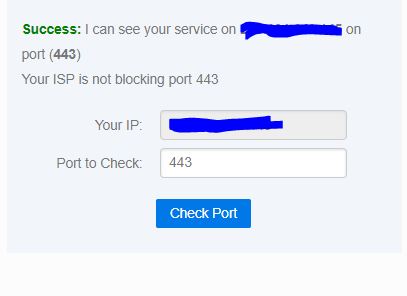
Yes I can. I stopped letsencrypt and started an nginx container. When the letsencrypt container is started "canyouseeme.org" does not connect to 443, but the nginx container does connect.