





csmccarron
Members
-
Joined
-
Last visited
-
UPDATE After trying lots of different things, none of them worked, I ended up restoring BIOS to default settings and it fixed the issue. My only issue now is because when the system posts, it posts on all three video cards, onboard VGA and 2 NVIDIA 5070's my Unraid console comes up to a text only terminal login. Is there any what to get this to the unraid gui after it boots? Thank you mccserverur01-diagnostics-20251013-0017.zip
-
So I recently update my system. I purchased an ASUS WS W790E SAGE SE Motherboard and an Intel Xeon W5-3535X cpu. I have 128GB of ram. When this thing boots it outputs the boot process to the onboard VGA controller, Good, and to the other two GPU's. Once Unraid boots, I get no GUI on the onboard VGA controller and the virtual machines do not have a monitor output. To get everything to boot semi normal, I have to unplug my monitors so the bios ignores them and then plug them in once Unraid boots and the array starts. Any help is much appreciated. mccserverur01-diagnostics-20251012-2050.zip
-
I have not yet upgraded to 6.12.4 due to the scary release notes. Is this upgrade safe or can it harm my setup? I do have bridging enabled. I also have bonding (eth0 & eth1) enabled. Thank you
-
To set the path for my bash shell for Putty I have custom permissions on some of my groups that I use for file sharing I have some custom scripts that I install in my /usr/local/bin folder that I use for maintenance tasks
-
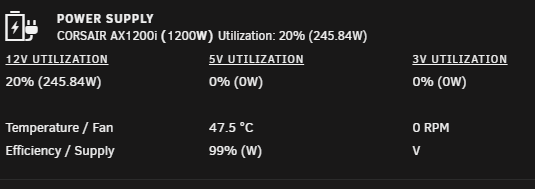
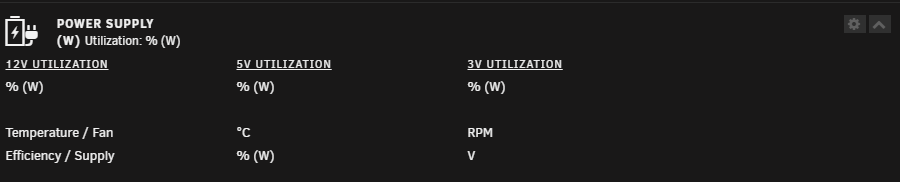
PSU: CORSAIR AXi Series AX1200i Digital 1200W 80 PLUS Could not get the echo for unbind or bind to work. root@mccserverur01:~# echo -n "2-4:1.0" > /sys/bus/usb/drivers/cp210x/unbind bash: echo: write error: No such device root@mccserverur01:~# echo -n "2-4:1.0" > /sys/bus/usb/drivers/cp210x/bind bash: echo: write error: No such device root@mccserverur01:~# ls -l /sys/bus/usb/drivers/cp210x total 0 lrwxrwxrwx 1 root root 0 Jul 23 16:09 2-1.4:1.0 -> ../../../../devices/pci0000:00/0000:00:1d.0/usb2/2-1/2-1.4/2-1.4:1.0/ -rw------- 1 root root 4096 Jul 23 16:11 bind lrwxrwxrwx 1 root root 0 Jul 23 16:09 module -> ../../../../module/usbserial/ --w------- 1 root root 4096 Jul 23 16:09 uevent --w------- 1 root root 4096 Jul 23 16:17 unbind In order to get cpsumoncli to work I had to make it executable. root@mccserverur01:/usr/local/bin# cpsumon/cpsumoncli /dev/ttyUSB0 bash: cpsumon/cpsumoncli: Permission denied root@mccserverur01:/usr/local/bin# cd cpsumon root@mccserverur01:/usr/local/bin/cpsumon# ls -l total 16 -rw-r--r-- 1 root root 15760 Jun 15 08:01 cpsumoncli drwxr-xr-x 2 root root 60 Jun 15 08:01 libcpsumon/ root@mccserverur01:/usr/local/bin/cpsumon# chmod 755 cpsumoncli root@mccserverur01:/usr/local/bin/cpsumon# ls -l total 16 -rwxr-xr-x 1 root root 15760 Jun 15 08:01 cpsumoncli* drwxr-xr-x 2 root root 60 Jun 15 08:01 libcpsumon/ It is now working, except for getting 5v & 3v data. Thank you
-
After installing Uassigned Devices Plus and Unassigned Devices Preclear, I was able to get the drive back to an unformatted and clear disk. I first ran the Preclear, then using Uassigned Device Plus cleared the partitions.

-
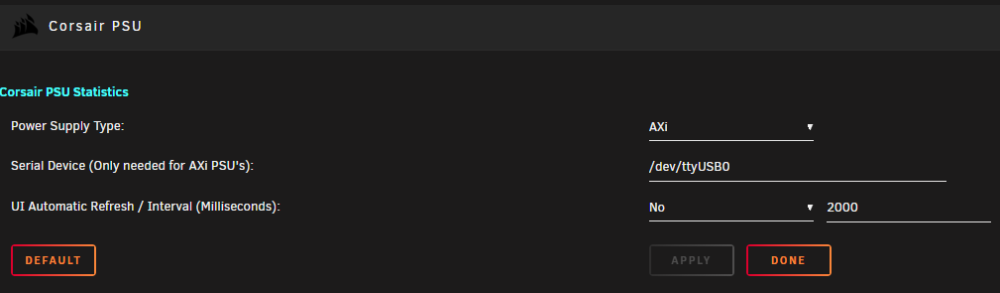
I am having a similar issue. I have a Corsair AXi power supply. root@mccserverur01:/dev# lsusb -t /: Bus 02.Port 1: Dev 1, Class=root_hub, Driver=ehci-pci/2p, 480M |__ Port 1: Dev 2, If 0, Class=Hub, Driver=hub/8p, 480M |__ Port 2: Dev 3, If 0, Class=Human Interface Device, Driver=usbhid, 12M |__ Port 4: Dev 4, If 0, Class=Vendor Specific Class, Driver=cp210x, 12M |__ Port 6: Dev 5, If 0, Class=Human Interface Device, Driver=usbhid, 12M |__ Port 6: Dev 5, If 1, Class=Human Interface Device, Driver=usbhid, 12M |__ Port 6: Dev 5, If 2, Class=Human Interface Device, Driver=usbhid, 12M /: Bus 01.Port 1: Dev 1, Class=root_hub, Driver=ehci-pci/2p, 480M |__ Port 1: Dev 2, If 0, Class=Hub, Driver=hub/6p, 480M |__ Port 2: Dev 3, If 0, Class=Mass Storage, Driver=usb-storage, 480M |__ Port 3: Dev 4, If 0, Class=Hub, Driver=hub/5p, 480M |__ Port 1: Dev 5, If 0, Class=Human Interface Device, Driver=usbhid, 1.5M |__ Port 1: Dev 5, If 1, Class=Human Interface Device, Driver=usbhid, 1.5M root@mccserverur01:/dev# lsusb Bus 002 Device 005: ID 046d:c52b Logitech, Inc. Unifying Receiver Bus 002 Device 004: ID 1b1c:1c00 Corsair Controller for Corsair Link Bus 002 Device 003: ID 051d:0002 American Power Conversion Uninterruptible Power Supply Bus 002 Device 002: ID 8087:0024 Intel Corp. Integrated Rate Matching Hub Bus 002 Device 001: ID 1d6b:0002 Linux Foundation 2.0 root hub Bus 001 Device 005: ID 046b:ff10 American Megatrends, Inc. Virtual Keyboard and Mouse Bus 001 Device 004: ID 046b:ff01 American Megatrends, Inc. Virtual Hub Bus 001 Device 003: ID 0781:5571 SanDisk Corp. Cruzer Fit Bus 001 Device 002: ID 8087:0024 Intel Corp. Integrated Rate Matching Hub Bus 001 Device 001: ID 1d6b:0002 Linux Foundation 2.0 root hub root@mccserverur01:/usr/local/bin/cpsumon# cpsumoncli /dev/ttyUSB0 Corsair AXi Series PSU Monitor (c) 2014 Andras Kovacs - [email protected] ------------------------------------------- Dongle name: USB to SMB Bridge (Firmware by Ross Fosler) Dongle version: 5.3 Let me know if you need anything else. Thank you mccserverur01-diagnostics-20230723-1110.zip
-
So I found Unassigned Devices Preclear. I am running this now on the disk, if this works I will mark it as solved.
-
The disk below was an old parity disk that for some reason disabled. I ran a smart check and the disk is ok. I have attached a spare disk to replace the parity disk and that is rebuilding now. I would like to know how to remove the configuration so this disk becomes a disk with no format on it. How do you unformat an unused array disk? Thank you

-
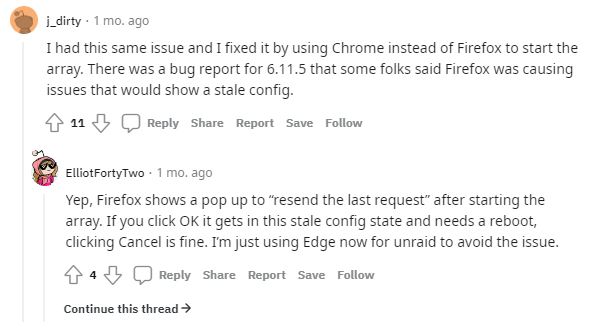
Solved. Followed this post and was able to resolve the issue. I was actually having this issue with Firefox on the unRaid console after rebooting the server.
-
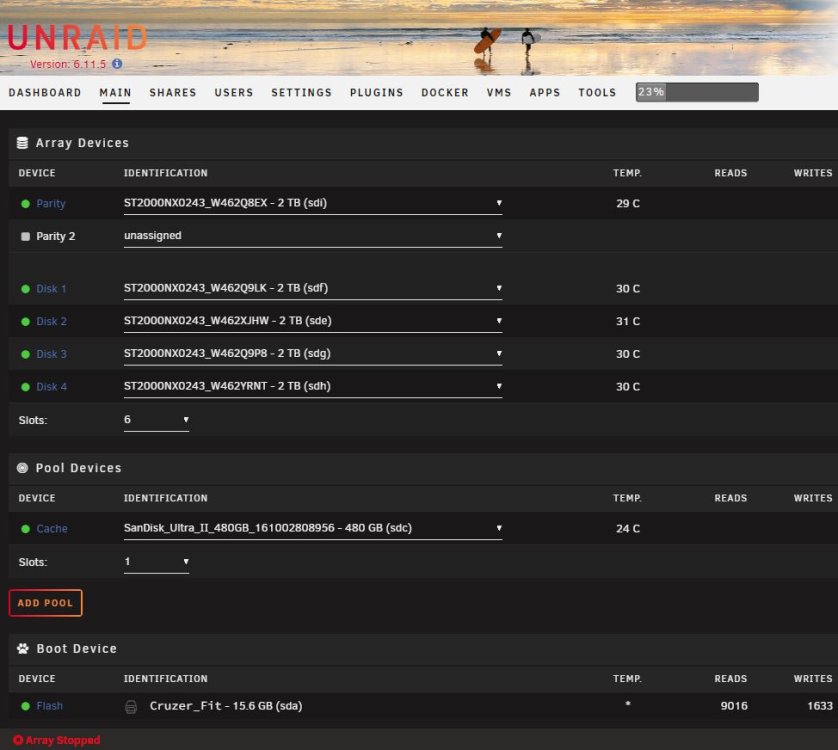
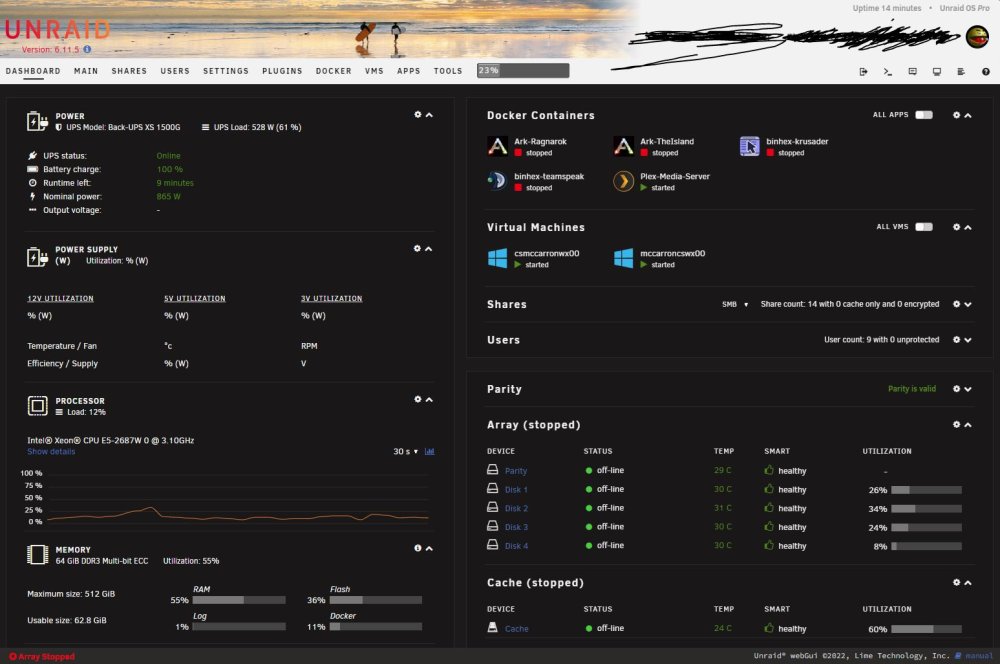
After upgrading to 6.11 everytime I reboot unRaid it comes up with the array not started. So I start the array and the UI reports that the array is not started. All of my dockers are working and both of my VM's are working properly. My drives are also working properly. I am hoping this is an easy fix. Thank you diagnostics-20230205-1600.zip
-
How come my plex docker no longer has a Remote Access setting? All it has is the online PLEX media BS.
-
Server has been stable, no lock ups or crashes. If anything changes I will update this tread. The only issue I have with the plugin is the "Graphql is offline" error.
-
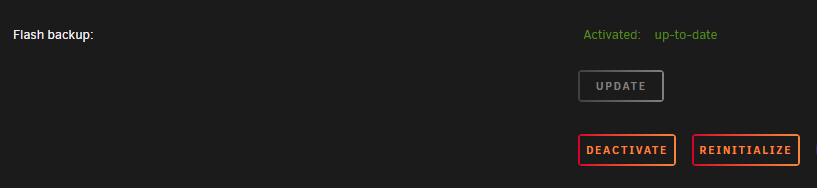
I am off this week and intown, so I am going to enable the Flash Backup and see what happens. I am running UnRaid 6.9.2 and my My Servers plugin is up-to-date. As of right now the Flash Backup is Active. Due to a recent power outage my server has been up for Uptime 7 days 9 hours 38 minutes. Hopefully it will not lockup.

-
I have everything enabled except for the online backup and my server has not crashed. I need to enable the online backup. When I first installed the plugin the last entry in the log file was backup related and the server locked up. Since disabling the online backup my server has been stable.




