





vurt
Members
-
Joined
-
Last visited
Everything posted by vurt
-
I'm a bit scared to update swag these days, and it doesn't look like there's a way to check the version I have installed if I need to roll back (besides going by time and testing for the right old version.) My current install is from 2 months ago. Are there critical changes? Is the certbot update critical? I'm going by what I read on the release page.
-
Hi @apandey, thanks for clarifying! I'll replace it ASAP.
-
Hi everyone! My parity disk is reporting errors so I ran the SMART self-test. This is what I got: Num Test_Description Status Remaining LifeTime(hours) LBA_of_first_error # 1 Extended offline Completed: read failure 90% 45560 21740232 # 2 Short offline Completed without error 00% 45559 - I can't replace the drive immediately. Is there anything else I can do?
-
Redid my entire Swag from subfolder to subdomains, Audiobookshelf installed and up without a hitch, working with the Android app. Amazing. 👍
-
I did, and modified the conf like this but it didn't work, still asked for password: # OPDS feed for eBook reader apps # Even if you use Authelia, the OPDS feed requires a password to be set for # the user directly in Calibre-Web, as eBook reader apps don't support # form-based logins, only HTTP Basic auth. location /opds/ { auth_basic off; include /config/nginx/proxy.conf; include /config/nginx/resolver.conf; set $upstream_app calibre-web; set $upstream_port 8083; set $upstream_proto http; proxy_pass $upstream_proto://$upstream_app:$upstream_port; proxy_set_header X-Scheme $scheme; } EDIT: Turned out it wasn't a reverse proxy issue for a change. Was on KOReader's end.
-
Thanks for the link. I just realized the conf for calibre-web seems to have made an accomodation for OPDS: # OPDS feed for eBook reader apps # Even if you use Authelia, the OPDS feed requires a password to be set for # the user directly in Calibre-Web, as eBook reader apps don't support # form-based logins, only HTTP Basic auth. location /opds/ { include /config/nginx/proxy.conf; include /config/nginx/resolver.conf; set $upstream_app calibre-web; set $upstream_port 8083; set $upstream_proto http; proxy_pass $upstream_proto://$upstream_app:$upstream_port; proxy_set_header X-Scheme $scheme; } Does that suggest /opds doesn't need password? The / above has: location / { # enable the next two lines for http auth auth_basic "Restricted"; auth_basic_user_file /config/nginx/.htpasswd;
-
If I have .htpasswd for password protection, is there a way to whitelist a specific url so it can be accessed without password? I want KOReader to browse my ebooks at https://calibre-web.mydomain.net/opds .
-
Thank you. I've already set up all my reverse proxying with subfolders unfortunately.
-
Hi @advplyr is this currently WIP? Just want to confirm before I try because all my apps are reverse proxied with subfolder.
-
To troubleshoot, I just tried to delete a file that was downloaded by Sonarr, and ran into the same problem. This had different permissions which: I could try setting that to rw-rw-rw and try deleting again? 2022-11-27 11:03:44.829 Info App: Removing item from database, Type: Episode, Name: SHOWNAME, Path: /mnt/user/TV/SHOW/Season 54/FILE.mkv, Id: 51877 2022-11-27 11:03:44.831 Info App: Deleting file /mnt/user/TV/SHOW/Season 54/FILE.mkv 2022-11-27 11:03:44.832 Error Server: Error processing request *** Error Report *** Version: 4.7.10.0 Command line: /system/EmbyServer.dll -programdata /config -ffdetect /bin/ffdetect -ffmpeg /bin/ffmpeg -ffprobe /bin/ffprobe -restartexitcode 3 Operating system: Linux version 5.19.17-Unraid (root@Develop) (gcc (GCC) 12.2.0, GNU ld version 2.39-slack151) #2 SMP PREEMPT_DYNAMIC Wed Nov 2 11:54:15 PDT 2022 Framework: .NET 6.0.8 OS/Process: x64/x64 Runtime: system/System.Private.CoreLib.dll Processor count: 4 Data path: /config Application path: /system System.UnauthorizedAccessException: System.UnauthorizedAccessException: Access to the path '/mnt/user/TV/SHOW/Season 54/FILE.mkv' is denied. ---> System.IO.IOException: Permission denied --- End of inner exception stack trace --- at System.IO.FileSystem.DeleteFile(String fullPath) at Emby.Server.Implementations.Library.LibraryManager.DeleteItem(BaseItem item, DeleteOptions options, BaseItem parent, Boolean notifyParentItem) at Emby.Server.Implementations.Library.LibraryManager.DeleteItem(BaseItem item, DeleteOptions options, Boolean notifyParentItem) at Emby.Api.Library.LibraryService.Any(DeleteItems request) at Emby.Api.Library.LibraryService.Any(DeleteItem request) at Emby.Server.Implementations.Services.ServiceController.<>c__DisplayClass6_0.<VoidActionDelegate>b__0(Object service, Object request) at Emby.Server.Implementations.Services.ServiceController.Execute(HttpListenerHost appHost, Object requestDto, IRequest req) at Emby.Server.Implementations.Services.ServiceHandler.ProcessRequestAsync(HttpListenerHost appHost, IRequest httpReq, IResponse httpRes, RestPath restPath, String responseContentType, CancellationToken cancellationToken) at Emby.Server.Implementations.HttpServer.HttpListenerHost.RequestHandler(IRequest httpReq, ReadOnlyMemory`1 urlString, ReadOnlyMemory`1 localPath, CancellationToken cancellationToken) Source: System.Private.CoreLib TargetSite: Void DeleteFile(System.String) InnerException: System.IO.IOException: Permission denied Source: TargetSite:

-
1. Sorry I did not know that. The old permission with the x didn't allow Emby to delete the file, so I used the Dynamix File Manager to change it to read/write. It didn't have an x option. 2. Yup, owner is nobody. Here's an example of the permissions. Most of the files have this. 3. Here's a log: 2022-11-26 21:05:44.845 Info Server: http/1.1 POST http://192.168.1.252:443/emby/Items/33409/PlaybackInfo?UserId=f3b875f41f53420d91be9ceb3ac7492f&StartTimeTicks=0&IsPlayback=false&AutoOpenLiveStream=false&MaxStreamingBitrate=3000000&X-Emby-Client=Emby Web&X-Emby-Device-Name=Firefox macOS&X-Emby-Device-Id=TW96aWxsYS81LjAgKE1hY2ludG9zaDsgSW50ZWwgTWFjIE9TIFggMTAuMTQ7IHJ2OjY3LjApIEdlY2tvLzIwMTAwMTAxIEZpcmVmb3gvNjcuMHwxNTUyNTQzMzYxOTgy&X-Emby-Client-Version=4.7.10.0&reqformat=json. UserAgent: Mozilla/5.0 (Macintosh; Intel Mac OS X 10.15; rv:107.0) Gecko/20100101 Firefox/107.0 2022-11-26 21:05:44.846 Info App: User policy for Ray. EnablePlaybackRemuxing: True EnableVideoPlaybackTranscoding: True EnableAudioPlaybackTranscoding: True 2022-11-26 21:05:44.848 Info Server: http/1.1 Response 200 to host1. Time: 4ms. http://192.168.1.252:443/emby/Items/33409/PlaybackInfo?UserId=f3b875f41f53420d91be9ceb3ac7492f&StartTimeTicks=0&IsPlayback=false&AutoOpenLiveStream=false&MaxStreamingBitrate=3000000&X-Emby-Client=Emby Web&X-Emby-Device-Name=Firefox macOS&X-Emby-Device-Id=TW96aWxsYS81LjAgKE1hY2ludG9zaDsgSW50ZWwgTWFjIE9TIFggMTAuMTQ7IHJ2OjY3LjApIEdlY2tvLzIwMTAwMTAxIEZpcmVmb3gvNjcuMHwxNTUyNTQzMzYxOTgy&X-Emby-Client-Version=4.7.10.0&reqformat=json 2022-11-26 21:08:30.240 Info Server: http/1.1 POST http://192.168.1.252:443/emby/Items/33409/Delete?X-Emby-Client=Emby Web&X-Emby-Device-Name=Firefox macOS&X-Emby-Device-Id=TW96aWxsYS81LjAgKE1hY2ludG9zaDsgSW50ZWwgTWFjIE9TIFggMTAuMTQ7IHJ2OjY3LjApIEdlY2tvLzIwMTAwMTAxIEZpcmVmb3gvNjcuMHwxNTUyNTQzMzYxOTgy&X-Emby-Client-Version=4.7.10.0. UserAgent: Mozilla/5.0 (Macintosh; Intel Mac OS X 10.15; rv:107.0) Gecko/20100101 Firefox/107.0 2022-11-26 21:08:30.242 Info App: Removing item from database, Type: Video, Name: FILE, Path: /mnt/user/Share/Folder/FILE.avi, Id: 33409 2022-11-26 21:08:30.247 Info App: Deleting file /mnt/user/Share/Folder/FILE.avi 2022-11-26 21:08:30.261 Error Server: Error processing request *** Error Report *** Version: 4.7.10.0 Command line: /system/EmbyServer.dll -programdata /config -ffdetect /bin/ffdetect -ffmpeg /bin/ffmpeg -ffprobe /bin/ffprobe -restartexitcode 3 Operating system: Linux version 5.19.17-Unraid (root@Develop) (gcc (GCC) 12.2.0, GNU ld version 2.39-slack151) #2 SMP PREEMPT_DYNAMIC Wed Nov 2 11:54:15 PDT 2022 Framework: .NET 6.0.8 OS/Process: x64/x64 Runtime: system/System.Private.CoreLib.dll Processor count: 4 Data path: /config Application path: /system System.UnauthorizedAccessException: System.UnauthorizedAccessException: Access to the path '/mnt/user/Share/Folder/FILE.avi' is denied. ---> System.IO.IOException: Permission denied --- End of inner exception stack trace --- at System.IO.FileSystem.DeleteFile(String fullPath) at Emby.Server.Implementations.Library.LibraryManager.DeleteItem(BaseItem item, DeleteOptions options, BaseItem parent, Boolean notifyParentItem) at Emby.Server.Implementations.Library.LibraryManager.DeleteItem(BaseItem item, DeleteOptions options, Boolean notifyParentItem) at Emby.Api.Library.LibraryService.Any(DeleteItems request) at Emby.Api.Library.LibraryService.Any(DeleteItem request) at Emby.Server.Implementations.Services.ServiceController.<>c__DisplayClass6_0.<VoidActionDelegate>b__0(Object service, Object request) at Emby.Server.Implementations.Services.ServiceController.Execute(HttpListenerHost appHost, Object requestDto, IRequest req) at Emby.Server.Implementations.Services.ServiceHandler.ProcessRequestAsync(HttpListenerHost appHost, IRequest httpReq, IResponse httpRes, RestPath restPath, String responseContentType, CancellationToken cancellationToken) at Emby.Server.Implementations.HttpServer.HttpListenerHost.RequestHandler(IRequest httpReq, ReadOnlyMemory`1 urlString, ReadOnlyMemory`1 localPath, CancellationToken cancellationToken) Source: System.Private.CoreLib TargetSite: Void DeleteFile(System.String) InnerException: System.IO.IOException: Permission denied Source: TargetSite:
-
That's really cool! Installed it. Still not able to do what I need unfortunately. Eg. the file's permissions were -rwxrwxr-X, i changed them to -rw-rw-rw-, still can't delete the file from Emby.
-
The latest, 6.11.5.
-
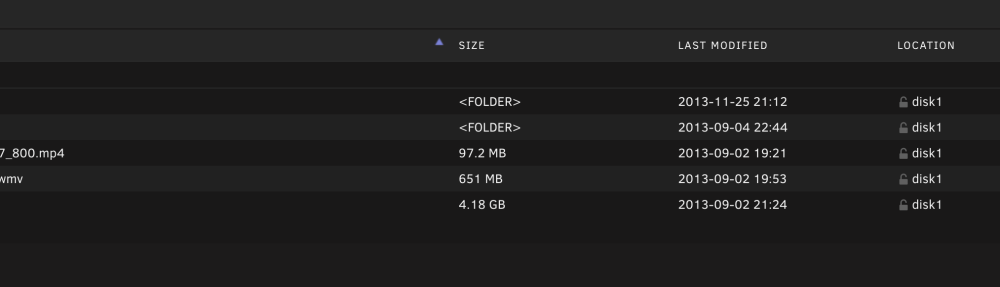
Thank you again, maybe I'm missing something? I got to this screen by clicking into the /shares but the view I'm getting is different from yours. Is there a view setting I missed? I had a look in Settings but don't see anything relevant.
-
Thanks for the tip. I didn't know I could no longer use my normal Gmail password for Unraid to email me updates. Set up an app password with these instructions.
-
Thank you for the suggestion. I clicked on Shares menu and see a list of my /shares. But how do I get to this screen you have?
-
Hello everyone! I have a permissions question (I think). The use case is: I'm watching a video using the Emby Web GUI. I'd like to delete the video file when I'm done. But I can't. These files are downloaded to a /share by another docker, binhex-delugevpn. There are no restrictions on the /share, I made it Public. Both dockers have PUID: 99 and PGID: 100. I'm logging into Emby with a user account that I created when I set up Emby (not sure if this is what's causing the problem). What do you think I'm doing wrong?
-
Sorry I'm not familiar with "drop the key", do you mean delete "migrations_lock_lock_key_unique" from the database?
-
No worries, I appreciate you for providing the docker already, I'm sure this is some code change with Ghost, it seems to have gotten a significant update to v4. @cheesemarathon is there a way to roll back to a previous version?
-
@cheesemarathon I just updated the Ghost docker and it won't start, getting a "wrong name for index" error. I'm pasting this from the log: [2021-03-19 16:08:49] [36mINFO[39m Ghost is running in production... [2021-03-19 16:08:49] [36mINFO[39m Your site is now available on https://my.domain/ghost/ [2021-03-19 16:08:49] [36mINFO[39m Ctrl+C to shut down [2021-03-19 16:08:49] [36mINFO[39m Ghost server started in 0.981s [2021-03-19 16:08:49] [31mERROR[39m alter table `migrations_lock` add primary key `migrations_lock_pkey`(`lock_key`) - ER_WRONG_NAME_FOR_INDEX: Incorrect index name 'migrations_lock_lock_key_unique' [31m [31malter table `migrations_lock` add primary key `migrations_lock_pkey`(`lock_key`) - ER_WRONG_NAME_FOR_INDEX: Incorrect index name 'migrations_lock_lock_key_unique'[39m [1m[37mError ID:[39m[22m [90m6447c370-88cd-11eb-955f-6b297b56d303[39m [1m[37mError Code: [39m[22m [90mER_WRONG_NAME_FOR_INDEX[39m [90m----------------------------------------[39m [90mInternalServerError: alter table `migrations_lock` add primary key `migrations_lock_pkey`(`lock_key`) - ER_WRONG_NAME_FOR_INDEX: Incorrect index name 'migrations_lock_lock_key_unique' at new GhostError (/var/lib/ghost/versions/4.1.0/node_modules/@tryghost/errors/lib/errors.js:10:26) at DatabaseStateManager.getState (/var/lib/ghost/versions/4.1.0/core/server/data/db/state-manager.js:63:32) at processTicksAndRejections (internal/process/task_queues.js:97:5) Error: ER_WRONG_NAME_FOR_INDEX: Incorrect index name 'migrations_lock_lock_key_unique' at Query.Sequence._packetToError (/var/lib/ghost/versions/4.1.0/node_modules/mysql/lib/protocol/sequences/Sequence.js:47:14) at Query.ErrorPacket (/var/lib/ghost/versions/4.1.0/node_modules/mysql/lib/protocol/sequences/Query.js:79:18) at Protocol._parsePacket (/var/lib/ghost/versions/4.1.0/node_modules/mysql/lib/protocol/Protocol.js:291:23) at Parser._parsePacket (/var/lib/ghost/versions/4.1.0/node_modules/mysql/lib/protocol/Parser.js:433:10) at Parser.write (/var/lib/ghost/versions/4.1.0/node_modules/mysql/lib/protocol/Parser.js:43:10) at Protocol.write (/var/lib/ghost/versions/4.1.0/node_modules/mysql/lib/protocol/Protocol.js:38:16) at Socket.<anonymous> (/var/lib/ghost/versions/4.1.0/node_modules/mysql/lib/Connection.js:88:28) at Socket.<anonymous> (/var/lib/ghost/versions/4.1.0/node_modules/mysql/lib/Connection.js:526:10) at Socket.emit (events.js:314:20) at addChunk (_stream_readable.js:297:12) at readableAddChunk (_stream_readable.js:272:9) at Socket.Readable.push (_stream_readable.js:213:10) at TCP.onStreamRead (internal/stream_base_commons.js:188:23) -------------------- at Protocol._enqueue (/var/lib/ghost/versions/4.1.0/node_modules/mysql/lib/protocol/Protocol.js:144:48) at Connection.query (/var/lib/ghost/versions/4.1.0/node_modules/mysql/lib/Connection.js:198:25) at /var/lib/ghost/versions/4.1.0/node_modules/knex/lib/dialects/mysql/index.js:134:18 at new Promise (<anonymous>) at Client_MySQL._query (/var/lib/ghost/versions/4.1.0/node_modules/knex/lib/dialects/mysql/index.js:128:12) at Client_MySQL.query (/var/lib/ghost/versions/4.1.0/node_modules/knex/lib/client.js:168:17) at Runner.query (/var/lib/ghost/versions/4.1.0/node_modules/knex/lib/runner.js:151:36) at Runner.queryArray (/var/lib/ghost/versions/4.1.0/node_modules/knex/lib/runner.js:243:19) at /var/lib/ghost/versions/4.1.0/node_modules/knex/lib/runner.js:38:25 at /var/lib/ghost/versions/4.1.0/node_modules/knex/lib/runner.js:277:24 at processTicksAndRejections (internal/process/task_queues.js:97:5) at async DatabaseStateManager.getState (/var/lib/ghost/versions/4.1.0/core/server/data/db/state-manager.js:39:13) at async DatabaseStateManager.makeReady (/var/lib/ghost/versions/4.1.0/core/server/data/db/state-manager.js:72:25) at async initDatabase (/var/lib/ghost/versions/4.1.0/core/boot.js:49:5) at async bootGhost (/var/lib/ghost/versions/4.1.0/core/boot.js:277:9)[39m [39m [2021-03-19 16:08:49] [35mWARN[39m Ghost is shutting down [2021-03-19 16:08:49] [35mWARN[39m Ghost has shut down [2021-03-19 16:08:49] [35mWARN[39m Your site is now offline [2021-03-19 16:08:49] [35mWARN[39m Ghost was running for a few seconds
-
Ah interesting, that makes sense but the error it gave doesn't seem related to the cause. This will be the first time I haven't done anything wrong—I always default to user (me) error 😅 Thank you and sorry for the extremely late response! The forum doesn't email notifications and I don't come here much.
-
I managed to get the Ghost docker running with MariaDB. After an initial hiccup with logging into Ghost admin (a Firefox restart fixed it), everything seems fine from mydomain.net/blog and mydomain.net/blog/ghost. But if I tried to access it internally at my.ip/blog or my.ip/blog/ghost, I get this Firefox error: Error code: SSL_ERROR_RX_RECORD_TOO_LONG Safari says it can't establish a secure connection to my IP. Has anyone encountered this? I'm guessing it's related to Nginx but my other dockers are accessible.
-
Thanks for the tip! I'm equally surprised the feature is disabled by default.
-
That fixed it!! Thank you. I still don't understand why it worked previously though. By "custom docker bridge", do you mean the custom network? I just looked this up: https://docs.docker.com/network/bridge/ After running the command $ docker network create my-net Do I then use the unRAID GUI to edit all my dockers' config to point Network Type to "my–net" instead of "bridge"? Would that be it or are there other stuff I need to do? My Emby is currently set to "Host", will that stay that way?
-
Do you mean the /calibre? I renamed it because I want to access it via domain.net/calibre instead of domain.net/calibre-web. This hadn't been a problem previously. I literally have not touched anything besides updating calibre-web and switched letsencrypt to swag.


