





nerbonne
Members
-
Joined
-
Last visited
Everything posted by nerbonne
-
Well, thats kinda the point of the whole post. What is causing it to be busy? What put that folder there? I have 8 VMs and only 2 put folders in this location? Of note, I rebooted about an hour ago and we've been working on this since then. I can do another reboot later but I just started copying a 14tb drive, and I don't want to stop it.
-
Doesnt work, sadly.
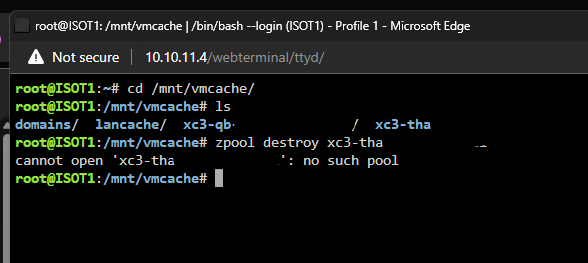 Trying to delete it directly off the pool doesn't work either.
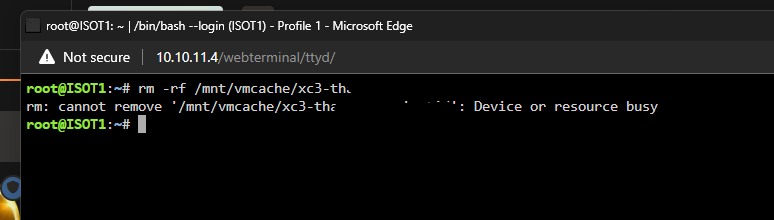 rm -rf /mnt/user/foldername doesn't work.
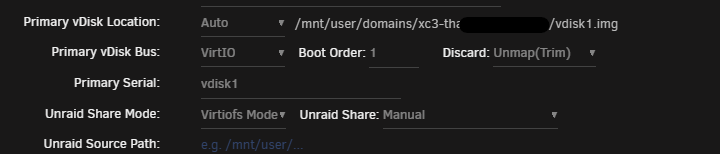
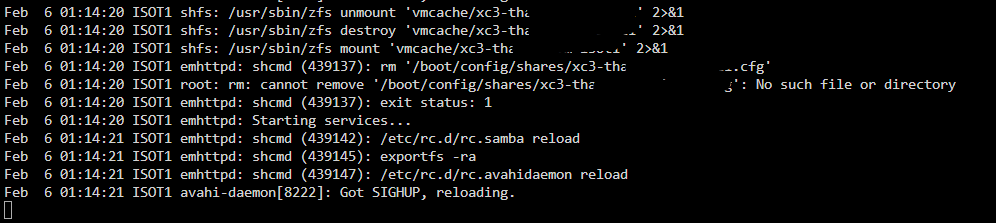
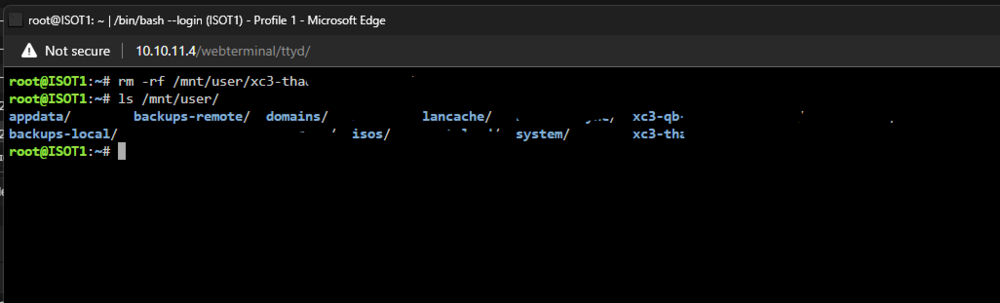 For some reason, two VMs made folders in /mnt/user/ I have no settings for this, all settings point to /mnt/user/domains/, so I'm not sure why these folders are here. Secondly, they are on a zfs pool, but the share manager in unraid says they are on the array and if I assign them to the zfs pool, it won't update and also I can't delete the folders.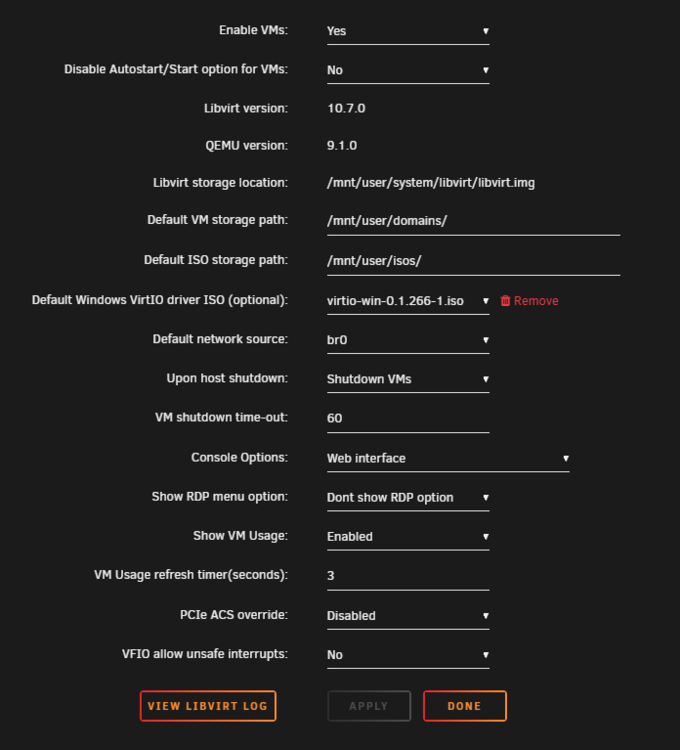
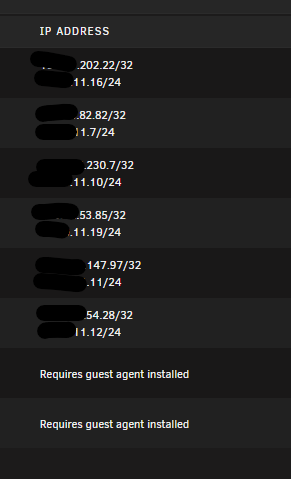
 Yes I didnt see that until now. It was just some empty folders. The drive contains current backups that rsync every day, so I'm not too concerned about the data as long as the data going forward is correct. In 24 hours whatever was lost will be replaced.Mounted in maintenance mode and ran xfs repair and it corrected the issues. Not a fan of having to fun xfs repair in read only mode first and then repair after a second time. It didn't used to be this way but I'll live.I think its possible the 7.0.0 upgrade did, I've had some weird gotchas too, like the update frequency on the auto plugin update being blank instead of daily, which caused it to spam syslog with errors. I have 3 servers all upgraded to 7.0.0 and this only happened on one and everything was fine prior to the upgrade.Are you using multiple nics on the unRAID box? I remember there used to be a bug where all DNS for all interfaces has to be in the first interface. Not sure if that's still a thing.Very odd, looks in order. Your DNS is different than your gateway, are you using pihole or something? Do those IPs ping? You mention speed test not working, what does "nslookup speedtest.net" produceTurn off "memory integrity" under core isolation settings. That massively improved performance on my win 11 vm's.Post screenshot of the network config section for the VM, and also what does ipconfig command show from command window?Here you go. Thank you for your help. isot1-diagnostics-20250205-2244.zipI'm seeing this in the log, but what disk is dm-1? Feb 5 08:21:23 ISOT1 kernel: XFS (dm-1): Metadata corruption detected at xfs_buf_ioend+0xac/0x384, xfs_inode block 0x2d6c054f8 xfs_inode_buf_verify Feb 5 08:21:23 ISOT1 kernel: XFS (dm-1): Unmount and run xfs_repair Feb 5 08:21:23 ISOT1 kernel: XFS (dm-1): First 128 bytes of corrupted metadata buffer: Feb 5 08:21:23 ISOT1 kernel: 00000000: 8a 5d 19 e4 cc 70 4d f1 67 8a b6 e2 07 2f 41 fd .]...pM.g..../A. Feb 5 08:21:23 ISOT1 kernel: 00000010: fb 02 33 bd 57 ae 5f d6 37 29 d4 c9 05 3e 77 5c ..3.W._.7)...>w\ Feb 5 08:21:23 ISOT1 kernel: 00000020: 06 09 2a 8c 26 4a de ed ea bb 39 a7 47 4b a0 93 ..*.&J....9.GK.. Feb 5 08:21:23 ISOT1 kernel: 00000030: b0 f0 41 7c 56 65 91 dc 67 4f 73 4f 34 fd 3f 32 ..A|Ve..gOsO4.?2 Feb 5 08:21:23 ISOT1 kernel: 00000040: 61 cf 5a 7b e7 a4 4c 80 f7 49 d1 ea 33 04 7f df a.Z{..L..I..3... Feb 5 08:21:23 ISOT1 kernel: 00000050: 72 03 03 c5 a7 d6 ee cf 6f c4 2d 76 c7 32 4a 24 r.......o.-v.2J$ Feb 5 08:21:23 ISOT1 kernel: 00000060: f2 f3 6c d1 0f a8 f9 24 6c d9 7a 6a 9f 58 c7 5a ..l....$l.zj.X.Z Feb 5 08:21:23 ISOT1 kernel: 00000070: 38 35 69 f6 02 06 e3 b7 73 b8 43 d1 d2 0d 27 24 85i.....s.C...'$This made my (8) VMs sooo much faster. Thank you!I have 8 VMs, guest agent works on 6/8 of them. For the life of me, I can't figure out why it doesn't work on all of them. I have verified on the VMs that it's not working on that the QEMU Guest Agent is installed. All VMs are Windows 11 24H2.
 Thanks, I was able to install it in the extra directory.With Nerd Tools being deprecated in the rc.2, what is the recommended way to persistently install tmux?What version of unraid are you using? What was the host cpu usage during these tests?Thanks for this. I was having trouble getting my subnet in the whitelist when accessing over tailscale, adding 172.17.0.0/24 worked.I dont know the answer but I also want to state that I am having issues with rsync on 7.0.0 rc1. It runs for hours but then the process hangs and the status stops scrolling but the process is doing something in the background as the disks are still showing activity. This never happened on previous versions of unraid even with rsync sessions that went on for days.I mean, have you done any testing? with my VM on virtio the SSD (4x consumer SSD in raid0) benchmark was 3500 but with it on virtio-net it was 9000Just came here to say, good guide, but on later versions unraid, virtio-net is needed as using virtio makes massive CPU spikes.


