





nerbonne
Members
-
Joined
-
Last visited
Everything posted by nerbonne
-
Thats a DNS issue with your unRaid box, it's not related to this container.
-
So I notice this comment in the install notes? I thought needing to use /mnt/cache was a thing of the past? "At first install a MariaDB or PostgreSQL container. Changing their paths to /mnt/cache/appdata/... (instead of /mnt/user/appdata/...) will enormously boost Nextcloud's loading times!"
-
How did you find out the database was corrupt?
-
Seems like a firewall on your network is blocking UDP traffic?
-
How long does it take to appear in the app store? I'm still on version 6.9.5 but I am happy to report that I can add my servers using a LAN IP exposed via Tailscale, whereas a few months ago it was timing out saying offline. So that's good! Thanks!
-
Ok I did get it working. I had to remove the database completely and re-pull it. Seems like the initial setup for the db name, password, etc, is a one time deal. Even if you change the template later it wont update including setting the root password. All good now. Thanks! @A75G Actually, to get setup to finish without a 500 error, I had to add variable LEAN_SESSION_SECURE to FALSE. Recommend adding this to the template. (For anyone having the 500 error at the end of the install, you need to drop the tables and start the install over again after adding the variable).
-
Yeah, thats what I was afraid of. It will just have to wait until I'm on site. Thank you.
-
1. I have tried every combination of directory with/without trailing /, still in the .zip, extracted from the .zip, it's always the same error. I'll contact Micron support. 2. The two A55 SATA SSD's are a btrfs-encrypted raid1 cache pool. I can separate them and make one an unassigned drive or whatever I need to do pretty easy. 3. Got it, don't mess with the spinners. Thanks!
-
Question 1: Micron SSD firmware update via cli I have two Micron 2400 NVMe SSDs with firmware version V3MA001 and V3MA003 is available. The issue I'm seeing is that unRaid is reporting that they are using max power all the time, and I was hoping a firmware update would help. Anyone know how to update Micron SSDs via the cli? I have the Storage Exec Software cli version and the firmware image in /root, but the manual only has example commands for windows and even though I've read thru --help, it keeps saying my folder for my firmware is invalid but nowhere is there any specific instructions like the folder has to be a certain name or such. Very annoying. Booting the server using a Windows USB is not an option, the server is remote and I won't be at it any time soon. It is an R730xd if there is a way to use the iDrac to do it. root@ISOT1:~# ./msecli-linux.run -U -i micron-2400-v3ma003-fwimage.bin -n /dev/nvme0 Input folder is an invalid firmware update directory! Copyright (C) 2024 Micron Technology, Inc. root@ISOT1:~# mkdir 2400 root@ISOT1:~# mv micron-2400-v3ma003-fwimage.bin 2400/ root@ISOT1:~# ls 2400 micron-2400-v3ma003-fwimage.bin root@ISOT1:~# ./msecli-linux.run -U -i 2400 -n /dev/nvme0 Input folder is an invalid firmware update directory! Copyright (C) 2024 Micron Technology, Inc. root@ISOT1:~# ./msecli-linux.run -U -i /root/2400/ -n /dev/nvme0 Input folder is an invalid firmware update directory! Copyright (C) 2024 Micron Technology, Inc. root@ISOT1:~# Question 2: I have two Silicon Power A55 SATA SSD's which only have a Windows client for updating. As I am seeing a performance issue with one of the two drives, I figured a firmware update might help (they are not the same firmware version: SHFM70.2 on one and W1115A0 on the other). Is there any way to pass these thru to a Windows VM so that I can update them. Same server as above, remote only access for now. Question 3: All this talk of updating firmware has me wondering. I have 3 unRaid servers with 51 total drives between them (37 SATA spinners, 12 NVMe SSDs and 2 SATA SSDs). I have never updated firmware on any of the spinners since it seemed unnecessary. Is there any good reason to even check them? Could newer firmware improve read/write speeds on older drives. I've noticed that larger/newer drives tend to have faster read/write speeds overall.
-
I updated but still having the same issue. The error log shows the container trying to connect to the container IP for the DB. Container error log: PDOException: SQLSTATE[HY000] [1045] Access denied for user 'leantime'@'10. 10.11.71' (using password: YES) in /var/www/html/vendor/laravel/framework/s rc/Illuminate/Database/Connectors/Connector.php:66 Docker run command: docker run -d --name='gda-leantime-container-nas0' --net='br0' --ip='10.10.11.71' --pids-limit 2048 -e TZ="America/Los_Angeles" -e HOST_OS="Unraid" -e HOST_HOSTNAME="ISOT0" -e HOST_CONTAINERNAME="gda-leantime-container-nas0" -e 'TCP_PORT_80'='8000' -e 'LEAN_DB_HOST'='10.10.11.76' -e 'LEAN_DB_USER'='leantime' -e 'LEAN_DB_PASSWORD'='leantimepass' -e 'LEAN_DB_DATABASE'='leantimedb' -e 'LEAN_APP_URL'='http://10.10.11.71:8000' -l net.unraid.docker.managed=dockerman -l net.unraid.docker.webui='http://[IP]:[PORT:80]/' -l net.unraid.docker.icon='https://raw.githubusercontent.com/A75G/docker-templates/master/templates/icons/leantime.png' 'leantime/leantime:latest' 8d02a7103a388ec2e48e81a1b40d272e29906fec1eeb8a01e6389190c5759ba5 The command finished successfully!
-
Tailscale is updated by the report maintainer. You have to wait until they update the report.
-
I am having the same issue. The configuration is not being written as the sample.env does not contain the database configuration. Checking the logs, on my install I see failed to connect to DB and the host IP is the IP of the container not the maria db IP that I put in. So this container is broken. Hopefully @A75G can fix it, otherwise it should be pulled out of the app store in my opinion.
-
@EDACerton wondering if you have seen this bug report, seems if 1.82.0 has a bug where subnet routing is broken. Any way we can delay/not upgrade to this version. I use subnet routing heavily. https://github.com/tailscale/tailscale/issues/15449
-
Do you have any reference for this? I'd hate to go buy 5 more domains just to find out that this wasn't why it started working.
-
Huh? Not sure why the amount of domains would be relevant.
-
Yes the Lithium Ion battery model does 1440W vs the 1350W of the others. Longer life seems good since this is a remote site but higher risk of fire sounds terrible. Hmm...
-
I'm trying to recommend an UPS for a non profit that I support. Their current UPS is a Cyberpower CP1500AVRLCDa which is a total POS. (1500VA, 900W, 24V Battery). I've read that this particular model reports the battery as good even when it isn't, which seems to be the case for me. (I monitor it remotely and the server goes off during power outages that last seconds). I've read that Eaton are the best UPS. From my research they seem to be good so I looked up all the 1500VA models that do 1350W. Two include network modules which make them more expensive, I'm going to recommend those two and then throw in some cheaper non network models (still have USB). My main questions are, there is a Lithium Ion battery model, it's the most expensive. Should I even bother with that? Any benefit to Lithium Ion? Of the rest of the models, there are 36V and 48V batteries, obviously the 48V are more expensive, but either is going to be an upgrade over the current 24V in the Cyberpower. 36V battery: SMART1500RM2U 1500VA, 1350W, Line-Interactive, Lead Acid 36V Battery, Rackmount, $758 SM1500RMXL2UTAA 1500VA, 1350W, Line-Interactive, Lead Acid 36V Battery, Rackmount, $827 SMART1500RM2UN 1500VA, 1350W, Line-Interactive, Lead Acid 36V Battery, Rackmount, $1114, Network 48V battery: SU1500XLCD 1500VA, 1350W, On-Line, Lead Acid 48V Battery, Tower, $974 SU1500RTXLCD2U 1500VA, 1350W, On-Line, Lead Acid 48V Battery, Rackmount, $1051 SU1500RTXLCD2UTAA 1500VA, 1350W, On-Line, Lead Acid 48V Battery, Rackmount, $1051 SU1500RTXLCDN 1500VA, 1350W, On-Line, Lead Acid 48V Battery, Rackmount, $1403, Network 48V Lithium Ion battery: SMART1500RM2UL 1500VA, 1440W, Line-Interactive, Lithium Ion 48V Battery, Rackmount, $1388 Any thoughts on these models? Unless someone has other opinions, I'm going to recommend the one of the two with network and then the cheapest 36V if they want to save money (although they said money isn't a problem). The server on the UPS is a Dell R730xd with 384gb ECC ram, 7 3.5 HDD, 2 2.5 SSD, 4 NVMe SSD and obviously 2 Xeon processors. According to the CyberPower UPS, it's pulling 350W on average with like 25% CPU load.
-
just want to say, this saved my bacon on a remote server. thanks!
-
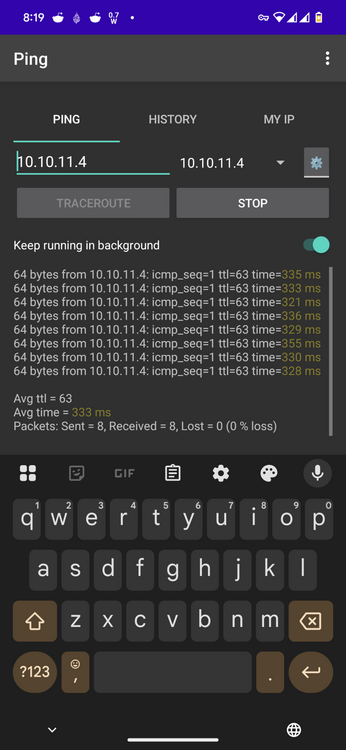
Ok, but the problem is that I can use the app via a LAN IP with latency of 1ms, but I cannot use the app via a LAN IP with latency of average 333ms. So there is some issue with how quickly the app decides that a host is offline when using http
-
I don't use the myunraid.net plugin or url. I have no need for it. As previously stated, http does work for LAN IPs, so it has to be a latency thing.
-
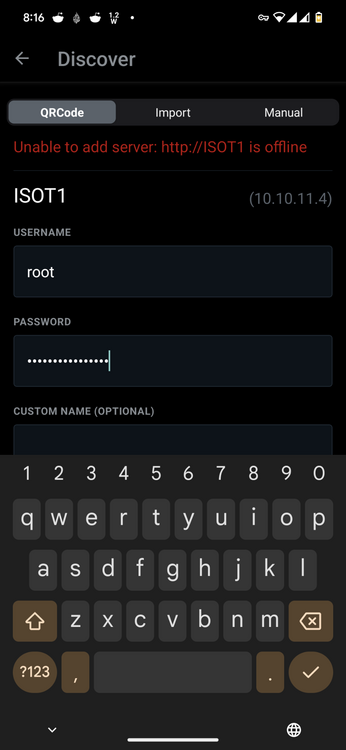
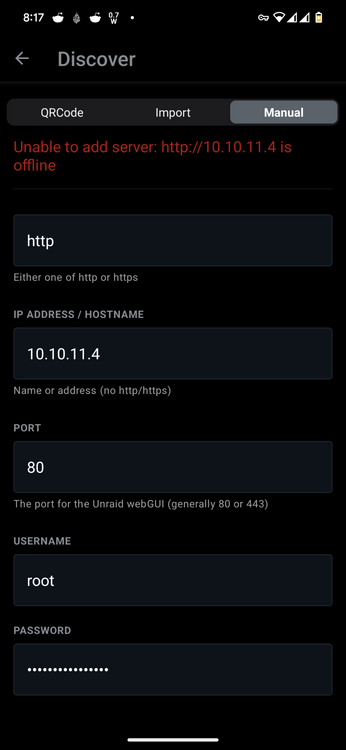
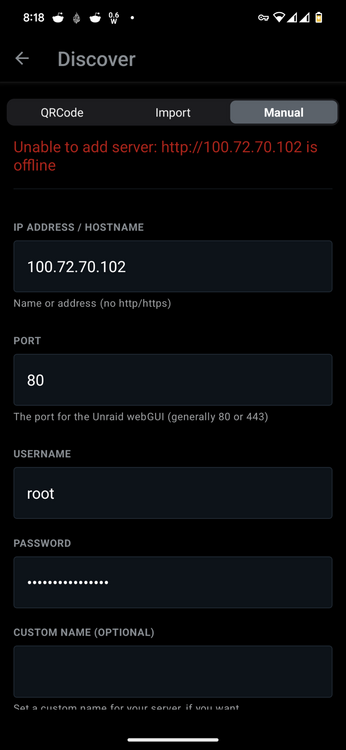
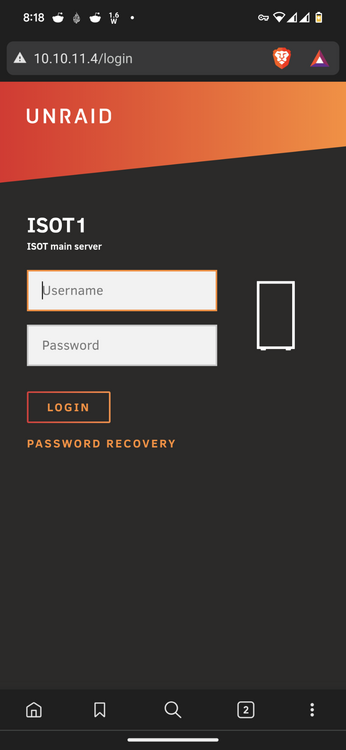
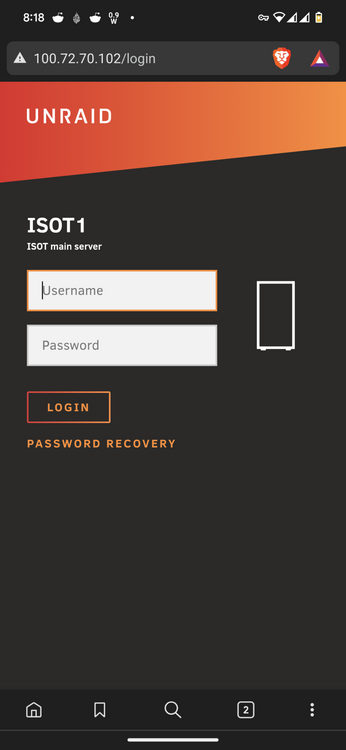
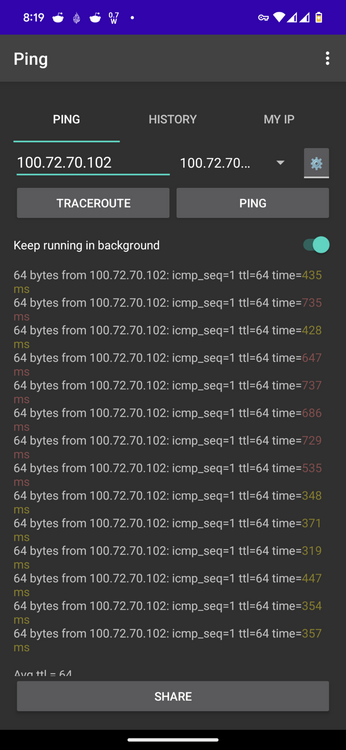
I'm not sure when exactly. I installed the app about 6 months ago if I can remember correctly, and it did work with remote LAN IPs at that time. Then I kinda forgot about it until a few weeks ago and it doesn't work now. Do you think its due to the ping time of 300+ ms? I tried both QR code and manual, and manual both LAN IP and tailscale IP.
-
When i use http connection, the app will not connect to gui's using Tailscale IPs or LAN IPs using tailscale subnet route. Only local LAN IPs work. It used to work so what changed and how do I fix it?
-
on the surface this plugin seems to be like a good idea, but since there is an inode limit, it can't even protect the drives i actually care about. i'm removing it and will stop following this thread because plugin serves no useful purpose.
-
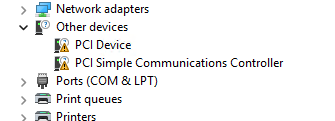
Well, for anyone else having this issue, it's likely due to PCI devices that aren't installed which have no effect on anything other than the guest agent, apparently. So go to your Device Manager and check to make sure all the drivers are loaded.
-
I mean, the folders are empty so really not hurting anything. I could just ignore for now. If I understand correctly, this is a known issue that will be fixed in the future?



