nerbonne
Members
-
Joined
-
Last visited
-
Ok thanks for confirming how the memory limit works. Yes I'm waiting for my nextcloud/immich stack to sync back to my main server and then I'll return the little 8G server to being a backup only.
-
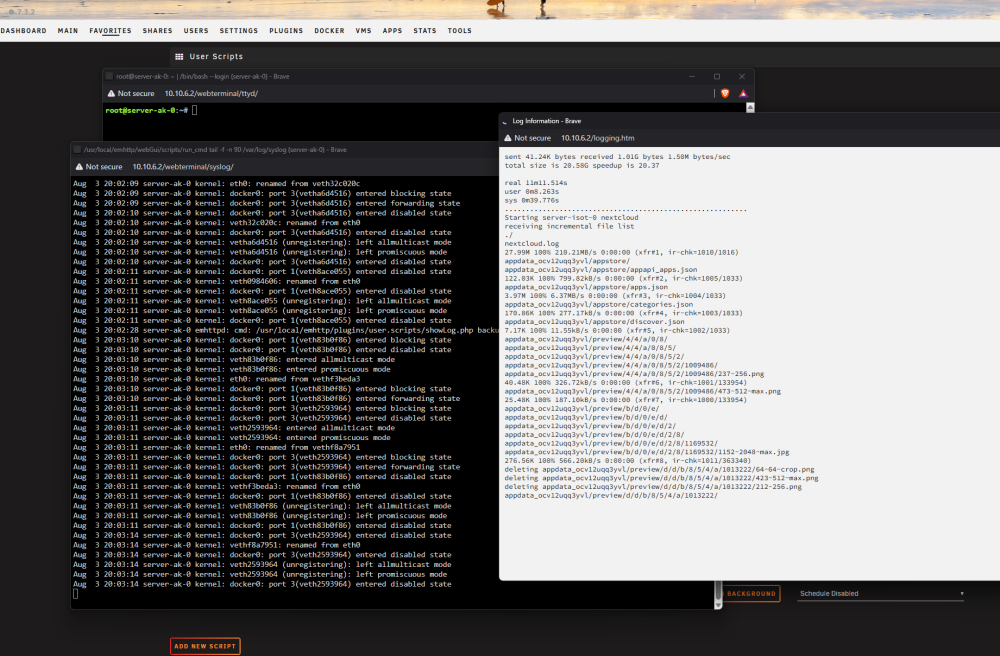
Is there any way to fix the log windows so that they show in dark mode? The native unraid windows like terminal and syslog show in dark mode, but the log windows for user scripts don't and it's blinding. Is that something that can be fixed?
-
So on my backup server, I have a Lincstation S1 that came with 8gb DDR5 Sodimm. Due to the RAM sitatuation, I dont really feel like paying for a larger stick of ram. I'm running nextcloud (+mariadb) and immich (+redis and postgresql). I keep getting OOM errors nightly, and the logs state it's immich. I have immich limited to 2gb of memory using this extra parameter "--memory=2G". Normally immich is using about 1.6G memory, and the server has about 1.2G free when I look. So I'm not sure how it's getting to be OOM. I was looking at some other posts and it seemed to imply that the server will restart the process if it gets to the memory limit of the container? So did I actually make the problem worse by making the memory limit lower than the available left on the server? server-ak-21-diagnostics-20260803-1848.zip
-
Click on Modify in the control panel.
-
Hey thanks for that example, i'll try that out! I for sure do not wanting it to run twice. What happens is the script catches up to itself due to large files and then it starts deleting the file in progress by the other process. My only question is what happens when I click the abort script, do I need to go delete the lock file manually?
-
I'm having trouble where my rsync scripts last longer than 24 hours on initial run, and so then they get started again before the initial run ends. I googled how to stop this and came up with this code which should be at the start of the script, but it doesnt seem to work. Can anyone help me? if pidof -x "$(basename "$0")" -o %PPID >/dev/null; then echo "Script is already running" exit 1 fi
-
Thanks. Can't remember why I was using folders over the image. I changed it to the image and pulled the containers down again. I appreciate it.
-
To be fair, the linked guide does not cover docker directories and there is no delete button.
-
Hello, i'm receiving this error when trying to re-install a previous container. "docker: Error response from daemon: Failed to create btrfs snapshot: invalid argument" docker run -d --name='brave-frontier' --net='br0' --ip='10.10.11.89' --pids-limit 2048 --privileged=true -e TZ="America/Los_Angeles" -e HOST_OS="Unraid" -e HOST_HOSTNAME="ISOT0" -e HOST_CONTAINERNAME="brave-frontier" -e 'TCP_PORT_5800'='5800' -e 'TCP_PORT_5900'='5900' -e 'DISPLAY_WIDTH'='1920' -e 'DISPLAY_HEIGHT'='1080' -e 'VNC_PASSWORD'='' -l net.unraid.docker.managed=dockerman -l net.unraid.docker.webui='http://[IP]:[PORT:5800]/' -l net.unraid.docker.icon='https://raw.githubusercontent.com/P3R-CO/unraid/master/Brave-P3R-256px.png' -v '/mnt/user/appdata/brave-frontier':'/config':'rw' -v '/mnt/user/appdata/brave-frontier/downloads':'/Downloads/':'rw' --shm-size=2g 'p3rco/brave:latest' docker: Error response from daemon: Failed to create btrfs snapshot: invalid argument Run 'docker run --help' for more information The command failed. The cache drive is formatted as encrypted btrfs, it's been that way for over a year. I am still using USB boot. I am using docker folders not docker img. Google searches recommend changing the format to xfs but it's odd it would have work fine and now I need to change the format? No errors in the syslog and a btrfs scrub completed with no errors. Cache drive has 450 Gb of 500 Gb free, no smart errors and 85% life left. Attached are diags. Thanks for the help! isot0-diagnostics-20260705-2023.zip
-
I run multiple unraid servers and I'm curious why there is no samba container. The issue I'm facing is that if the server that has samba shares goes down, I can bring up samba on a new server but then the IP address is different and I have to go around changing mappings on PCs. If it were a container, I could have it use a static IP regardless of what physical server the samba share is up on. Local DNS is really an option as some users access the share over tailscale (I know, it's a terrible experience). Thoughts on how to keep the samba share IP static during server changes?
-
I commented out the Monitor Service and the log entries stopped. The screen no longer works so thats kinda sucky. Anyone planning to buy a lincstation be aware you can have a working status screen or a clean system log.
-
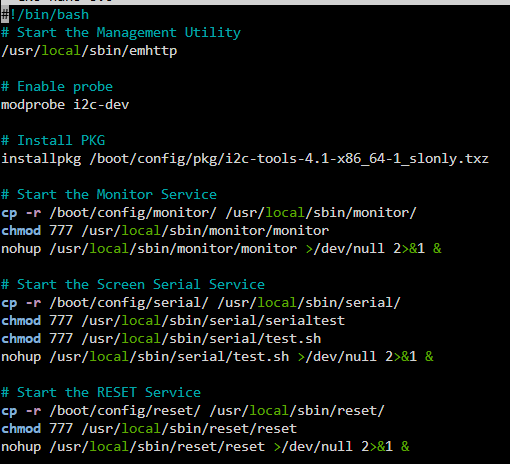
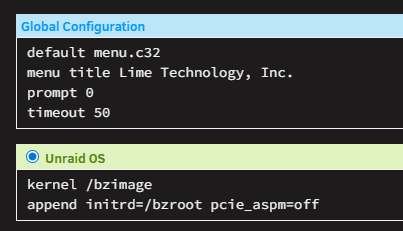
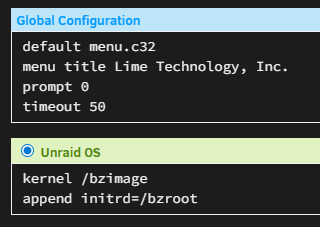
Thanks all. I found the go file and the LincStation S1 has alot of stuff in that shipped with it. I assume it's to power the small LCD touch screen that comes with it. I'll comment the items out one by one and see what happens.
-
This is the go file on my main server: And this is the LincPlus LincStation S1:
-
I just setup my 4th unraid server and I'm seeing this scroll thru the logs constantly, never seen this before. Does anyone know why? It's a LincPlus LincStation S1. May 7 22:46:12 Tower sudo: pam_unix(sudo:session): session opened for user root(uid=0) by (uid=0) May 7 22:46:12 Tower sudo: pam_unix(sudo:session): session closed for user root May 7 22:46:12 Tower sudo: root : PWD=/ ; USER=root ; COMMAND=/usr/sbin/smartctl --scan May 7 22:46:12 Tower sudo: pam_unix(sudo:session): session opened for user root(uid=0) by (uid=0) May 7 22:46:12 Tower sudo: pam_unix(sudo:session): session closed for user root May 7 22:46:19 Tower sudo: root : PWD=/ ; USER=root ; COMMAND=/usr/sbin/lshw -json -c video May 7 22:46:19 Tower sudo: pam_unix(sudo:session): session opened for user root(uid=0) by (uid=0) May 7 22:46:21 Tower sudo: pam_unix(sudo:session): session closed for user root May 7 22:46:22 Tower sudo: root : PWD=/ ; USER=root ; COMMAND=/usr/sbin/smartctl --scan May 7 22:46:22 Tower sudo: pam_unix(sudo:session): session opened for user root(uid=0) by (uid=0) May 7 22:46:22 Tower sudo: pam_unix(sudo:session): session closed for user root May 7 22:46:22 Tower sudo: root : PWD=/ ; USER=root ; COMMAND=/usr/sbin/smartctl --scan May 7 22:46:22 Tower sudo: pam_unix(sudo:session): session opened for user root(uid=0) by (uid=0) May 7 22:46:22 Tower sudo: pam_unix(sudo:session): session closed for user root May 7 22:46:23 Tower sudo: root : PWD=/ ; USER=root ; COMMAND=/usr/sbin/lshw -json -c video May 7 22:46:23 Tower sudo: pam_unix(sudo:session): session opened for user root(uid=0) by (uid=0) May 7 22:46:23 Tower sudo: pam_unix(sudo:session): session closed for user root May 7 22:46:32 Tower sudo: root : PWD=/ ; USER=root ; COMMAND=/usr/sbin/smartctl --scan
-
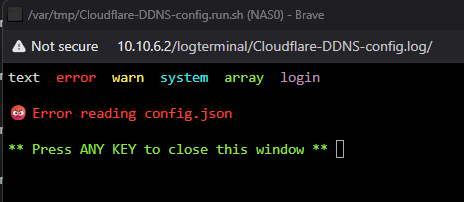
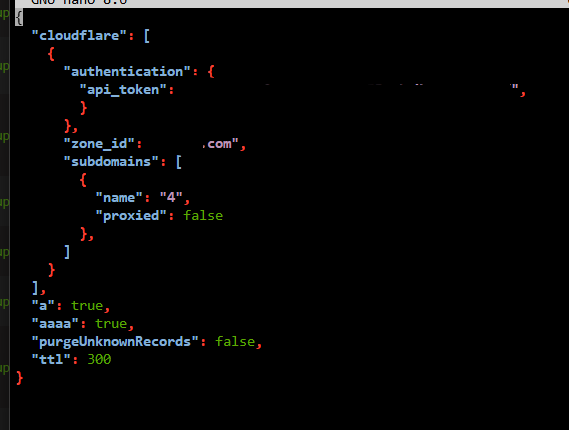
Does this error mean my json file is incorrect? The subdomain to be updated is 4.domain.com