






Greygoose
Members
-
Joined
-
Last visited
Everything posted by Greygoose
-
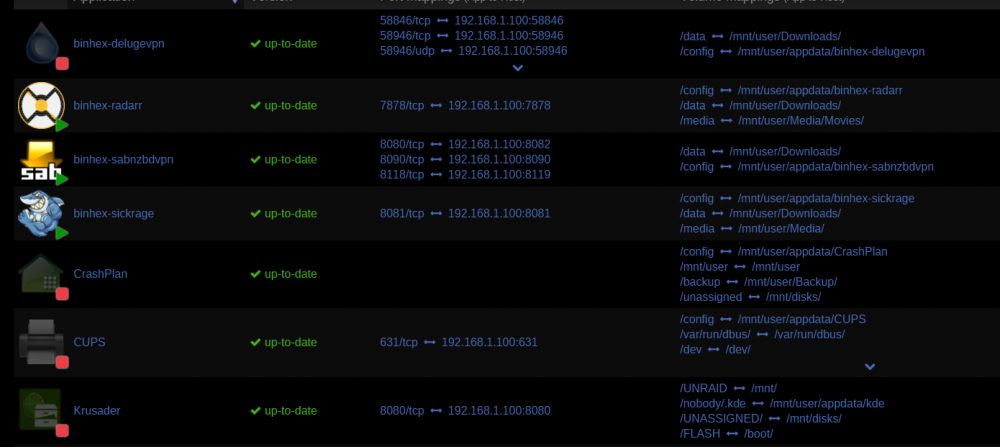
I had trouble changing the container port, the area was grey and wouldnt let me edit. so i deleted the port and re added I must have messed about so much i confused the docker, thats why the privoxy was a pain in the backside as well. Thanks for helping me learn mate, most appreciated,.
-
When i change the Host Port 3 to 8118 it clashes and fails due to deluge using it, I thought that was the host side i am allowed to change
-
Oh and i am using delugeVPN as the privoxy as opposed to the SabVPN Unless you can see anything that needs changing in the image above, i am happy.
-
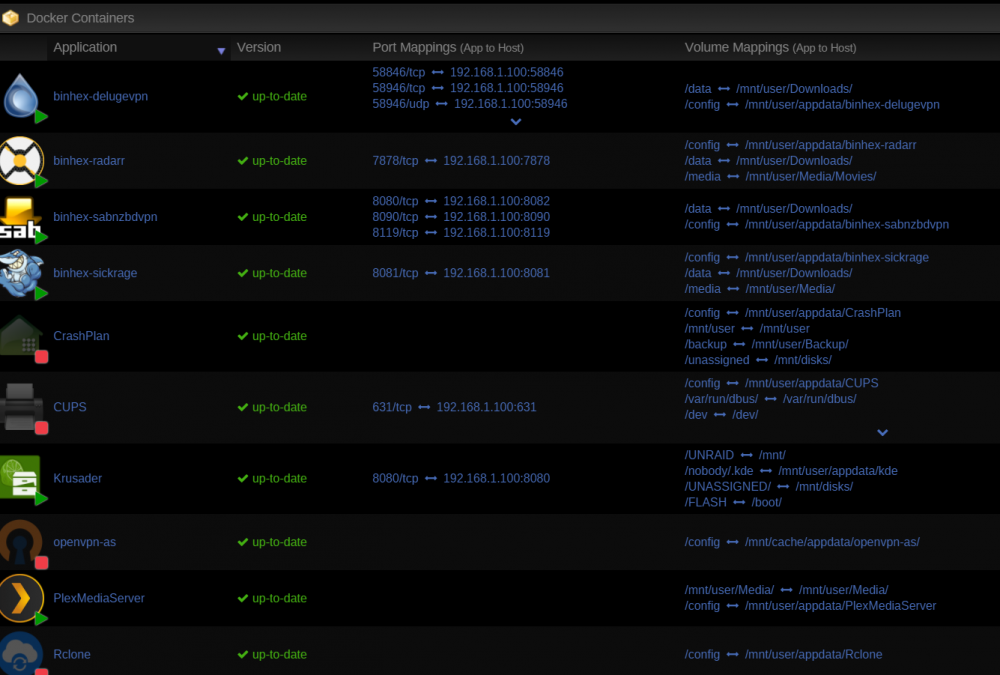
binhex.. Dude,, sorted it. You was right i did change to 8119... I did a restart of the server and i changed eveything back to their respective ports and it works I think the restart must have helped, as i had changed so many things with the ports it was causing issues somehow. a restart seems to have sorted it, proxy works in the browser Thank you mate, also thank you jonathanm for your time... its most appreciated..
-
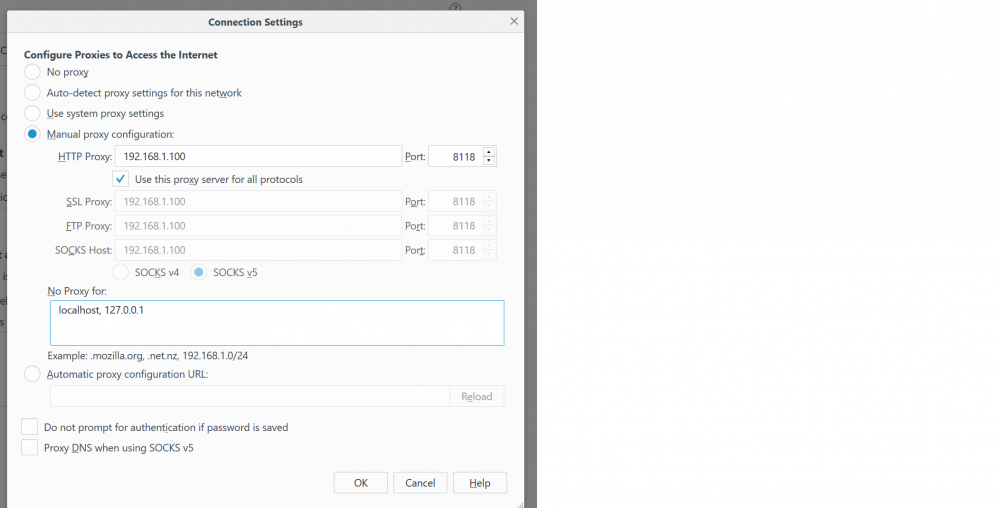
This is in FFox I have enabled Privoxy in SabVPN. I have spent hours trying things
-
No connection when setting proxy through browser.
-
the docker loads with the above settings but when i search i get nothing.. as if the privoxy settings are incorrect (no external traffic) :\
-
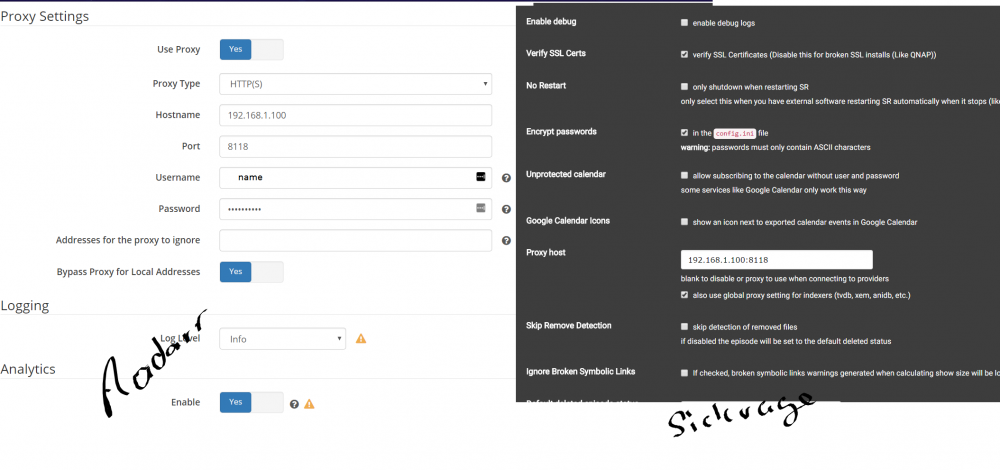
Thanks Jonathanm, image attached for anyone else, shows Radarr Left and Sickrage Right
-
Hi, I have both SabVPN running perfect.. To direct traffic from sickragen via sabVPN Privoxy do i simply change the network TYPE to host and 8118 in the Host Port 1?
-
fixed
-
I will set this up tomorrow, if I get stuck I will post here. Thanks dude
-
if this puts Sab behind the VPN, would that still mean other apps working alongside Sab such as sickrage wouldnt be behind the vpn when searching?
-
I have this issue, how do i do the chmod +x
-
I did that and it sorted the issue, i was also missing a / from the config which i changed. now eveything is good Thanks for the help
-
Hi Gog, I have it mapped like this,.
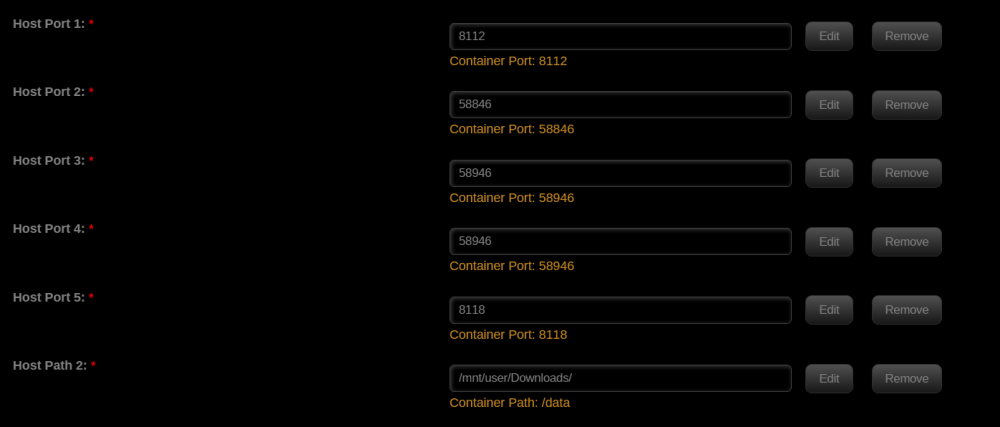
-
Hi Scott47 Thanks for the help, it is appreciated. I have it setup as follows.
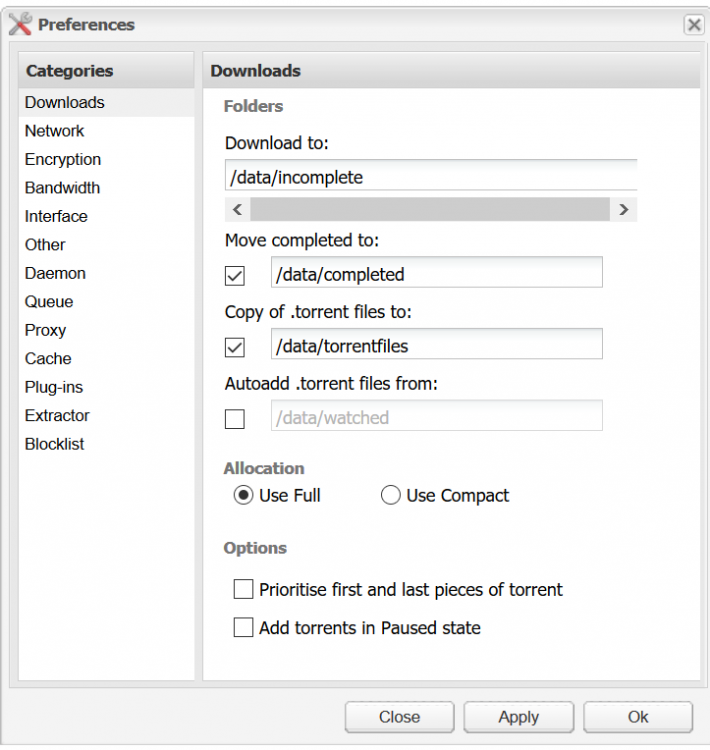
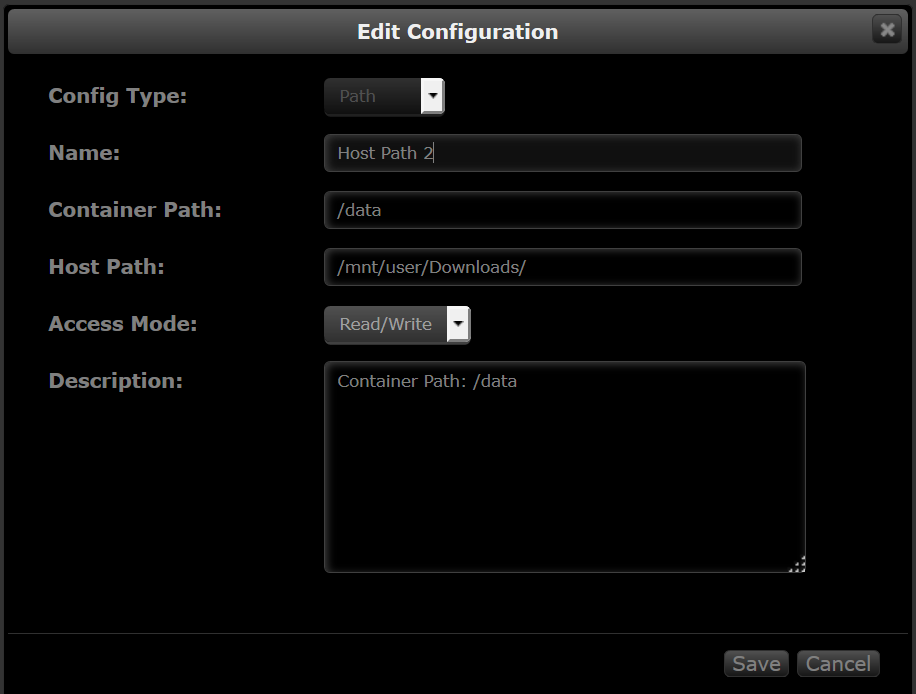
-
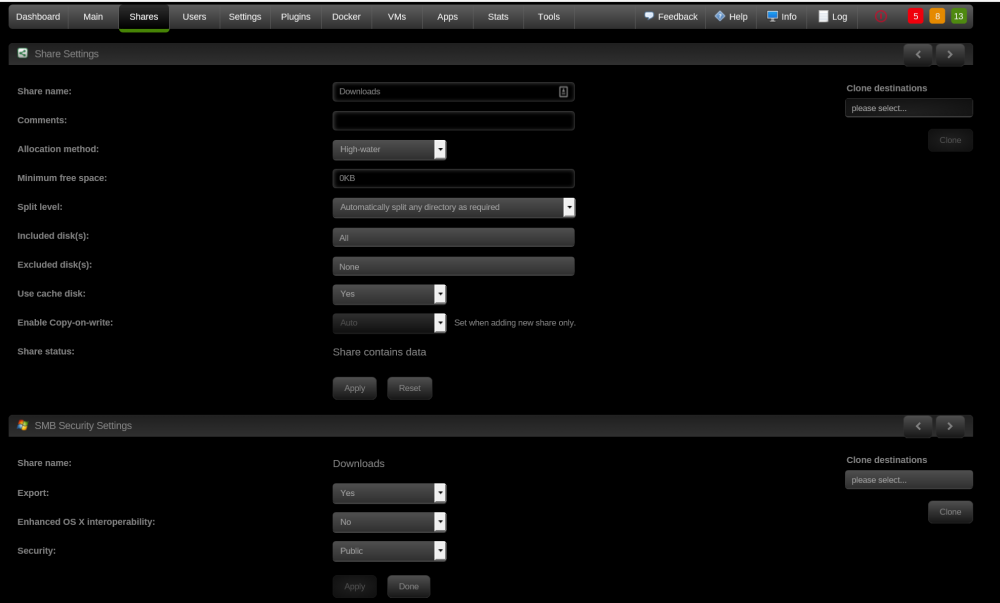
Hi, When i download a torrent it is going onto the cache drive but not moving to my share folder, i have tried MOVER but still nothing. Can anyone tell me what i am doing wrong please.
-
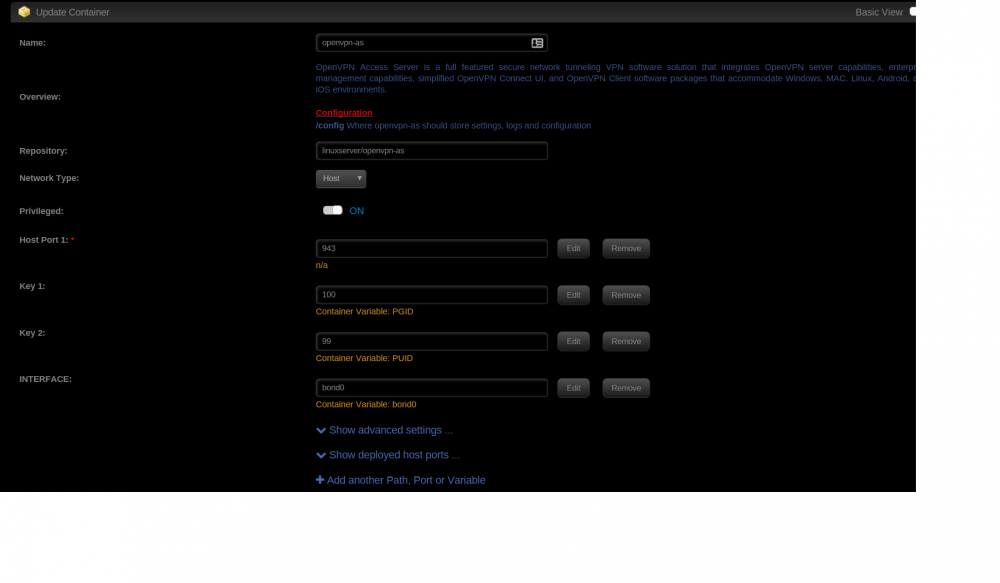
Hi, I have done this, still nothing. I have attached a print screen of the settings.
-
Sorry i am a little lost, must i change something or do you require more information.
-
Network: bond0: fault-tolerance (active-backup), mtu 1500 eth0: 1000 Mb/s, full duplex, mtu 1500
-
I changed this when i re-install the docker and it hasnt made any difference. thanks for you help by the way.
-
The below is my run command and Log,. any help is appreciated.
-
i need some help please i have installed the docker, then when i click webui it doesnt load the page. tells me unable to connect
-
Ok airvpn now working I had to uninstall then delete the deluge app folder, i then re installed and added the require information and it works perfect. Thank you
-
Hi. i have tried both methods. Maybe im missing something, must i copy the .ovpn file into the deluge directroy?


