






NewDisplayName
Members
-
Joined
-
Last visited
Everything posted by NewDisplayName
-
yea, i know. It creates ./output/filename ./output/.xkjaksd but doesnt used the .xkljsd directory.
-
ah yea i noticed it was creating .XhkJDFKJSD dirs but not putting it there?!
-
Wtf, what was the problem? Such a fast fixing, thank you.
-
Only problem with this docker i have is that it from time to time dont respond, cant login, cant reach, and it hangs while connecting to other services because it seems to throw out 19891831298391231309182391318923 requests at the same time. And i did atleast 3-4 reinstalls from scratch with the same results after some days... (but the weekly mail works fine)
-
Ive tried with jlesage/handbrake:v1.14.5-debug but where i find the debug log? in the normal log it looks the same... boths iso work just fine in GUI (i log into GUI, select "Fast 1080p30", click start) thats with debug on <removed>
-
Another one: <removed>
-
Here is full log <removed> please tell me when youf inished, i would like to delete it afterwards.
-
Ill do that. Atm i only have that one iso. It works if i go in GUI with same preset. Then, when i put it in watch folder, it starts, creates directory and first file and then stops with the error above. I dont understand it. If it cant access it, it wouldnt write anything. And if iso would be problem, why does it work in GUI mode..?!?
-
It creates the first file and directory, but then it fails. Ive read thru 14 pages now, didnt find any tips. Is there ANYTHING i need to adjust with the standard presets to get it working? (i just selected language for subtitles and audio) edit: read all pages, found nothing helpfull, also looked in dokumentation, can i enable debug somehow?
-
runt his form inside the contaienr: /tmp # ls -l /output/DVDRIP/ total 7548 -rw-r--r-- 1 root root 0 Jul 27 10:43 tesasd -rw-rw-rw- 1 app users 7727924 Jul 27 04:37 test4.title-1.mp4 seems fine for me, what could be the problem? The tesasd file is created within the terminal with touch.
-
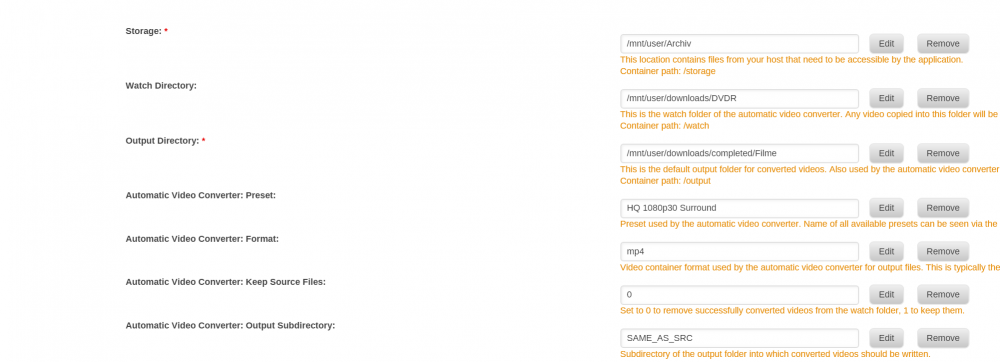
omg, you linked the log outside the container? Is it already christmas? libdvdread: Get key for /VIDEO_TS/VIDEO_TS.VOB at 0x00000136 libdvdread: Elapsed time 0 libdvdread: Get key for /VIDEO_TS/VTS_01_1.VOB at 0x000004b5 libdvdread: Elapsed time 0 libdvdread: Get key for /VIDEO_TS/VTS_02_1.VOB at 0x00002914 libdvdread: Elapsed time 0 libdvdread: Get key for /VIDEO_TS/VTS_03_1.VOB at 0x0000379a libdvdread: Elapsed time 0 libdvdread: Get key for /VIDEO_TS/VTS_04_1.VOB at 0x0000d78e libdvdread: Elapsed time 0 libdvdread: Get key for /VIDEO_TS/VTS_05_1.VOB at 0x00016d0e libdvdread: Elapsed time 0 libdvdread: Get key for /VIDEO_TS/VTS_06_1.VOB at 0x0001f165 libdvdread: Elapsed time 0 libdvdread: Get key for /VIDEO_TS/VTS_07_1.VOB at 0x00029087 libdvdread: Elapsed time 0 libdvdread: Get key for /VIDEO_TS/VTS_08_1.VOB at 0x000354e6 libdvdread: Elapsed time 0 libdvdread: Found 8 VTS's libdvdread: Elapsed time 0 libdvdnav: DVD disk reports itself with Region mask 0x00000000. Regions: 1 2 3 4 5 6 7 8 [03:05:30] sync: expecting 2253 video frames [03:05:30] encx264: encoding at constant RF 22.000000 [03:05:30] encx264: unparsed options: level=4.0:ref=2:8x8dct=0:weightp=1:subme=6:vbv-bufsize=25000:vbv-maxrate=20000:rc-lookahead=30 x264 [info]: using SAR=64/45 x264 [info]: using cpu capabilities: MMX2 SSE2Fast SSSE3 SSE4.2 AVX FMA3 AVX2 LZCNT BMI2 x264 [info]: profile Main, level 4.0 ERROR: avio_open2 failed, errno -2 [03:05:30] work: average encoding speed for job is 0.000000 fps [03:05:30] comb detect: heavy 0 | light 0 | uncombed 0 | total 0 [03:05:30] decomb: deinterlaced 0 | blended 0 | unfiltered 0 | total 0 [03:05:30] vfr: 0 frames output, 0 dropped and 0 duped for CFR/PFR [03:05:30] vfr: lost time: 0 (0 frames) [03:05:30] vfr: gained time: 0 (0 frames) (0 not accounted for) [03:05:30] ac3-decoder done: 0 frames, 0 decoder errors [03:05:30] sync: got 0 frames, 2253 expected [03:05:30] libhb: work result = 3 Encode failed (error 3). HandBrake has exited. Google says permission problem, but whats the difference in permissions if i run via GUI or via automatic..?? Shouldnt be!? It also creates one file (the intro) in the output directory just fine. How to fix the permission problem!?
-
What to check if the following happens: Ive selected the same preset: -put .iso in watch folder, let it try automatic: GLib-GIO-Message: 03:05:16.878: Using the 'memory' GSettings backend. Your settings will not be saved or shared with other applications. [autovideoconverter] Starting conversion of '/watch/asdasdkasd.iso' (58f93b7dff45b3f1315bda776233b390) using preset 'Fast 1080p30'... [autovideoconverter] 12 title(s) to process. [autovideoconverter] Processing title 1 (1/12)... [autovideoconverter] Encoding: 7.59 % [autovideoconverter] Encoding: 7.59 % [autovideoconverter] Encoding: 27.76 % [autovideoconverter] Encoding: 44.48 % [autovideoconverter] Encoding: 57.93 % [autovideoconverter] Encoding: 57.93 % [autovideoconverter] Encoding: 72.24 % (70.60 fps, avg 85.78 fps, ETA 00h00m02s) [autovideoconverter] Encoding: 83.45 % (61.52 fps, avg 79.67 fps, ETA 00h00m01s) [autovideoconverter] Encoding: 92.93 % (62.30 fps, avg 77.07 fps, ETA 00h00m01s) [autovideoconverter] Processing title 4 (2/12)... [autovideoconverter] Encoding: 0.00 % [autovideoconverter] Conversion failed. -go to GUI, load the .iso, press start, it works...? (same preset) Which setting i must use to make always only one file out of the source? Anyway this docker looks so amazing and such great options... respect!
-
Yep, did work, i was in the wrong folder..
-
Just a quick hint to all hydra users... upgrade to hydra 2 (also a linuxserverio docker avaible) its not only faster, i never got so many results back since i upgraded, really worth the pain. I recommend set it up from scratch tho.
-
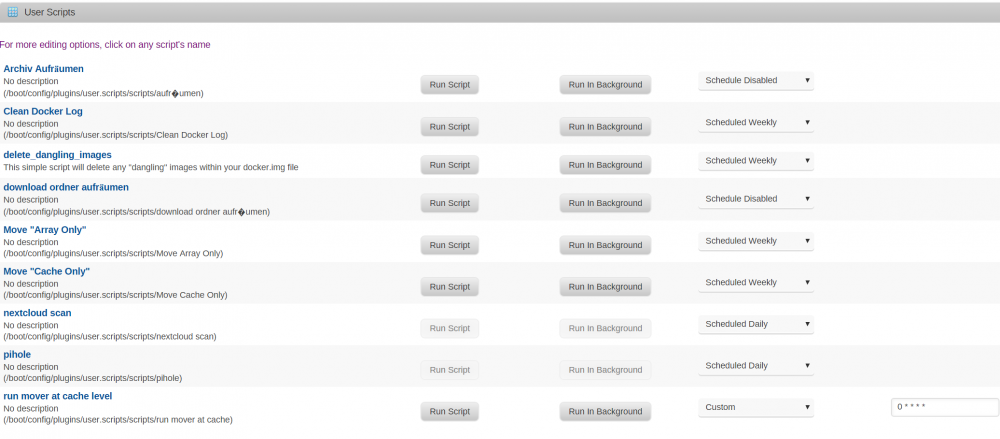
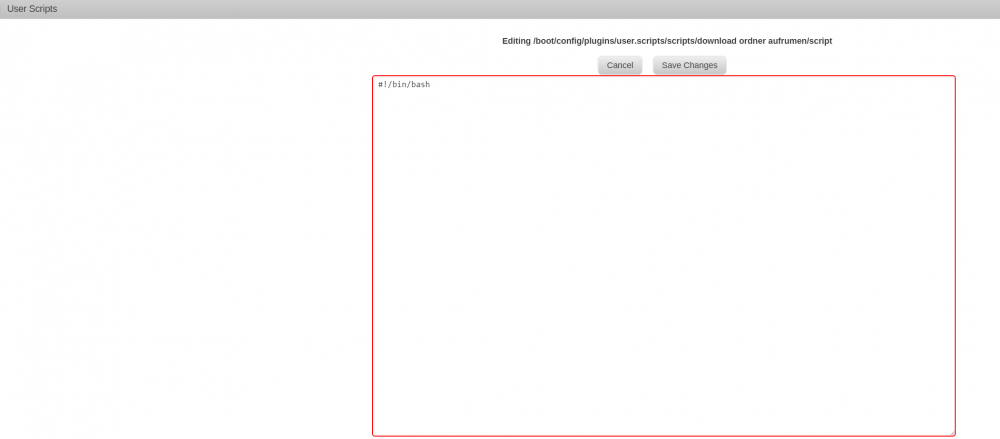
Yea, it seems to be a problem with ö ä ß and so on, i cant even delete the scripts from the interface. How can i get rid of the undeltable wrong scripts? i would just readd them with other names.
-
Y, thanks. That ":debian_v3.3" would have done it for me, but im sure maybe some other can use ur detailed explanation Since u used this version , it didnt crashed? Ill try it.
-
how?
-
I guess could be only reason? I mean, plugin still shows the names of the scripts, but theres nothing in it. They were running for months without problems... tehy just were never backed up...
-
The problem is that this docker just randomly stops working. (closes itself) Maybe you cann tell me how to reach the error log inside the container, bc its not linked to the outside, which would be a good idea btw.
-
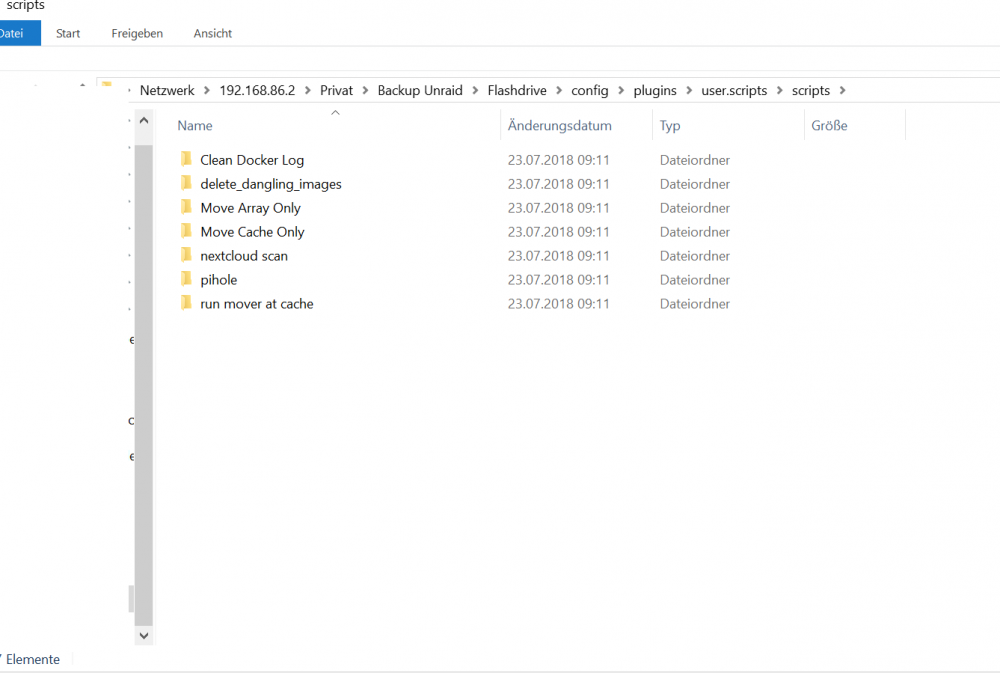
i did some screenshots,so you see what i mean...
-
I dont know why, but there are only the standard scripts... or... does it have a bug and cant backup ö ä ü ß ?
-
pretty wayne anyway. Ive set this now 3 or 4 times up. Even when you are able to get all tokens and so on, at some timm this docker stops working (some sort of unlimited circle) and or is incredible slow. I guess we have to wait some updates... but looks so promising...
-
I installed a new usb drive, bc the old was failing from time to time. I have CA Backup thingy. (but i cant find my scripts, only the preinstaleld scriptps got backed up ? ) Yesterday i set everything up, urrently i let a parity run. I thought all is fine, but sadly all my custom scripts are lost... how to backup them?
-
it happend again.. wtf.
-


