






NewDisplayName
Members
-
Joined
-
Last visited
Everything posted by NewDisplayName
-
Can this be used without using 443 and 80?
-
Can this work without SSL and the reverse proxy?
-
Okay guys, i added 10 more nodes, so you can fugg that cpu limit pretty easy with this solution. Currently i have 11 nodes running (and you need different ports, i checked it). And they also get already some MBs. Would you please add storjmonitor to your docker. Then this would be perfect. I tried running it extra, but i guess, it only works on LOCALHOST... so it needs to be run in docker. https://github.com/calxibe/StorjMonitor seems VERY easy: Linux Clone/Copy this Repo to your local storage. Eg. git clone https://github.com/calxibe/StorjMonitor.git Change into the directory. cd StorjMonitor/ Modify the install Script to executable. chmod +x storjMonitor-install.sh Run the Script! ./storjMonitor-install.sh Enter your API Key from the website into the line 10 in storjMonitor.js (var token = "YOUR-TOKEN-HERE"). Execute the Monitor Script. ./storjMonitor.sh or via seperate screen screen -dmS StorjMonitor ./storjMonitor.sh 1. is the same thing as you probably alreayd do with storj 4. only need to be run on startup of docker 5. can be skipped, or lets say, edited in the config file directly 6. needs to be executed after the storj node startet
-
Im not sure, but it could be, atm i only have 2 nodes and 4 cores, so this shouldnt break that point. But when i see that other ppls have like 100+ nodes, i guess, its easy to go around that limit....
-
Is this still working? I never met a app which throws out so many errors on startup, wow. File not found, reports failure, module is needed, child exited with code 1... i guess thats every error on the world inside this container.. The "tutorial" didnt showed to change anythign... so why its not working? Edit: Okay, i got it working, just needed to restart (?) Maybe you could add that to the first page. I couldnt access it until i restartet it.
-
Ah, yeah, thats right, but i guess, at some time, that will infuence score, maybe?!
-
What firewall? Do you mean router? You need to port forward all.
-
I dont really understand what you mean. I saw on the pictures that the storj is correct configured ports. But that doenst has anything to do with unraid port forwarding. On each docker you should be able to add just the ports this docker need.
-
2313 ms on old node 12645 (and rising) on new node. Seems normal.
-
bc storj shows whats in his config But that has nothing to do with unraid...
-
br0 = own ip adress like u already said bridge = same ip as unraid whats better? The question is how you want your network. Some things need extra ip, like if you want unraid on port 80 and the docker also needs port 80... I do all on bridge and only the ones really needed are br0. Just so i dont ahve too many ips in my network.. You can do it like you want.
-
Im not sure, but my old node still gets new files, even i have the same ports, maybe it works in bridge with same ports. Because i guess only the node which is "the right one" will answer? But we probably see first files only in some weeks on node2, but i will post.
-
Yeah the name after exec is the name how you named the docker, in my case Storj and Storj1. With your ports, i dont know, i guess you need to edit the template, but if im not misstaken br0 is own ip adress anyway, so no port forwarding (inside unraid) needed...?!
-
Thats what i did. Bc of ports i used bridge.
-
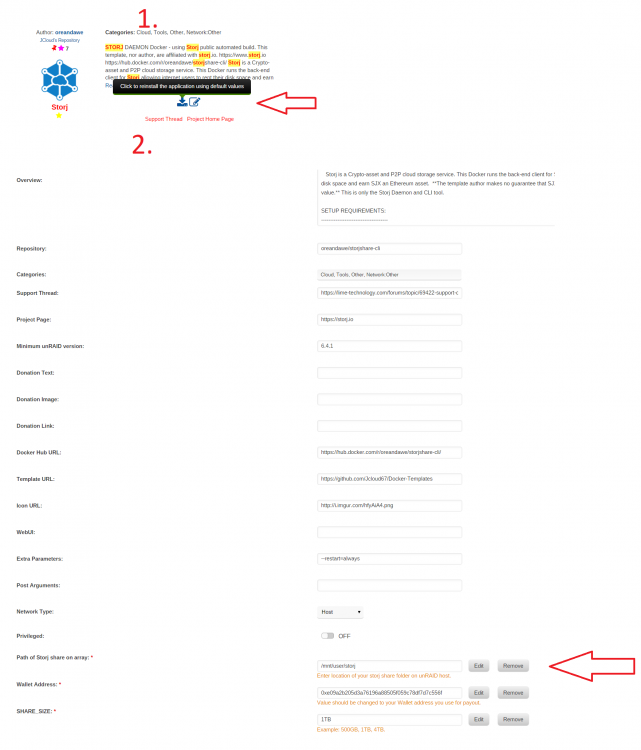
1.) add a second share for storj (i did storj and storj1) 2.) download this docker again, but change path from /mnt/usr/storj to /mnt/usr/storj1 [YOU DONT NEED TO CHANGE THE PATH INSIDE THE DOCKER!] 3.) start storj1, stop it 4.) change config file which was created in storj1 like payment adress, do not traverse, rpc adress, max tunnels, storage and max file size to your needs 5.) i always add the node to https://storjstat.com/index.asp#! for easy checking 6.) finish Im just not sure by now if i need to change ports, if so, then also change ports.
-
Cant we just add another docker container with a different name/folder? Edit: tried it, works just perfect, didnt changed ports, will monitor if that works, but besides this... i changed my one node (1TB) to 2 nodes with 100GB each. root@Unraid-Server:~# docker exec Storj1 storjshare status ┌─────────────────────────────────────────────┬─────────┬──────────┬──────────┬─────────┬───────────────┬─────────┬──────────┬───────────┬──────────────┐ │ Node │ Status │ Uptime │ Restarts │ Peers │ Allocs │ Delta │ Port │ Shared │ Bridges │ ├─────────────────────────────────────────────┼─────────┼──────────┼──────────┼─────────┼───────────────┼─────────┼──────────┼───────────┼──────────────┤ │ 5e2ce75d9e5d679d125eb2a2228c987f2f236a61 │ running │ 36s │ 0 │ 95 │ 0 │ 15ms │ 4000 │ ... │ connected │ │ → /storj/share │ │ │ │ │ 0 received │ │ (TCP) │ (...%) │ │ └─────────────────────────────────────────────┴─────────┴──────────┴──────────┴─────────┴───────────────┴─────────┴──────────┴───────────┴──────────────┘ root@Unraid-Server:~# docker exec Storj storjshare status ┌─────────────────────────────────────────────┬─────────┬──────────┬──────────┬─────────┬───────────────┬─────────┬──────────┬───────────┬──────────────┐ │ Node │ Status │ Uptime │ Restarts │ Peers │ Allocs │ Delta │ Port │ Shared │ Bridges │ ├─────────────────────────────────────────────┼─────────┼──────────┼──────────┼─────────┼───────────────┼─────────┼──────────┼───────────┼──────────────┤ │ 1d065de2cb7e749bcb6415f4b4f555e8b475a5d0 │ running │ 8m 7s │ 0 │ 161 │ 1 │ 21ms │ 4000 │ 4.96GB │ connected │ │ → /storj/share │ │ │ │ │ 0 received │ │ (TCP) │ (5%) │ │ └─────────────────────────────────────────────┴─────────┴──────────┴──────────┴─────────┴────────────
-
I dont get it, why its not possible to make a docker per node?
-
There are news, nearly 5gb (4,95). And i got my first payment (1,24usd worth) - but this must be the payment for i dont know 300mb, maybe.
-
No, update is important! Docker gets updated like every day, np. (they also count who use old images, so i guess, its a quality factor!? Or might be at some time?!) I would go with one node and when its easy to do sometime, then add more, or if one node is full. Currently iam nearly at 4gb, so i guess a good day 24.2 is my first post in this thread, so i guess around that date. You get some points for every X online. (i dont know X)
-
u port forward from router to unraid ip and in unraid to docker, or if u use standalone ip for docker, then to the standalone ip, depends on your setup. With https://storjstat.com/index.asp you can check if port is open (click on your ip or DNS) and you can see some nice stats. You diont need to install anything for it just search for your node id.
-
Cool, now i have full reputation (5000) and already 3gb. First it was 100mb, then some time 300 then sometime 900, now one day, 3gb... :=) I wonder how much they pay. reputation seems to be important (24/7 online, good connection, 5000 is max)
-
I just hope your change dont destroy my setup
-
It was just an example to illustrate the error. dl1.steam.de could be /1/2/2738/283 and dl2.steam.de could be /2/2/8392/ (whatever) Im not sure if its that error why its not loading everything over lan, but it seems logic.
-
Yeah, i guess its the same way like i did it, but keep me posted. (which is working perfectly for me) Cooler would be a fix for steam cache, it seems like nginx seperate the downloaded parts by where it was downloaded like Game part 1 dl1.steam.de game part 2 dl2.steam.de game part 3 dl3.steam.de nginx/dl1.steam.de/part1 nginx/dl2.steam.de/part2 nginx/dl3.steam.de/part3 (so if nexxt time download is only from dl2.steam.de you cant catch the other downloaded parts.... i saw a fix for it i will search it. Edit: here it is https://github.com/steamcache/steamcache/issues/18 if you could fix that issue, that would be awesome.
-
Look at the plugin user scripts, there u can write and use shell bash e.g. And we may could install them easy.



