karldonteljames
Members
-
Joined
-
Last visited
-
ok thank you. So once this is configured and setup, I won't be able to save connections to specific machines etc? I've setup port forwarding to my swag container, and have setup "stream" to send those onto this container. Just trying to get this to work through swag using the domain name now, as it seems that I can make a connection work when using the container ip, but not the domain name.
-
I'm trying to setup rustdesk but do not seem to be having much luck with just being able to login, all of teh documentation says that the webgui should be accessible via port 21114, but this isnt mapped. Adding the mapping doesnt seemt to help either. at the moment i'm just trying to access it locally and get it secure before setting up external access. Any idea what i'm doing wrong? My docker run looks like this: docker run -d --name='RustDeskServer-AiO' --net='dockernet' --pids-limit 2048 -e TZ="Europe/London" -e HOST_OS="Unraid" -e HOST_HOSTNAME="Maximus" -e HOST_CONTAINERNAME="RustDeskServer-AiO" -e 'HBBS_ENABLED'='true' -e 'HBBS_PARAMS'='--key _' -e 'HBBR_ENABLED'='true' -e 'HBBR_PARAMS'='--key _' -e 'UID'='99' -e 'GID'='100' -e 'DATA_PERM'='770' -e 'UMASK'='000' -l net.unraid.docker.managed=dockerman -l net.unraid.docker.icon='https://raw.githubusercontent.com/ich777/docker-templates/master/ich777/images/rustdesk.png' -p '21115-21119:21115-21119/tcp' -p '21116:21116/udp' -v '/mnt/cache/appdata/rustdeskserver-aio':'/rustdesk-server':'rw' --restart=unless-stopped 'ghcr.io/ich777/rustdesk-server-aio' and i've also tried to use the rustdesk software on my laptop, but when i try and login I get the following error, I assume this is due to not having any mapping to port 21114, however adding the port mapping to 21114 makes no difference, I get the same error. Unknown Error: ClientException with SocketException: The remote computer refused the network connection. (OS Error: The remote computer refused the network connection. , errno = 1225), address = 192.168.10.201, port = 58350, uri=http://192.168.10.201:21114/api/login
-
Afternoon, I'm getting errors throughout the backup (mainly with arrs) telling me that the file is not found in the archive. [25.03.2025 04:13:25][❌][ClamAV] tar verification failed! Tar said: tar: /mnt/user/appdata/clamav: Not found in archive; tar: Exiting with failure status due to previous errors [25.03.2025 04:14:30][❌][bazarr] tar verification failed! Tar said: tar: /mnt/user/appdata/bazarr: Not found in archive; tar: Exiting with failure status due to previous errors [25.03.2025 04:15:55][❌][sonarr] tar verification failed! Tar said: tar: /mnt/user/appdata/sonar Not found in archive; tar: Exiting with failure status due to previous errors My debug ID is: 75af9cd9-60e5-4bc0-8e40-8710bfb50b49 I've got some of my important containers not stopping during backup (i.e. emby, home assistant, unraid etc. as this causes other issues. Any idea what i might have misconfigured to be causing these errors please?
-
I came here looking for the same thing. If anyone else needs it, it can be found here.

-
Is anyone supporting this now? I could really do with fixing the issue. Got a ton of documents to scan, and no way I can see of getting the container to start. Edit: I found getting support much quicker on github. https://github.com/paperless-ngx/
-
Evening All, I went to login to paperless for the fist time in a couple of weeks this evening, and i noticed that the service was stopped. After starting and seeing that the container is stopping almost immediatly, I had a look at the logs, any idea what I can do to fix this? Traceback (most recent call last): File "/usr/src/paperless/src/manage.py", line 10, in <module> execute_from_command_line(sys.argv) File "/usr/local/lib/python3.12/site-packages/django/core/management/__init__.py", line 442, in execute_from_command_line utility.execute() File "/usr/local/lib/python3.12/site-packages/django/core/management/__init__.py", line 436, in execute self.fetch_command(subcommand).run_from_argv(self.argv) File "/usr/local/lib/python3.12/site-packages/django/core/management/base.py", line 413, in run_from_argv self.execute(*args, **cmd_options) File "/usr/local/lib/python3.12/site-packages/django/core/management/base.py", line 459, in execute output = self.handle(*args, **options) ^^^^^^^^^^^^^^^^^^^^^^^^^^^^^ File "/usr/local/lib/python3.12/site-packages/django/core/management/base.py", line 107, in wrapper res = handle_func(*args, **kwargs) ^^^^^^^^^^^^^^^^^^^^^^^^^^^^ File "/usr/local/lib/python3.12/site-packages/django/core/management/commands/migrate.py", line 357, in handle post_migrate_state = executor.migrate( ^^^^^^^^^^^^^^^^^ File "/usr/local/lib/python3.12/site-packages/django/db/migrations/executor.py", line 135, in migrate state = self._migrate_all_forwards( ^^^^^^^^^^^^^^^^^^^^^^^^^^^ File "/usr/local/lib/python3.12/site-packages/django/db/migrations/executor.py", line 167, in _migrate_all_forwards state = self.apply_migration( ^^^^^^^^^^^^^^^^^^^^^ File "/usr/local/lib/python3.12/site-packages/django/db/migrations/executor.py", line 252, in apply_migration with self.connection.schema_editor( ^^^^^^^^^^^^^^^^^^^^^^^^^^^^^^ File "/usr/local/lib/python3.12/site-packages/django/db/backends/sqlite3/schema.py", line 39, in __exit__ self.connection.check_constraints() File "/usr/local/lib/python3.12/site-packages/django/db/backends/sqlite3/base.py", line 267, in check_constraints violations = cursor.execute("PRAGMA foreign_key_check").fetchall() ^^^^^^^^^^^^^^^^^^^^^^^^^^^^^^^^^^^^^^^^^^ File "/usr/local/lib/python3.12/site-packages/django/db/backends/utils.py", line 79, in execute return self._execute_with_wrappers( ^^^^^^^^^^^^^^^^^^^^^^^^^^^^ File "/usr/local/lib/python3.12/site-packages/django/db/backends/utils.py", line 92, in _execute_with_wrappers return executor(sql, params, many, context) ^^^^^^^^^^^^^^^^^^^^^^^^^^^^^^^^^^^^ File "/usr/local/lib/python3.12/site-packages/django/db/backends/utils.py", line 99, in _execute self.db.validate_no_broken_transaction() File "/usr/local/lib/python3.12/site-packages/django/db/backends/base/base.py", line 521, in validate_no_broken_transaction raise TransactionManagementError( django.db.transaction.TransactionManagementError: An error occurred in the current transaction. You can't execute queries until the end of the 'atomic' block. It looks like a database migration issue. but I'm not sure, and have no clue how to fix this. Any help would be appreciated.
-
Thanks, That's just it. Clicking apply doesn't do anything. No Loading, no being greyed out, nothing so far as I can tell. After running that command line (above) nothing changes on the crown file. I'm also missing the icons to view the logs of the completed scripts too. I've even restarted Unraid a couple of times.
-
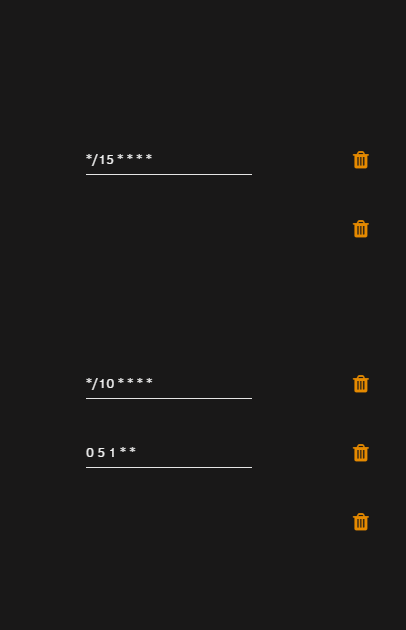
Afternoon All, I seem to be unable to "apply" settings (the apply button doesn't do anything) or view logs of previously run scripts. I've tried a couple of browsers, on a couple of devices, any idea what might be going on? Thanks
-
there is an options file in appdata, but this only contains: atomicparsley /usr/sbin/atomicparsley ffmpeg /usr/sbin/ffmpeg
-
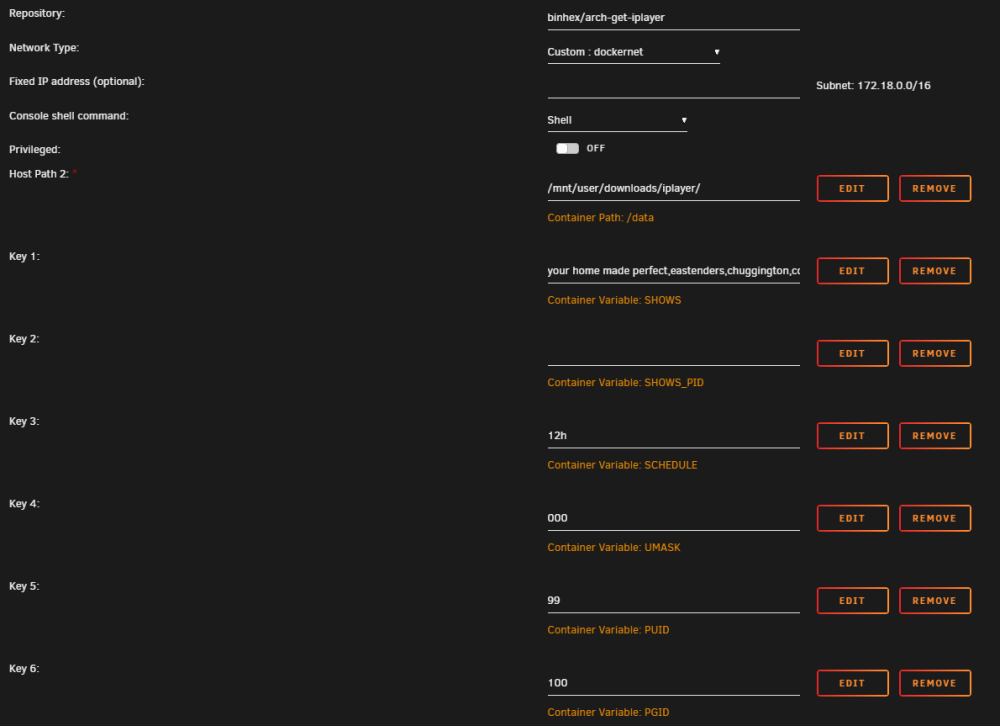
i'm not running antyhing in the terminal, it runs automatically every 12hours. - I can see from the link you sent that the variables are added to the command, but that is why i'm confused.
-
Thanks but i'm not sure where to add these? Do i add them to extra parameters, or do I need to modify a file?

-
Hi, Is there a way I can change the filename output with this docker container please? I would just like to include the quality in the file name. Thank you.
-
Just done the update and can see the force download button now. Thank you! Just checked and it is also downloading videos that have been added list too. Loving this, thank you so much!
-
Not a problem, Thanks for getting back to me. Yes i deleted the file from the server so there would still have been a record for it. I must have missed the action of force download. I think this is working, but i'll need to double check. Give me a couple of hours to look into it. This was an intentional redaction. Thanks again for coming back to me.
-
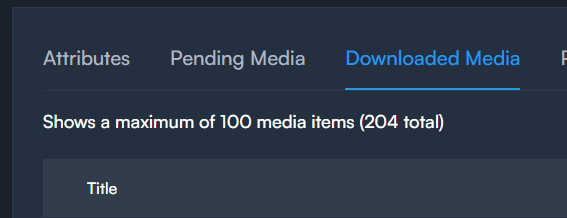
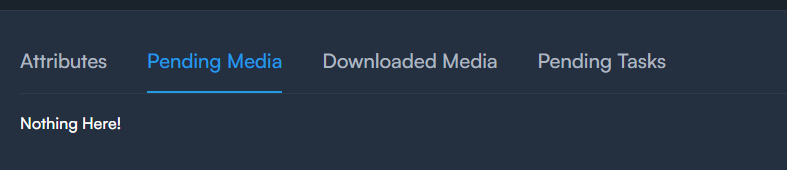
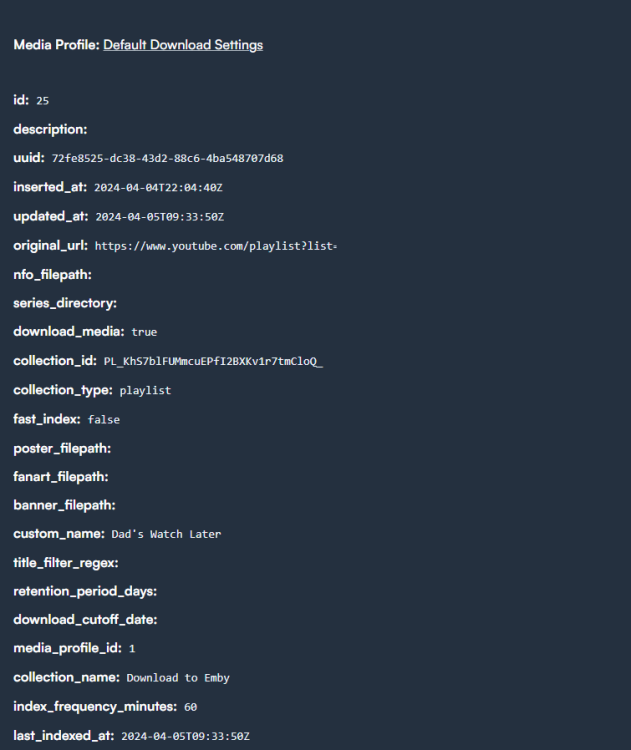
Hi Kieran, I moved to this last week from Tubesync and I think this is a much better implementation with few fewer bugs and so much quicker to use. I have a couple of questions taht i'm not sure if i'm missing: 1) I have a channel that i'm following / downloading however a couple of episodes were accidentially deleted, is there a way to re-download the missing episodes at all? 2) I have created a playlist on youtube call "Download to Emby" and then I added this into pinchflat, gave it the name "Dad's Watch Later List" and it downloaded everything that was on the list. I've since added a few more videos to that list, but they do not seem to have downloaded, I've manually run the index, but nothing seems to be in the "pending media" tab. Is there a way to get this to get the missing videos - Have I missed it? Using the multi select tool for you tube you can see there are 211 videos in the list. I'd like to finish by saying thanks so much for this!