





soder
Members
-
Joined
-
Last visited
Everything posted by soder
-
After uninstalling Plex, and removed the docker file, I went to "apps", searched for Plex and tock the version from linuxserver's Repository, and there the version "on top" that was "docker" in VERSION and "lscr.io/linuxserver/plex" in repo (the lscr.io part is new for me). After that, the path I had before was gone, and I noticed a small difference in the layout from my previous version... Anyhow, now I'm back, adding my media as path and transcode to /dev/shm
-
No it wasn't. I removed the docker from Unraid, checking to also remove the docker file. When adding it back, I had to fill in my paths again...
-
Hmm, will also path and such stuff be saved? Path configured in the docker?
-
Hmm, how do I do that in a secure way? As I said, using Unraid, and the docker is installed through the "apps". /Söder
-
I'm a plexpass subscriber as well, but this spring someone told me to use "plexpass" as version to get the fix for that HDR tone mapping problem. But I now switched back to linuxserver/plex as repo, and "plexpass" as VERSION, and that took me back to non working HDR tone mapping. Gonna try "latest" as version. EDIT: It didn't worked. What else do I need to do in Unraid, then "edit" my Plex docker, and changing repo and version? /Söder
-
I changed repository to fix this problem, from linuxserver/plex, with VERSION plexpass, to lsiodev/plex:amd64-1.25.2.5319-c43dc0277-pkg-c2e7263a-dev-2f08980441f26b55db4d95db8ee42c958882cc36. If I now want to switch back to repo linuxserver/plex, what shall I put in VERSION to get the fix one? Is it "plexpass", or "latest" or "docker" or "public"? /Söder
-
Yes, there's a bug right now with HDR tone mapping and HW transcoding (again, had this problem in the spring 2021 as well). But for me downgrading PMS doesn't work now. /Söder
-
All of a sudden I've noticed that my HW transcode doesn't work for HDR tone mapping any longer, just like the problem with PMS the spring 2021. What can it be causing this? My HW transcoding work for non HDR movies or if I turn of HDR Tone Mapping in the settings for Plex. Here's the thread about the HW problem from this spring... /Söder
-
I might be a totally noob for this stuff, but I got Nerdpack installed, and still when I type "unrar" in terminal I get "bash: unrar: command not found". What can be wrong? Unraid 6.9.2 EDIT: Well, not that noob. 😃 I removed the plugin, then re added it, and installed unrar. /Söder
-
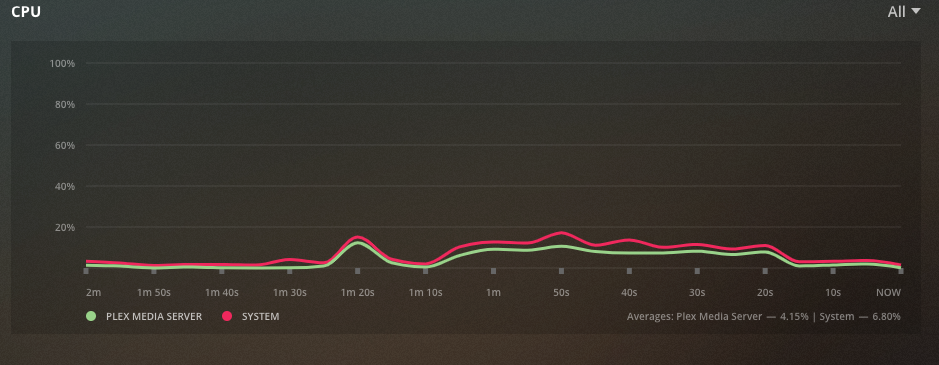
Oh, i didn't know there was a Plex pass version. I was hammering F5 on the docker site under "tags" and couldn't find any 1.23-version. That's why I thought this docker wasn't updated. Thanks. EDIT: It works for me now. 4K HEVC HDR to 1080p SDR HW. i3 10100 cpu /Söder
-
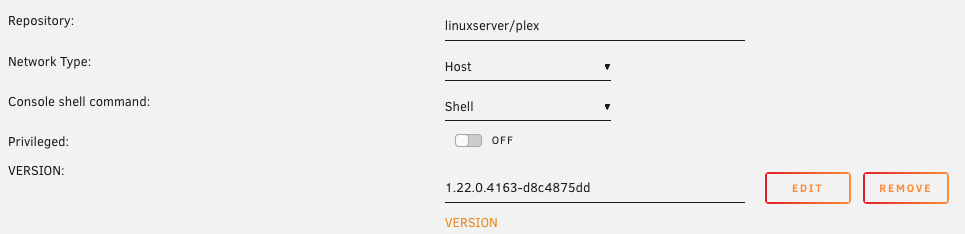
Check my post above, where I find out how to downgrade. It's just to change "latest" to a specific version you want, and press Apply. Then the docker is rebuilt. I've read that the newer version 1.23 should have fixed this problem with 4K HDR hw to SDR issue, but the docker is still not updated to 1.23. /Söder
-
Hmm, today, there's a new version for me to update to in Unraid, even though I've done like i wrote in the previous post. How come there's an update then? /Söder
-
But, how do I do that in Unraid with Plex in docker? Is there an easy way? Edit: I'm using this docker (are there any differences on the dockers, anyone I should use instead?). https://hub.docker.com/r/linuxserver/plex/ and when when changing from "latest" to "1.22.0.4163" in VERSION on the "edit docker page" in Unraid and press Apply, I'm still on Version 1.22.2.4282 in app.plex.tv when I'm checking from a browser. Edit2: Is it version-1.22.0.4163-d8c4875dd I shall write instead? Or do I need to specify more? Edit3: 1.22.0.4163-d8c4875dd was the exact line. Now I'm down do the working version. When Plex has fixed the problem, what is the best version to be on then? docker, latest or public? /Söder
-
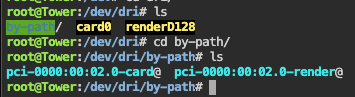
So, can someone please help to to straighten some things out for me. Also for me HW has stopped working for 4k videos HDR to SDR with tone mapping on in Plex settings. For other stuff HW works. In my GO file I've had that modprobe line, even after the update to 6.9.1 but I've also still got the /dev/dri folder. I've read that the problem in some way may be with Plex, and not an Unraid error? So, what should I do now? I've removed the modprobe line in the GO file, and in my Plex settings I still use the --device=/dev/dri as Extra Parameters, and after a reboot I still got that folder. My HW still works, as long as I don't enabled the HDR tonemapping setting again. Got a i3 10100, worth mentioning... /Söder
-
What is the thing to do, if I'm upgraded to Unraid 6.9.1, and I still got working hw transcode for everything like before, except 4K HDR to something like 1080 SDR with tone mapping? Since I still got hw working for other stuff, do I need to change in my GO file or do something else? Thanks. /Söder
-
Hmm, I did a pretty stupid thing today. In my array I got 5 disks, but for my share "media" I only use two disks. For many years I've had ProFTTd installed, and for my user I had the path /mnt/user/FTP and the FTP folder was a share called FTP. That shared was set to "prefer" for the cache, but also that it was for all the disks. I today changed that setting to yes, meaning that when mover started, and it didn't fit on the cache, it started to move the stuff in FTP (that is, my media) in to new disks... I had to stop the mover, and then with unbalance get the folders back the disks where media should be. So, what is the best way for me to have this FTP? I want the user to get to my media. Should I set that folder as my user path then? EDIT: What I now did was to umount my media I had to the /mnt/user/FTP folder, and then removed the share FTP. I can now again just add the FTP folder on /mnt/cache I guess.. But is there a way for my to have the FTP folder as a smb share without have an unraid share like I had before? EDIT2: It's now clear for my that when I create a folder in /mnt/cache, there is also a share in unraid created. What's the best way then for me if I don't want to risk the same thing again, with different cache pool settings for FTP and media share? /Söder
-
Please tell me more how I do this? /Söder
-
Thanks. I just found out that I hade debug on for my Plejd (lights). Edit: Also, that I logged all with the Logger: option in .conf.. /Söder
-
No. Please explain what does is do and how I should go further with it.
-
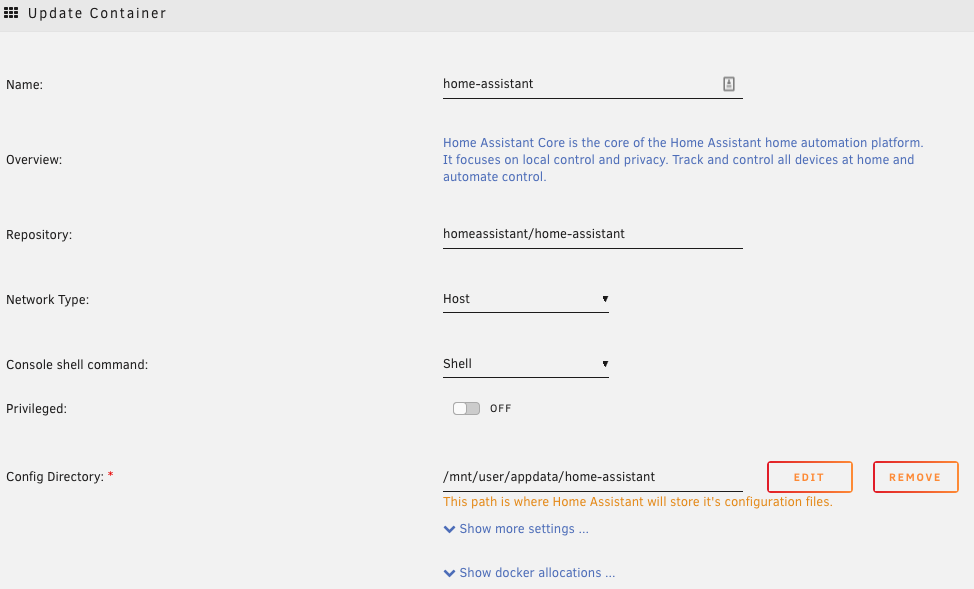
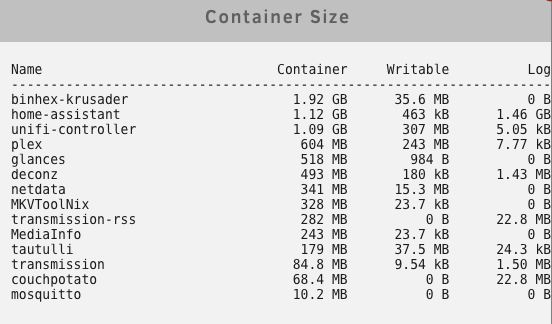
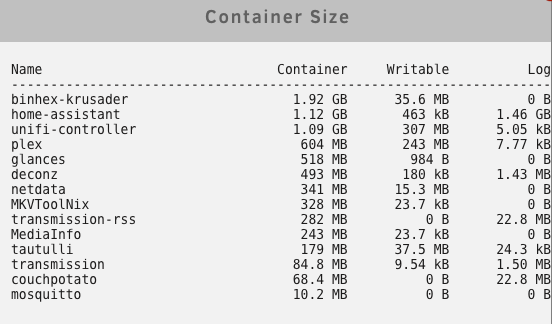
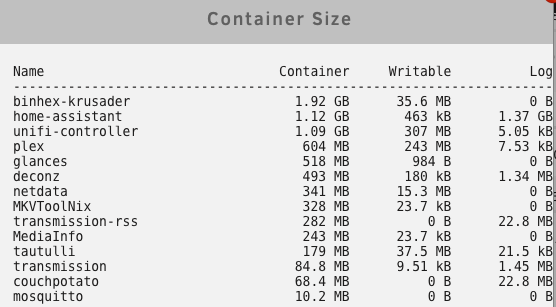
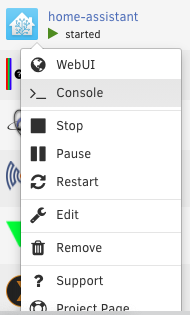
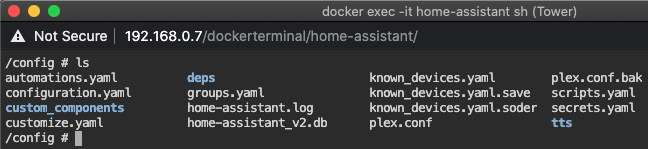
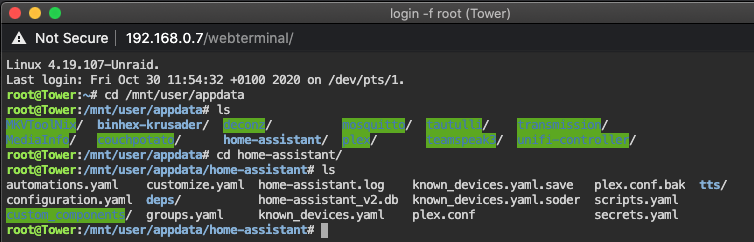
I've been using Home Assistant as Docker in my UnRaid for some years now, and I once in a while having problem with my Docker image running out of space. Now I've found out that it has something to do with my Home Assistant. First of all when I did this the size went back to normal. truncate -s 0 /var/lib/docker/containers//-json.log I then in UnRaid noticed that it's Home Assistant that grows in log size. It grows with 0.1 GB in an hour? (But also, I was 45 days ago I had this problem the last time). Screenshot 2020-10-30 at 13.00.24 Screenshot 2020-10-30 at 14.05.11 This is my settings for the Docker, and the appdata is on my cache disk, where also my Docker img is I think, but it's not the disk that is running out of space, but the docker with a fixed size of 35GB or something like that. When I check the dockers this way It's like I'm only in the app data, and not in the Docker img, as I thought this way should do? It's like the same as in app data.. Should I do something else, and what can I do to fix this log problem filling up my Docker Img? Thanks. /Söder
-
That's why I wrote as I did in my post. 😃 I thought that I maybe could get some help with it anyways. /Söder
-
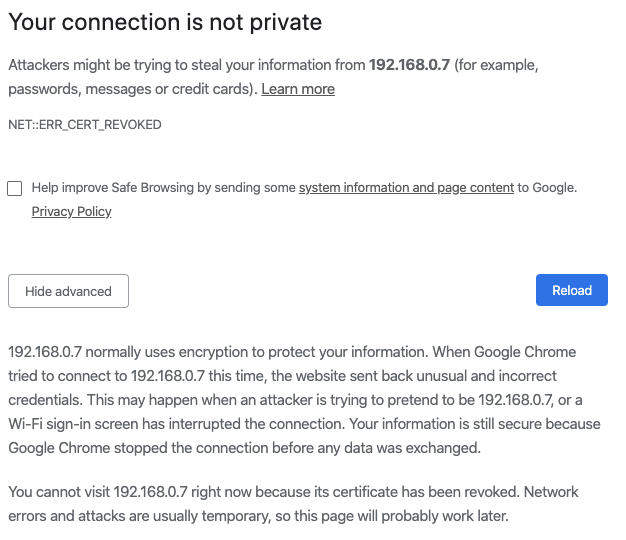
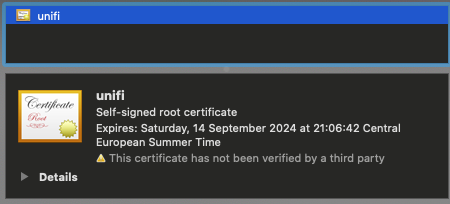
I wonder if I might get some help with my problem in here, even though it's not a docker problem. I just updated my Mac to 10.15 Catalina, and now I can't access the controller on my server https://192.168.0.7:8443/ any longer. Before the update I got the "Your connection is not private" message, but pressing Advanced I could go on anyway. That's not available now. I might have had this problem before, and then doing some kind of certificate, that's now invalid, but I don't remember what I did and I don't know what to do now. Please help me with this. Thanks. /Söder
-
Thanks. /Söder
-
Is there a way to make the logs working for proftpd? I've edited the config file, but it doesn't work. # Control Logging - comment and uncomment as needed # If logging Directory is world writeable the server won't start! # If no SystemLog is defined proftpd will log to servers syslog. #SystemLog NONE #SystemLog /boot/config/plugins/ProFTPd/slog #TransferLog NONE TransferLog /boot/config/plugins/ProFTPd/xferlog WtmpLog NONE But the xferlog always empty for me... /Söder
-
First, thanks for a great reply. I love it when I get replies like that. Also, when we think about this, we should know that I do not use a parity disk for my array. Since it's mostly downloaded media, I decided that I could risk not having a parity drive for that array. Soo, there's no drawback with writing to the array, more than SSD>HDD in speed, and that a HDD needs to spin. About using a cache drive for the FTP or not, I also think doesn't matter that much, since I only use the FTP to give some friends access to my media. I put it on /mnt/cache/FTP since I saw others did it that way, and of course that a SSD is faster and all that. But just like you said, I right now doesn't keep my /mnt/user/media on the cache drive, since when I did many downloads, or large downloads, only one or two files could fit on my 80GB SSD cache. The first day I tried it, it worked well, since two files was using the cache, and the other downloads when directly to the array (since the cache had no space), but day two, when I tried to also download some files, the torrents that didn't fit on the cache, didn't just go directly to the array, but was instead stopped in Transmission since there was no space left on the storage. I then changed it back for my "media" to not use the cache. And, when I later created the FTP folder (or share) in /mnt/cache/ and said "no" to if use cache, I got an "error" with the "fix common problems" plugin that I had the FTP folder on the cache, but had settings to "no". And, about your last "edit", all my downloads in Transmission goes directly to "/downloads/videos/movies" in Transmission, where the "/downloads" part in the Transmission Docker is /mnt/user/media/, and there for my downloads all goes in to /mnt/user/media/videos/movies and not set to use the cache. /Söder


